1. Киришүү
The Deli ED991ES is a scientific calculator designed for students and professionals, offering 417 functions for a wide range of mathematical and scientific calculations. It features a clear LCD display, rubber buttons for comfortable operation, and a protective sliding cover. This calculator is powered by both batteries and solar energy, ensuring reliable performance.
2. Орнотуу
2.1 Батареяны орнотуу
The Deli ED991ES calculator requires two AA batteries for operation. It also features a solar panel for supplementary power, extending battery life.
- Калькулятордун артындагы батарея бөлүкчөсүнүн капкагын табыңыз.
- Капкакты жебе көрсөткөн багытта жылдырыңыз.
- Бөлүмдүн ичинде белгиленгендей, туура полярдуулукту (+/-) текшерип, эки AA батарейкасын салыңыз.
- Батарея бөлүкчөсүнүн капкагын бекем чыккыча ордуна коюңуз.
Эскертүү: The calculator utilizes a dual power system (battery and solar). Ensure sufficient light for solar power to function effectively.
2.2 Күйгүзүү/өчүрүү
To turn the calculator on, press the [КҮЙҮК] button. To turn it off, press [SHIFT] артынан [ӨЧҮК].

Image 1: The Deli ED991ES Scientific Calculator with its protective sliding cover. This image shows the overall design and key layout.
3. Иштөө нускамалары
The Deli ED991ES offers 417 functions and 8 calculation modes to support various mathematical and scientific tasks. The clear LCD display shows inputs and results effectively.
3.1 Негизги операциялар
Perform standard arithmetic operations using the number keys and operators ([+], [-], [×], [÷]). Басыңыз [=] натыйжаны алуу үчүн.
3.2 Функция режимдери
To access different calculation modes, press the [РЕЖИМ ОРНОТУ] button and select the desired mode from the menu. Available modes include:
- КОМП: Basic arithmetic and functional calculations.
- STAT: Statistical calculations, including standard deviation.
- ТАБЛИЦА: Generate number tables from functions.
- EQN: Equation solving.
- MATRIX: Matrix calculations.
- ВЕКТОР: Vector calculations.
- BASE-N: Base-N calculations.
- CMPLX: Complex number calculations.
3.3 Негизги функциялар
The calculator includes dedicated keys for various functions:
- Тригонометриялык функциялар: [күнөө], [cos], [таң] and their inverse functions (accessed via [SHIFT]).
- Логарифмдик функциялар: [журнал], [ln].
- Power and Root Functions: [x²], [√], [xʸ].
- Эстутум функциялары: [STO] (Store), [RCL] (Recall), [M+] (Memory Plus).
- Бөлчөктүк эсептөөлөр: Use the fraction key to input and calculate fractions.
- Constants and Conversions: Access scientific constants and unit conversions via [SHIFT] or [ALPHA].

Image 2: The calculator displaying a numerical result, demonstrating its clear screen and button layout during operation.
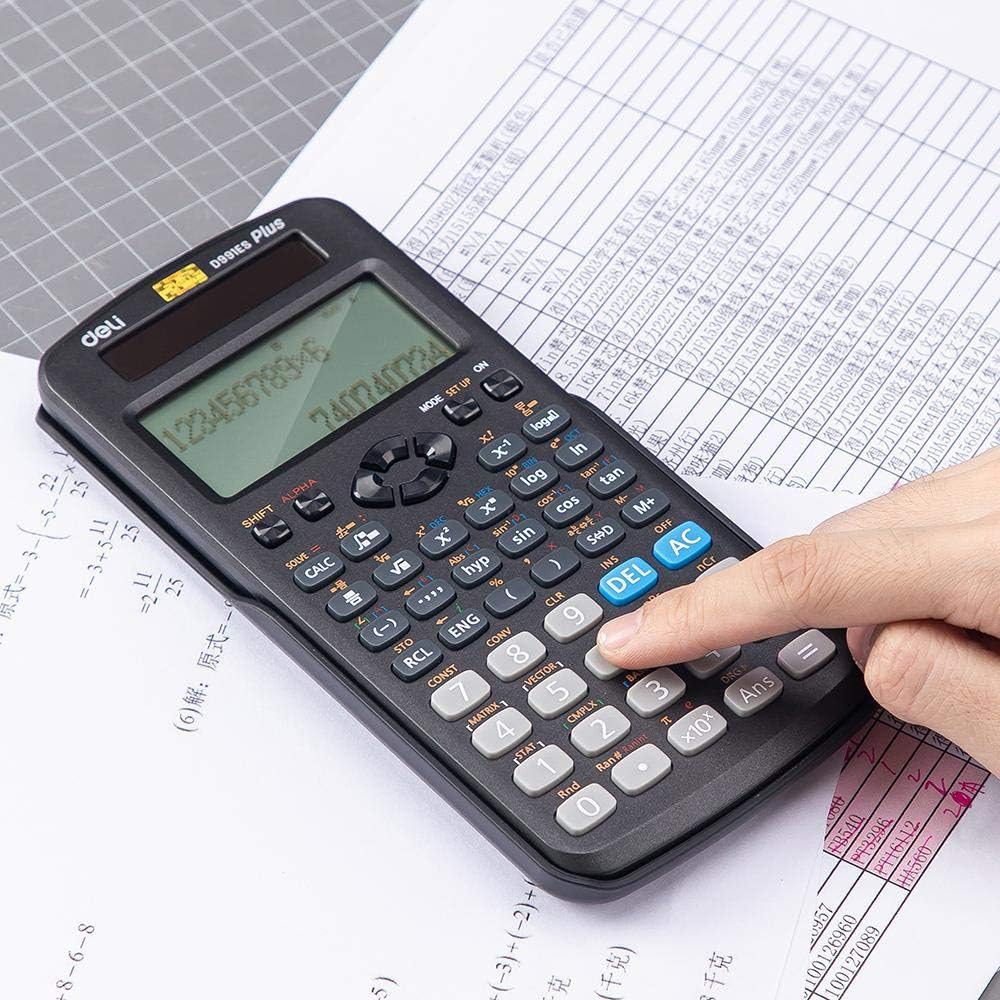
Image 3: A user's hand interacting with the calculator, highlighting the ergonomic design of the rubber buttons.

Image 4: The calculator positioned on a worksheet, illustrating its practical use in an academic setting.
4. Техникалык тейлөө
4.1 Тазалоо
To clean the calculator, wipe it gently with a soft, dry cloth. Do not use abrasive cleaners, solvents, or spray directly onto the device, as this may damage the display or internal components.
4.2 Сактоо
When not in use, always keep the protective sliding cover on the calculator to prevent dust, scratches, and accidental button presses. Store the calculator in a cool, dry place away from direct sunlight and extreme temperatures.
5. Кыйынчылыктарды
- Калькулятор күйбөйт: Check if the batteries are correctly installed and have sufficient charge. Ensure there is adequate light for the solar panel if operating in low light conditions.
- Туура эмес жыйынтыктар: Verify that the calculator is in the correct mode (e.g., DEG/RAD for angles, COMP for basic calculations). Clear previous calculations by pressing [AC].
- Дисплей күңүрт же бош: Replace the batteries. Ensure the solar panel is exposed to light.
- Баскычтар жооп бербейт: Баскычтардын астына таштанды калбагандыгын текшериңиз. Эгер маселе чечилбесе, аппаратты баштапкы абалга келтирүү үчүн батарейкаларды чыгарып, кайра салып көрүңүз.
6. Техникалык шарттар
| Өзгөчөлүк | Деталь |
|---|---|
| Модель номери | ED991ES |
| Бренд | Deli |
| Type | Scientific / Engineering Calculator |
| Функциялардын саны | 417 |
| Power Source | Battery (2 AA), Solar |
| Дисплей түрү | LCD |
| Өлчөмдөрү (L x W x Y) | 171.9 x 83 x 17.5 мм |
| Салмагы | 216 г |
| Түс | Кара |
7. Кепилдик жана колдоо
Кепилдик маалыматы же техникалык колдоо үчүн, сатып алуу учурунда берилген документтерди караңыз же сатуучуга кайрылыңыз. Сатып алганыңыздын далили катары сатып алуу дүмүрчөгүңүздү сактаңыз.


