Introduction
This manual provides detailed instructions for the installation, operation, and maintenance of your FLYLINKTECH Dash Cam CD10. Please read this manual thoroughly before using the device to ensure proper functionality and safety.

Сүрөт: алдыңкы жана арткы view of the FLYLINKTECH Dash Cam CD10, highlighting its compact design and 1.5-inch LCD screen.
Продукт өзгөчөлүктөрү
- Full HD 1080P видео: Records video at 1080p resolution for clear details.
- 170° кең бурчтуу объектив: Covers up to 5 traffic lanes, reducing blind spots.
- G-Sensor and Emergency Lock: Automatically detects collisions and locks video files.
- WDR Function: Enhances video quality in various lighting conditions, including low light.
- Цикл жаздыруу: Эң эскисинин үстүнөн жазат files when storage is full, ensuring continuous recording.
- 1.5 дюймдук LCD экран: Compact display for easy viewинг жана навигация.
- Унаа токтотуучу жай: Records incidents when the vehicle is parked.
- Кыймылды аныктоо: Initiates recording when motion is detected.
- Түнкү көрүнүш: Improved low-light performance.

Image: Diagram illustrating key features of the dash cam, including 1080P resolution, 1.5-inch LCD, G-Sensor, motion detection, loop recording, 170-degree wide angle, WDR, and super night vision.
Пакеттин мазмуну
Сураныч, кутудан чыкканда пакеттин мазмунун текшериңиз:
- FLYLINKTECH Dash Cam CD10
- Сорох кубогын таһыгар
- Жабыштыруучу тоо
- Статикалык чаптамалар
- Car Charger with additional USB port
- Микро USB кабели
- Колдонуучунун Колдонмосу (бул документ)
Note: An SD card is not included and must be purchased separately.

Image: All items included in the product package: the dash cam, packaging box, car charger, micro USB cable, suction cup mount, adhesive mount, and user manual.
Орнотуу жана орнотуу
1. Micro SD картаны салуу
Before first use, insert a high-speed Micro SD card (Class 10 or higher, up to 32GB recommended) into the dash cam's SD card slot. Ensure the card is inserted correctly until it clicks into place.
2. Камераны орнотуу
Choose between the suction cup mount or the adhesive mount for installation.
- Сорулуучу чөйчөк орнотуу:
- Камераны орното турган жердин алдыңкы айнегинин бетин тазалаңыз.
- Attach the dash cam to the suction cup mount.
- Сорулгону алдынкы айнекке бекем басып, аны бекитүү үчүн рычагды которуңуз.
- Жабышкак орнотуу:
- Алдыңкы айнектин бетин кылдаттык менен тазалаңыз.
- Apply the static sticker to the windshield first, then attach the adhesive mount to the static sticker for easier removal later.
- Attach the dash cam to the adhesive mount.
- Күчтүү байланышты камсыз кылуу үчүн 30 секунд катуу басыңыз.
Position the dash cam near the rearview күзгүгө тоскоолдук кылбасын view жолдун.
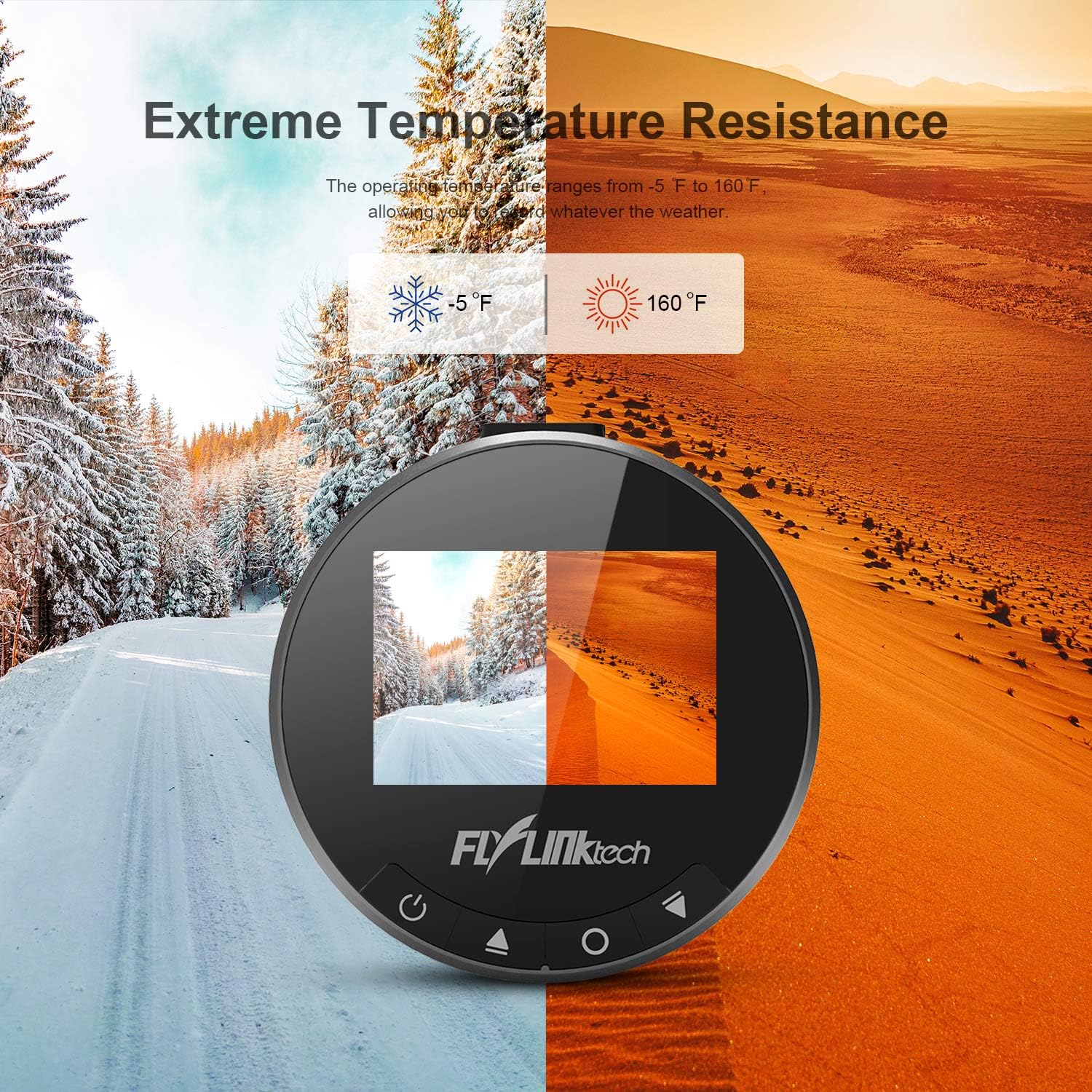
Сүрөт: мурункуample of the dash cam installed on a car's windshield, showing optimal placement to avoid obstructing the driver's view while covering the road ahead.
3. Кубатты туташтыруу
Connect the provided car charger to your vehicle's cigarette lighter socket and the Micro USB cable to the dash cam's power port. Route the cable neatly along the windshield and dashboard to avoid interference with driving.
Иштөө нускамалары
1. Күйгүзүү/өчүрүү
- The dash cam will automatically power on and begin recording when connected to power and the vehicle ignition is turned on.
- To manually power on/off, press and hold the Power button (usually marked with a power symbol) on the device.
2. Негизги жаздыруу
Once powered on, the dash cam will automatically start loop recording. Video files are saved in segments (e.g., 1, 3, 5, or 10 minutes) and the oldest files are overwritten when the SD card is full.

Image: Visual representation of the loop recording function, showing how older video segments are automatically replaced by new ones to ensure continuous recording.
3. G-сенсор (авариялык кулпу)
The built-in G-Sensor detects sudden impacts or rapid deceleration. When triggered, the current video segment is automatically locked and protected from being overwritten, serving as crucial evidence in case of an accident.

Image: Illustrations depicting the G-Sensor activating upon collision and the 24-hour parking monitor function, which records incidents when the vehicle is parked.
4. Паркинг монитору
When enabled, the Parking Monitor function uses the internal battery to detect impacts or motion around the vehicle while parked. It will automatically start recording for a short period to capture any incidents.
5. Motion Detection
In Motion Detection mode, the camera will only record when it detects movement in its field of view, conserving storage space. This feature is typically used when the vehicle is stationary.
6. WDR (кең динамикалык диапазон)
WDR technology helps the camera perform optimally in challenging lighting conditions, such as strong backlight or low light, by balancing exposure to produce clearer images.

Image: Comparison showing how WDR improves image clarity in varying light conditions, alongside an illustration of the 170-degree wide angle coverage across multiple lanes.
Техникалык тейлөө
- Тазалоо: Камера линзасын жана экранын тазалоо үчүн жумшак, кургак чүпүрөктү колдонуңуз. Суюк тазалоочу каражаттарды же абразивдүү материалдарды колдонбоңуз.
- SD картаны форматтоо: It is recommended to format the Micro SD card regularly (e.g., once a month) within the dash cam's settings to prevent data corruption and ensure optimal recording performance. This will erase all data on the card.
- Температура: Avoid exposing the dash cam to extreme temperatures outside its operating range (-20°C to 70°C / -5°F to 160°F) for prolonged periods.
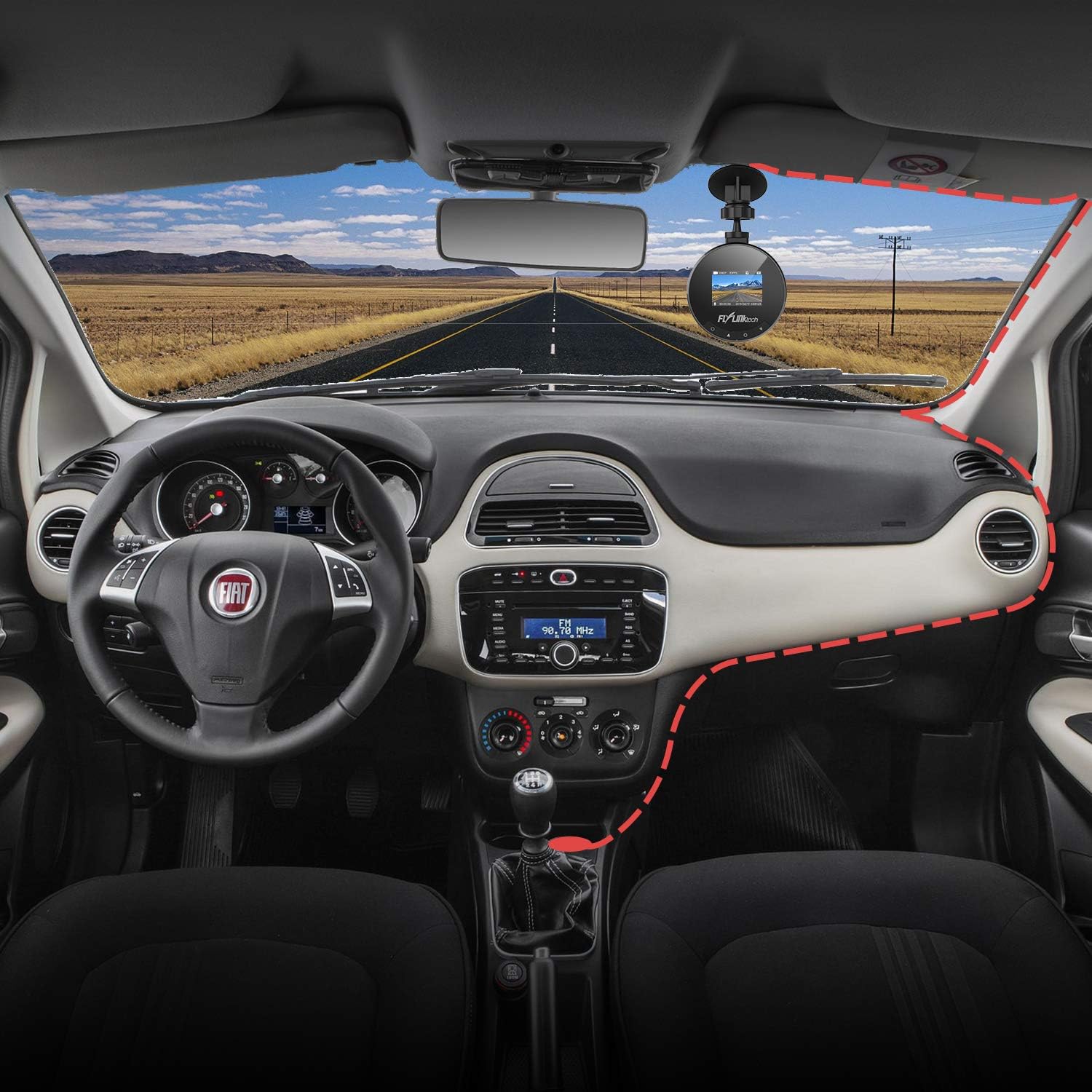
Image: Visual representation of the dash cam's ability to withstand extreme temperatures, from cold winter conditions (-5°F) to hot desert environments (160°F).
Проблемаларды чечүү
- Камера күйбөй жатат:
- - Ensure the car charger is properly connected to both the dash cam and the vehicle's power outlet.
- - Check if the vehicle's cigarette lighter socket is functioning.
- - Мүмкүн болсо, башка USB кабелин же унаа кубаттагычын колдонуп көрүңүз.
- Жаздыруу токтотулат же тоңот:
- - Format the Micro SD card within the camera's settings.
- - Жогорку ылдамдыктагы (10-класс же андан жогорку) Micro SD картасын колдонуп жатканыңызды текшериңиз.
- - The SD card may be full; enable loop recording or replace the card.
- Видеонун сапаты начар:
- - Камеранын линзасын тазалаңыз.
- - Линзадан коргоочу пленканын алынып салынганын текшериңиз.
- - Adjust settings for WDR or exposure if available.
- Suction cup not sticking:
- - Clean both the windshield and the suction cup thoroughly.
- - Moisten the suction cup slightly before applying.
- - Ensure the lever is fully engaged after pressing the cup to the windshield.
Техникалык шарттар
| Өзгөчөлүк | Деталь |
|---|---|
| Экран | 1.5 дюймдук LCD экран |
| Ачылышы | F1.8 |
| G-сенсор | Интеграцияланган |
| Video Resolution | 1080P Full HD |
| Сүрөттүн резолюциясы | 12M / 10M / 8M / 5M / 3M / 2M / 1.3M |
| Видео режими | Normal / Loop Recording / Motion Detection / Parking Monitor |
| Иштөө температурасы | -20°C ~ 70°C (-5°F ~ 160°F) |
| Өлчөмдөр | 5.99 x 5.99 x 3 см |
| Салмагы | 280г |
| Байланыш | USB |
Кепилдик жана колдоо
FLYLINKTECH provides a 2-year worry-free warranty for all dashboard cameras.
For technical support or warranty claims, please contact FLYLINKTECH customer service through the contact information provided in your product packaging or on the official FLYLINKTECH webсайт.


