1. Киришүү
This manual provides essential information for setting up, operating, and maintaining your Samsung Galaxy Tab A 10.1" Wi-Fi tablet. Please read this manual thoroughly to ensure proper use and to maximize the device's capabilities.
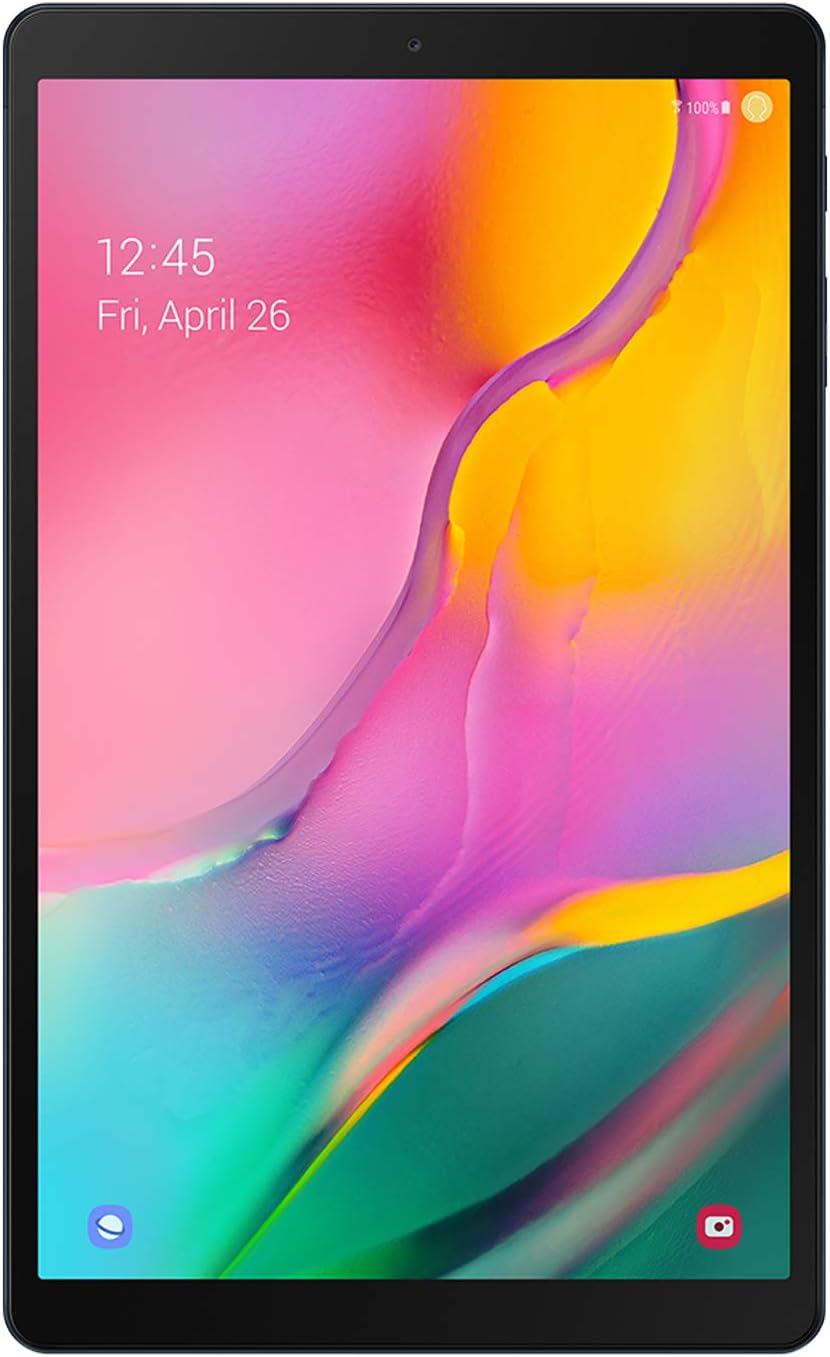
Сүрөт 1: Алдыңкы view of the Samsung Galaxy Tab A 10.1" tablet.
The Samsung Galaxy Tab A 10.1" features a vibrant Full HD display, immersive Dolby Atmos sound, and a long-lasting battery, making it suitable for entertainment and everyday tasks.
2. Орнотуу
2.1 Кутуда эмне бар
- Samsung Galaxy Tab A 10.1" Tablet
- Маалымат кабели
- Эжекция пин
- Quick Start Guide
- Terms Agreement
2.2 Түзмөктү баштапкы орнотуу
- Күйгүзүү: Планшеттин капталында жайгашкан Кубат баскычын Samsung логотиби чыкканга чейин басып, кармап туруңуз.
- Тил тандоо: Каалаган тилиңизди тандоо үчүн экрандагы көрсөтмөлөрдү аткарыңыз.
- Wi-Fi туташуусу: Интернетке кирүүнү иштетүү үчүн Wi-Fi тармагына туташыңыз.
- Google аккаунту: Google аккаунтуңуз менен кириңиз же жаңысын түзүңүз. Бул Google Play Дүкөнүнө жана башка Google кызматтарына кирүү үчүн зарыл.
- Samsung Account (Optional): Sign in with your Samsung account for additional features and services.
- Маалыматтарды өткөрүү: If you have a previous device, you may transfer data during this step.
- Коопсуздукту орнотуу: Set up a screen lock (PIN, pattern, password) for device security.
- Толук орнотуу: Орнотуу процессин аягына чыгаруу үчүн калган көрсөтмөлөрдү аткарыңыз.

2-сүрөт: Бурчтуу view of the Samsung Galaxy Tab A 10.1" tablet, highlighting its slim design.
3. Планшетиңизди иштетүү
3.1 Дисплей жана аудио
The tablet features a 10.1" Full HD display with a resolution of 1920x1200 pixels, offering a clear and vibrant viewing experience. It supports Dolby Atmos surround sound for an immersive audio experience, delivered through its dual speakers located on the bottom edge.

Figure 3: The tablet's 10.1" Full HD display provides a cinematic viewтажрыйбасы.

Figure 4: Enjoy rich audio with Dolby Atmos surround sound.
3.2 Аткаруу жана оюн
Powered by an Exynos 7904 processor and 3GB of RAM, the Galaxy Tab A 10.1" is designed for smooth performance during everyday tasks such as browsing, streaming, and light multitasking. It comes with 64GB of internal storage, expandable up to 512GB via a Micro SD card (sold separately).
For gaming, the tablet handles popular titles like PUBG Mobile and Asphalt 9 with HD graphics and high frame rates, offering a satisfactory experience for casual gamers.
Video 1: A comparison video showcasing the display and performance of the Galaxy Tab A 10.1" against a newer model. This video highlights screen brightness, color differences, and gaming performance.
3.3 камеранын иштеши
The tablet is equipped with an 8MP rear camera and a 5MP front-facing camera. Both cameras support 1080p video recording. While not designed for professional photography, they are suitable for video calls, scanning documents, and capturing casual photos in well-lit environments.
Видео 2: A review video discussing the features and long-term usability of the Galaxy Tab A 10.1" (2019), including insights into its camera capabilities.
3.4 Байланыш жана батарея
The tablet supports Bluetooth v4.2 for connecting wireless accessories and Wi-Fi (802.11a/b/g/n/ac on both 2.4 GHz and 5 GHz bands) for internet access. It features a USB-C port for charging and data transfer, and a 3.5mm headphone jack for wired audio.
A 6150 mAh battery provides approximately 6.5 hours of usage during battery drain tests, allowing for extended browsing, streaming, and gaming sessions.

5-сүрөт: Каптал view of the tablet, showing the USB-C port, headphone jack, and speaker grilles.

Figure 6: The tablet features a long-lasting battery for extended use.
3.5 программалык камсыздоо
The tablet originally shipped with Android 9 Pie and has received updates to Android 11, providing access to the latest Android features and security enhancements. It includes Samsung's One UI for a user-friendly interface.

Figure 7: Samsung Kids provides a safe and engaging environment for children.

Figure 8: Stay organized with pre-installed Samsung apps like Calendar and Notes.
4. Техникалык тейлөө
4.1 Тазалоо жана кам көрүү
- Планшеттин экранын жана корпусун тазалоо үчүн жумшак, түксүз чүпүрөктү колдонуңуз.
- Катуу химиялык заттарды же абразивдүү материалдарды колдонуудан алыс болуңуз.
- Планшетти экстремалдык температурадан жана тике күн нурунан алыс кармаңыз.
- Экранды экрандын коргоочусу менен коргоп, чийиктердин жана бузулуунун алдын алуу үчүн коргоочу капты колдонуңуз.
4.2 Программалык камсыздоо жаңыртуулары
Regularly check for and install software updates to ensure your device has the latest features, security patches, and performance improvements. You can usually find this option in the device's Settings menu under "Software update."
5. Кыйынчылыктарды
If you encounter issues with your tablet, try the following basic troubleshooting steps:
- Түзмөктү өчүрүп күйгүзүңүз: Жөнөкөй кайра иштетүү көптөгөн майда программалык мүчүлүштүктөрдү чечет.
- Байланыштарды текшерүү: Ensure Wi-Fi is enabled and connected, and any cables are securely plugged in.
- Сактагычты бошотуу: If the device is slow, delete unnecessary fileс же колдонмолорду колдонуңуз.
- Заводдун баштапкы абалга келтирүү: As a last resort, if problems persist, you may perform a factory reset. Эскертүү: Бул түзмөгүңүздөгү бардык маалыматтарды өчүрөт. Улантуудан мурун маанилүү маалыматтардын камдык көчүрмөсүн сактап коюңуз.
- Колдоо кызматы менен байланышуу: If the issue cannot be resolved, refer to the Warranty and Support section for further assistance.
6. Техникалык шарттар
| Өзгөчөлүк | Спецификация |
|---|---|
| Модель аты | Galaxy Tab A 10.1" (T510) |
| Элемент моделинин номери | SM-T510NZKFXAR |
| Screen Size | 10.1 дюйм |
| Screen Resolution | 1920 x 1200 пиксел (Full HD) |
| Процессор | 1.8 GHz Octa-Core (Exynos 7904) |
| RAM | 3 ГБ |
| Ички сактагыч | 64 ГБ |
| Кеңейтүүчү сактагыч | Micro SD 512 ГБ чейин |
| Операция системасы | Android 9 Pie (Upgradable to Android 11) |
| Арткы камера | 8 депутат |
| Алдыңкы камера | 5 депутат |
| Батарея сыйымдуулугу | 6150 mAh (13 Hours Average Life) |
| Байланыш | Wi-Fi (802.11a/b/g/n/ac), Bluetooth v4.2, USB-C |
| Аудио | Dual Speakers with Dolby Atmos, 3.5mm Headphone Jack |
| Өлчөмдөрү (LxWxH) | 9.65 x 5.88 x 0.3 дюйм |
| Элемент Салмагы | 1.03 фунт |
7. Кепилдик жана колдоо
For warranty information, technical support, and service inquiries, please visit the official Samsung webсайтына же Samsung кардарларды тейлөө кызматына кайрылыңыз. Кепилдик дооматтар үчүн сатып алганыңыздын далилин сактаңыз.
Кошумча колдоо ресурстарын жана Көп берилүүчү суроолорду төмөнкү жерден таба аласыз Samsung дүкөнү бет.


