1. Киришүү
1.1 Продукт бүттүview
The JUNG HOME BTLS1791WW is a durable and robust room thermostat designed for precise temperature control in your living space. It features a clear digital display and intuitive controls for easy operation, helping you maintain a comfortable environment efficiently.
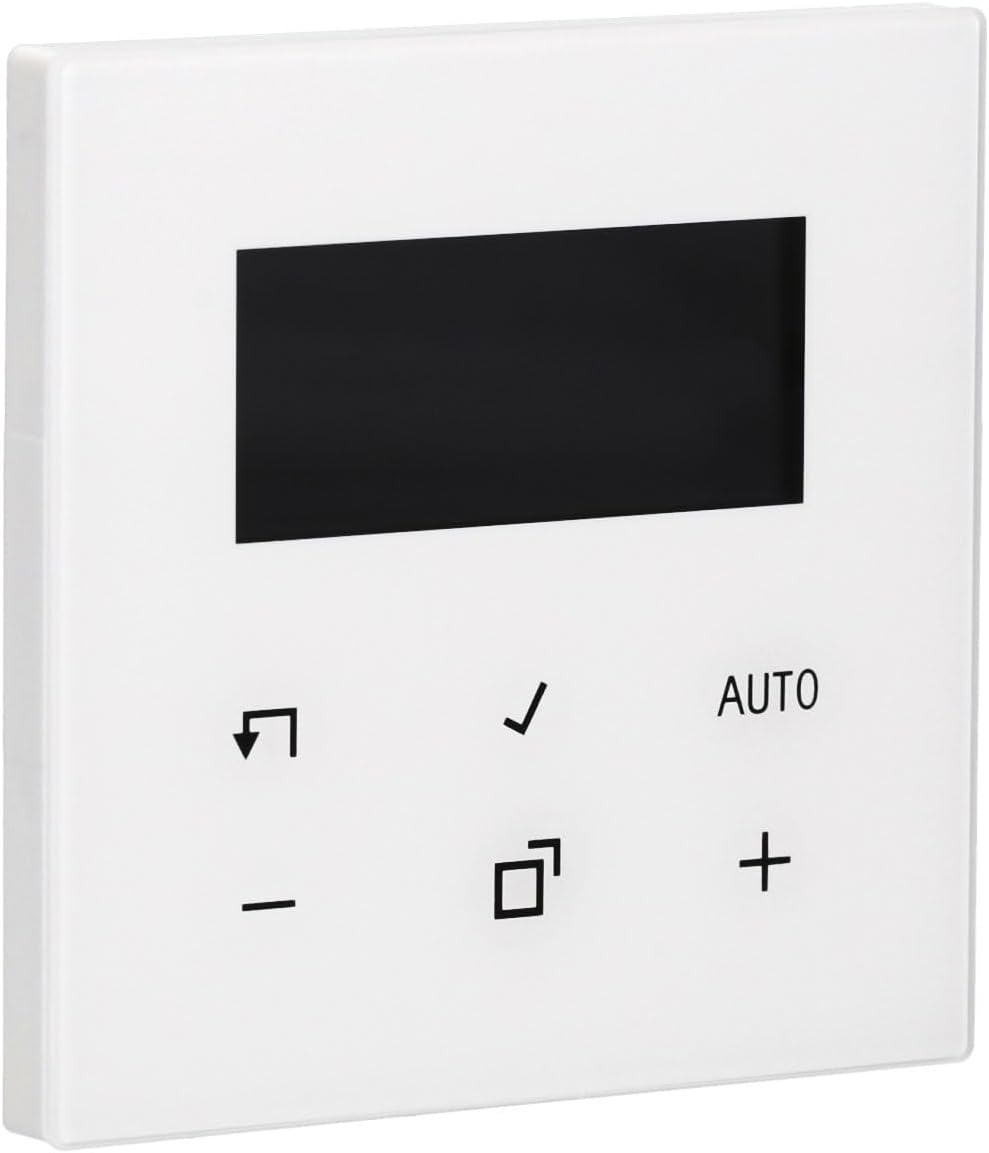
Сүрөт 1.1: Алдыңкы view of the JUNG HOME BTLS1791WW Room Thermostat. The device is white with a black rectangular display at the top and several control icons and text below it.
1.2 Пакеттин мазмуну
- JUNG HOME BTLS1791WW Room Thermostat
- Орнотуу жабдыктары
- Колдонуучунун Колдонмосу (бул документ)
2. Коопсуздук маалыматы
Please read all safety instructions carefully before installing or operating the device. Failure to follow these instructions may result in property damage, personal injury, or death.
- Электр коопсуздугу: Always disconnect power to the circuit at the main breaker before performing any installation, wiring, or maintenance.
- Кесиптик орнотуу: Орнотуу бардык жергиликтүү электр эрежелерине жана эрежелерине ылайык квалификациялуу электрик тарабынан жүргүзүлүшү керек.
- Курчап турган чөйрө: Do not expose the device to moisture, water, or extreme temperatures. Ensure the installation location is dry and within the specified operating temperature range.
- Зымдар: Ensure all wiring connections are secure and correctly polarized. Incorrect wiring can damage the device or pose a fire hazard.
3. Орнотуу жана орнотуу
Follow these general steps for installing your JUNG HOME BTLS1791WW Room Thermostat. For detailed wiring diagrams, refer to the separate installation guide provided with the product or consult a qualified electrician.
3.1 Монтаждоо
- Кубатты өчүрүү: Turn off the power to the thermostat's circuit at the main electrical panel.
- Эски термостатты алып салыңыз (эгер бар болсо): Carefully remove your existing thermostat, noting the wiring connections.
- Позициялоо: Secure the JUNG HOME BTLS1791WW thermostat to a standard flush-mounted electrical box using the provided installation hardware. Ensure it is level.

Сүрөт 3.1: Каптал view of the JUNG HOME BTLS1791WW Room Thermostat, illustrating its depth and the mounting tabs on the side for secure installation.
3.2 Электр зымдары
- Зымдарды туташтыруу: Connect the electrical wires from your heating/cooling system to the appropriate terminals on the back of the thermostat. Refer to the wiring diagram in your specific installation guide.
- Коопсуз байланыштар: Ensure all wire connections are tight and secure to prevent loose contacts.

Сүрөт 3.2: Артка view of the JUNG HOME BTLS1791WW Room Thermostat, displaying the wiring terminals, model number (BTLS1791WW), and manufacturer details.
3.3 Кубат күйгүзүлдү
- Күчтү калыбына келтирүү: Once the thermostat is securely mounted and wired, restore power to the circuit at the main electrical panel.
- Баштапкы орнотуу: The thermostat display should illuminate. Follow any on-screen prompts for initial setup, such as language selection or time setting.
4. Иштөө нускамалары
The JUNG HOME BTLS1791WW thermostat is designed for user-friendly operation. Familiarize yourself with the display and control buttons.

Сүрөт 4.1: Алдыңкы view of the JUNG HOME BTLS1791WW Room Thermostat with its display showing a temperature of 21.5°C and indicating 'AUTO' mode, along with other control icons.
4.1 Дисплейview
The central digital display shows key information:
- Учурдагы температура: The actual room temperature.
- Максаттуу температура: Каалаган температура жөндөөңүз.
- Иштөө режими: Indicates the current mode (e.g., AUTO, Manual).
- Статус белгилери: Additional icons may indicate heating/cooling activity, battery status, or other functions.
4.2 Башкаруу баскычтары
The thermostat features several buttons for control:
- + жана - Баскычтар: Максаттуу температураны жогорулатуу же азайтуу үчүн колдонулат.
- АВТО Баскыч: Toggles or selects the automatic operating mode.
- Белги Баскыч: Тандоолорду ырастайт же меню параметрлерине кирет.
- Arrow/Return Баскыч: Used for navigation within menus or to go back.
- Square Icon Баскыч: Typically used for mode selection, programming, or accessing advanced settings.
4.3 Температураны коюу
- басыңыз + or - каалаган температураны тууралоо үчүн баскычты басыңыз.
- The display will show the new target temperature.
- басыңыз Белги тандооңузду ырастоо үчүн баскычты басыңыз.
4.4 Иштөө режимдерин тандоо
The thermostat may offer various operating modes:
- AUTO режими: The thermostat automatically maintains the programmed temperature schedule.
- Кол режими: The thermostat maintains a constant temperature set by the user until changed.
- Программа режими: Allows you to set specific temperature schedules for different times of the day or week.
колдонуу АВТО баскычы же Square Icon button to cycle through available modes or access programming options. Refer to the detailed programming section in your full manual for advanced scheduling.
5. Техникалык тейлөө
Термостаттын үзгүлтүксүз техникалык тейлөөсү анын оптималдуу иштешин жана узак мөөнөттүү иштешин камсыз кылат.
- Тазалоо: Clean the thermostat's surface with a soft, dry, lint-free cloth. Do not use abrasive cleaners, solvents, or chemical sprays, as these can damage the finish or internal components.
- Вентиляция: Ensure that any ventilation openings on the device are free from dust and debris to prevent overheating.
- Батареяны алмаштыруу (эгер бар болсо): If your model uses batteries, replace them annually or when a low battery indicator appears on the display.
6. Кыйынчылыктарды
Эгерде термостатыңызда көйгөйлөр жаралса, төмөнкү көйгөйлөрдү чечүү кадамдарын колдонуп көрүңүз:
- No Display / No Power:
- Check the circuit breaker for the thermostat's circuit and reset if tripped.
- Verify that all wiring connections are secure and correct.
- Ensure the main power supply to the heating/cooling system is on.
- Температураны туура эмес окуу:
- Термостат түз күндүн нуруна, чиймелерге же жылуулук булактарына (мисалы, lampс, приборлор) анын сенсоруна таасир этиши мүмкүн.
- Verify the thermostat is mounted at an appropriate height (typically 1.5 meters from the floor) in a central location.
- Термостат жооп бербей жатат:
- Try power cycling the device by turning off the circuit breaker for a few minutes and then turning it back on.
- If applicable, check and replace batteries.
- Жылытуу/Муздатуу иштетилбей жатат:
- Verify that the thermostat is set to the correct operating mode (e.g., Heat, Cool, Auto).
- Ensure the target temperature is set appropriately (e.g., higher than room temperature for heating, lower for cooling).
- Check if there are any error codes displayed on the screen and consult the full manual for their meaning.
- Confirm that your external heating/cooling system is functional.
If these steps do not resolve the issue, please contact JUNG customer support or a qualified technician.
7. Техникалык шарттар
| Өзгөчөлүк | Деталь |
|---|---|
| Бренд | Юнг |
| Модель номери | BTLS1791WW |
| Түс | Ак |
| Болжолдуу өлчөмдөр (L x W x H) | 43 x 13 x 13 cm (Note: These dimensions may refer to packaging) |
| Материал | Туруктуу пластикалык конструкция |
| Өзгөчө өзгөчөлүк | Мыкты дизайн |
| Компоненттер камтылган | Орнотуу аппаратурасы |
8. Кепилдик жана колдоо
For detailed warranty information, terms, and conditions, please refer to the official JUNG website or the warranty card included with your product. For technical support, troubleshooting assistance beyond this manual, or to inquire about spare parts, please contact JUNG customer service directly.
Сиз, адатта, өндүрүүчүнүн байланыш маалыматын таба аласыз webсайтында же продуктунун таңгагында.


