1. Киришүү
This manual provides essential information for the safe operation and maintenance of your JJRC H71 Foldable Drone. Please read it thoroughly before operating the drone to ensure proper usage and to prevent damage or injury. Keep this manual for future reference.
1.1 Коопсуздук эрежелери
- Дронду ар дайым ачык жерлерде, адамдардан, жаныбарлардан жана тоскоолдуктардан алыс иштетиңиз.
- Do not fly near airports, restricted airspace, or sensitive areas.
- Ensure the drone batteries are fully charged before each flight.
- Катуу шамалда же жагымсыз аба ырайынын шарттарында учуудан качыңыз.
- Maintain a safe distance from the rotating propellers.
- Балдар дронду чоңдордун көзөмөлүндө гана башкарышы керек.
- Дронду же анын компоненттерин өзгөртпөңүз.
2. Пакеттин мазмуну
Төмөндө тизмеленген нерселердин баары пакетиңизге камтылганын текшериңиз:
- JJRC H71 Foldable Drone
- Remote Controller
- Modular Batteries (2 pcs)
- Spare Propellers (1 set)
- Propeller Guards (4 pcs)
- USB заряддоо кабели
- Screwdriver
- Колдонуучунун Колдонмосу (бул документ)
- Ташуу кутусу

Image: All components of the JJRC H71 Foldable Drone package, including the drone, remote controller, two batteries, spare propellers, propeller guards, USB charging cable, screwdriver, and carrying case.
3. Компонентти идентификациялоо
3.1 Drone Overview

Image: The JJRC H71 Foldable Drone in its unfolded state, alongside its remote controller with a phone holder, a folded drone, and two modular batteries.
The JJRC H71 drone features a foldable design for portability. It includes a 1080P HD camera, LED lights, and modular battery compartments.
3.2 Алыстан башкаруу
The remote controller is equipped with joysticks for flight control, buttons for various functions, and a phone holder for FPV viewing.
4. Орнотуу
4.1 Батареяны орнотуу жана заряддоо
- Дрон Батарея: Insert a fully charged modular battery into the drone's battery compartment until it clicks into place.
- Алыстан башкаруучу батареялар: Open the battery cover on the back of the remote controller and insert 4 AA batteries (not included), ensuring correct polarity. Close the cover.
- Заряддоо: Connect the modular drone battery to the USB charging cable. Plug the USB cable into a 5V/1A USB power adapter (not included). The indicator light on the cable will show charging status. Charging typically takes 60-80 minutes.

Image: Illustration showing the modular battery being inserted into the JJRC H71 drone's battery compartment, with a second battery shown separately.
4.2 Propeller and Guard Installation
- Пропеллер: Ensure propellers are correctly installed according to their markings (A and B) on the corresponding motor shafts. Use the provided screwdriver to secure them.
- Пропеллер коргоочулар: Attach the propeller guards to the drone's arms for added protection, especially for beginners.
4.3 Колдонмону жүктөп алуу жана туташуу
- Download the official JJRC app from your mobile device's app store. Издөө 'JJRC'.
- Turn on the drone and your mobile device's Wi-Fi.
- Connect your mobile device to the drone's Wi-Fi network (e.g., 'JJRC-H71-XXXX').
- Open the JJRC app to access FPV view and advanced flight features.
5. Иштөө нускамалары
5.1 Учуу алдындагы текшерүү тизмеси
- Дрондун жана пульттун батареялары толук заряддалганын текшериңиз.
- Check that propellers and guards are securely installed.
- Select an open, safe flying area.
- Power on the drone and remote controller.
5.2 Pairing and Calibration
- Жупташтыруу: Turn on the drone, then turn on the remote controller. Push the left joystick up and then pull it down. The drone's lights will stop flashing, indicating successful pairing.
- Гиро калибрлөө: After pairing, place the drone on a flat, level surface. Push both joysticks down and to the right simultaneously. The drone's lights will flash rapidly and then become solid, indicating successful calibration.
5.3 Учуп-конуу
- Бир баскычтуу учуу: Press the one-key take-off button on the remote. The drone will automatically ascend to a stable altitude.
- Кол менен учуу: Push both joysticks outwards and downwards to start the motors. Then, gently push the left joystick up to ascend.
- Бир ачкыч конуу: Press the one-key landing button. The drone will automatically descend and land.
- Кол менен конуу: Gently pull the left joystick down to descend. Once landed, pull both joysticks inwards and downwards to stop the motors.
5.4 Flight Controls and Features
- Негизги башкаруу элементтери: Use the left joystick for altitude (up/down) and rotation (left/right). Use the right joystick for forward/backward and left/right strafing.
- Бийиктикти кармоо: Дрон өзүнүн учурдагы бийиктигин автоматтык түрдө кармап турат, бул туруктуу калкып турууга мүмкүндүк берет.
- Оптикалык агымдын жайгашуусу: This feature uses a downward-facing camera to detect patterns on the ground, helping the drone maintain its position and hover steadily, especially at lower altitudes.
- Башсыз режим: In Headless Mode, the drone's orientation is relative to the pilot, regardless of the drone's front direction. Press the Headless Mode button to activate/deactivate.
- Ылдамдык которуу: The drone offers three speed modes (30%, 60%, 100%) suitable for different skill levels. Press the speed switch button to cycle through modes.
- Flight Planning (App Control): Using the JJRC app, you can draw a flight path on your mobile screen, and the drone will follow the designated route.
- Gravity Sensor (App Control): Tilt your mobile phone to control the drone's direction. Activate this feature within the JJRC app.

Image: Diagram illustrating how Optical Flow Positioning helps the drone hover steadily by analyzing ground patterns, and how Altitude Hold maintains a specific height.

Image: Illustration showing the JJRC H71 drone in flight with three speed modes (30%, 60%, 100%) indicated on the remote controller's display.
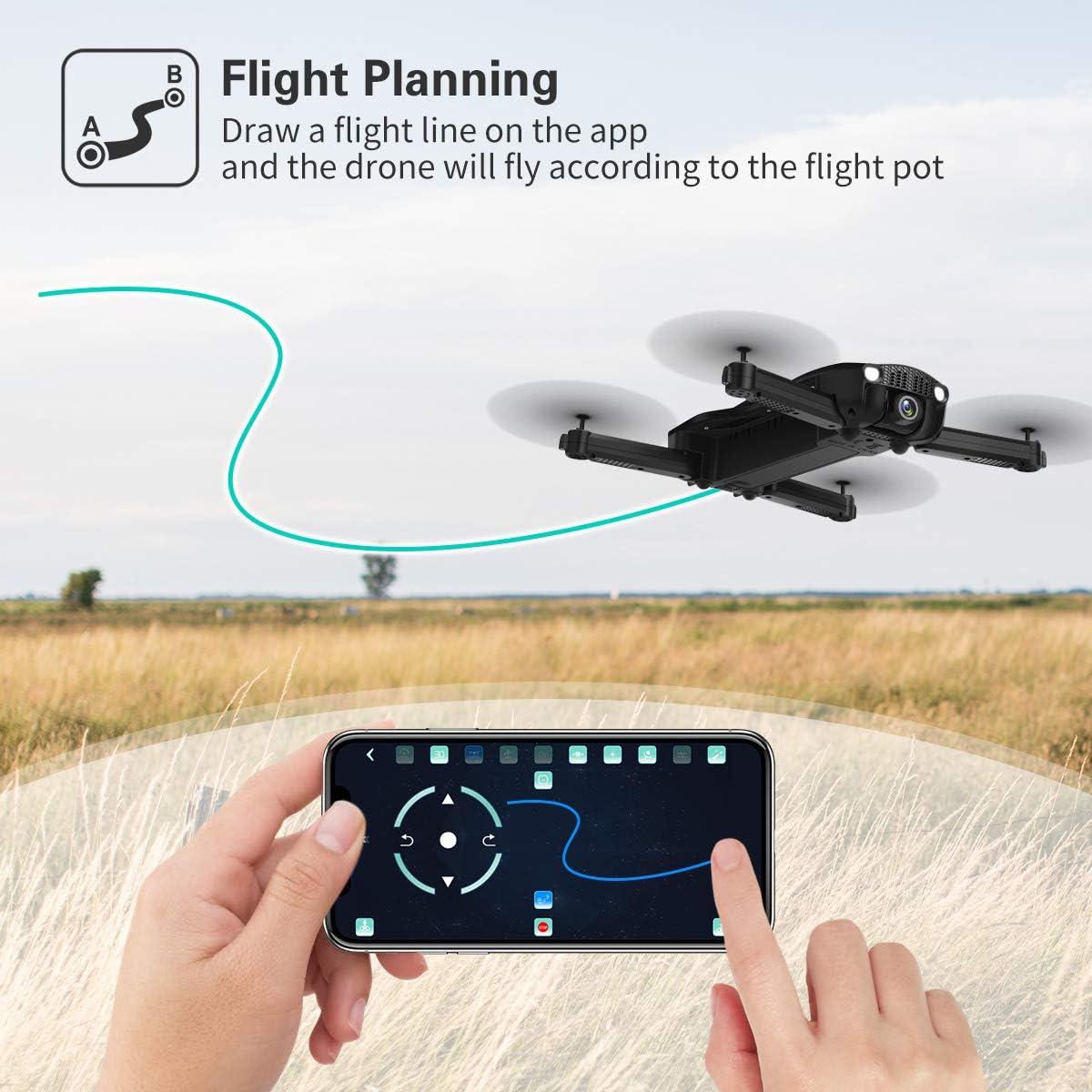
Image: A hand interacting with the JJRC app on a smartphone, demonstrating the flight planning feature where a path is drawn for the drone to follow.
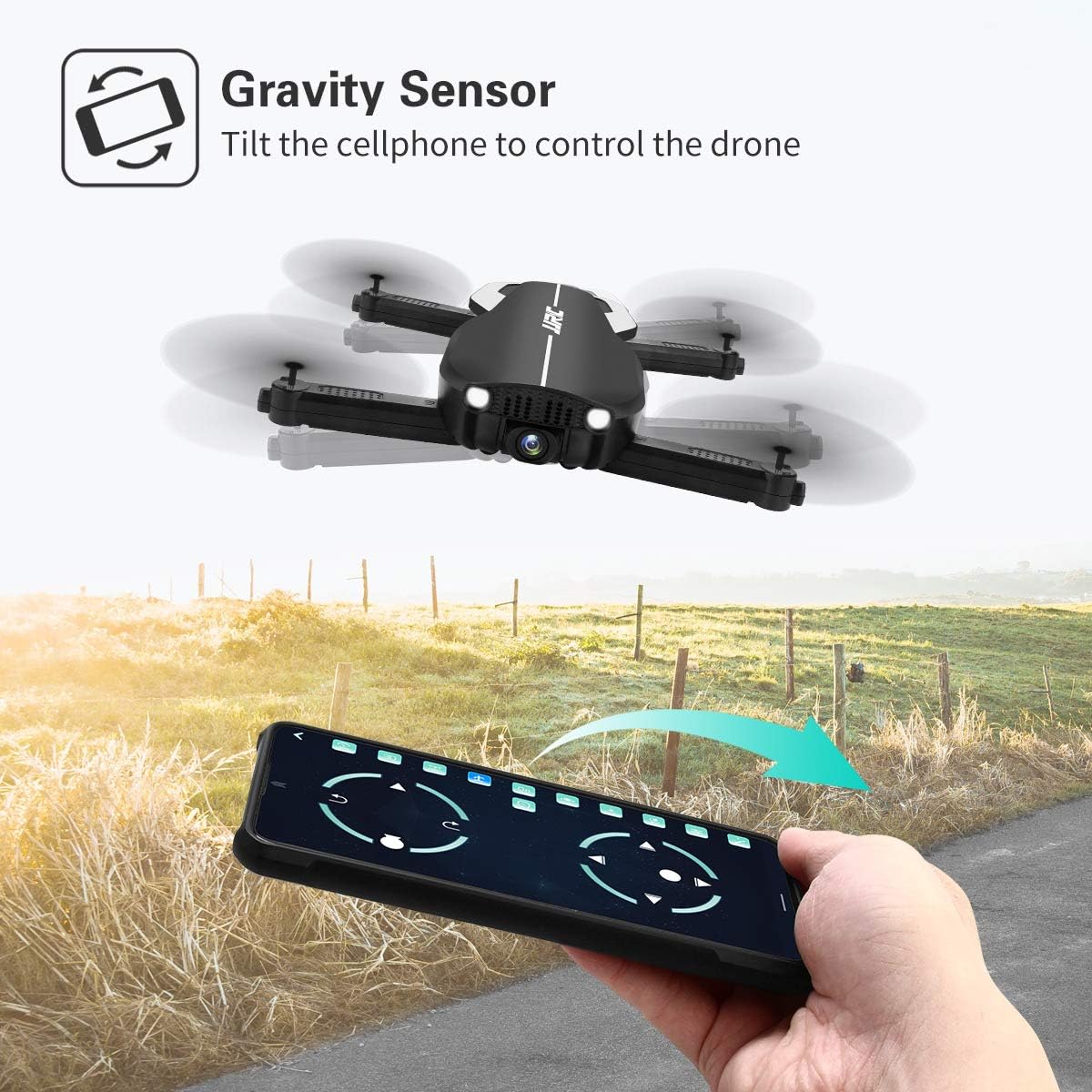
Image: A hand holding a smartphone, demonstrating the Gravity Sensor feature where tilting the phone controls the drone's flight direction.
5.5 Камеранын иштеши жана FPV
- 1080P HD камера: The drone is equipped with a 90° adjustable 1080P HD camera for capturing high-quality photos and videos.
- FPV Function: Through the Wi-Fi FPV real-time transmission, live images and videos from the drone's camera are streamed directly to your connected mobile device via the JJRC app. The transmission range is up to 50 meters.
- Жаздыруу: Use the dedicated buttons on the remote controller or the controls within the JJRC app to start/stop video recording or take photos.

Сүрөт: Жакын план view of the JJRC H71 drone's 1080P HD camera, highlighting its 90-degree adjustable angle and 120-degree field of view.
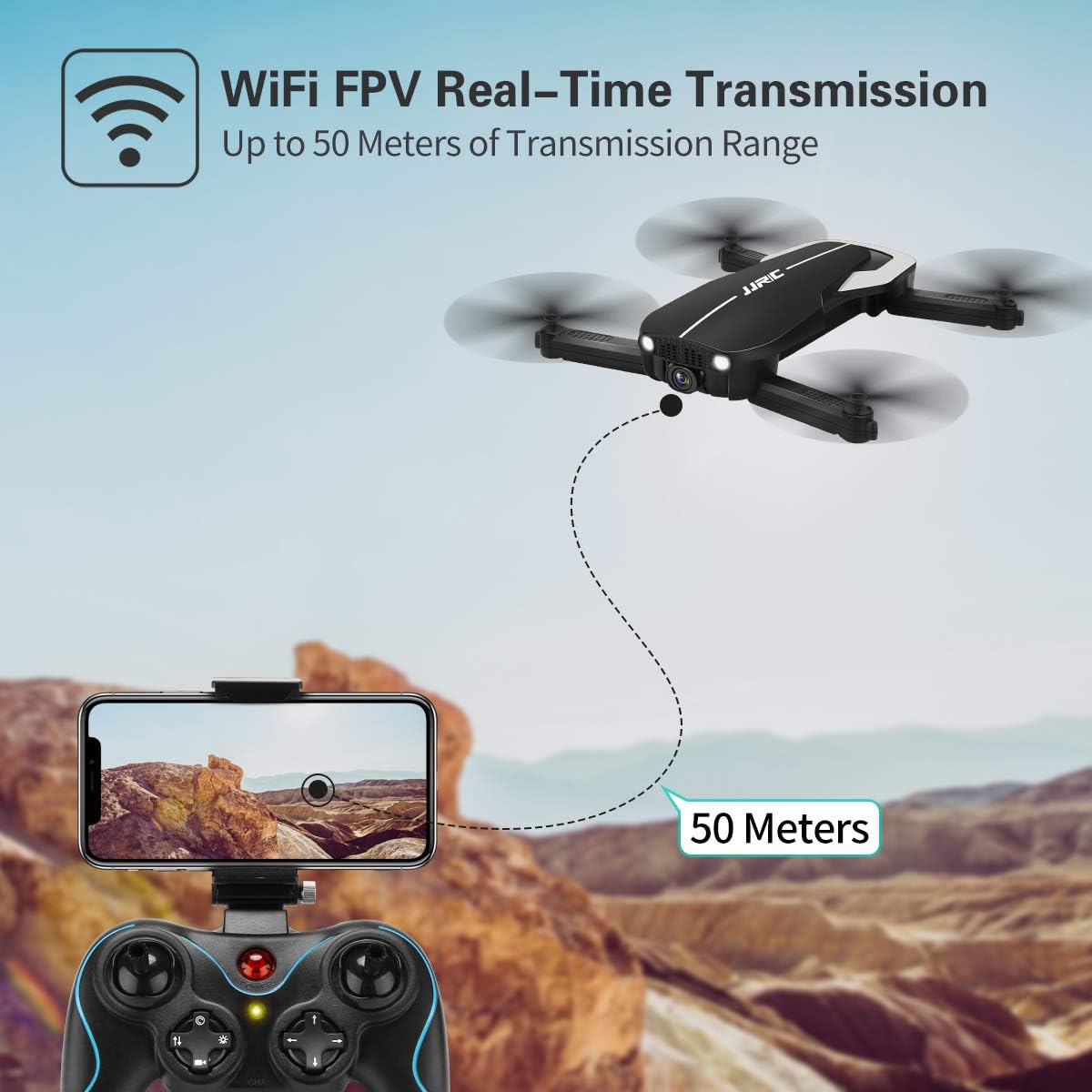
Image: Illustration showing the JJRC H71 drone transmitting live video feed via Wi-Fi to a smartphone mounted on the remote controller, with a transmission range of up to 50 meters.
6. Техникалык тейлөө
- Тазалоо: Use a soft, dry cloth to clean the drone and remote controller. Avoid using water or solvents.
- Пропеллерди алмаштыруу: If a propeller is damaged, replace it with a spare propeller of the correct type (A or B) using the provided screwdriver.
- Сактагыч: Store the drone and its components in the carrying case in a cool, dry place, away from direct sunlight and extreme temperatures. Remove batteries from the remote controller if storing for extended periods.
7. Кыйынчылыктарды
| Көйгөй | Мүмкүн себеп | Чечим |
|---|---|---|
| Дрон пультка жооп бербейт. | Жупташтырылган эмес же батареясы аз. | Дрон жана пульт туура күйгүзүлгөнүн жана жупташтырылганын текшериңиз. Батареяларды кубаттаңыз. |
| Учуу учурунда учкучсуз учат. | Gyro not calibrated or strong wind. | Perform gyro calibration on a flat surface. Avoid flying in windy conditions. |
| FPV сүрөтү бүдөмүк же байланышы үзүлгөн. | Weak Wi-Fi signal or incorrect app. | Ensure drone and phone are within 50m range. Reconnect to drone's Wi-Fi. Use the official JJRC app. |
| Пропеллерлер айланбайт. | Motors not armed or damaged propellers. | Arm motors (joysticks outwards/downwards). Check for obstructions or replace damaged propellers. |
8. Техникалык шарттар
| Өзгөчөлүк | Деталь |
|---|---|
| Бренд | JJRC |
| Модел | H71 |
| Камеранын чечилиши | 1080P HD (90° adjustable) |
| Учуу убактысы | 22 мүнөткө чейин (2 батарейка менен) |
| Батарея сыйымдуулугу | 900 mAh (per battery) |
| Позициялоо системасы | Optical Flow Positioning, Altitude Hold |
| Байланыш | Wi-Fi (FPV up to 50m) |
| Башкаруу режимдери | Remote Control, App Control (Flight Planning, Gravity Sensor) |
| Өзгөчөлүктөр | Foldable Design, Headless Mode, 3 Speed Modes |
| Материал | Plastic Carbon Fiber |
| Элемент Салмагы | 880 г |
9. Кепилдик жана колдоо
For warranty information and technical support, please refer to the official JJRC webсайтка же сатуучуга кайрылыңыз. Сатып алганыңыздын далили катары сатып алуу дүмүрчөгүңүздү сактаңыз.


