Introduction
The Acctim Alta Alarm Clock, model 15861, features innovative reflection display technology for enhanced visibility. This stylish yellow alarm clock provides a clear, high-definition display, making it easy to read the time, indoor temperature, and calendar information, especially during night-time viewing. It includes a dual crescendo alarm with snooze and backlight functions, designed for reliable daily use.

Сүрөт 1: Алдыңкы view of the Acctim Alta Alarm Clock, showing the time, date, day, and indoor temperature on its reflection display.
Негизги өзгөчөлүктөрү
- Reflection Display Technology: Provides a higher definition display for improved readability.
- Dual Crescendo Alarm: Two independent alarms with a gradually increasinг көлөмү.
- Чырым Function: Сигнализацияны убактылуу өчүрүүгө мүмкүндүк берет.
- Арткы жарык: Illuminates the display for easy viewаз жарык шарттарда.
- Ички температура дисплейи: Учурдагы бөлмө температурасын көрсөтөт.
- Календар дисплейи: Аптанын учурдагы күнүн жана күнүн көрсөтөт.
- Компакт дизайн: Dimensions of 59 x 100 x 48 mm, making it suitable for various spaces.
Орнотуу колдонмосу
1. Батареяны орнотуу
The Acctim Alta Alarm Clock requires 2 x AA batteries (not included) for operation. Ensure correct polarity when inserting the batteries.
- Сааттын артындагы батарея бөлүкчөсүнүн капкагын табыңыз.
- Бөлүмдү ачуу үчүн капкакты ылдый карай жылдырыңыз.
- Insert two new AA batteries, matching the (+) and (-) indicators inside the compartment.
- Батарея бөлүгүнүн капкагын ордунан чыккыча өйдө жылдырыңыз.

2-сүрөт: Арткы view of the clock, highlighting the battery compartment and control buttons.
2. Баштапкы убакытты жана күндү коюу
Upon battery installation, the display will activate. You will need to set the current time and date.
- басыңыз РЕЖИМ button repeatedly until the time setting mode is indicated (e.g., flashing hours).
- колдонуу UP or ылдый buttons to adjust the flashing value (hours, then minutes).
- Басыңыз РЕЖИМ again to confirm the setting and move to the next adjustable item (e.g., minutes, then year, month, day).
- Бардык убакыт жана дата жөндөөлөрү туура болгонго чейин 2 жана 3-кадамдарды кайталаңыз.
- Басыңыз РЕЖИМ орнотуу режиминен чыгуу үчүн акыркы жолу.
Иштөө нускамалары
Setting the Alarm (AL1 and AL2)
The clock features two independent alarms, AL1 and AL2.
- басыңыз AL1 or AL2 button to select the desired alarm to set. The alarm time will flash.
- колдонуу UP or ылдый ойготкуч саатын тууралоо үчүн баскычтар.
- Тандалган ойготкуч баскычын басыңыз (AL1 or AL2) again to confirm the hour and move to minutes.
- колдонуу UP or ылдый ойготкуч мүнөттөрдү тууралоо үчүн баскычтар.
- Press the selected alarm button one more time to confirm the alarm setting and activate the alarm. An alarm icon will appear on the display.
- Ойготкучту өчүрүү үчүн, тиешелүү баскычты басыңыз AL1 or AL2 Ойготкуч сүрөтчөсү жок болгонго чейин баскычын басыңыз.
Snooze and Backlight Function
Сигнал чыкканда чоң баскычты басыңыз SNOOZE / LIGHT button located on the top of the clock to activate the snooze function. The alarm will temporarily stop and sound again after a few minutes (typically 5-10 minutes). Pressing this button at any other time will activate the backlight for a few seconds, illuminating the display.
Viewing Temperature and Calendar
The clock continuously displays the indoor temperature and calendar information (date and day of the week) alongside the time. No specific action is required to view these details as they are part of the main display.
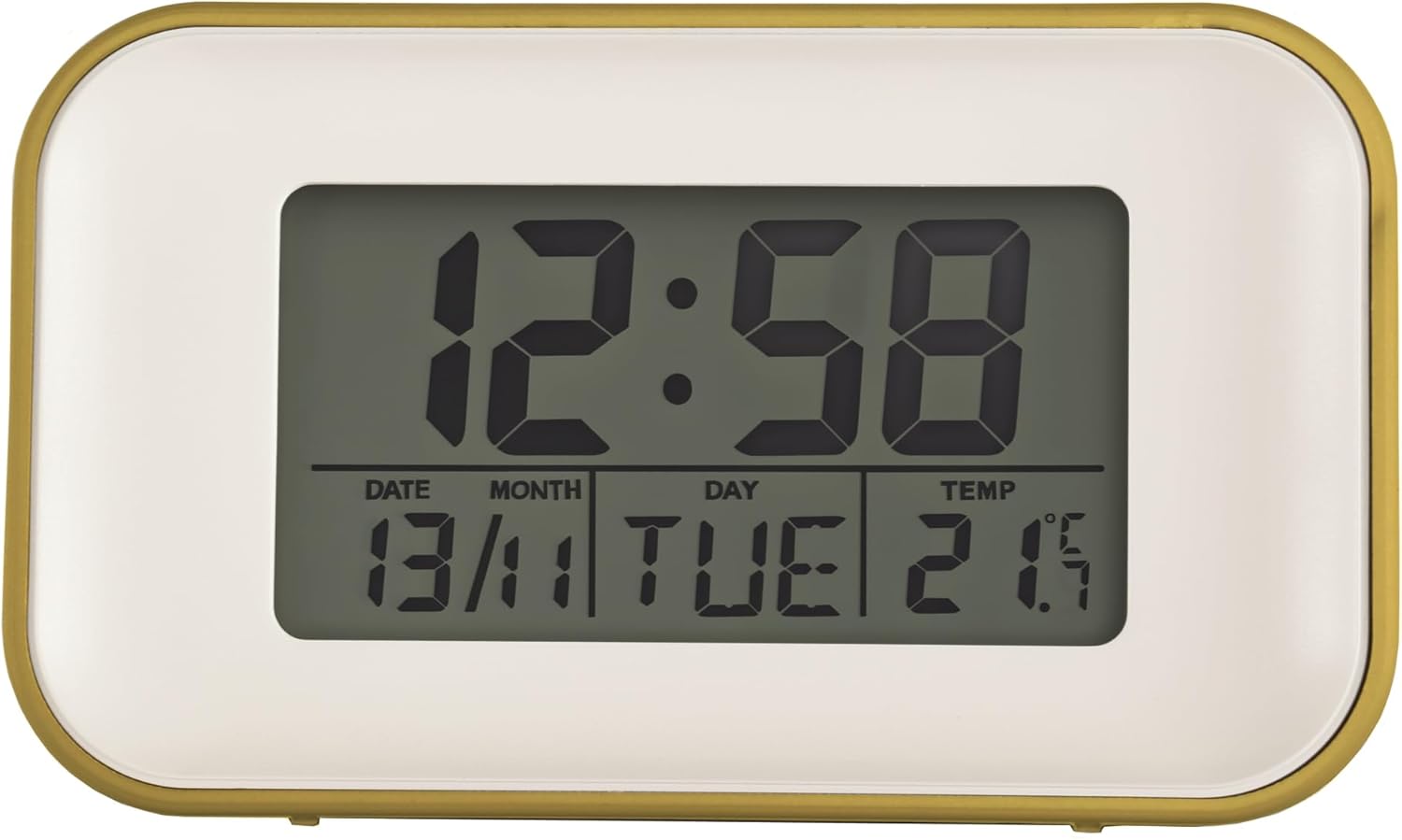
Figure 3: Close-up of the display showing time, date, day, and temperature clearly.
Техникалык тейлөө
To ensure the longevity and proper functioning of your Acctim Alta Alarm Clock, follow these simple maintenance guidelines:
- Тазалоо: Wipe the clock's surface with a soft, dry cloth. Do not use abrasive cleaners, solvents, or chemical sprays, as these can damage the finish and display.
- Батареяны алмаштыруу: Replace batteries promptly when the display dims or functions become erratic. Remove batteries if the clock will not be used for an extended period to prevent leakage.
- Жайгашкан жери: Avoid placing the clock in direct sunlight, near heat sources, or in areas with high humidity, as extreme conditions can affect performance and display clarity.
Проблемаларды чечүү
| Көйгөй | Мүмкүн себеп | Чечим |
|---|---|---|
| Дисплей күңүрт же бош. | Төмөн же өлүп калган батарейкалар. | Replace with new AA batteries. Ensure correct polarity. |
| Дисплейди белгилүү бир бурчтардан окуу кыйын. | This clock uses reflection display technology which can have optimal viewing angles. External light conditions may also affect visibility. | тууралаңыз viewing angle of the clock or the ambient lighting in the room for better clarity. |
| Баскычтар жооп бербей жатат же басуу кыйын. | Possible internal issue or debris. | Ensure no foreign objects are lodged around the buttons. If the issue persists, contact customer support. |
| Сигнализация үнү чыкпай жатат же өтө акырын иштеп жатат. | Alarm not activated, or volume is crescendoing. | Ensure the alarm icon is displayed for the set alarm. The alarm is a dual crescendo type, meaning it starts softly and gradually increases in volume. |
| Туура эмес убакыт же дата. | Not set correctly or power interruption. | Refer to the "Initial Time and Date Setting" section to reset the time and date. |
Техникалык шарттар
| Өзгөчөлүк | Деталь |
|---|---|
| Бренд | Acctim |
| Модель номери | 15861 |
| Түс | Сары |
| Продукциянын өлчөмдөрү | 4.8 x 10 x 5.9 см (тереңдик x туурасы x бийиктик) |
| Элемент Салмагы | 123 грамм |
| Материал | Пластик |
| Дисплей түрү | Digital (Reflection Display Technology) |
| Өзгөчөлүктөр | Alarm, Indoor Temperature Display, Calendar Display, Snooze, Backlight |
| Батареялар талап кылынат | 2 x AA (киргизилген эмес) |

Figure 4: Product dimensions of the Acctim Alta Alarm Clock.
Кепилдик жана колдоо
Acctim products are manufactured to high quality standards. For specific warranty information, please refer to the documentation included with your purchase or visit the official Acctim website. If you encounter any issues not covered in this manual or require further assistance, please contact Acctim customer support through their official channels.
Эң акыркы колдоо маалыматы үчүн төмөнкү дарекке кайрылыңыз: www.acctim.com


