1. Киришүү
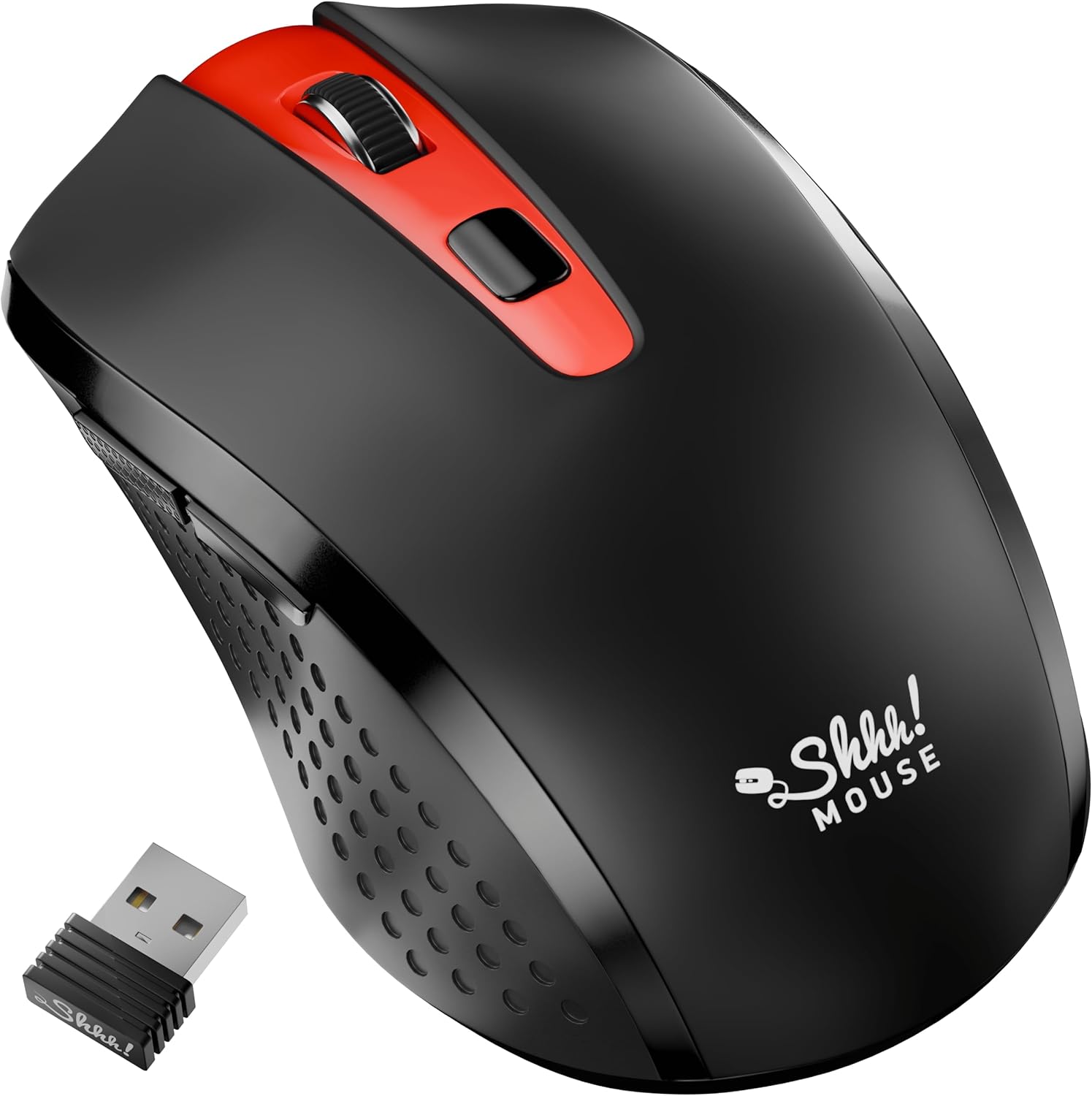
Thank you for choosing the SHHHMOUSE Silent Wireless Mouse. This manual provides essential information for setting up, operating, and maintaining your new mouse. Designed for quiet operation and ergonomic comfort, this mouse enhances your productivity without disturbing those around you.
Негизги өзгөчөлүктөрү:
- Quiet Mouse Wireless: Enjoy silent clicks with a noiseless clicking mechanism for a peaceful working environment.
- Эргономикалык комфорт: Experience a comfortable grip that reduces strain during extended work sessions.
- Precision Elevated: Advanced optical sensor for high-precision cursor control.
- Plug & Play: Seamless connection via USB receiver, no extra software or drivers required.
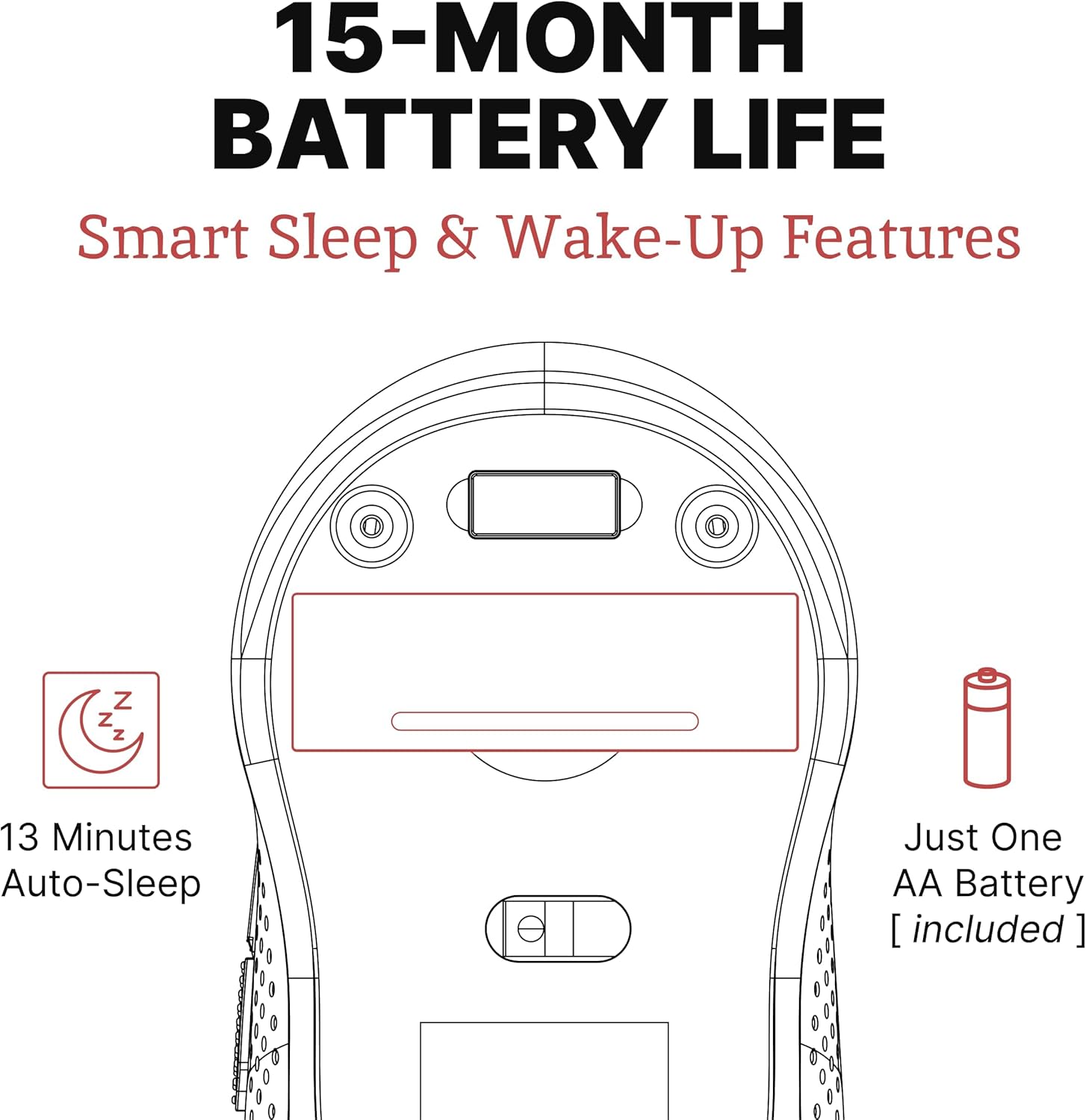
- Кеңейтилген колдонуу убактысы: Up to 18 months of battery life for prolonged use.
2. Кутуда эмне бар
Пакетте бардык буюмдар бар экенин текшериңиз:
- 1 x SHHHMOUSE Silent Wireless Mouse
- 1 USB Receiver х
- 1 x AA Батарея
3. Орнотуу колдонмосу
Follow these steps to set up your SHHHMOUSE Silent Wireless Mouse:
- Батарея салыңыз: Open the battery compartment on the underside of the mouse. Insert the provided AA battery, ensuring correct polarity.
- USB кабылдагычты табыңыз: The tiny USB receiver is typically stored inside the battery compartment for safe keeping during transport. Remove it.
- Алуучуну туташтыруу: Plug the USB receiver into an available USB port on your laptop, desktop, or Chromebook.
- Күйгүзүү: Астында жайгашкан кубат которгучу менен чычканды күйгүзүңүз.
- Автоматтык туташуу: The mouse should automatically connect to your device. No additional drivers are typically required.


Орнотуу видео:
Video 1: "New Silent Portable Wireless Shhhmouse i440" - This video demonstrates the unboxing and initial setup of the mouse, including battery insertion and USB receiver connection.
4. Чычканыңызды башкаруу
Баскыч функциялары:
- Сол/оң чыкылдатуу: Standard mouse functions for selection and context menus. These are ultra-silent buttons.
- Жылдыруу дөңгөлөгү: Used for vertical scrolling. Also functions as a middle click button. Features an anti-slip design.
- DPI которуу: Located near the scroll wheel, this button allows you to adjust the mouse sensitivity (DPI).
- Каптал баскычтары: Typically configured for 'Page Up' and 'Page Down' functions, useful for web серептөө жана документ багыттоо.

DPI (сезгичтик) жөндөө:
Press the DPI switch button to cycle through different sensitivity levels (e.g., 800, 1200, 1600 DPI). Choose the setting that best suits your task and preference for cursor speed.

Smart Sleep & Wake-Up Features:
To conserve battery life, the mouse will enter a smart sleep mode after 13 minutes of inactivity. To wake it up, simply click any button or move the mouse.
5. Техникалык тейлөө
Батареяны алмаштыруу:
When the mouse's performance degrades or the low power indicator (if present) illuminates, it's time to replace the battery. Open the battery compartment on the underside, remove the old AA battery, and insert a new one, observing polarity.
Тазалоо:
Оптималдуу иштеши үчүн чычканыңызды дайыма тазалаңыз. Сыртын сүртүү үчүн жумшак, кургак чүпүрөктү колдонуңуз. Оптикалык сенсор үчүн кебезди жеңил колдонуңуз dampчычкандын ичине эч кандай суюктук кирбесин камсыз кылуу үчүн спирт менен сүртүңүз.
6. Кыйынчылыктарды
| Көйгөй | Мүмкүн себеп | Чечим |
|---|---|---|
| Чычкан жооп бербей жатат | Low battery; USB receiver disconnected; Mouse power off. | Replace battery; Re-insert USB receiver; Turn on mouse power switch. |
| Курсордун туура эмес кыймылы | Кир оптикалык сенсор; Ылайыксыз бет; Интерференция. | Clean optical sensor; Use on a smooth, opaque surface; Move mouse closer to receiver or away from other wireless devices. |
| Батареянын иштөө мөөнөтү кыска | Frequent use; Battery type. | Ensure mouse enters sleep mode when idle; Use high-quality alkaline batteries. |
7. Техникалык шарттар
| Өзгөчөлүк | Деталь |
|---|---|
| Бренд | SHHHMOUSE |
| Модель номери | SHHH2659Black |
| Байланыш технологиясы | USB зымсыз (2.4G) |
| Кыймылды аныктоо технологиясы | Оптикалык |
| Өзгөчө өзгөчөлүк | Soundless Clicks |
| DPI деңгээли | Adjustable (e.g., 800, 1200, 1600) |
| Батарея түрү | 1 x AA батареясы (кошулган) |
| Батареянын орточо иштөө мөөнөтү | 15 айга чейин |
| Элемент Салмагы | 2.29 унция |
| Продукциянын өлчөмдөрү (LxWxH) | 4.22 x 2.5 x 0.04 дюйм |
| Аппараттык платформанын шайкештиги | Windows XP/Vista/Win7, Mac 10.x, Chromebook, PC, Laptop |
| Түс | Кара & Кызыл |
8. Кепилдик жана колдоо
SHHHMOUSE products are designed for durability and reliability. For specific warranty information, please refer to the warranty card included with your product or visit the official SHHHMOUSE webсайт.
For further assistance or technical support, please contact SHHHMOUSE customer service through the contact information provided on the product packaging or the brand's official webсайт.
Колдонуучунун деталдаштырылган колдонмосу (PDF) да жүктөп алуу үчүн жеткиликтүү: Колдонуучунун колдонмосун жүктөп алыңыз