Introduction
The roborock S6 Robot Vacuum is a versatile robotic cleaning device designed to efficiently vacuum and mop your home. Featuring adaptive routing, multi-floor mapping, and selective room cleaning, it offers a comprehensive and convenient cleaning solution. Its super strong suction ensures deep cleaning, while its extra-long battery life allows for extensive coverage. The roborock S6 also works seamlessly with Alexa for voice control.
Негизги өзгөчөлүктөр төмөнкүлөрдү камтыйт:
- Astonishingly efficient: Using adaptive routing with edge optimized cleaning, S6 gives you comprehensive room cleaning fast.
- Көп кабаттуу карта түзүү: Save multiple maps, along with No-go Zones for each level, all recognized automatically by the robot.
- Convenient Selective Room Cleaning: Choose which rooms to be clean, and schedule cleaning for specific rooms.
- Powerful clean and Easy mopping: Intense suction, cleans deep into carpets and cracks in the floor. Get your floors gleaming with a quick mop.
- Quiet and convenient: With a cleaning volume of just 67db (equivalent to a typical conversation) in Balanced mode, you can clean any time day or night without disruption.
Орнотуу колдонмосу
Before first use, ensure your roborock S6 is properly set up and charged. Follow these steps:
- Роботту таңгактан чыгаруу: Carefully remove the robot vacuum and all accessories from the packaging.
- Заряддоочу докту жайгаштырыңыз: Position the charging dock against a wall on a hard, level surface. Ensure there is at least 0.5 meters (1.6 feet) of clear space on both sides and 1.5 meters (4.9 feet) in front of the dock. Connect the power cable to the dock and plug it into a power outlet.
- Роботту заряддоо: Place the robot onto the charging dock. The power indicator light will turn on, indicating that the robot is charging. For first-time use, fully charge the robot before operation.
- Колдонмону жүктөп алыңыз: Издөө "Roborock" in your mobile app store (App Store or Google Play) and download the official app.
- Wi-Fi'га туташуу: Open the Roborock app and follow the on-screen instructions to connect your robot vacuum to your home Wi-Fi network. This will enable smart features like multi-floor mapping and selective room cleaning.

Figure 1: Roborock S6 Robot Vacuum and Charging Dock.

Figure 2: The Roborock S6 supports multi-floor mapping, allowing it to recognize and clean different levels of your home.

Figure 3: Utilize the app for convenient selective room cleaning, scheduling specific areas for the robot to clean.
Иштөө нускамалары
The roborock S6 is designed for intelligent and efficient cleaning. Here's how to operate it:
- Тазалоону баштоо: Press the power button on the robot or use the "Clean" button in the Roborock app to start a cleaning cycle. The robot will automatically map your home and plan the most efficient cleaning path.
- Adaptive Routing: The S6 uses advanced algorithms to determine the fastest and most comprehensive cleaning route for each room, ensuring no spots are missed.
- Күчтүү соргуч: Experience intense suction that effectively cleans deep into carpets and removes debris from cracks in hard floors.
- Чыпкалоо функциясы: Attach the mopping cloth and fill the water tank to enable the mopping feature. The robot will then vacuum and mop simultaneously, leaving your floors gleaming.
- Тынч иштөө: In Balanced mode, the S6 operates at a low noise level of 67db, allowing for discreet cleaning day or night without disturbance.

Figure 4: The robot utilizes adaptive routing to calculate the fastest and most efficient cleaning path for each room.
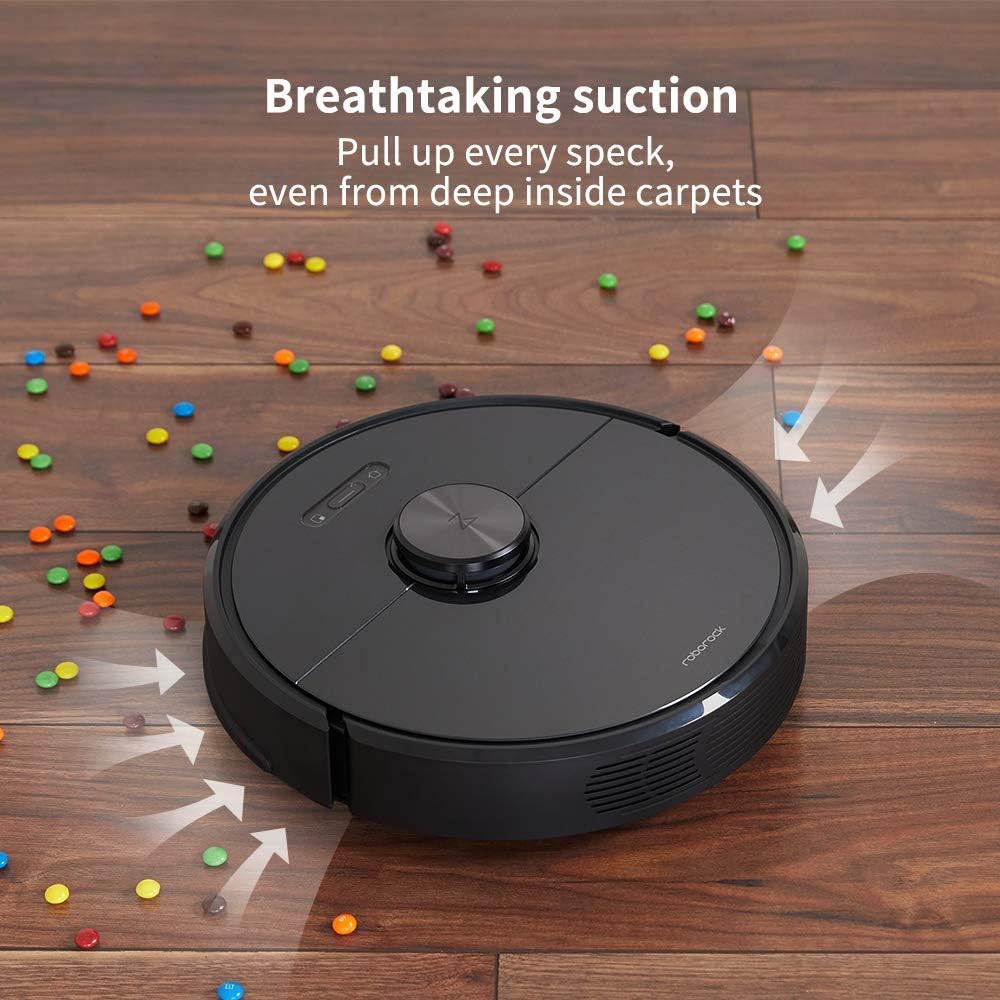
Figure 5: The powerful suction of the Roborock S6 effectively pulls up every speck of dirt, even from deep within carpets.

Figure 6: The Roborock S6 operates quietly, allowing you to clean any time of day or night without disruption.
Техникалык тейлөө
Regular maintenance ensures optimal performance and extends the lifespan of your roborock S6. Perform these tasks regularly:
- Таштанды кутусун бошот: Empty the 460ml dustbin after each cleaning cycle or when full. To access, lift the top cover of the robot.
- Чыпканы тазалоо: The filter should be washed periodically. Remove it from the dustbin and rinse under running water. Allow it to air dry completely before reinserting.
- Clean the Main Brush: Regularly check the main brush for tangled hair or debris. Use the provided cleaning tool to cut and remove any entangled material.
- Каптал щетканы тазалоо: Inspect the side brush for debris and ensure it spins freely. Remove any tangled hair or foreign objects.
- Таза сенсорлор: Wipe the cliff sensors, wall sensors, and charging contacts with a soft, dry cloth to ensure proper operation.
- Clean the Mopping Cloth: After each mopping session, remove and wash the mopping cloth. It can be hand-washed or machine-washed on a gentle cycle.
Figure 7: Lift the top cover to access the dustbin for emptying and filter cleaning.
Проблемаларды чечүү
If you encounter issues with your roborock S6, refer to the following common troubleshooting tips:
| Көйгөй | Мүмкүн себеп | Чечим |
|---|---|---|
| Робот күйбөй жатат | Батарея аз же заряддалган эмес. | Роботту кубаттоочу докко коюп, анын кубатталып жатканын текшериңиз. |
| Робот тыгылып калган же жоголгон | Obstacles in path or complex environment. | Clear obstacles. Use the app to define No-Go Zones or Virtual Walls. |
| Начар тазалоо көрсөткүчү | Full dustbin, dirty filter, or tangled brushes. | Empty dustbin, clean/replace filter, clean main and side brushes. |
| Робот Wi-Fiга туташпай жатат | Туура эмес Wi-Fi сырсөзү, 5 ГГц тармак же алсыз сигнал. | Ensure correct 2.4GHz Wi-Fi password. Move robot closer to router. |
For more detailed troubleshooting or persistent issues, please refer to the official user manual or contact roborock customer support.
Техникалык шарттар
| Өзгөчөлүк | Деталь |
|---|---|
| Бренд | roborock |
| Модель аты | roborock S6 |
| Өзгөчө өзгөчөлүк | Бөлмөнү тандап тазалоо |
| Түс | Кара |
| Продукциянын өлчөмдөрү | 14"L x 14"W x 4"H |
| Камтылган компоненттер | Батарея |
| Чыпка түрү | Кездеме |
| Батареянын иштөө мөөнөтү | 180 мүнөт |
| Power Source | Батарея менен иштейт |
| Батареялар камтылган | Ооба |
| Башкаруу ыкмасы | Үн |
| Шайкеш түзмөктөр | Amazon Echo |
| Форма фактору | Робот |
| Дүйнөлүк соода идентификациялык номери | 00606015769835 |
| UPC | 606015769835 |
| Элемент Салмагы | 3.15 фунт |
| Өндүрүүчү | Roborock |
| ASIN | B07RLRWWPJ |
| Элементтин моделинин номери | roborock S6 |
| Батареялар | 1 литий полимер батарейкалары талап кылынат. (камтылган) |
| Кардар Reviews | 4.4 ичинен 5 жылдыз (2,170 баа) |
| Колдонуу боюнча атайын көрсөтмөлөр | килем |
| Көлөм | 3.15 Суюк унция |
| Батареялар талап кылынат | Ооба |
Кепилдик жана колдоо
For warranty information, technical support, or service inquiries, please refer to the official roborock webсайт же комплекстүү Колдонуучунун колдонмосу (PDF) сиздин продукт менен камсыз кылынат.
Сиз да зыярат кылсаңыз болот roborock Store on Amazon кошумча продукт маалымат жана колдоо ресурстар үчүн.


