Introduction
Thank you for choosing the Astrum ET200 Earphone. This in-ear Bluetooth 4.0 earphone is designed to provide clear sound for both voice calls and music playback. Featuring dual pairing capability and a comfortable hook design, it offers up to 5 hours of talk time. Its high-performance speakers deliver rich bass and precise treble, ensuring a premium audio experience.
Продукт бүттүview

Сүрөт 1: Алдыңкы view of the Astrum ET200 Earphone in white, showcasing its compact design and ear hook.
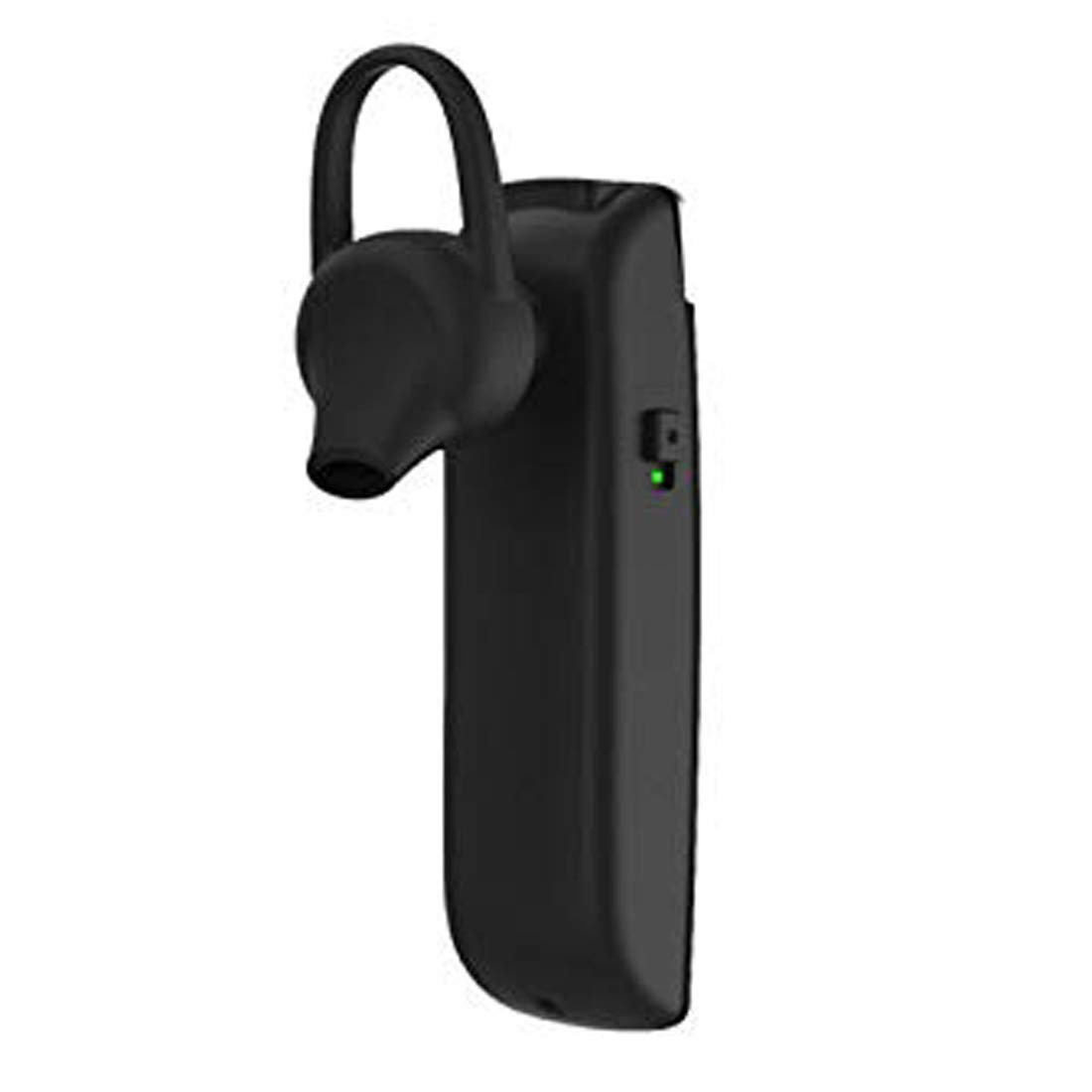
2-сүрөт: Каптал view of the Astrum ET200 Earphone, highlighting the indicator light and control button area.

Figure 3: Both white and black versions of the Astrum ET200 Earphone, illustrating the overall form factor.
Жайгашуу
1. Кулакчынды кубаттоо
Before first use, fully charge the earphone. Connect the charging cable (not specified, assuming standard micro-USB) to the charging port on the earphone and the other end to a USB power source (e.g., computer USB port, wall adapter). The indicator light will typically show red during charging and turn blue or off when fully charged.
2. Bluetooth Жупташтыруу
- Күйгүзүү: Press and hold the Multi-function Button (MFB) until the indicator light flashes blue and red alternately. This indicates the earphone is in pairing mode.
- Bluetooth иштетүү: On your mobile device or computer, enable Bluetooth.
- Издөө Түзмөктөр: Scan for available Bluetooth devices. You should see "Astrum ET200" or a similar name appear in the list.
- Туташуу: Select "Astrum ET200" from the list to connect. Once successfully paired, the indicator light will typically flash blue slowly or turn off.
- Кош жупташтыруу: To pair a second device, disconnect the earphone from the first device, put it back into pairing mode, and connect to the second device. Then, reconnect to the first device from its Bluetooth settings. The earphone will now be connected to both devices simultaneously.
Иштөө нускамалары
- Күйгүзүү: Press and hold the MFB for approximately 3 seconds until the blue indicator light flashes.
- Өчүрүү: Press and hold the MFB for approximately 5 seconds until the red indicator light flashes and then turns off.
- Чалууга жооп берүү/аяктоо: Press the MFB once to answer an incoming call. Press the MFB once again to end an active call.
- Чакырууну четке кагуу: Press and hold the MFB for approximately 2 seconds to reject an incoming call.
- Акыркы номерди кайра терүү: Double-press the MFB to redial the last dialed number.
- Музыканы ойнотуу/тындыруу: Press the MFB once to play or pause music playback.
- Үндү көзөмөлдөө: (Assuming volume buttons are present, as is common for BT earphones) Use the volume up (+) and volume down (-) buttons on the earphone to adjust the volume. If no dedicated buttons, adjust volume from your connected device.
- Кийинки / Мурунку трек: (Assuming track control buttons are present) Use the next track (>>) and previous track (<<) buttons on the earphone to skip tracks. If no dedicated buttons, control from your connected device.
Техникалык тейлөө
- Тазалоо: Use a soft, dry cloth to clean the earphone. Do not use abrasive cleaners or solvents.
- Сактагыч: Store the earphone in a cool, dry place away from direct sunlight and extreme temperatures.
- Батареяга кам көрүү: To prolong battery life, avoid fully discharging the battery frequently. Charge the earphone regularly, even if not in use for extended periods.
- Суу каршылык: This earphone is not waterproof. Avoid exposure to water or excessive moisture.
Проблемаларды чечүү
| Көйгөй | Мүмкүн себеп | Чечим |
|---|---|---|
| Earphone does not power on. | Батарея аз. | Кулакчынды толугу менен кубаттаңыз. |
| Түзмөк менен жупташтыруу мүмкүн эмес. | Earphone not in pairing mode; Bluetooth off on device; too far from device. | Ensure earphone is in pairing mode (flashing blue/red). Turn on Bluetooth on your device. Move earphone closer to device (within 10 meters). |
| Үн жок же үнү төмөн. | Volume too low on earphone or device; earphone not connected properly. | Increase volume on both the earphone and your connected device. Reconnect the earphone to your device. |
| үзгүлтүктүү байланыш. | кийлигишүү; аппараттан өтө алыс; аз батарея. | Move closer to your device. Avoid strong electromagnetic interference. Charge the earphone. |
Техникалык шарттар
| Модель номери | 1046 |
| Bluetooth версиясы | 4.0 |
| Форма фактору | In-Ear with Hook |
| Talk Time | 5 саатка чейин |
| Өзгөчөлүктөрү | Voice + Music, Dual Pairing, Clear Sound, Rich Bass, Precise Treble |
| Өлчөмдөрү (LxWxH) | 3.5 x 3.5 x 12.8 см |
| Элемент Салмагы | 10 г |
| Түс | Ак |
| Өндүрүүчү | Astrum Electronics India Pvt. Ltd. |
Кепилдик жана колдоо
Кепилдик маалымат
The Astrum ET200 Earphone comes with a 1 жылдык кепилдик сатып алынган күндөн тартып. Бул кепилдик өндүрүш кемчиликтерин камтыйт. Кепилдик дооматтары үчүн сатып алганыңыздын далилин сактап коюңуз.
Кардарларды колдоо
For any technical assistance, troubleshooting, or warranty claims, please contact Astrum customer support through their official website or the retailer from whom you purchased the product. Please have your product model number (1046) and proof of purchase ready when contacting support.


