Introduction
PDP Gaming Faceoff Deluxe+ Audio Wired контроллери Nintendo Switch менен колдонуу үчүн иштелип чыккан. Анда оюн ичиндеги аудио жана USB баарлашуу үчүн 3.5 мм аудио уяча, ыңгайлаштырылуучу программалануучу артка баскычтар жана алмаштырылуучу бет каптар бар. Бул колдонмодо контроллериңизди орнотуу, иштетүү жана техникалык тейлөө боюнча көрсөтмөлөр берилген.
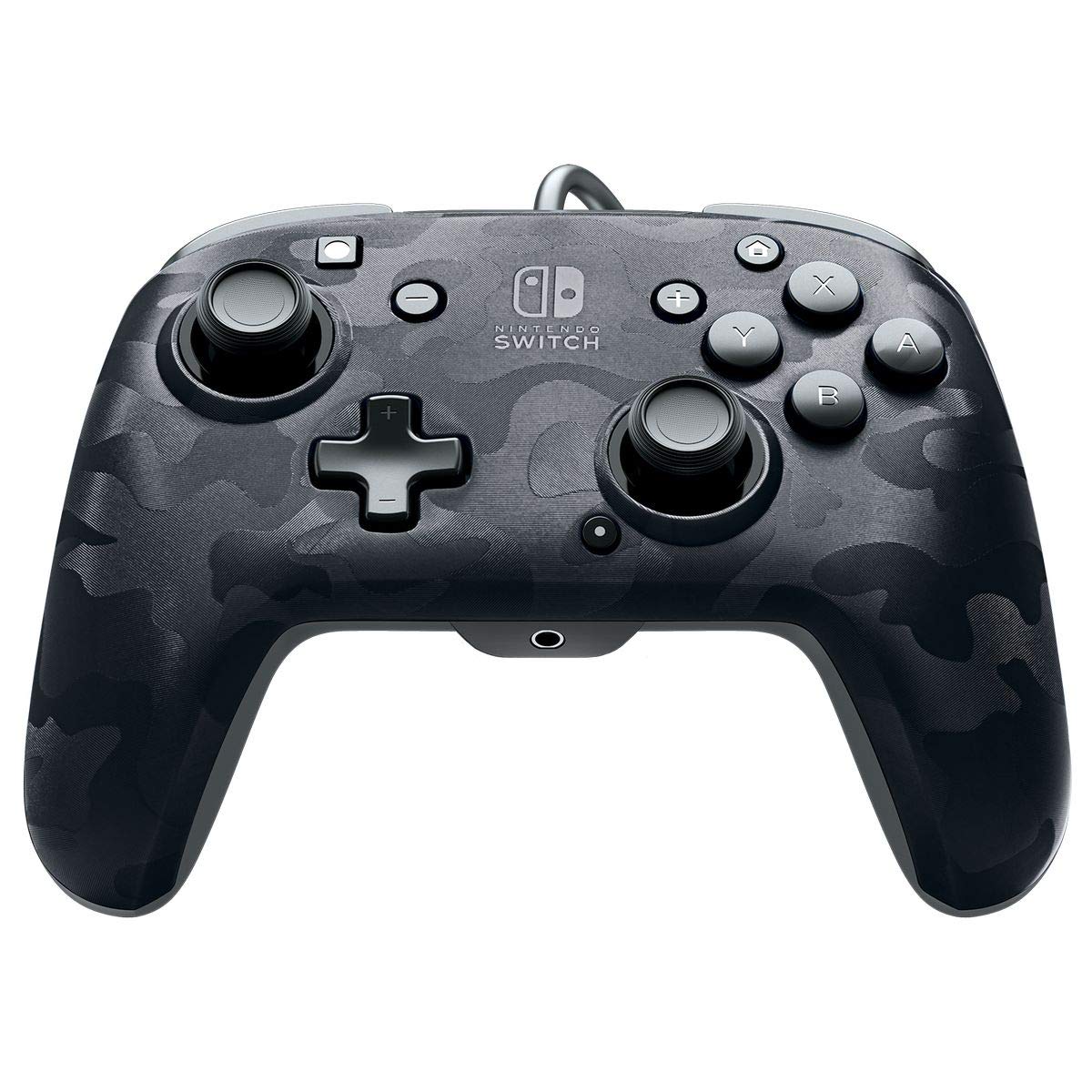
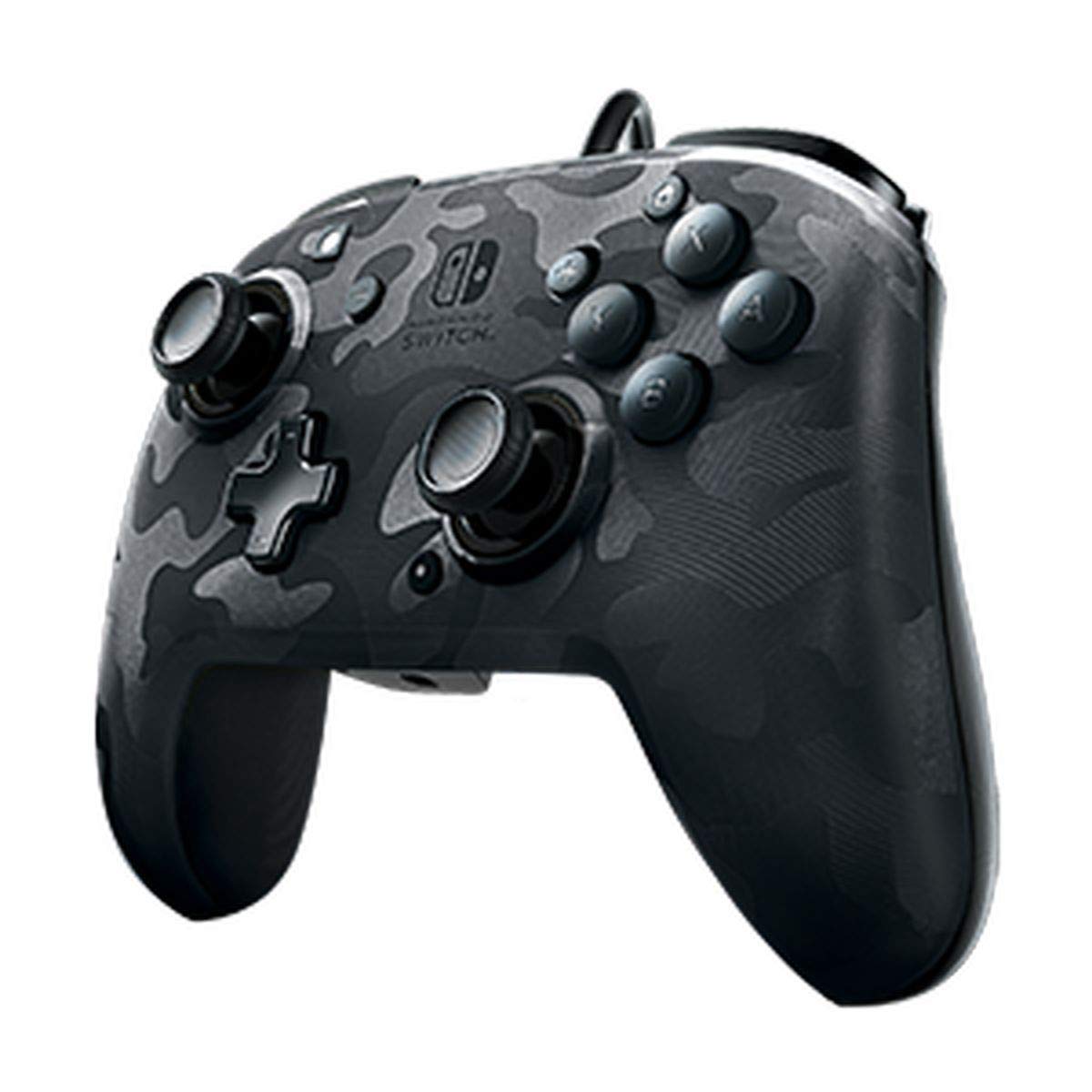
Сүрөт: алдыңкы view Кара түстөгү PDP Gaming Faceoff Deluxe+ аудио зымдуу контроллеринин.
Жайгашуу
1. Баштапкы байланыш
- Nintendo Switch консолуңуз туташтырылганын жана күйүп турганын текшериңиз.
- Контроллердин бекитилген USB кабелин Nintendo Switch док станциясындагы жеткиликтүү USB портуна туташтырыңыз.
- Консоль контроллерди автоматтык түрдө таанышы керек.
2. Аудио орнотуу
- 3.5 мм гарнитураңызды контроллердин төмөнкү борборунда жайгашкан аудио уячага сайыңыз.
- Оюндагы аудио эми гарнитураңыз аркылуу багытталат. Шайкеш келген оюндар үчүн USB чаты колдоого алынат.
Сүрөт: Колдонуучу PDP Gaming Faceoff Deluxe+ Audio Wired контроллери менен ойноп, гарнитуранын туташуусун көрсөтүп жатат.
Контроллерди иштетүү
1. Баскычтардын жайгашуусу жана функциялары
Оптималдуу оюн процесси үчүн контроллердин баскычтарынын жайгашуусу менен таанышып алыңыз.

Сүрөт: деталдуу view оңой аныктоо үчүн белгиленген баскыч баскычтары бар контроллердин.
- View Баскыч: Адатта, оюн ичиндеги менюларга же картага кирүү үчүн колдонулат.
- Үй баскычы: Nintendo Switch HOME менюсуна кайтып келет.
- Үндү көзөмөлдөө: Гарнитуранын аудио үнүн тууралайт.
- Функция баскычы: Белгилүү бир функциялар үчүн башка баскычтар менен бирге колдонулат (оюндун көрсөтмөлөрүн караңыз).
- Аналогдук таякчалар: Так кыймылды жана камераны башкарууну камсыз кылат. Жылмакай иштөө үчүн аз сүрүлүү шакекчелери бар.
2. Программалануучу артка баскычтар
Контроллердин арткы бетинде кош программалануучу калак стилиндеги баскычтар бар, бул оюнду ыңгайлаштырууга мүмкүндүк берет. Буларды ойноо стилиңизге ылайыкташтыруу үчүн контроллердеги башка баскычтар менен байланыштырса болот.

Сүрөт: Контроллердин арткы бетинде программалануучу калак баскычтары баса белгиленген.
3. Аудионун үнүн жөндөө
Үндү Функция баскычын басып туруп, D-pad аркылуу башкаруучудан түз эле тууралоого болот (баскычтын жайгашкан жери үчүн жогорудагы белгиленген сүрөттү караңыз).
4. Беттик пластинаны ыңгайлаштыруу
Уникалдуу алмаштырылуучу дизайн сизге контроллериңиздин көрүнүшүн жекелештирүү үчүн ар кандай Faceoff бет каптарын алмаштырып жана бекитүүгө мүмкүндүк берет.

Сүрөт: Контроллердин алмаштырылуучу алдыңкы панелинин дизайнын көрсөткөн иллюстрация.
Техникалык тейлөө
- Контроллерди жумшак, кургак чүпүрөк менен сүртүп, таза кармаңыз.
- Контроллерди экстремалдык температурага, нымдуулукка же тике күн нуруна кабылуудан сактаңыз.
- Контроллерди бөлүп алууга аракет кылбаңыз, анткени бул кепилдикти жокко чыгарышы мүмкүн.
Проблемаларды чечүү
- Контроллер жооп бербей жатат: USB кабелинин Nintendo Switch док станциясына бекем туташтырылганын текшериңиз. Башка USB портун колдонуп көрүңүз.
- Гарнитура аркылуу аудио жок: Гарнитура контроллердин 3.5 мм уячасына толугу менен сайылып турганын текшериңиз. Контроллердеги жана Nintendo Switch консолундагы үн жөндөөлөрүн текшериңиз.
- Баскычтар туура эмес иштебей жатат: Контроллердин микропрограммасы жаңыртылганын текшериңиз (эгер бар болсо, PDPнин расмий веб-сайтын текшериңиз) webсайт). Эгерде көйгөйлөр чечилбесе, Nintendo Switch консолун өчүрүп-күйгүзүп көрүңүз.
Техникалык шарттар
| Өзгөчөлүк | Деталь |
|---|---|
| Модель номери | 500-134-NA-CM00 |
| Байланыш | Зымдуу (10 футтук бекитилген USB кабели) |
| Аудио Jack | 3.5 мм (оюн ичиндеги аудио жана USB чатты колдойт) |
| Ыңгайлаштыруу | Алмаштырылуучу бет каптар, кош программалануучу калак стилиндеги арткы баскычтар |
| Өлчөмдөр | 0.35 x 0.12 x 0.83 дюйм |
| Салмагы | 14.1 унция |
| Шайкештик | Nintendo Switch |
| Өндүрүүчү | PDP |

Сүрөт: Маалымат үчүн контроллердин өлчөмдөрү.
Расмий продукт Video
Видео: Чынчыл жоопview PDP Gaming Wired Nintendo Switch контроллеринин, showcasing анын өзгөчөлүктөрү жана функционалдуулугу.
Кепилдик жана колдоо
Кепилдик маалыматы жана кардарларды колдоо үчүн продуктуңузга кошулган документацияны караңыз же расмий PDPке баш багыңыз webсайт.
Сиз да зыярат кылсаңыз болот Amazonдагы PDP дүкөнү кошумча продукт маалымат жана колдоо ресурстар үчүн.


