Продукт бүттүview
The MUSE MT-201 is a retro-style portable turntable designed for playing vinyl records, streaming music via Bluetooth, and digitizing your vinyl collection to USB. It features built-in stereo speakers, an AUX input for external devices, and RCA output for connecting to an external ampжашоочу же спикерлер.
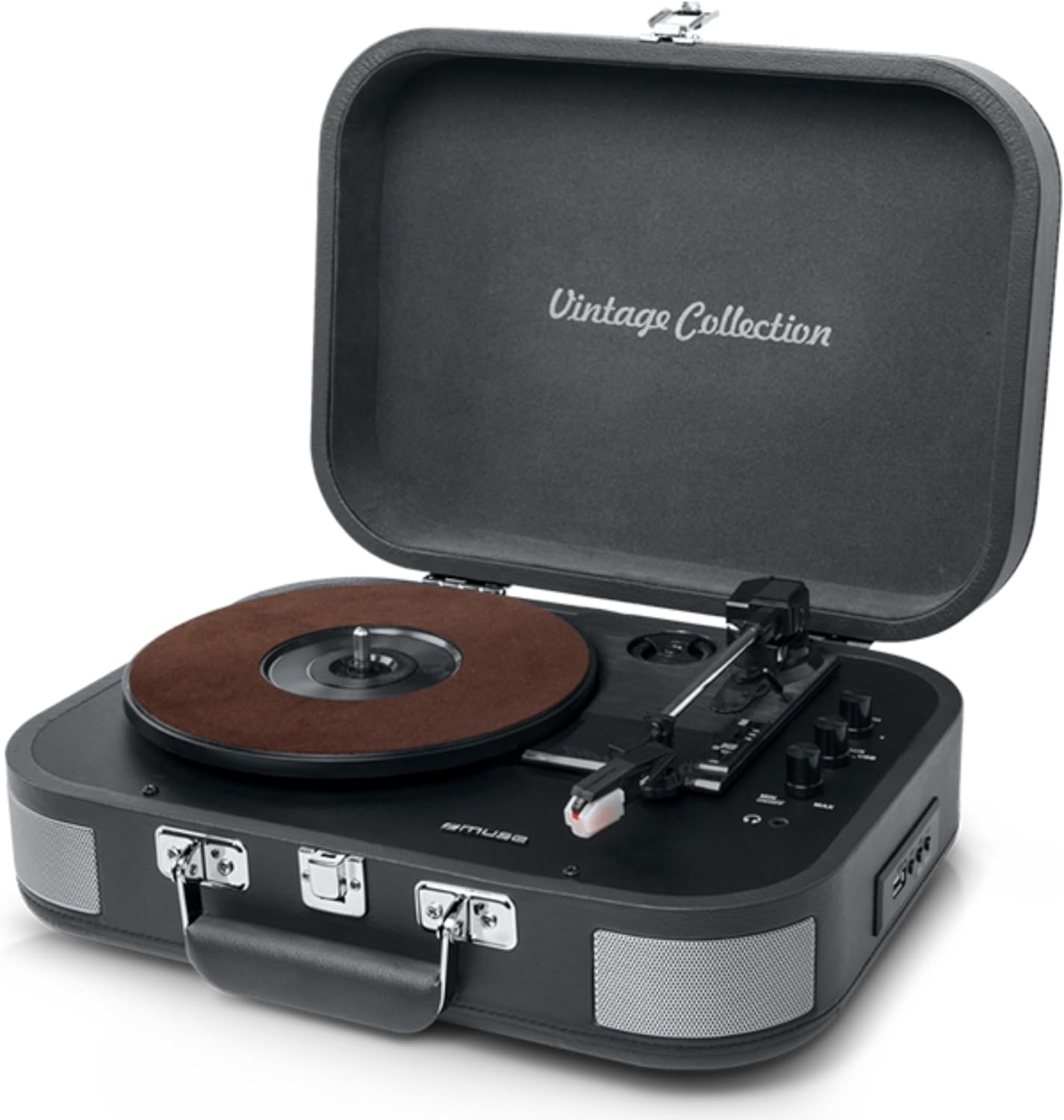
Figure 1: The MUSE MT-201 Retro Turntable in its open position, showcasing the record platter, tonearm, and control knobs. The case features a 'Vintage Collection' inscription on the lid.

Figure 2: The MT-201 turntable placed on a wooden surface in a home environment, highlighting its compact and portable design. The lid is open, ready for record playback.
Негизги өзгөчөлүктөрү
- 3-Speed Turntable: 33, 45 жана 78 RPM жазууларды колдойт.
- Автоматтык токтотуу функциясы: Automatically stops playback at the end of a record.
- Bluetooth байланышы: Stream music wirelessly from compatible devices.
- USB ойнотуу жана жаздыруу: MP3 ойнотуу files from a USB stick or digitize vinyl records directly to USB without a PC.
- AUX киргизүү: Connect external audio sources like MP3 players.
- RCA чыгаруу: Тышкы туташуу amplifiers or powered speakers for enhanced audio.
- Гарнитура уячасы: Жеке угуу үчүн.
- Камтылган стерео динамиктер: Integrated speakers for immediate playback.
- Портативдик дизайн: Housed in a briefcase-style cabinet for easy transport.

Figure 3: An infographic highlighting key features such as stereo playback (33/45/78 RPM), Bluetooth streaming, vintage wood casing, and automatic shut-off for safety.

Figure 4: This image emphasizes the vintage design of the turntable, showing it both closed as a portable case and open for playback, illustrating its blend of classic aesthetics with modern functionality.
Пакеттин мазмуну
Пакетте бардык буюмдар бар экенин текшериңиз:
- MUSE MT-201 Turntable
- AC адаптер
- Additional Stylus (x1pc)
- 45 RPM адаптери
- Instruction Manual
Жайгашуу
- Пакеттен чыгаруу: Айланма табакты таңгагынан этияттык менен чыгарыңыз. Таңгакты келечекте ташуу же сактоо үчүн сактап коюңуз.
- Жайгашкан жери: Place the turntable on a stable, level surface away from direct sunlight, heat sources, and excessive dust or vibrations.
- Кубат туташуу: Connect the supplied AC adapter to the DC IN jack on the back of the turntable and then plug the adapter into a standard wall outlet.
- Капкактын ачылышы: Айлануучу табактын капкагын ачыңыз.
- Стилусту коргоо: Remove the stylus protective cap from the needle before use.
Иштөө нускамалары
Винил пластинкаларын ойнотуу
- Күйгүзүү: Turn the POWER/VOLUME knob clockwise to power on the unit and adjust the volume.
- Режимди тандоо: Set the FUNCTION switch to PHONO mode.
- Ылдамдыкты тандоо: Place a record on the platter. Select the appropriate speed (33, 45, or 78 RPM) using the SPEED selector switch. Use the 45 RPM adapter for 7-inch singles.
- Ойнотуп баштоо: Gently lift the tonearm using the cue lever and position the stylus over the desired track on the record. Lower the tonearm slowly onto the record.
- Авто токтотуу: The turntable features an auto-stop function that will automatically stop the platter rotation when the record finishes. To disable this, set the AUTO STOP switch to OFF.
- Ойнотууну аяктоо: At the end of the record, lift the tonearm, return it to the tonearm rest, and lower the cue lever.
Bluetooth байланышы
- Режимди тандоо: Set the FUNCTION switch to BT (Bluetooth) mode. The Bluetooth indicator will flash.
- Жупташтыруу: Enable Bluetooth on your mobile device (smartphone, tablet, etc.) and search for the device named "MUSE MT-201".
- Туташуу: Select "MUSE MT-201" from the list of available devices. Once connected, the Bluetooth indicator will stop flashing and remain solid.
- Ойнотуу: You can now play music from your Bluetooth device through the turntable's speakers.
USB ойнотуу жана жаздыруу
- USB ойнотуу: Insert a USB flash drive into the USB port. Set the FUNCTION switch to USB mode. The unit will automatically detect and play compatible audio files (мисалы, MP3).
- Винилди USB флешкасына жаздыруу: While playing a vinyl record, press the REC button to start recording. The recording indicator will light up. Press REC again to stop recording. The recorded audio will be saved as an MP3 file USB дискте.
AUX киргизүү
- Түзмөктү туташтыруу: Connect an external audio device (e.g., MP3 player, smartphone) to the AUX IN jack using a 3.5mm audio cable (not supplied).
- Режимди тандоо: Set the FUNCTION switch to AUX mode.
- Ойнотуу: Play audio from your connected device. The sound will be output through the turntable's speakers.
Audio Outputs (RCA and Headphone)
- RCA чыгаруу: Use RCA cables (not supplied) to connect the RCA OUT jacks on the back of the turntable to the audio input of an external amplifier or powered speakers. This bypasses the internal speakers.
- Гарнитура уячасы: Plug 3.5mm headphones into the PHONES jack for private listening. The internal speakers will be muted when headphones are connected.
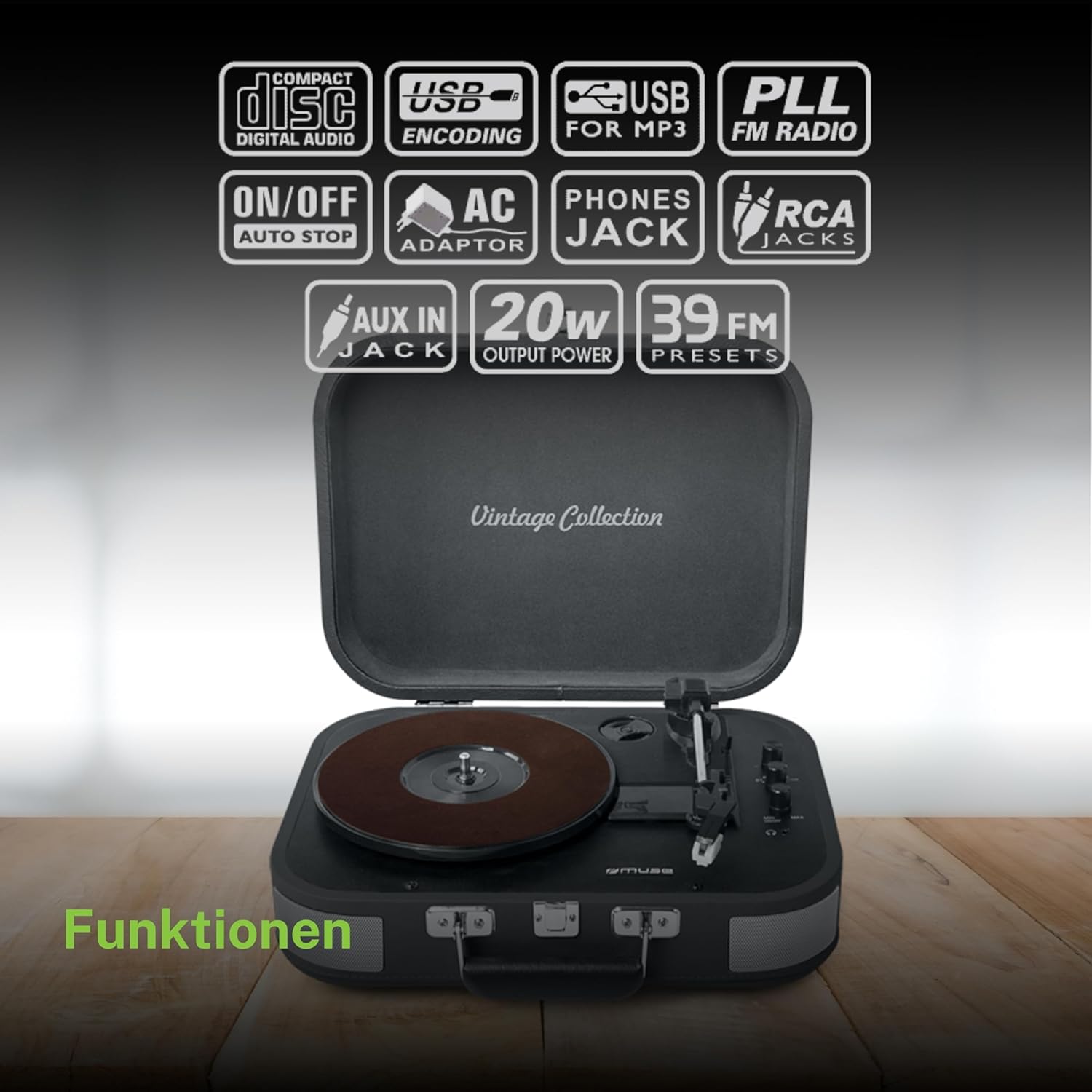
Сүрөт 5: An overview of the various functions and connectivity options, including Compact Disc Digital Audio (though not a CD player, likely indicating digital audio compatibility), USB encoding for MP3, USB for MP3, PLL FM Radio (though not explicitly listed in features, may be a generic icon), ON/OFF Auto Stop, AC Adaptor, Phones Jack, RCA Jacks, AUX In Jack, 20W Output Power, and 39 FM Presets (again, FM radio not explicitly listed for this model).
Техникалык тейлөө
- Кабинетти тазалоо: Wipe the cabinet with a soft, slightly damp кездеме. Абразивдүү тазалагычтарды, момдорду же эриткичтерди колдонбоңуз.
- Стилусту тазалоо: Use a soft brush to gently clean the stylus from back to front. Avoid touching the stylus with your fingers.
- Жазуу кам көрүү: Жазууларыңызды таза жана чаңсыз кармаңыз. Аларды жеңдеринин ичинде тигинен салып, кыйшайып кетпеши үчүн сактаңыз.
- Стилус алмаштыруу: The stylus has a limited lifespan. If sound quality deteriorates, replace the stylus with a new one (an additional stylus is included in the package).
Проблемаларды чечүү
| Көйгөй | Мүмкүн себеп | Чечим |
|---|---|---|
| Күч жок | Кубат адаптери туташкан эмес же туура эмес розетка. | AC адаптери блокко жана жумушчу розеткага бекем сайылганын текшериңиз. |
| Динамиктерден үн жок | Volume too low; Function mode incorrect; Headphones connected; RCA output connected. | Increase volume; Select correct function (PHONO, BT, USB, AUX); Disconnect headphones; Disconnect RCA cables if using internal speakers. |
| Жаздырууну өткөрүп жиберүү | Dirty or scratched record; Stylus worn out; Turntable not level; Excessive vibration. | Clean record; Replace stylus; Place turntable on a stable, level surface; Avoid placing near vibrating objects. |
| Bluetooth туташпай жатат | Turntable not in BT mode; Device too far; Device already connected to another unit. | Set function to BT; Ensure device is within range (approx. 10m); Disconnect from other Bluetooth devices. |
| USB жаздыруу иштебей жатат | USB drive full or incompatible format; Record not playing. | Ensure USB drive has sufficient space and is formatted correctly (FAT32); Ensure record is playing when REC button is pressed. |
Техникалык мүнөздөмөлөр
| Өзгөчөлүк | Спецификация |
|---|---|
| Модель аты | МТ-201 DG |
| Бренд | MUSE |
| Байланыш технологиясы | USB, Bluetooth, AUX, RCA |
| Максималдуу айлануу ылдамдыгы | Мүнөтүнө 78 революция |
| Өзгөчөлүктөр | Integrated Speaker, Adjustable Speed, Digital Recorder |
| Материал | Пластик |
| Элемент Салмагы | 2.3 килограмм |
| Стиль | ретро |
| Түс | Боз |
| Продукциянын өлчөмдөрү | 36 x 29 x 12.9 см |
| Power Consumption (On-state) | 10 ватт |
| Батареялар талап кылынат | 1 AAAA Battery (not included, likely for remote if applicable, or internal clock/memory) |

Figure 6: A technical diagram illustrating the dimensions of the MUSE MT-201 turntable: 360mm (length), 290mm (width), and 129mm (height).


