1. Киришүү
This manual provides essential information for the safe and efficient operation of your Marantz NR1510 5.2 Channel 4K Ultra HD AV Receiver. The NR1510 is designed to deliver impressive surround sound and high-fidelity audio in a compact form factor, approximately half the height of traditional AV receivers. It supports the latest HDMI connections, high-resolution audio formats like Dolby TrueHD and DTS-HD Master Audio, and offers extensive music streaming capabilities via Bluetooth, AirPlay 2, and the HEOS app. Voice control via Amazon Alexa, Google Assistant, and Apple Siri is also supported.
Сураныч, аппаратты колдонуудан мурун бул колдонмону кылдат окуп чыгыңыз жана аны келечекте маалымат үчүн сактап коюңуз.
2. Негизги өзгөчөлүктөрү
- 5.2 каналдын көлөмдүү үн: Supports Dolby TrueHD, DTS-HD Master Audio, and HDMI eARC for an immersive home theater experience.
- 4K Ultra HD Video Support: Compatible with Dolby Vision, BT-2020, HLG, and HDR10 for stunning 4K video quality.
- Өркүндөтүлгөн байланыш: Features 6 HDMI inputs (including 1 front), Bluetooth, Wi-Fi (AirPlay 2), and Ethernet.
- HEOS орнотулган: Enables multi-room audio streaming from popular services like Spotify, TIDAL, TuneIn, and Deezer.
- Үн менен башкаруу шайкештиги: Seamless integration with Amazon Alexa for hands-free operation.
- High-Current Power Ampжашагандар: Дискреттүү amplifiers on all 5 channels deliver 85W per channel for exceptional sound quality and speaker control.
- Компакт дизайн: Half the height of traditional AV receivers, allowing for flexible placement.
3. Орнотуу колдонмосу
3.1 Пакеттен чыгаруу жана жайгаштыруу
Carefully remove the NR1510 from its packaging. Place the receiver on a stable, flat surface with adequate ventilation. Ensure there is sufficient space around the unit for proper airflow to prevent overheating.

Сүрөт 3.1: Алдыңкы view of the Marantz NR1510 AV Receiver.
3.2 Түзмөктөрүңүздү туташтыруу
Before making any connections, ensure the NR1510 and all other devices are turned off and unplugged from the power outlet.
3.2.1 Динамиктердин байланыштары
Connect your speakers to the corresponding terminals on the rear panel. The NR1510 supports a 5.2 channel setup. Ensure correct polarity (+ to + and - to -) for optimal sound quality.

3.2-сүрөт: Детальдуу view of speaker connection terminals.
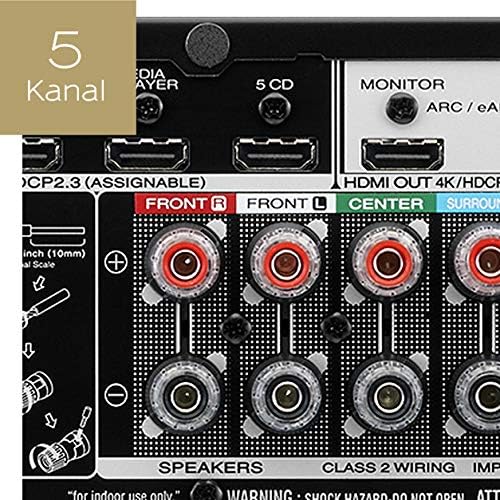
Figure 3.3: Illustration of a 5-channel speaker configuration.
3.2.2 HDMI Connections
Connect your video sources (e.g., Blu-ray player, game console, cable box) to the HDMI IN ports. Connect your TV or projector to the HDMI OUT (MONITOR) port. The NR1510 features 6 HDMI inputs, including one on the front panel for easy access.

Figure 3.4: Front panel HDMI input for convenient connections.
3.2.3 Тармактык туташуу
For network features and firmware updates, connect the NR1510 to your home network via an Ethernet cable to the NETWORK port or wirelessly via Wi-Fi. Ensure your Wi-Fi antenna is properly connected.
3.2.4 Кубат туташтыруу
Once all audio and video connections are made, connect the power cord to the NR1510 and then to a wall outlet.
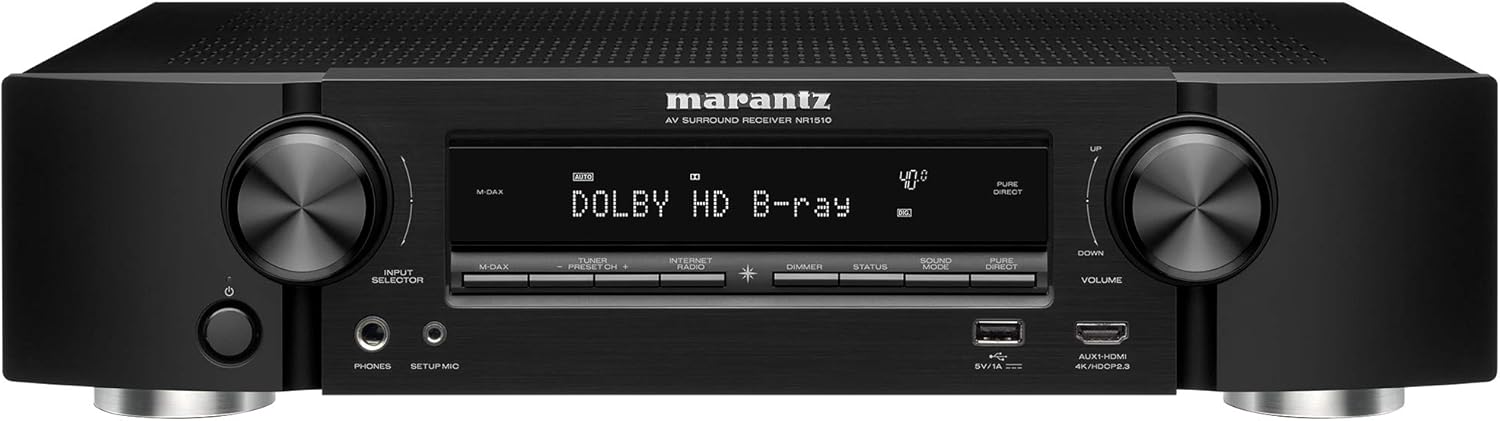
Figure 3.5: ашыкview of the Marantz NR1510 rear panel connections.
3.3 Баштапкы орнотуу устасы
Upon first power-on, the NR1510 will guide you through an on-screen setup assistant. This wizard helps with speaker calibration (using the supplied microphone), network setup, and input configuration. Follow the on-screen prompts for an easy setup process.
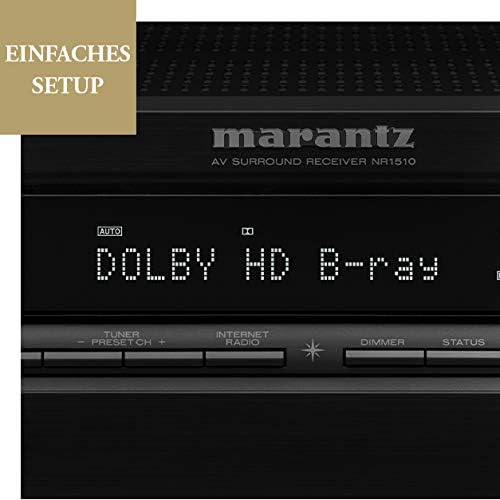
Figure 3.6: The NR1510 display indicating the easy setup process.
4. Иштөө нускамалары
4.1 Негизги операция
- Күйгүзүү/өчүрүү: Press the POWER button on the front panel or the remote control.
- Киргизүүнү тандоо: Use the INPUT SELECTOR knob on the front panel or the dedicated input buttons on the remote control (e.g., CBL/SAT, GAME, CD, MEDIA PLAYER, etc.) to switch between connected devices.
- Үндү көзөмөлдөө: Adjust the VOLUME knob on the front panel or the VOLUME +/- buttons on the remote control.
4.2 Алыстан башкаруу функциялары
The supplied remote control provides full command over your NR1510 receiver and connected devices. Familiarize yourself with its layout for convenient operation.

Figure 4.1: The Marantz NR1510 remote control.
- Кубат (кызыл баскыч): Агрегатты күйгүзөт же өчүрөт.
- Киргизүү баскычтары: Directly select specific inputs (e.g., CBL/SAT, GAME, CD, PHONO, USB).
- Көлөм +/-: Башкы үн деңгээлин тууралайт.
- Үнсүз: Temporarily mutes the audio output.
- Навигация аянтчасы: Used to navigate menus on the TV screen.
- Үн режиминин баскычтары: Select various sound modes (e.g., MOVIE, MUSIC, GAME, PURE).
- Smart Select Buttons (1-4): Store and recall preferred settings for different activities.
4.3 Тармактын жана агымдын өзгөчөлүктөрү
The NR1510 offers extensive network capabilities for music streaming and multi-room audio.
- HEOS орнотулган: Access music from online streaming services (Spotify, Deezer, Tidal, etc.) and local network storage. Create a multi-room audio system with other HEOS-enabled devices.
- Air Play 2: Түздөн-түз Apple түзмөктөрүңүздөн аудио агымы.
- Bluetooth: Connect your smartphone or tablet wirelessly to play music.

Figure 4.2: The HEOS Built-in feature allows integrated multi-room audio.

Figure 4.3: Wireless streaming capabilities of the NR1510.
4.4 Үн менен башкаруу
The NR1510 is compatible with Amazon Alexa. Once configured, you can use voice commands to control functions like input switching, volume adjustment, and music playback through a compatible Alexa-enabled device.
5. Техникалык тейлөө
- Тазалоо: Түзмөктүн сыртын тазалоо үчүн жумшак, кургак чүпүрөктү колдонуңуз. Абразивдүү тазалоочу каражаттарды же эриткичтерди колдонбоңуз.
- Программалык камсыздоонун жаңыртуулары: Periodically check for firmware updates via the network connection. Updates can improve performance and add new features. Refer to the on-screen menu for update options.
- Вентиляция: Ашыкча ысып кетүүнүн алдын алуу үчүн, түзмөктүн желдетүү тешиктери бүтөлүп калбаганын текшериңиз.
6. Кыйынчылыктарды
If you encounter issues with your Marantz NR1510, refer to the following common troubleshooting steps. For more detailed solutions, consult the comprehensive online manual available on the Marantz support webсайт.
| Көйгөй | Мүмкүн болгон себеп / Чечим |
|---|---|
| Күч жок | Check if the power cord is securely connected. Ensure the power outlet is functional. |
| Үн жок | Check speaker connections. Verify input selection. Ensure volume is not muted or too low. Check audio settings on the source device. |
| Сүрөт жок | Check HDMI cable connections. Verify input selection on the receiver and TV. Ensure the TV is set to the correct HDMI input. |
| Тармакка туташуу маселелери | Check Ethernet cable connection or Wi-Fi settings. Restart your router/modem. Ensure correct network password for Wi-Fi. |
| Пульт иштебей жатат | Replace batteries. Ensure no obstructions between the remote and the receiver's IR sensor. |
7. Техникалык шарттар
| Өзгөчөлүк | Спецификация |
|---|---|
| Бренд | Marantz |
| Модель номери | 90766127 (NR1510) |
| Түс | Кара |
| Айланадагы үн каналдары | 5.2 |
| HDMI кириштери | 6 (including 1 front) |
| HDMI чыгышы | 1 (eARC compatible) |
| Байланыш технологиясы | Bluetooth, Ethernet, Wireless (Wi-Fi, AirPlay 2), USB |
| Өзгөчөлүктөр | HEOS Multiroom, Spotify Connect, Voice Control (Alexa) |
| Шайкеш түзмөктөр | Телевидение |
| Аудио чыгаруу режими | Курчап |
| Видеону коддоо | H.265 (HEVC) |
8. Кепилдик жана колдоо
Marantz products are built to the highest standards and undergo rigorous quality control. For information regarding your product's warranty, please refer to the warranty card included in the original packaging or visit the official Marantz webсиздин аймагыңызга тиешелүү маалымат алуу үчүн сайт.
For technical support, troubleshooting assistance beyond this manual, or service inquiries, please contact Marantz customer support. You can find contact information and additional resources, including a comprehensive online manual, on the official Marantz support webсайт (www.marantz.com).
Please have your model number (NR1510) and serial number ready when contacting support.


