Introduction
This manual provides essential information for the safe and effective operation of your N-Gear NGS828-BT Karaoke System. Please read it thoroughly before use and retain it for future reference.
The N-Gear NGS828-BT karaoke system is designed to provide an immersive entertainment experience. It features two integrated speakers with a total power output of 30 watts, mounted on a sturdy stand that includes an integrated lighting system. The system comes complete with two wired microphones, allowing for duets and interactive performances. Music playback is versatile, supporting connections via Bluetooth, auxiliary audio input, or directly from a USB flash drive. A unique feature of this system is the ability to record your vocal performances directly onto a USB stick. Enhance your party atmosphere with two distinct light animations: one integrated into the stand and the second on the main unit, creating a dynamic disco-style effect. The system also offers convenient controls for microphone volume and an echo function to add professional vocal effects.

Сүрөт: алдыңкы view of the N-Gear NGS828-BT Karaoke System, showcasing its stand, main unit with controls, and integrated multi-color LED lights.
Коопсуздук маалыматы
- Кубат адаптери жергиликтүү электр менен камсыздооңузга шайкеш келерин текшериңиз.
- Электр тогуна урунбоо үчүн шайманды жамгырдын же нымдуулуктун таасирине дуушар кылбаңыз.
- Аппаратты жылуулук булактарынан, түз күн нурунан жана ашыкча чаңдан алыс кармаңыз.
- Желдетүүчү тешиктерди жаппаңыз.
- Өндүрүүчү тарабынан көрсөтүлгөн тиркемелерди/аксессуарларды гана колдонуңуз.
- Чагылган бороондо же узак убакыт бою колдонбогондо, розеткадан ажыратыңыз.
- Бардык тейлөөлөрдү квалификациялуу тейлөө кызматкерлерине тапшырыңыз.
Пакеттин мазмуну
Сураныч, бардык буюмдар бар экенин жана жакшы абалда экендигин текшериңиз:
- N-Gear NGS828-BT Karaoke System Main Unit
- Karaoke System Stand
- 2 x Зымдуу микрофондор
- Power Adapter (Cable included)
- Колдонуучунун колдонмосу (бул документ)
Продукт өзгөчөлүктөрү
- Интеграцияланган стерео динамиктер: Two speakers with 30W total power output.
- Кош микрофон кириштери: Comes with two wired microphones for duets.
- Ар тараптуу байланыш: Bluetooth for wireless streaming, Auxiliary input, and USB port for MP3 playback.
- Жазуу функциясы: Record your vocal performances directly to a USB stick.
- Динамикалык жарык көрсөтүүлөрү: Integrated LED lights on the stand and a disco-style light on the main unit.
- Үн эффекттери: Adjustable microphone volume and echo function.
- LED дисплей: For easy navigation and status indication.

Сүрөт: деталдуу view of the main unit's control panel, highlighting the two microphone inputs, speaker grilles, and the display indicating 120W PMPO output.
Орнотуу колдонмосу
- Стендди чогултуу: Carefully attach the main unit to the stand base. Ensure all connections are secure.
- Микрофондорду туташтыруу: Plug the two wired microphones into the designated microphone input jacks on the main unit.
- Кубат туташуу: Connect the power adapter to the DC input port on the unit, then plug the adapter into a suitable power outlet.
- Баштапкы күйгүзүү: Press the Power button to turn on the system. The LED display should illuminate.
Иштөө нускамалары
1. Күйгүзүү/өчүрүү
басыңыз Күч button located on the control panel to turn the system on or off.
2. Режимди тандоо
колдонуу Mode button to switch between available input sources: Bluetooth, Auxiliary (AUX), and USB.
3. Bluetooth туташуусу
- Тандоо Bluetooth mode using the Mode button. The LED display will show "BT" and a pairing indicator will flash.
- On your mobile device (phone, tablet, computer, laptop), enable Bluetooth and search for available devices.
- тандоо "N-Gear Karaoke"же тизмеден ушул сыяктуу.
- Once connected, the pairing indicator will stop flashing, and you can play music from your device wirelessly.
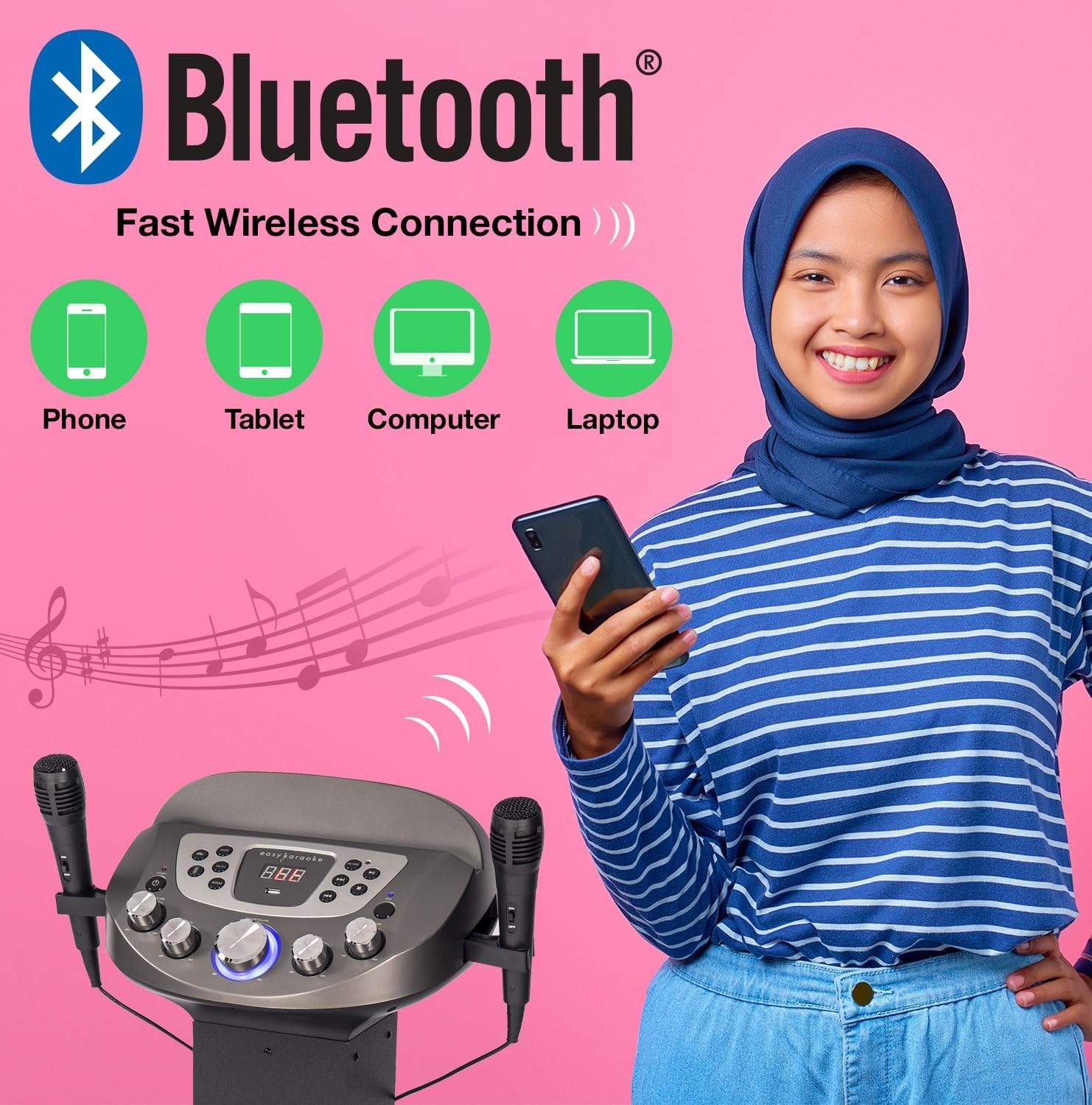
Image: Diagram illustrating various devices (phone, tablet, computer, laptop) that can connect to the karaoke system via Bluetooth for wireless music streaming.
4. USB ойнотуу жана жазуу
- USB флэш-дискти USB портуна салыңыз.
- Тандоо USB mode using the Mode button. The system will automatically detect and play compatible audio files (мисалы, MP3).
- колдонуу Ойнотуу/Тыныгуу, Кийинки, жана Мурунку ойнотууну башкаруу үчүн баскычтар.
- үчүн Жаздыруу your singing: While playing music from USB or AUX, press the Жаздыруу button. Sing into the microphones. Press Record again to stop. Your recording will be saved on the USB drive.
5. Көмөкчү киргизүү (AUX)
Connect an external audio device (e.g., smartphone, MP3 player) to the AUX input jack using a 3.5mm audio cable (not included). Select AUX mode to play audio from the connected device.
6. Микрофонду колдонуу
- Ensure microphones are securely plugged in.
- Adjust microphone volume using the dedicated MIC VOL башкаруу панелиндеги баскычты басыңыз.
- колдонуу Эхо knob to add vocal echo effects.

Image: A group of people enjoying the karaoke system, with visual cues pointing to the LED lights, disco ball, echo effect, and microphone volume control features.
7. Жарыкты көрсөтүүнү башкаруу
The system features integrated LED lights on the stand and a disco-style light on the main unit. These lights activate automatically when the system is powered on, enhancing the party atmosphere.
Техникалык тейлөө
- Тазалоо: Түзмөктүн сыртын тазалоо үчүн жумшак, кургак чүпүрөктү колдонуңуз. Абразивдүү тазалоочу каражаттарды же эриткичтерди колдонбоңуз.
- Сактагыч: Колдонулбаган учурда, системаны салкын, кургак жерде, тике күн нурунан жана экстремалдык температурадан алыс сактаңыз.
- Микрофонго кам көрүү: Handle microphones carefully. Avoid dropping them or exposing them to moisture.
Проблемаларды чечүү
| Көйгөй | Мүмкүн себеп | Чечим |
|---|---|---|
| Күч жок | Кубат адаптери туташкан эмес же туура эмес розетка. | Электр кубатына туташууларды текшериңиз. Башка розетканы колдонуп көрүңүз. |
| Динамиктерден үн жок | Volume too low; incorrect input mode; device not connected properly. | Increase master volume. Select correct input mode (Bluetooth, USB, AUX). Ensure external device is playing. |
| Микрофон иштебей жатат | Microphone not plugged in; MIC VOL too low; faulty microphone. | Ensure microphone is fully plugged in. Increase MIC VOL. Test with the other microphone if available. |
| Bluetooth жупташуу көйгөйлөрү | Device too far; system not in Bluetooth mode; previously paired device connected. | Ensure device is within range (approx. 10m). Select Bluetooth mode. Disconnect from other Bluetooth devices. |
| USB ойнотуу катасы | Шайкеш келбейт file format; corrupted USB drive; USB drive not inserted correctly. | камсыз кылуу files are MP3 format. Try a different USB drive. Reinsert the USB drive. |
Техникалык шарттар
| Өзгөчөлүк | Деталь |
|---|---|
| Модель аты | NGS828-BT |
| Модель номери | EKS828/9-BT |
| Бренд | N-Gear (EASY KARAOKE) |
| Түс | Кара |
| Speaker Output | 30 Watts Total (2 Speakers) / 120W PMPO |
| Байланыш | Bluetooth, көмөкчү (3.5 мм), USB |
| USB порттору | 1 (for playback and recording) |
| Микрофондор | 2 x Wired Microphones included |
| Өзгөчөлүктөр | Integrated LED Light Show (Stand & Disco Ball), Echo Function, Microphone Volume Control, LED Display |
| Power Source | Кубаттуу адаптер |
| Сунушталган колдонуу | Family gatherings, parties, events, personal use with tablet-based karaoke apps |
Кепилдик жана колдоо
For warranty information and technical support, please refer to the contact details provided with your purchase or visit the official N-Gear / EASY KARAOKE webсайт. Ар кандай кепилдик дооматтары үчүн сатып алганыңыздын далилин сактаңыз.
While specific warranty details are not provided in this manual, N-Gear products typically come with a standard manufacturer's warranty covering defects in materials and workmanship. Please consult the packaging or the manufacturer's webэң акыркы кепилдик шарттары жана эрежелери үчүн сайтты караңыз.


