DALI IO-6 Premium зымсыз кулакчын ANC кулакчындары үчүн колдонуучу колдонмосу
Модель: IO-6
Introduction
Welcome to the user manual for your DALI IO-6 Premium Wireless Over-The-Ear ANC Headphones. These headphones are designed to deliver exceptional audio quality with the convenience of wireless connectivity and advanced Active Noise Cancellation (ANC) technology. This manual provides essential information on setup, operation, maintenance, and troubleshooting to ensure you get the most out of your DALI IO-6 headphones.
Пакеттин мазмуну
Баштоодон мурун, пакетте бардык элементтер бар экенин текшериңиз:
- DALI IO-6 наушниктери
- USB заряддоо кабели
- 3.5 мм аудио кабель
- Travel Case (if included)
- Quick Start Guide
- Кулак жаздыкчалары
Note: The specific contents may vary slightly based on regional packaging.
Жайгашуу
1. Наушниктерди заряддоо
Before first use, fully charge your DALI IO-6 headphones. A full charge provides approximately 30 hours of battery life with ANC enabled.
- Connect the supplied USB charging cable to the USB-C port on the headphones.
- Connect the other end of the cable to a USB power adapter (not supplied) or a powered USB port on a computer.
- The LED indicator on the headphones will show charging status. It typically takes about 2 hours for a full charge.

Figure 1: DALI IO-6 headphones, Army Green color, showing the overall design. The USB-C port is located on one of the earcups.
2. Bluetooth Жупташтыруу
Pair your DALI IO-6 headphones with your Bluetooth-enabled device (smartphone, tablet, laptop, etc.).
- Наушниктердин өчүрүлгөнүн текшериңиз.
- Press and hold the Power/Bluetooth button on the headphones for approximately 5 seconds until the LED indicator flashes blue and red, indicating pairing mode.
- Түзмөгүңүздө Bluetooth жөндөөлөрүнө өтүп, Bluetooth'ду иштетиңиз.
- Select "DALI IO-6" from the list of available devices.
- Once paired, the LED indicator on the headphones will turn solid blue.

Сүрөт 2: Алдыңкы view of the DALI IO-6 headphones, showcasing the earcups and headband. The control buttons are located on the right earcup.
3. Зымдуу туташуу
For a wired connection, use the supplied 3.5mm audio cable.
- 3.5 мм аудио кабелдин бир учун кулакчындардын аудио киргизүү уячасына туташтырыңыз.
- Connect the other end to the 3.5mm audio output jack on your device.
- Наушник автоматтык түрдө зымдуу режимге өтөт.
Иштөө нускамалары
Күйгүзүү/өчүрүү
- Күйгүзүү үчүн: Кубат баскычын 2 секунд басып туруңуз.
- Өчүрүү үчүн: Кубат баскычын 3 секунд басып туруңуз.
Music Playback and Call Control
| Функция | Акция |
|---|---|
| Ойнотуу/Тыныгуу | Көп функциялуу баскычты бир жолу басыңыз. |
| Кийинки трек | Көп функциялуу баскычты эки жолу басыңыз. |
| Мурунку трек | Көп функциялуу баскычты үч жолу басыңыз. |
| Үндү көтөрүү | Көлөм + баскычын басыңыз. |
| Үндү төмөндөтүү | Үн көлөмү - баскычын басыңыз. |
| Чалууга жооп берүү/аяктоо | Көп функциялуу баскычты бир жолу басыңыз. |
| Чакырууну четке кагуу | Көп функциялуу баскычты 2 секунд басып туруңуз. |
| Үн жардамчысын жандырыңыз | Чалуу учурунда эмес болсоңуз, Көп функциялуу баскычты 2 секунд басып туруңуз. |
Активдүү ызы-чууну жокко чыгаруу (ANC) жана ачыктык режими
The DALI IO-6 features Active Noise Cancellation to reduce ambient noise and a Transparency Mode to allow external sounds to pass through.
- To cycle through ANC modes (ANC On, Transparency Mode, ANC Off): Press the ANC button located on the earcup.
- The LED indicator will change color to indicate the current ANC mode.
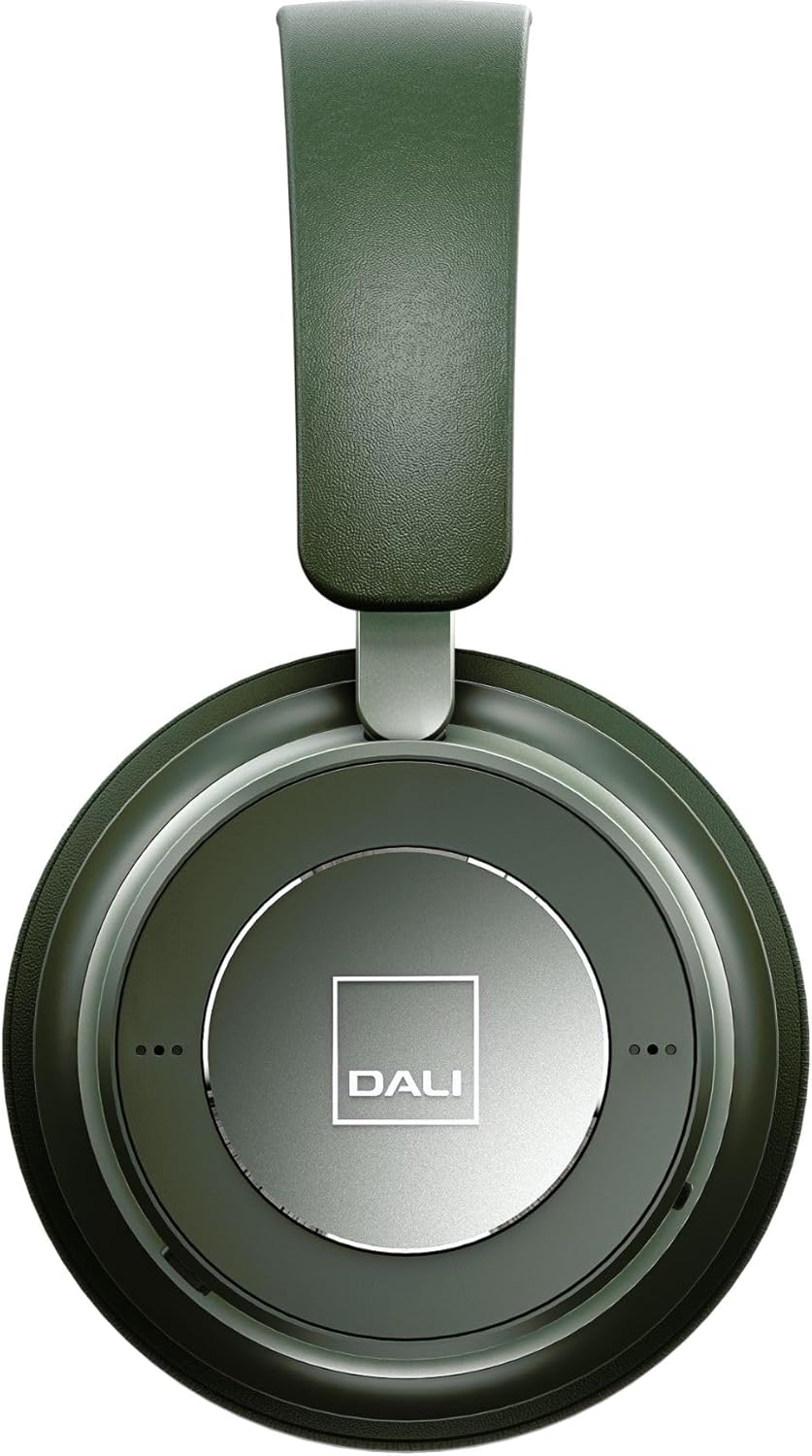
Сүрөт 3: Жакын пландан view of the DALI IO-6 earcup, highlighting the DALI logo and the subtle design details. The control buttons are integrated into the earcup design.
Техникалык тейлөө жана кам көрүү
Proper care will extend the life and performance of your DALI IO-6 headphones.
- Тазалоо: Use a soft, dry cloth to clean the headphones. Do not use abrasive cleaners, solvents, or strong chemicals.
- Сактагыч: When not in use, store the headphones in their protective travel case to prevent damage.
- Температура: Кулакчындарды өтө жогорку температурага (ысык же суук) же жогорку нымдуулукка дуушар кылбаңыз.
- Суюктук таасири: Keep the headphones away from water and other liquids. They are not waterproof.
- Кулак жаздыктары: The ear cushions are designed for comfort and can be replaced if worn. Refer to DALI's official webалмаштыруу бөлүктөрү үчүн сайт.

Figure 4: DALI IO-6 headphones resting on a concrete surface, demonstrating their robust build and design. This image highlights the durable materials used.
Проблемаларды чечүү
If you encounter issues with your DALI IO-6 headphones, try the following solutions:
| Көйгөй | Мүмкүн чечим |
|---|---|
| Күч жок | Наушниктердин толук заряддалганын текшериңиз. Кубат булагына туташып, заряддоо индикаторун текшериңиз. |
| Bluetooth аркылуу жупташтырылбай жатат |
|
| Үн жок |
|
| АНК натыйжалуу иштебей жатат |
|
Техникалык шарттар
| Өзгөчөлүк | Деталь |
|---|---|
| Модель аты | IO-6 |
| Байланыш технологиясы | Зымсыз (Bluetooth 5.0) |
| Noise Control | Активдүү Шумду Жоюу (ANC) |
| Наушник уясы | 3.5 мм Джек |
| Батареянын иштөө мөөнөтү | 30 саатка чейин (ANC менен) |
| Заряддоо убактысы | Болжол менен 2 саат |
| Жыштык диапазону | 10 - 20000 Гц |
| Импеданс | 25 Ом |
| Аудио драйверинин өлчөмү | 50 мм |
| Материал | Plastic, Memory Foam |
| Продукциянын өлчөмдөрү | 3.11 x 8.86 x 9.65 дюйм |
| Элемент Салмагы | 2.4 фунт |
Кепилдик жана колдоо
DALI products are built to high standards and come with a limited warranty. For specific warranty terms and conditions, please refer to the warranty card included with your product or visit the official DALI webсайт.
For technical support, service, or replacement parts, please contact DALI customer support through their official website or authorized service centers. You can find more information and contact details at: www.dali-speakers.com


