1. Коопсуздук боюнча маанилүү маалымат
Please read all instructions carefully before operating this device and retain this manual for future reference. Adhere to all warnings and instructions marked on the product.
- Кубат булагы: гана туташтырыңыз amplifier to a power supply of the type described in this manual or as marked on the unit.
- Вентиляция: Туура желдетүүнү камсыз кылыңыз. Эч кандай желдетүүчү тешиктерди жаап албаңыз. Өндүрүүчүнүн көрсөтмөлөрүнө ылайык орнотуу.
- Суу жана ным: Бул шайманды жамгырга же нымга тийгизбеңиз. Ваза сыяктуу суюктуктар толтурулган нерселерди аппараттын үстүнө койбоңуз.
- Жылуулук: Радиаторлор, жылуулук регистрлери, мештер же башка аппараттар (анын ичинде) сыяктуу жылуулук булактарынын жанына орнотпоңуз ampкөтөргүчтөр) жылуулукту пайда кылуучу.
- Тазалоо: Тазалоодон мурун бул продуктуну розеткадан сууруп алыңыз. Суюк тазалагычтарды же аэрозоль тазалагычтарды колдонбоңуз. Жарнама колдонууamp тазалоо үчүн кездеме.
- Тейлөө: Бул өнүмдү өзүңүз тейлөөгө аракет кылбаңыз, анткени капкактарды ачуу же алып салуу сизди кооптуу көлөмгө дуушар кылышы мүмкүнtage же башка коркунучтар. Бардык тейлөөлөрдү квалификациялуу тейлөө кызматкерлерине тапшырыңыз.
2. Продукт бүтүп калдыview
The KEiiD KD-240WF is a compact D-class stereo digital amplifier receiver designed for home audio and BGM (Background Music) systems. It features a Texas Instruments (TI) amplifier chip, delivering 2x 40W RMS output, suitable for bookshelf or other passive speakers (6-8 ohm suggested). This versatile unit offers multiple connectivity options and smart control features.
Негизги өзгөчөлүктөрү:
- Compact D-class RMS 2x 40W stereo amplifier with TI chip.
- WiFi Wireless Streaming with MUZO App control for multi-room synchronous or separate playback.
- Bluetooth 5.0 for stable wireless streaming up to 65 ft.
- Multiple input sources: USB, AUX (RCA), 1/4" wired microphone.
- Adjustable L/R balance and EQ options (Country/Pop/Jazz/Rock/Classic/Normal).
- Creative sleep timer function.
- Supports external music tools via Airplay (Spotify, TuneIn, Tidal, iHeart radio).
- Built-in 5-level safety protections (overload, over-voltage, over-current, short, self-protection).
3. Пакеттин мазмуну
Сураныч, төмөнкү нерселер үчүн кутучаны белгилеңиз:
- KEiiD KD-240WF Receiver & Ampөмүрлүү
- Remote Control (2x AAA batteries required, not included)
- WiFi/Bluetooth антеннасы
- 1/4" Male to 1/8" Female Headphone Convertor
- 5 ft Audio Cord (RCA to 3.5mm)
- Электр кабели
- User Manual

3.1-сүрөт: Пакеттин мазмуну
This image displays all items included in the KEiiD KD-240WF product package, such as the main amplifier unit, remote control, WiFi/Bluetooth antenna, various audio cables, and the user manual.
4. Product Layout and Connections
4.1 алдыңкы панели

Сүрөт 4.1: Алдыңкы панелдин үстүндөview
This image shows the front panel of the KEiiD KD-240WF amplifier, highlighting the display screen, input selection buttons, playback controls, and rotary knobs for microphone, echo, balance, bass, treble, and master volume, along with the power switch.
- Дисплей экраны: Учурдагы киргизүүнү, трек маалыматын жана жөндөөлөрдү көрсөтөт.
- Киргизүү тандоочулары: Buttons for USB, LINE2, LINE1 (AUX/RCA), OPT (Optical/SPDIF), BT (Bluetooth), WiFi.
- Ойнотуу башкаруулары: Ойнотуу/тындыруу, кийинки трек, мурунку трек.
- EQ баскычы: Эквалайзер алдын ала орнотуулары аркылуу айланышат.
- Айланма туткалар: MIC (Microphone Volume), ECHO (Microphone Echo), BALANCE (Left/Right Balance), BASS, TREBLE, MASTER (Overall Volume).
- Киргизүү уячалары: LINE2 (3.5mm AUX), PHONES (Headphone Output), USB (for flash drives).
- Кубат которгучу: Аппаратты күйгүзөт/өчүрөт.
4.2 Арткы панель

Сүрөт 4.2: Арткы панелдик байланыштар
This image illustrates the rear panel of the KEiiD KD-240WF amplifier, detailing the power input, speaker terminals, RCA audio input and output, microphone input, RJ45 LAN port, WPS button, and the WiFi/Bluetooth antenna connector.
- Power Supply (AC: 100-240V): Connect the provided power cord here.
- WiFi/BT Antenna: Screw in the included antenna for optimal wireless performance.
- Speaker Outputs (L & R): Connect your passive speakers (6-8 ohm suggested) here.
- Record / Audio Output (RCA): Башкасына туташуу үчүн ampөмүр же жаздыруучу түзмөк.
- RCA киргизүү: RCA кабелдери аркылуу тышкы аудио булактарын туташтыруу үчүн.
- MIC киргизүү (1/4"): Зымдуу микрофонду туташтыруу үчүн.
- RJ45 Jack: Зымдуу интернет байланышы үчүн.
- WPS баскычы: Press to disconnect WiFi or hold for 6-8 seconds to reset WiFi connection.
- Pager / Mixing Switch: Selects microphone priority mode (Pager) or mixed audio output (Mixing).
5. Орнотуу колдонмосу
5.1 Динамиктерди бириктирүү
- камсыз кылуу ampкөтөргүч өчүрүлгөн.
- Connect your passive speakers (6-8 ohm recommended) to the L (Left) and R (Right) speaker terminals on the rear panel. Ensure correct polarity (+ to + and - to -).
5.2 Аудио булактарын туташтыруу
- RCA/AUX киргизүү: Connect devices like CD players, TVs, or other audio sources to the RCA Input jacks on the rear panel or the LINE2 (3.5mm) jack on the front panel.
- USB киргизүү: Insert a USB flash drive into the front USB port for direct playback of audio files.
- Микрофон киргизүү: Connect a 1/4" wired microphone to the MIC Input on the rear panel.
5.3 Антеннаны туташтыруу
Screw the provided WiFi/Bluetooth antenna firmly into the antenna connector on the rear panel. Ensure it is upright for optimal signal reception.
5.4 Кубат туташтыруу
Connect the power cord to the AC input on the rear panel and then plug it into a standard wall outlet (AC 100-240V).
6. Иштөө нускамалары
6.1 Күйгүзүү/өчүрүү
күйгүзүү үчүн алдыңкы панелдеги POWER баскычын басыңыз ampөмүрдү күйгүзүү же өчүрүү.
6.2 Киргизүүнү тандоо
Press the corresponding input button (USB, LINE2, LINE1, OPT, BT, WiFi) on the front panel or use the remote control to select your desired audio source.
6.3 Үндү жана тонду башкаруу
- Негизги том: Rotate the MASTER knob on the front panel or use the volume buttons on the remote control to adjust the overall output volume.
- MIC Көлөмү: Adjust the MIC knob for microphone volume.
- Эхо: Adjust the ECHO knob for microphone echo effect.
- Баланс: Use the BALANCE knob to adjust the left/right channel balance.
- Бас/жогорку: Adjust the BASS and TREBLE knobs to fine-tune the audio's low and high frequencies.
- EQ алдын ала орнотуулары: Press the EQ button on the front panel or remote to cycle through preset equalizer modes: Country, Pop, Jazz, Rock, Classic, Normal.
6.4 Bluetooth операциясы
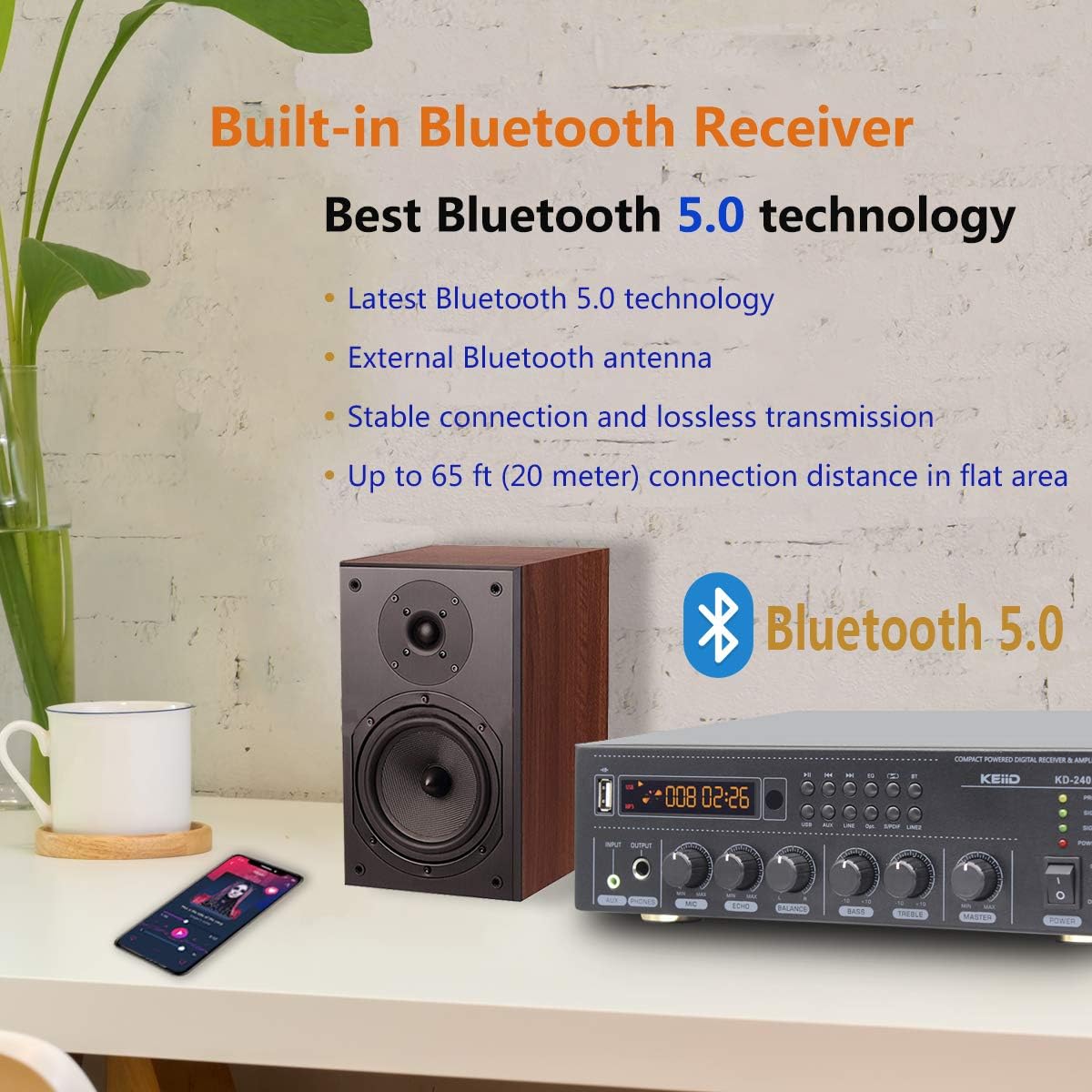
6.1-сүрөт: Bluetooth 5.0 туташуусу
This image emphasizes the Bluetooth 5.0 capability of the KEiiD KD-240WF amplifier, showing a mobile phone connected wirelessly to the unit, indicating stable and lossless audio transmission.
- Select 'BT' input on the amplifier. The display will show 'Bluetooth' or a similar indicator.
- Bluetooth иштетилген түзмөгүңүздө (смартфон, планшет ж.б.) жеткиликтүү Bluetooth түзмөктөрүн издеңиз.
- Select 'KEiiD KD-240WF' from the list to pair. Once connected, you can stream audio wirelessly.
6.5 WiFi Streaming and MUZO App Control

Figure 6.2: MUZO App Interface
This image displays the MUZO App interface on a smartphone, illustrating its capability to access various online music services and control the KEiiD ampкөп бөлмөлүү аудио агым үчүн көтөргүч.
- Download the 'MUZO' App from the App Store (iOS) or Google Play Store (Android).
- Сиздин камсыз кылуу amplifier is in WiFi mode.
- Follow the in-app instructions to connect the amplifier to your home WiFi network. You can also use the WPS button on the rear panel for quick connection (refer to section 4.2).
- Once connected, use the MUZO App to access thousands of online audio resources, control multi-room playback (synchronously or separately), and preset up to 10 online programs for one-key shift via remote control.
- The amplifier also supports Airplay for streaming from external music tools like Spotify, TuneIn, Tidal, and iHeart radio.
6.6 Уйку таймери
The sleep timer function allows the amplifier to automatically turn off after a set period (30-180 minutes). Refer to the remote control or MUZO App for setting the sleep timer.
6.7 Микрофонду колдонуу
Use the Pager / Mixing switch on the rear panel to select the microphone mode:
- Пейджер режими: Microphone signal will override other media resources, ideal for hosting or conference calls.
- Mixing Mode: Microphone audio is mixed with other media, suitable for entertainment like karaoke.
7. Кыйынчылыктарды
If you encounter issues with your KEiiD KD-240WF, please refer to the following common problems and solutions:
| Көйгөй | Мүмкүн себеп | Чечим |
|---|---|---|
| Күч жок | Power cord not connected; Power outlet faulty; Unit in protection mode. | Ensure power cord is securely plugged in. Try a different outlet. Unplug unit for 5 minutes, then plug back in. |
| Үн чыгышы жок | Incorrect input selected; Volume too low; Speaker wires loose/incorrectly connected; Mute function active. | Select correct input. Increase master volume. Check speaker connections and polarity. Ensure unit is not muted. |
| Poor Sound Quality (Distortion/Noise) | Source audio quality is poor; Speaker impedance mismatch; Cables loose/damaged; EQ settings. | Test with a different audio source. Ensure speakers are 6-8 ohm. Check all audio cables. Adjust BASS/TREBLE/EQ settings. |
| Bluetooth туташуу маселелери | Түзмөк жупташтыруу режиминде эмес; Amplifier too far from device; Interference. | камсыз кылуу amplifier is in BT mode and discoverable. Move device closer to amplifier. Avoid obstacles. Try re-pairing. |
| WiFi Connection Issues | Incorrect WiFi password; Router issues; Amplifier too far from router. | Double-check WiFi password in MUZO App. Restart router and amplifier. Move amplifier closer to router. Use WPS button to reset WiFi. |
If the problem persists after trying these solutions, please contact KEiiD customer support.
8. Техникалык шарттар
| Өзгөчөлүк | Спецификация |
|---|---|
| Модель номери | KD-240WF |
| Продукциянын өлчөмдөрү | 10.24 x 9.06 x 3.15 дюйм (260 x 230 x 80 мм) |
| Элемент Салмагы | 3.52 фунт (1.6 кг) |
| Номиналдык кубаттуулук | RMS 2x 40W (into 6-8 ohm speakers) |
| Байланыш технологиясы | RCA, Bluetooth 5.0, Auxiliary (3.5mm), Wi-Fi, USB |
| Аудио чыгаруу режими | Стерео (2.0 канал) |
| Frequency Response | 20Гц - 22кГц |
| Сигнал-ызы-чуу катышы (S/N) | 80дБ |
| Жалпы гармоникалык бурмалоо (THD) | <0.5% |
| Sleep Timer Range | 30-180 мүнөт |
| Түс | Кара |
9. Техникалык тейлөө
- Тазалоо: Сыртын тазалоо үчүн жумшак, кургак чүпүрөктү колдонуңуз ampкөтөргүч. Абразивдүү тазалагычтарды же эриткичтерди колдонбоңуз.
- Вентиляция: Ашыкча ысып кетүүнүн алдын алуу үчүн желдетүү тешиктери чаңдан жана таштандылардан тазаланганын мезгил-мезгили менен текшерип туруңуз.
- Сактагыч: Агрегатты узак убакытка сактасаңыз, аны кубаттан ажыратып, салкын, кургак жерде сактаңыз.
10. Кепилдик жана колдоо
The KEiiD KD-240WF comes with a 1 жылдык кепилдик. In case of any fault or quality issues within this period, a new replacement will be provided.
For technical support or warranty claims, please contact KEiiD customer service through your purchase platform or the official KEiiD webсайт.


