1. Киришүү
Thank you for choosing the XIAOMI Mi Smart Bedside Lamp 2. This smart lamp offers versatile lighting options with 16 million colors, adjustable brightness, and smart control features. This manual provides essential information for setting up, operating, and maintaining your device to ensure optimal performance and longevity.

Figure 1: XIAOMI Mi Smart Bedside Lamp 2
The Mi Smart Bedside Lamp 2 is designed to enhance your living space with customizable ambient lighting, controlled conveniently via touch, a dedicated mobile application, or voice commands through compatible smart home platforms.
2. Продукт бүтүп калдыview
2.1 Пакеттин мазмуну
- XIAOMI Mi Smart Bedside Lamp 2
- Кубаттуу адаптер
- User Manual
2.2 Лamp Өзгөчөлүктөрү
- Сенсордук башкаруу: Intuitive touch panel on the lamp for power, brightness, and color adjustments.
- Smart App Control: Full control and customization via the Mi Home App (available for iOS and Android).
- Үн менен башкаруу: Compatible with Apple HomeKit, Google Assistant, and Amazon Alexa for hands-free operation.
- Жандуу жарыктандыруу: Offers 16 million colors and adjustable brightness up to 400 lumens.
- Elegant дизайн: Minimalist aesthetic suitable for various home decors.

Figure 2: Key lighting features of the Mi Smart Bedside Lamp 2
3. Орнотуу
3.1 Баштапкы жайгаштыруу жана электр кубатына туташуу
- l коюңузamp туруктуу, жалпак бетинде.
- Кубат адаптерин l га туташтырыңызampкубат киргизүү порту.
- Plug the power adapter into a suitable electrical outlet. The lamp автоматтык түрдө күйөт.
3.2 Mi Home тиркемесин орнотуу жана жупташтыруу
The Mi Home App is required for full smart functionality.
- Download the Mi Home App from the Apple App Store or Google Play Store.
- Open the Mi Home App and sign in or create a new account.
- Жаңы түзмөк кошуу үчүн жогорку оң бурчтагы "+" сөлөкөтүн таптаңыз.
- Select the "Mi Smart Bedside Lamp 2" from the list of available devices.
- l туташтыруу үчүн экрандагы көрсөтмөлөрдү аткарыңызamp to your 2.4 GHz Wi-Fi network. Эскертүү: Бул лamp requires a 2.4 GHz Wi-Fi network for initial setup and smart home integration. Ensure your router is configured to support this frequency.
- Once connected, you can rename the lamp and assign it to a specific room within the app.
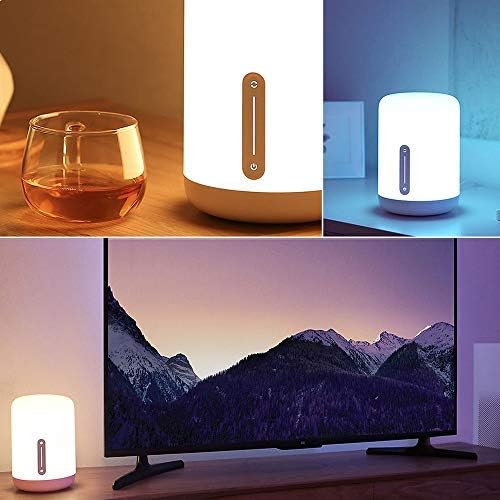
Figure 3: Controlling the lamp via the Mi Home App
3.3 Үн жардамчысын интеграциялоо
To integrate with voice assistants, follow the instructions within their respective apps:
- Apple HomeKit: Open the Home app on your iOS device, tap "Add Accessory," and scan the HomeKit code (usually found on the lamp or its packaging).
- Google Жардамчысы: In the Google Home app, go to "Set up device" > "Works with Google" and link your Mi Home account.
- Amazon Alexa: In the Alexa app, enable the "Mi Home" skill and link your Mi Home account.
4. Иштөө нускамалары
4.1 Сенсордук башкаруу
лamp features an intuitive touch panel on its front surface:
- Кубат баскычы: L баскычын буроо үчүн бир жолу басыңызamp күйгүзүү же өчүрүү.
- Жарыктык Слайдер: Slide your finger up or down the vertical bar to adjust brightness.
- Color/Mode Button: Press and hold the power button, then slide your finger along the vertical bar to cycle through different colors or preset modes.
4.2 Mi Home колдонмосун башкаруу
The Mi Home App provides comprehensive control over your lamp:
- Күйгүзүү/өчүрүү: l которуштурууamp's power.
- Жарыктыкты жөндөө: Жарыктын интенсивдүүлүгүн так тууралаңыз.
- Түс тандоо: Choose from 16 million colors using a color wheel.
- Түс температурасы: Adjust the white light from warm to cool.
- Scenes and Presets: Select from various pre-programmed lighting scenes or create your own custom scenes.
- Графиктер жана таймерлер: l үчүн графиктерди коюуamp to turn on/off or change modes automatically.
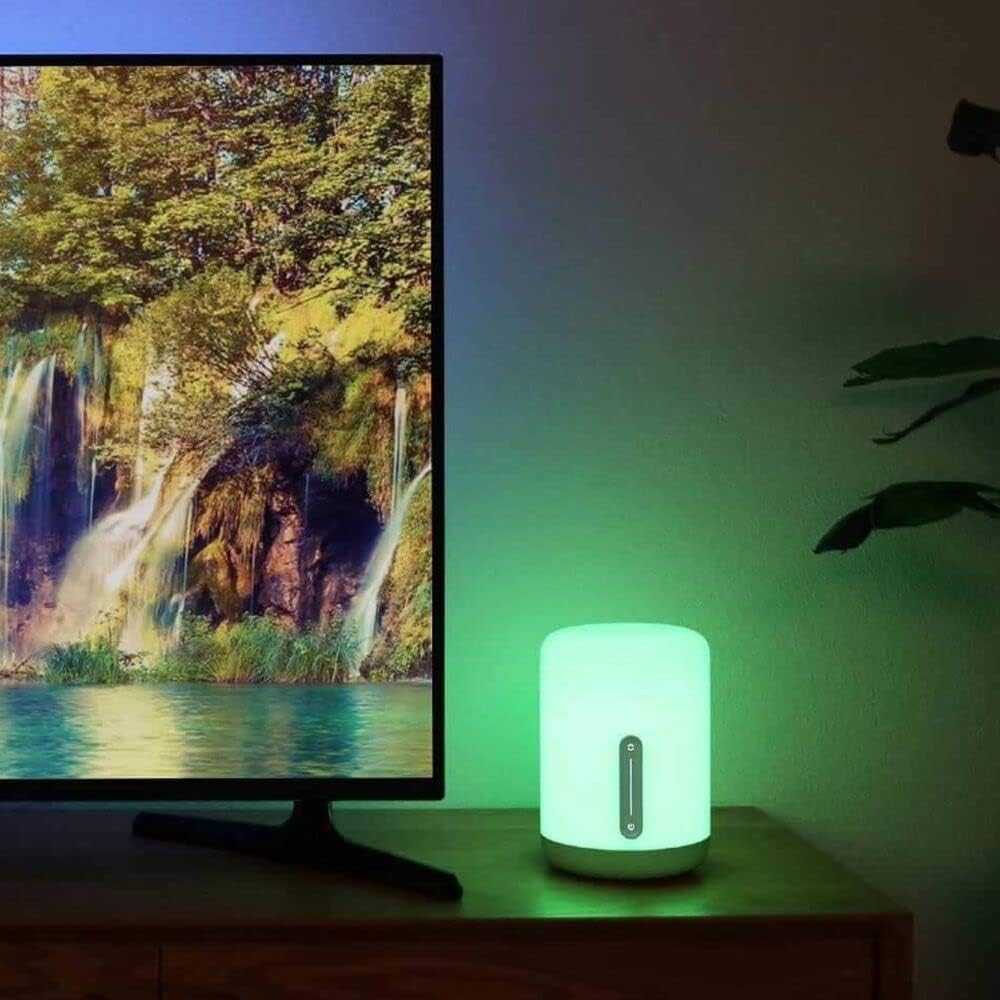
4-сүрөт: lamp displaying various color options
4.3 Үн буйруктары
Once integrated with a voice assistant, use commands such as:
- "Hey Google, turn on the bedside lamp."
- "Alexa, set the bedside lamp көккө."
- "Siri, dim the bedside lamp 50% чейин."
- "Hey Google, change the bedside lamp ак жылуу."
5. Техникалык тейлөө
To ensure the longevity and optimal performance of your XIAOMI Mi Smart Bedside Lamp 2, төмөнкү техникалык тейлөө көрсөтмөлөрүн аткарыңыз:
- Тазалоо: lamp from power before cleaning. Use a soft, dry, or slightly damp cloth to wipe the surface. Avoid abrasive cleaners, solvents, or harsh chemicals that could damage the lampбүттү.
- Жайгашкан жери: л коюудан качыңызamp in direct sunlight, high humidity, or extreme temperatures. Keep it away from water and other liquids.
- Колдонуу: Колдонуу lamp with care. Do not drop it or subject it to strong impacts.
- Кубаттуу адаптер: Use only the original power adapter provided with the lamp. Ensure the adapter is suitable for your region's electrical standards.
6. Кыйынчылыктарды
If you encounter issues with your Mi Smart Bedside Lamp 2, refer to the following common solutions:
| Маселе | Мүмкүн себеп | Чечим |
|---|---|---|
| Lamp күйбөйт. | Электр байланышы жок. | Кубат адаптери l'ге бекем сайылганын текшериңизamp жана иштеген электр розетка. |
| Cannot connect to Wi-Fi or Mi Home App. | Incorrect Wi-Fi frequency; poor signal; incorrect password. | Verify your Wi-Fi network is 2.4 GHz. Move the lamp closer to the router. Double-check your Wi-Fi password. Reset the lamp (refer to app for reset instructions, usually involves power cycling or holding a button). |
| Үн башкаруу иштебейт. | Incorrect integration; lamp offline; incorrect commands. | l камсыз кылууamp is connected to the Mi Home App and the respective voice assistant (Apple HomeKit, Google Assistant, Alexa) is properly linked. Use correct voice commands. Check if the lamp is online in the Mi Home App. |
| Lamp is dim or not bright enough. | Жарыктык жөндөөсү төмөн. | Adjust the brightness using the touch controls or the Mi Home App. The lamp 400 люмен максималдуу жарыктыгына ээ. |
| Power adapter appears non-standard for my region. | Regional power adapter incompatibility. | Ensure you are using the correct power adapter for your region. If an incorrect adapter was supplied, contact your retailer or XIAOMI support for a suitable replacement. Do not use incompatible adapters. |
7. Техникалык шарттар
Detailed technical specifications for the XIAOMI Mi Smart Bedside Lamp 2 (Model MUE4093GL):
| Өзгөчөлүк | Спецификация |
|---|---|
| Модель номери | MUE4093GL |
| Өлчөмдөр (D x W x H) | 5.91" x 5.91" x 9.84" (15см x 15см x 25см) |
| Элемент Салмагы | 2.2 фунт (1 кг) |
| Материал | Пластик |
| Жарыктык | 400 люменге чейин |
| Ватtage | 9 Ватт |
| Тtage | 12 вольт |
| Power Source | Электр зымдары |
| Башкаруу ыкмасы | Touch, App (Mi Home), Voice (Apple HomeKit, Google Assistant, Alexa) |
| Байланыш | Bluetooth, Wi-Fi (2.4 ГГц) |
| Түс параметрлери | 16 млн Түстөр |
| Ички/тышкы колдонуу | Ичинде гана |
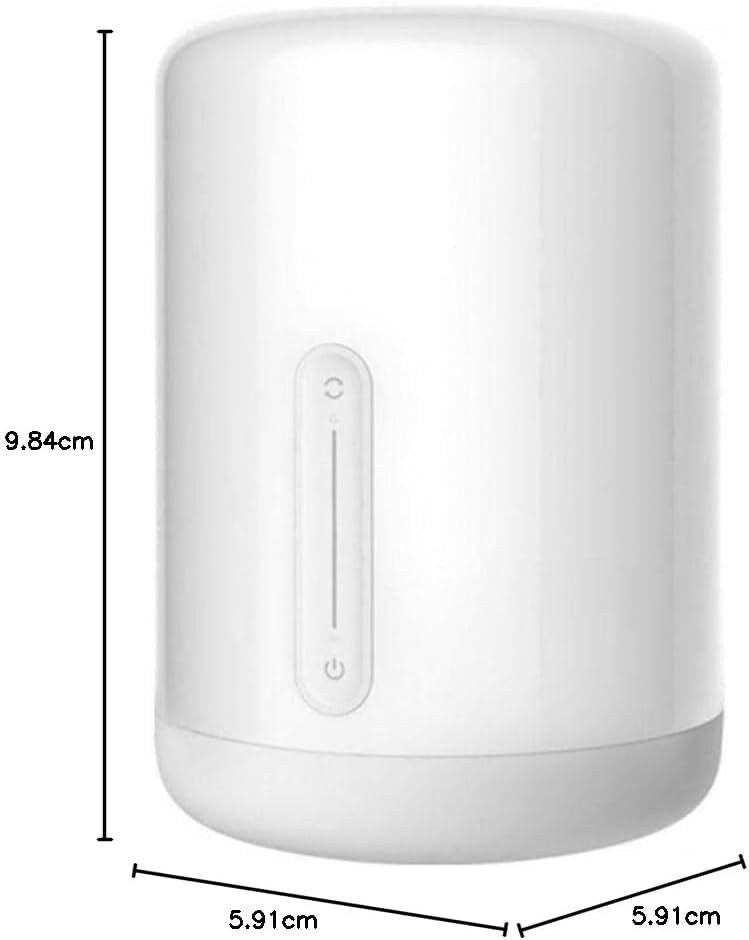
Сүрөт 5: Продукциянын өлчөмдөрү
8. Кепилдик жана колдоо
Кепилдик жөнүндө маалымат алуу үчүн, өнүмүңүз менен кошо берилген кепилдик картасын караңыз же расмий XIAOMI веб-сайтына кириңиз website. If you require technical assistance or have questions not covered in this manual, please contact XIAOMI customer support through their official channels.
Көбүрөөк маалыматты жана колдоо булактарын расмий сайттан таба аласыз XIAOMI дүкөнү.


