1. Киришүү
The ViewSonic VP3481 monitor offers an immersive curved screen with stunning UWQHD+ 3440x1440 resolution. Designed for precise color accuracy, it delivers incredible detail and vivid colors across wide viewing angles. This monitor supports HDR10 for a wider dynamic range and richer contrast, making it suitable for video editing, content development, and other color-critical applications. Key features include a 100Hz refresh rate, AMD FreeSync™ technology for smooth playback, and versatile connectivity options including USB 3.1 Type-C, DisplayPort, and HDMI.
2. Орнотуу
2.1. Пакеттин мазмуну
Орнотууну баштоодон мурун, пакетиңизде төмөндө келтирилген нерселердин бардыгы бар экенин текшериңиз:
- ЖК Monitor
- Электр кабели
- AC/DC адаптери
- USB 3.1 Type C кабели
- USB 3.0 Кабель
- DP - DP кабели
- HDMI 2.0 кабели
- Аудио кабель
- Factory Color Calibration Report
2.2. Монитор Ассамблеясы
Carefully remove the monitor from its packaging. Attach the monitor stand to the back of the display panel. Ensure all connections are secure before placing the monitor on a stable surface.

Figure 2.2.1: Monitor dimensions for proper placement and setup.
2.3. Байланыш
The VP3481 monitor offers flexible connectivity options to integrate with various devices. Connect your computer or other video sources using the appropriate cables.
- USB 3.1 Type-C: This single cable solution supports audio, data, video, and charging (up to 60W) for compatible laptops and devices, reducing cable clutter.
- HDMI2.0: Two HDMI ports are available, supporting HDCP 2.2 content protection for secure 4K content playback.
- DisplayPort: One DisplayPort input is provided for high-resolution video and audio transmission.
- USB 3.0 хабы: The monitor features a built-in USB 3.0 hub with three downstream ports and two upstream ports for connecting peripherals.

Figure 2.3.1: USB Type-C provides a single-cable solution for multiple functions.

Figure 2.3.2: ашыкview of the monitor's input/output ports.
Видео 2.3.1: Бүттүview of ViewSonic USB-C monitor connectivity features.
3. Мониторду иштетүү
3.1. Күйгүзүү/өчүрүү
Аны күйгүзүү же өчүрүү үчүн монитордо жайгашкан кубат баскычын басыңыз. Монитор активдүү болгондо кубат индикаторунун жарыгы күйөт.
3.2. Дисплей өзгөчөлүктөрү
The VP3481 offers advanced display technologies for an optimal viewтажрыйбасы:
- UWQHD (3440x1440p) Resolution: Experience sharp, detailed images across the expansive 34-inch curved screen.
- 100Hz жаңыртуу ылдамдыгы: Enjoy smooth, tear-free visuals, ideal for fast-paced content and video editing.
- HDR10 колдоосу: Delivers a wider dynamic range of vivid colors and richer contrast for a more immersive viewтажрыйбасы.
- AMD FreeSync™ технологиясы: Synchronizes the monitor's refresh rate with your graphics card to eliminate screen tearing and stuttering.

Figure 3.2.1: HDR10 support enhances color and contrast for stunning visuals.

Figure 3.2.2: The 100Hz refresh rate and AMD FreeSync™ ensure smooth playback.
3.3. Color Accuracy and Calibration
The VP3481 is engineered for ultimate color accuracy, providing 100% sRGB color space coverage and a Delta E<2 accuracy value. An integrated color uniformity function ensures consistent chromaticity across the screen, and a 14-bit 3D look-up table generates a smooth palette of 4.39 trillion colors.
For professional applications, hardware calibration is available with the optional ViewSonic Colorbration Kit (sold separately), allowing for quick and easy monitor calibration.

Figure 3.3.1: Curved viewing experience optimized for color-critical tasks.
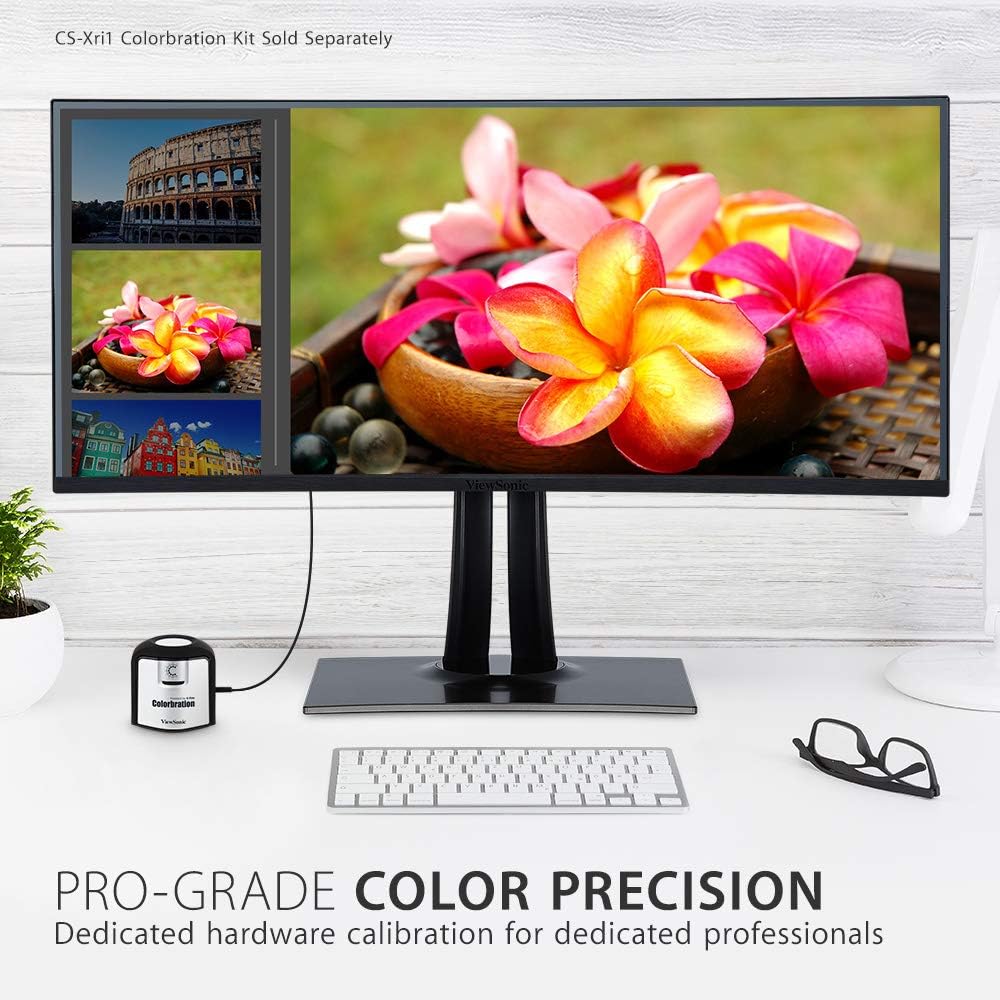
Figure 3.3.2: Dedicated hardware calibration is available for professional color precision.
4. Техникалык тейлөө
Сиздин узак жана оптималдуу иштешин камсыз кылуу үчүн ViewSonic VP3481 monitor, follow these maintenance guidelines:
- Экранды тазалоо: Экранды жумшак, түксүз чүпүрөк менен акырын сүртүңүз. өжөр белгилери үчүн, жеңил гampen the cloth with water or a mild, non-abrasive screen cleaner. Avoid using alcohol-based cleaners or harsh chemicals.
- Тазалоо Casing: Мониторду тазалоо үчүн жумшак, кургак чүпүрөктү колдонуңуз casing. Суюк тазалоочу каражаттарды түздөн-түз тешиктин үстүнө колдонбоңузasing.
- Вентиляция: Ашыкча ысып кетүүнүн алдын алуу үчүн монитордун желдетүү тешиктери жабылбагандыгын текшериңиз.
- Энергияны башкаруу: Чагылган бороондо же ал узак убакыт бою колдонулбай турганда мониторду розеткадан сууруп алыңыз.
5. Кыйынчылыктарды
Эгер сиз менен көйгөйлөр пайда болсо ViewSonic VP3481 monitor, refer to the following common troubleshooting steps:
- Кубат жок: Ensure the power cable and AC/DC adapter are securely connected to both the monitor and a working power outlet. Check if the power indicator light is on.
- Сигнал жок/Экран бош: Verify that the video cable (USB-C, HDMI, or DisplayPort) is correctly connected to both the monitor and your computer. Ensure the correct input source is selected on the monitor.
- Image Problems (Distorted, Flickering, Incorrect Colors): Check your computer's display settings for correct resolution and refresh rate. Ensure the video cable is not damaged. Perform a factory reset via the monitor's On-Screen Display (OSD) menu.
- Аудио жок: If using the monitor's built-in speakers or headphone jack, ensure the audio cable is connected (if applicable) and the volume is not muted or set too low on both the monitor and your computer.
- USB порттору иштебейт: Ensure the USB upstream cable is connected from the monitor to your computer. Check device drivers on your computer.
6. Техникалык шарттар
| Өзгөчөлүк | Деталь |
|---|---|
| Туруктуу экран дисплей өлчөмү | 34 дюйм |
| Screen Resolution | UWQHD (3440x1440) |
| Max Screen Resolution | 3440 x 1440 пиксел |
| Жаңыртуу ылдамдыгы | 100Hz |
| Аспект катышы | 2.33:1 (21:9) |
| Screen Surface Description | Anti-glare, Hard coating (3H) |
| USB 3.0 порттордун саны | 3 |
| USB 2.0 порттордун саны | 2 |
| USB 3.1 түрү C | Yes (with Power Delivery) |
| HDMI кириштери | 2 (HDMI 2.0 with HDCP 2.2) |
| DisplayPort киргизүүлөр | 1 |
| Элемент Салмагы | 26.6 фунт |
| Продукциянын өлчөмдөрү (LxWxH) | 31.9 x 11.8 x 24 дюйм |
| Түс | Кара |
| Өндүрүүчү | ViewSonic |
| Дата биринчи жеткиликтүү | 20-июнь, 2019-жыл |
7. Кепилдик жана колдоо
The ViewSonic VP3481 monitor comes with an industry-leading 3-year limited warranty. This coverage includes access to our US-based customer service team for technical assistance and support. For detailed warranty terms and conditions, please refer to the official ViewSonic webсайтка же продуктуңузга кошулган документтерге.
Кошумча жардам алуу үчүн, сураныч, баш багыңыз ViewСоник дүкөнү же кардарларды тейлөө бөлүмүнө кайрылыңыз.


