Introduction
This user manual provides comprehensive instructions for the Sencor SAC MT9020C Portable Air Conditioner. It covers essential information regarding safety, setup, operation, maintenance, and troubleshooting to ensure optimal performance and longevity of your appliance. Please read this manual thoroughly before operating the unit and keep it for future reference.
Коопсуздук нускамалары
Өрт, электр тогуна урунуу же жаракат алуу коркунучун азайтуу үчүн электр шаймандарын колдонууда ар дайым төмөнкү негизги коопсуздук чараларын сактаңыз:
- Шайманды колдонуудан мурун бардык нускамаларды окуп чыгыңыз.
- кубат менен камсыз кылуу Voltage рейтинг белгисинде көрсөтүлгөн.
- Аппаратты бузулган шнур же сайгыч менен иштетпеңиз.
- Шайманды суудан же башка суюктуктардан алыс кармаңыз.
- Аба кирүүчү же чыгуучу жерлерди жаап албаңыз.
- Тазалоо же тейлөө алдында блокту электр розеткасынан ажыратыңыз.
- Бул шайман үй ичинде гана колдонуу үчүн.
Продукт бүттүview

Сүрөт 1: Алдыңкы view of the Sencor SAC MT9020C Portable Air Conditioner. This image shows the main body of the unit, highlighting its compact and portable design with integrated side handles for easy movement.

2-сүрөт: Жогорку view of the air conditioner, displaying the integrated LED control panel. The panel includes buttons for power, mode selection, fan speed, timer, sleep function, and temperature adjustment.
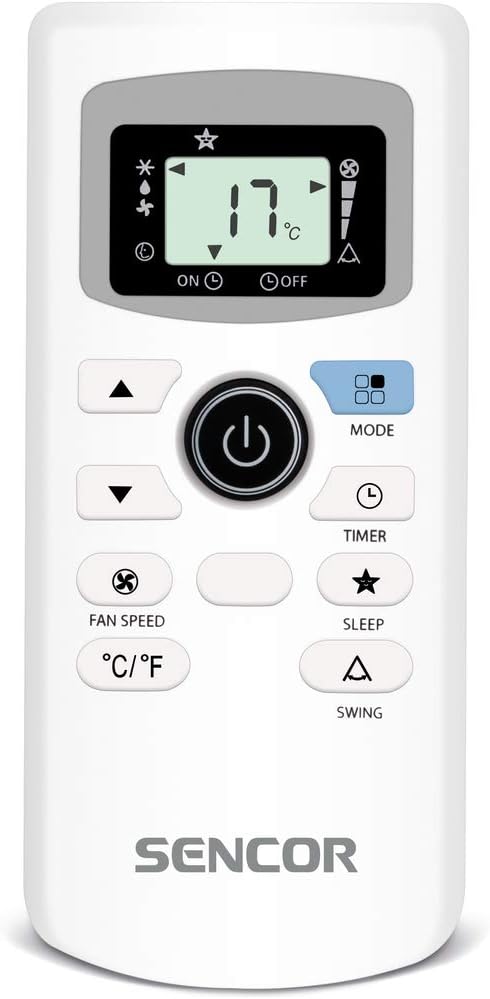
Figure 3: The remote control unit for the Sencor SAC MT9020C. It features a clear LCD display and buttons for comprehensive control over the air conditioner's functions, including temperature, mode, fan speed, and swing.
Жайгашуу
Пакеттен чыгаруу
Carefully remove the air conditioner from its packaging. Retain the packaging materials for future storage or transport. Check for any damage during transit. If any damage is found, contact your retailer immediately.
Жайгаштыруу
Place the portable air conditioner on a flat, stable surface. Ensure there is at least 20 cm (8 inches) of space around the unit for proper air circulation. Do not place the unit near heat sources or in direct sunlight.
Терезе топтомун орнотуу
The unit comes with a window sealing kit for efficient exhaust. Follow these steps to install:
- Чыгаруу түтүгүн түзмөктүн арткы жагындагы аба чыгаруучу тешикке бекитиңиз.
- Терезенин ачылыгына туура келгидей кылып терезе пломбалоочу пластинаны кеңейтиңиз.
- Терезенин герметикалык пластинасын терезенин алкагына бекитиңиз.
- Чыгаруучу түтүктүн экинчи учун терезени бекитүүчү пластинанын тешигине туташтырыңыз.
- Аба агып кетпеши үчүн бардык туташуулар коопсуз экенин текшериңиз.
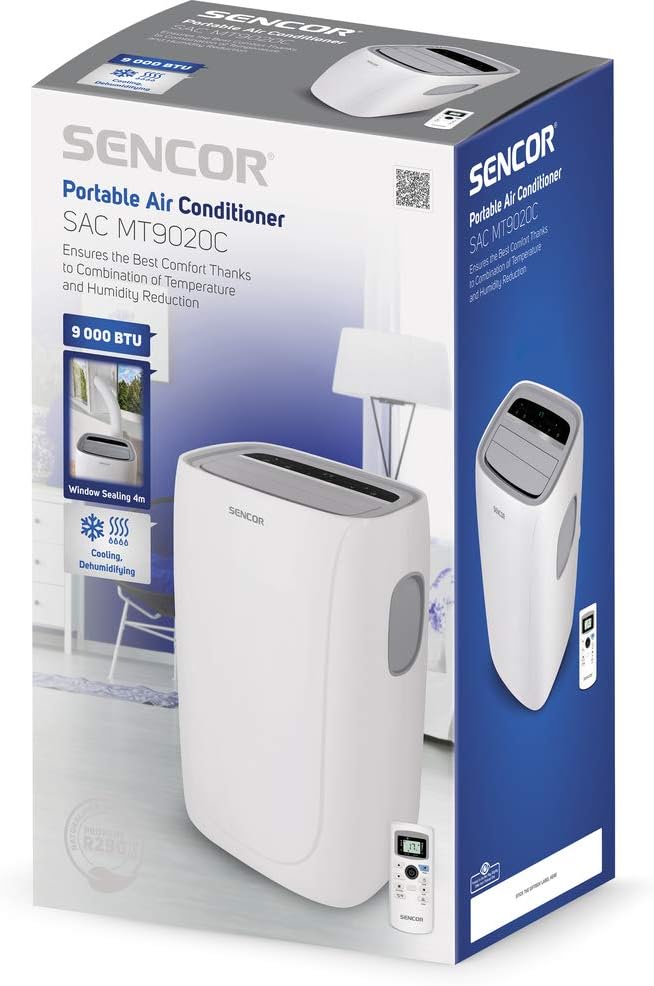
Figure 4: The Sencor SAC MT9020C Portable Air Conditioner shown in its original retail packaging. The packaging highlights key features such as 9000 BTU cooling capacity and window sealing kit compatibility.
Иштөө нускамалары
Башкаруу панели жана алыстан башкаруу
The unit can be operated using either the control panel on top of the unit or the provided remote control. The functions are identical.
Күйгүзүү/өчүрүү
басыңыз Күч баскычы (символ: вертикалдуу сызык менен тегерек) аппаратты күйгүзүү же өчүрүү.
Режим тандоо
басыңыз Mode жеткиликтүү режимдер аркылуу айлануу үчүн баскыч:
- Муздатуу режими: Бөлмөнү муздатуу үчүн. Өйдө/Төмөн жебелери аркылуу температураны тууралаңыз.
- Нымсыздандыруу режими: For reducing humidity.
- Күйөрман режими: Муздатуусуз абанын айлануусу үчүн.
Температураны жөндөө
Муздатуу режиминде, колдонуңуз Up жана Төмөн arrow buttons to set your desired temperature. The temperature range is typically between 16°C and 30°C (61°F and 86°F).
Fan Speed
басыңыз Fan Speed button to select between low, medium, and high fan speeds.
Таймер функциясы
The timer function allows you to set a specific time for the unit to turn on or off automatically. Press the Таймер button and use the Up/Down arrows to set the desired hours.
Уйку режими
Иштетүү Уйку режими for quieter operation and gradual temperature adjustment during the night. Press the Уйку button to engage.
Селкинчек функциясы
басыңыз Свинг button to activate or deactivate the automatic oscillation of the air louvers, ensuring even air distribution.
Техникалык тейлөө
Regular maintenance ensures the efficient operation and longevity of your air conditioner. Always unplug the unit before performing any maintenance.
Аба чыпкасын тазалоо
Аба чыпкасын колдонууга жана абанын сапатына жараша эки жумада же андан көп жолу тазалап туруу керек.
- Аба чыпкасынын панелин, адатта, блоктун арткы же каптал жагына жайгаштырыңыз.
- Чыпканы алып салыңыз.
- Clean the filter using a vacuum cleaner to remove dust. For heavy dirt, wash it with lukewarm water and a mild detergent.
- Фильтрди шаймандын ичине кайра салуудан мурун аны толугу менен кургатып алыңыз.
Суу төгүү
The unit collects condensation during operation. When the internal water tank is full, the unit will stop operating and display an indicator. Drain the water as follows:
- Агрегаттын ылдыйкы артындагы дренаждык розеткасынын астына тайыз көмөч казан же контейнерди коюңуз.
- Дренаждык тығынды алып салыңыз.
- Allow all water to drain out.
- Дренаждык тығынды коопсуз ордуна коюңуз.
Түзмөктүн сыртын тазалоо
Агрегаттын сыртын жумшак менен сүртүңүз, гamp cloth. Do not use harsh chemicals, abrasives, or solvents as they may damage the surface.
Сезондук сактоо
Агрегатты узак мөөнөткө сактасаңыз:
- Бардык топтолгон сууну агызыңыз.
- Аба чыпкасын тазалаңыз.
- Ички компоненттерди кургатуу үчүн бир нече саатка бир гана желдеткич режиминде иштетиңиз.
- Электр шнурунун розеткасын сууруп, аны тыкан ороп алыңыз.
- Агрегатты кургак, салкын жерде, эң жакшысы баштапкы таңгагында сактаңыз.
Проблемаларды чечүү
Кардарларды тейлөө кызматына кайрылуудан мурун, кеңири таралган көйгөйлөрдү чечүү үчүн төмөнкү көрсөтмөнү карап чыгыңыз:
| Көйгөй | Мүмкүн себеп | Чечим |
|---|---|---|
| Түзмөк күйбөйт. | Электр энергиясы жок; Электр шнурунун розеткасына сайылган эмес; Автоматтык өчүргүч иштен чыкты. | электр розеткасын текшерүү; шнур бекем сайылганын текшериңиз; Автоматтык өчүргүчтү баштапкы абалга келтирүү. |
| Агрегат эффективдүү муздабай жатат. | Кир аба чыпкасы; Чыгаруучу шланг туура орнотулган эмес; Бөлмө өтө чоң; Эшиктер/терезелер ачык. | Таза аба чыпкасы; Чыгаруучу шланг мөөр басылганын текшериңиз; эшиктерди/терезелерди жабуу; бөлмөнүн өлчөмүн карап көрөлү. |
| Суунун агып чыгышы. | Drain plug loose; Unit not level; Internal water tank full. | Secure drain plug; Place unit on a level surface; Drain water tank. |
| Ызы-чуу операция. | Агрегат түз жерде эмес; желдеткичте тоскоолдук. | Ensure unit is level; Check for and remove any obstructions. |
Техникалык шарттар
| Өзгөчөлүк | Деталь |
|---|---|
| Модель номери | SAC MT9020C |
| Бренд | SENCOR |
| Муздатуу кубаттуулугу | 12000 BTU |
| Өлчөмдөрү (L x W x Y) | 50 x 50 x 28 см (болжол менен 19.7 x 19.7 x 11 дюйм) |
| Салмагы | 28.93 кг (болжол менен 63.78 фунт) |
| Power Source | Электр зымдары |
| Башкаруу ыкмасы | Алыстан башкаруу |
| Түс | Ак |
| Сезондук энергияны натыйжалуулук коэффициенти (SEER) | 2.6 |
Кепилдик жана колдоо
SENCOR products are built for quality and durability. For warranty information and customer support, please refer to the warranty card included with your product or visit the official SENCOR webсайт. Сатып алуу квитанциясын кепилдик дооматтары үчүн сатып алуунун далили катары сактаңыз.
For further assistance or technical support, please contact SENCOR customer service through their official channels. You can often find contact details on the brand's official webсайтында же продуктунун таңгагында.
Official SENCOR Store: SENCOR on Amazon.de


