1. Киришүү
Thank you for choosing the Greadio Retro Bluetooth Speaker and Vintage FM Radio. This manual provides essential information for the safe and efficient operation of your device. Please read it thoroughly before use and retain it for future reference.
2. Коопсуздук маалыматы
- Аппаратты сууга, нымдуулукка же экстремалдык температурага тийгизбеңиз.
- Аппаратты түшүрүүдөн же катуу таасирлерден сактаныңыз.
- Аппаратты өз алдынча бөлүүгө же оңдоого аракет кылбаңыз. Квалификациялуу тейлөө кызматкерлерине кайрылыңыз.
- Балдар жетпеген жерде сактаңыз.
- Берилген заряддоо кабелин гана колдонуңуз.
3. Пакеттин мазмуну
Пакетте бардык буюмдар бар экенин текшериңиз:
- Greadio Retro Bluetooth Speaker (Model GR919P)
- USB заряддоо кабели
- AUX кабели
- User Manual

Image: Greadio Retro Bluetooth Speaker (Pink) with its charging cable, AUX cable, and user manual.
4. Продукт бүтүп калдыview
Familiarize yourself with the main components and controls of your Greadio Retro Bluetooth Speaker.

Image: Front panel of the speaker, showing the speaker, frequency scale, tuning knob, volume knob, and ON/OFF & Function knob.

Image: Rear panel of the speaker, showing the Micro USB port, TF card socket, Play/Pause button, and Previous/Next buttons.
Негизги өзгөчөлүктөрү:
- Компакт өлчөмү: Measures 4.4 x 2.7 x 2 inches, making it highly portable.
- Катуу үнү: Equipped with a five-watt amplifier for rich and clear audio.
- Bluetooth 5.0: Advanced wireless connectivity for quick pairing.
- Көп режимде ойнотуу: Supports FM Radio, Bluetooth, TF Card, and AUX input.
- Камтылган кайра заряддалуучу батарея: Provides up to 9 hours of playtime.
5. Орнотуу
5.1 Алгачкы заряддоо
Before first use, fully charge the speaker. Connect the provided USB charging cable to the Micro USB port on the back of the speaker and plug the other end into a USB power adapter (not included) or a computer's USB port. The charging indicator light will illuminate during charging and turn off when fully charged.
5.2 Күйгүзүү/өчүрүү
To power on the speaker, rotate the ON/OFF & Function knob clockwise until you hear a click and the display lights up. To power off, rotate the knob counter-clockwise until it clicks off.
6. Иштөө режимдери
The Greadio Retro Bluetooth Speaker supports multiple playback modes. Rotate the ON/OFF & Function knob to switch between modes.
6.1 Bluetooth режими
In Bluetooth mode, the speaker can connect wirelessly to your smartphone, tablet, or other Bluetooth-enabled devices.
- Turn on the speaker and switch to Bluetooth mode. The display will show a blue light, indicating it's ready for pairing.
- On your device, enable Bluetooth and search for "Greadio" or "R919".
- Select the speaker from the list to pair. A confirmation sound will indicate successful pairing.
- Эми сиз түзмөгүңүздөн аудиону динамик аркылуу ойной аласыз.

Image: The speaker's dial illuminated in blue, signifying Bluetooth mode is active.
Video: Demonstrates how to connect the Greadio Bluetooth Speaker to a smartphone via Bluetooth, showing the pairing process and audio playback.
6.2 FM радио режими
Enjoy your favorite FM radio stations with the vintage-style tuner.
- Turn on the speaker and switch to FM Radio mode. The display will show an orange light.
- Rotate the Tuning Knob (large central knob) to scan for available FM stations.
- Adjust the Volume Knob (smaller knob) to your desired listening level.

Image: The speaker's dial illuminated in orange, signifying FM radio mode is active.
6.3 TF карта режими
TF (MicroSD) картасынан түз музыка ойнотуңуз.
- Insert a TF card (up to 32GB, not included) with MP3 audio files into the TF card socket on the back of the speaker.
- The speaker will automatically switch to TF Card mode and begin playback.
- Use the Play/Pause button and Previous/Next buttons on the back to control playback.

Image: The TF card slot located on the rear of the speaker for direct music playback.
6.4 AUX режими
AUX кабелин колдонуп, тышкы аудио түзмөктөрдү туташтырыңыз.
- Connect one end of the provided AUX cable to the AUX port on the back of the speaker.
- Экинчи учун тышкы түзмөгүңүздүн (мисалы, MP3 ойноткуч, компьютер) аудио чыгышына туташтырыңыз.
- The speaker will automatically switch to AUX mode. Play audio from your external device.

Image: The AUX port on the rear of the speaker for wired audio connections.
7. Заряддоо
The speaker features a built-in 1100mAh rechargeable Lithium Ion battery. When the battery is low, the speaker will indicate this (e.g., voice prompt). Connect the Micro USB charging cable to a 5V/1A USB power source to recharge. A full charge typically takes 3-4 hours and provides up to 9 hours of playback time, depending on volume and mode.
8. Техникалык тейлөө
- Динамикти жумшак, кургак чүпүрөк менен тазалаңыз. Абразивдүү тазалагычтарды же эриткичтерди колдонбоңуз.
- Динамикти түз күн нурунан жана өтө температурадан алыс салкын, кургак жерде сактаңыз.
- Эгер батарейканы көпкө чейин колдонбосоңуз, анын иштөө мөөнөтүн узартуу үчүн аны жок дегенде үч айда бир жолу кубаттап туруңуз.
9. Кыйынчылыктарды
| Көйгөй | Мүмкүн себеп | Чечим |
|---|---|---|
| Динамик күйбөйт. | Батарея аз. | Динамикти толук заряддаңыз. |
| Bluetooth режиминде үн жок. | Not paired or volume too low. | Ensure device is paired and volume is up on both speaker and source device. |
| FM радиосун кабыл алуу начар. | Алсыз сигнал же тоскоолдук. | Adjust the speaker's position or rotate for better reception. The charging cable can act as an antenna. |
| TF картасы ойнотулбай жатат. | Card not inserted correctly or unsupported file формат. | Reinsert TF card. Ensure fileлар MP3 форматында. |
10. Техникалык шарттар
- Модель номери: GR919P
- Продукциянын өлчөмдөрү: 4.4 x 2.7 x 2 дюйм
- Элемент Салмагы: 7.7 унция
- Байланыш технологиясы: Bluetooth 5.0
- Тюнер технологиясы: FM
- Кубат булагы: Батарея менен иштейт (1 литий-иондук батарейка камтылган)
- Өзгөчө өзгөчөлүгү: Зарядкалуу
- Өндүрүүчү: Greadio
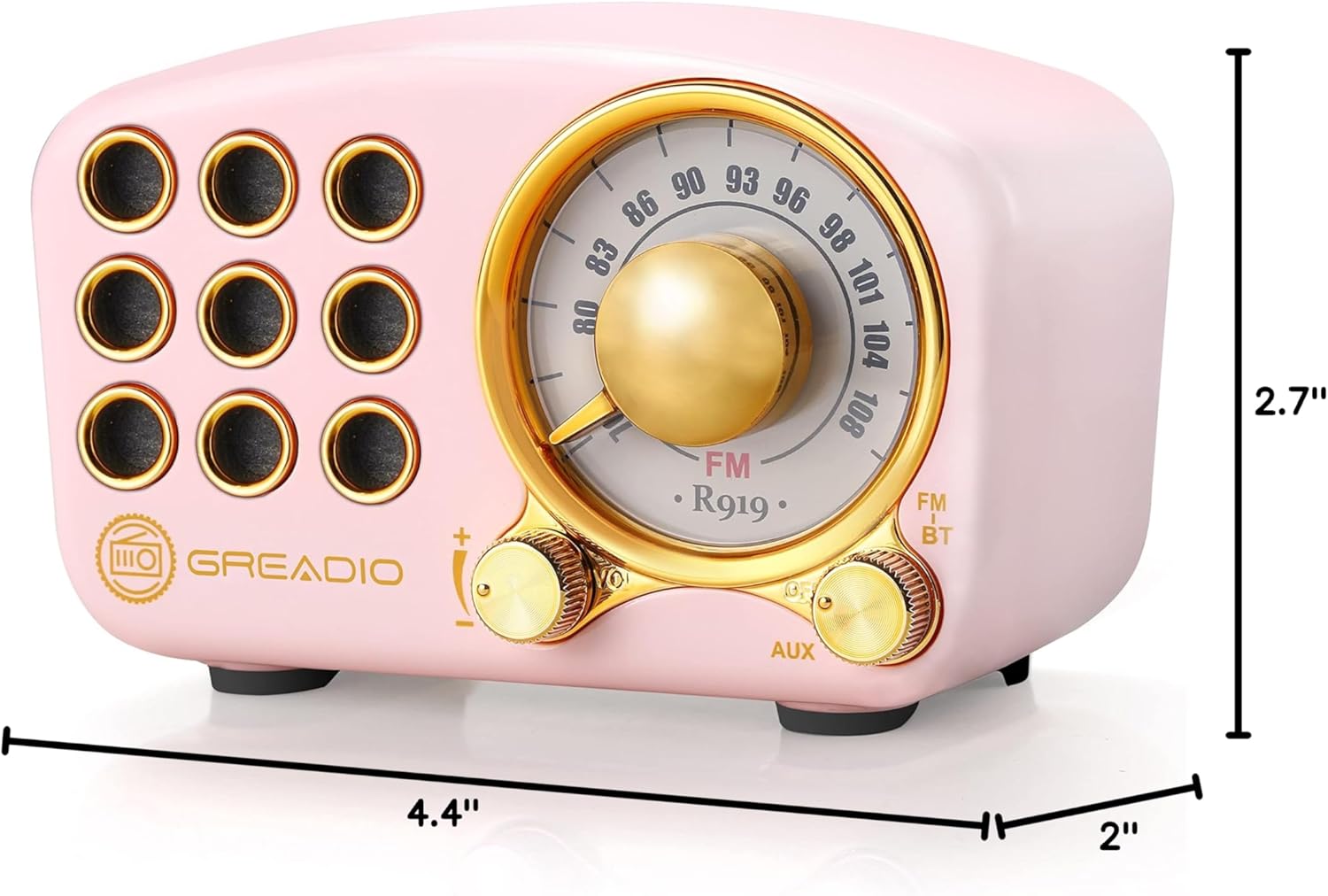
Image: Dimensions of the Greadio Retro Bluetooth Speaker.
11. Кепилдик жана колдоо
Greadio products are designed for reliability and performance. For warranty information or technical support, please refer to the contact details provided on the product packaging or visit the official Greadio webсайт. Сатып алганыңыздын далили катары сатып алуу дүмүрчөгүңүздү сактаңыз.


