1. Киришүү
This manual provides comprehensive instructions for the installation, operation, and maintenance of your BirdDog Eyes P200 Full NDI PTZ Camera. Please read this manual thoroughly before using the product to ensure proper and safe operation.
The BirdDog Eyes P200 is a high-performance 1080p60 PTZ camera featuring BirdDog's custom NDI silicon chip, a 30x optical zoom, and a Sony backlit sensor and image module. It is designed for professional video production environments, offering visually lossless full NDI for high-quality video transmission.
2. Коопсуздук маалыматы
Always observe the following safety precautions to prevent damage to the product or injury to yourself and others.
- Электр камсыздоо: Use only the specified power adapter. Ensure the power source matches the camera's requirements.
- Курчап турган чөйрө: Do not expose the camera to rain, moisture, or extreme temperatures. Operate within the recommended temperature and humidity ranges.
- Колдонуу: Handle the camera with care. Avoid dropping or subjecting it to strong vibrations.
- Тазалоо: Тазалоодон мурун электр кубатынан ажыратыңыз. Жумшак, кургак чүпүрөктү колдонуңуз. Суюк же аэрозольдук тазалагычтарды колдонбоңуз.
- Тейлөө: Камераны өз алдынча ачууга же тейлөөгө аракет кылбаңыз. Бардык тейлөө иштерин квалификациялуу адистерге тапшырыңыз.
3. Пакеттин мазмуну
Төмөндө тизмеленген нерселердин баары пакетиңизге камтылганын текшериңиз:
- BirdDog Eyes P200 PTZ Camera (White)
- Кубаттуу адаптер
- IR Remote Control
- Орнотуу кронштейни (эгер бар болсо)
- Quick Start Guide
4. Орнотуу
4.1 Камера бүттүview
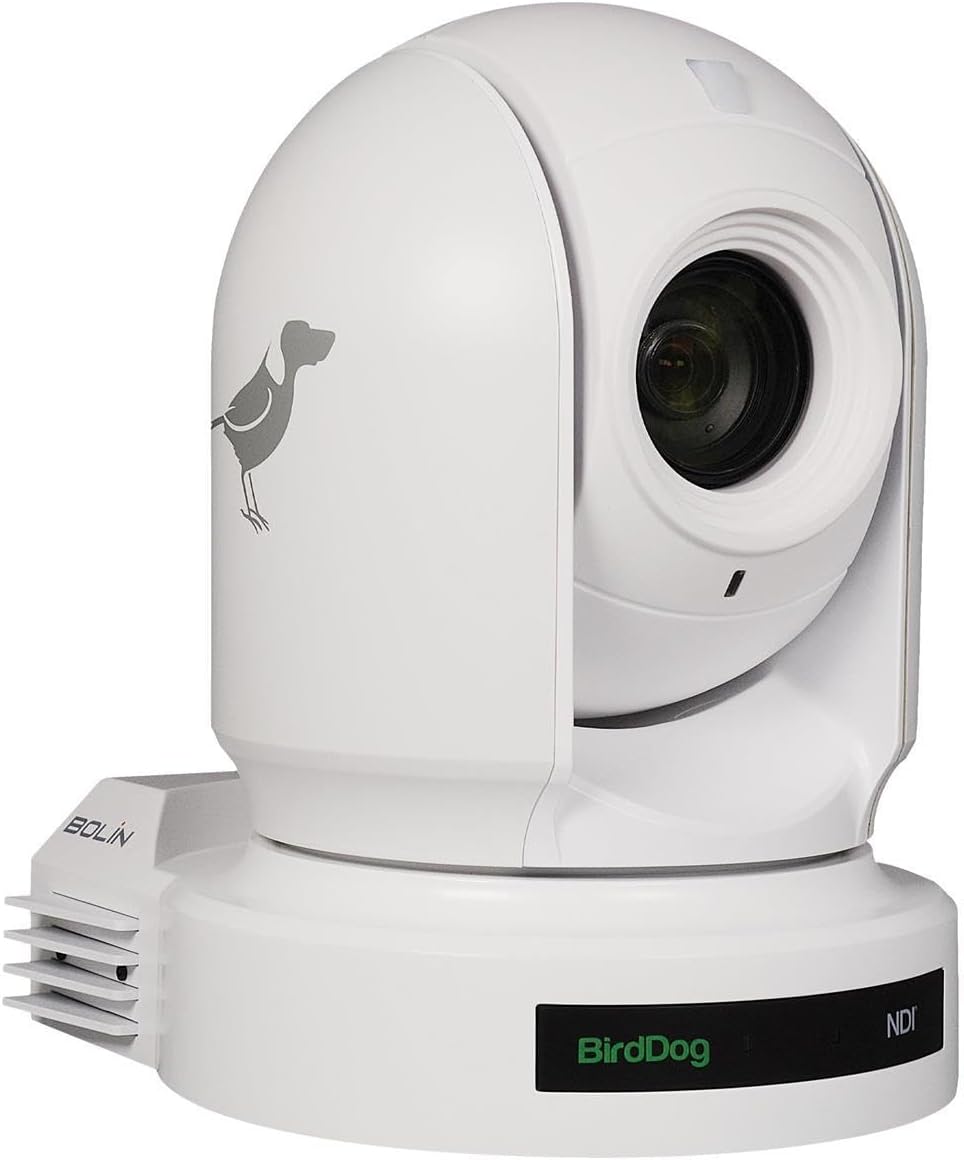
4.1-сүрөт: Фронт view of the BirdDog Eyes P200 PTZ Camera, showing the lens and the BirdDog logo on the base.

4.2-сүрөт: Арткы view of the BirdDog Eyes P200 PTZ Camera, detailing the various connectivity ports including DC 12V, RS232, RS422, NDI Video/PoE Network, HDMI, and 3G-SDI.
4.2 Физикалык орнотуу
- Монтаждоо: Securely mount the camera on a stable surface using the provided mounting bracket (if applicable). Ensure the camera is level and has a clear line of sight to the desired area.
- Кубат туташуу: Connect the supplied power adapter to the DC 12V input port on the rear of the camera (refer to Figure 4.2). Plug the adapter into a suitable power outlet. Alternatively, if using Power over Ethernet (PoE), connect an Ethernet cable from a PoE-enabled switch to the NDI Video/PoE Network port.
- Видео чыгаруу: Connect your video display or capture device to the camera using either the HDMI or 3G-SDI output ports. For NDI workflows, connect an Ethernet cable from the NDI Video/PoE Network port to your network.
- Контролдук байланыштар: For external control, connect RS232 or RS422 cables to compatible control devices as needed.
4.3 Network Configuration (NDI)
The BirdDog P200 supports Full NDI for high-quality, low-latency video over IP. Upon connecting to a network, the camera will typically acquire an IP address via DHCP. You can access the camera's web interface for advanced settings.
- Камераны табуу: Use BirdDog Central Lite or a similar NDI discovery tool on your network to find the camera's IP address.
- Кирүү Web Интерфейс: ачуу а web browser and enter the camera's IP address. Log in using the default credentials (refer to the Quick Start Guide for details).
- Тармак орнотуулары: ичинде web interface, you can configure network settings, including static IP address, NDI stream settings, and video parameters.
5. Камераны иштетүү
5.1 Негизги операция
- Күйгүзүү: Once connected to power, the camera will automatically power on. The status indicator will illuminate.
- Панорамалоо/Эңкейтүү/Масштабдоо (PTZ) башкаруусу: Use the IR remote control or a compatible NDI controller to adjust the camera's pan, tilt, and zoom.
- Фокус: The P200 features auto-focus. Manual focus adjustments can be made via the web interface or compatible control software.
- Алдын ала орнотуулар: Save and recall camera positions (pan, tilt, zoom, focus) as presets for quick scene changes. Refer to your controller's manual for preset management.
5.2 Advanced Settings (Web Интерфейс)
Камеранын web interface provides access to a wide range of advanced settings:
- Видеонун жөндөөлөрү: Adjust resolution, frame rate, exposure, white balance, and color settings.
- Аудио жөндөөлөрү: Configure audio input levels and embedding options.
- NDI Settings: Manage NDI stream name, group, and bandwidth.
- Тармак орнотуулары: Configure IP address, DNS, and other network parameters.
- Системанын жөндөөлөрү: Update firmware, reset to factory defaults, and manage user accounts.
6. Техникалык тейлөө
- Линзаны тазалоо: Оптикалык линзалар үчүн атайын иштелип чыккан жумшак, түксүз чүпүрөктү колдонуңуз. Абразивдүү материалдарды же катуу химиялык заттарды колдонбоңуз.
- Программалык камсыздоонун жаңыртуулары: Periodically check the BirdDog website for firmware updates. Keeping your camera's firmware up-to-date ensures optimal performance and access to new features. Follow the instructions provided with the firmware update package carefully.
- Экологиялык шарттар: Ensure the camera is operated and stored in a clean, dry environment within the specified temperature and humidity ranges to prevent damage.
7. Кыйынчылыктарды
| Көйгөй | Мүмкүн себеп | Чечим |
|---|---|---|
| Күч жок | Power adapter not connected; Power outlet faulty; PoE not active. | Check power connections. Test power outlet. Ensure PoE switch is active and providing power. |
| Видео чыгаруу жок | Incorrect cable connection; Incorrect input selected on display; NDI stream not active. | Verify HDMI/SDI cable connections. Select correct input on monitor. Check NDI settings in web интерфейс. |
| Camera Not Responding to Control | IR remote battery low; Incorrect control protocol; Network issue. | Replace IR remote batteries. Verify control protocol (RS232/RS422/NDI) settings. Check network connectivity. |
| Сүрөттүн сапаты начар | Lens dirty; Lighting conditions; Incorrect video settings. | Clean the lens. Adjust lighting. Configure exposure, white balance, and other video settings in the web интерфейс. |
8. Техникалык шарттар
| Өзгөчөлүк | Деталь |
|---|---|
| Модел | BDP200W |
| Видео тартуунун резолюциясы | 1080p |
| Оптикалык масштаб | 30x |
| Байланыш технологиясы | HDMI, 3G-SDI, NDI (Ethernet), RS232, RS422 |
| Power Source | AC/DC, PoE |
| Түс | Ак |
| Өлчөмдөрү (L x W x Y) | 12.3 x 12.3 x 9.9 дюйм |
| Элемент Салмагы | 7.09 фунт |
| Фото сенсор технологиясы | CMOS |
| Эл аралык коргоо рейтинги | IP54 |
| Сунушталган Колдонуулар | Indoor Security, Professional Video Production |
9. Кепилдик жана колдоо
For warranty information and technical support, please refer to the official BirdDog website or contact your authorized BirdDog dealer. Keep your proof of purchase for warranty claims.
Official BirdDog Webсайт: www.birddog.tv


