1. Киришүү
This manual provides detailed instructions for the VTech Kidi Star Karaoke Machine, Model 80-165835. This interactive karaoke system is designed to provide an engaging musical experience with features such as Music Magic mode, voice-changing effects, built-in songs and games, and a colorful disco light. Please read this manual thoroughly before use to ensure proper operation and to maximize your enjoyment of the product.
2. Коопсуздук маалыматы
- Батареянын коопсуздугу: Requires 4 AA batteries (included). Ensure correct polarity when inserting batteries. Do not mix old and new batteries, or different types of batteries. Remove exhausted batteries promptly.
- Чоңдордун көзөмөлү: Recommended for assembly and initial setup.
- Мункунуп калуу коркунучу: Кичинекей бөлүктөрүн камтыйт. 3 жашка чейинки балдар үчүн ылайыктуу эмес.
- Электр коопсуздугу: Use only the provided audio cable for connecting external devices. Do not attempt to modify or repair the unit.
- Жайгашкан жери: Place the unit on a stable, flat surface to prevent tipping.
3. Пакеттин мазмуну
Пакетте бардык буюмдар бар экенин текшериңиз:
- VTech Kidi Star Karaoke Machine (Main Unit)
- Adjustable Stand (multiple sections)
- Microphone with cord
- Audio Cable (3.5mm jack)
- 4 АА батарейкалар
- Көрсөтмө (бул документ)
4. Орнотуу
4.1 Батареяны орнотуу
- Locate the battery compartment on the underside of the main unit.
- Бурагычты колдонуп, батарея бөлүкчөсүнүн капкагын ачыңыз.
- Туура полярдуулукту (+/-) камсыз кылып, 4 жаңы AA батарейкасын салыңыз.
- Капкакты ордуна коюп, бураманы бекемдеңиз.
4.2 Assembly of the Stand and Microphone
- Connect the base of the stand to the lowest pole section.
- Attach the remaining pole sections, adjusting the height as desired.
- Secure the main karaoke unit onto the top of the assembled stand.
- Plug the microphone into the designated port on the main unit.
- Колдонуудан мурун бардык туташуулардын коопсуздугун камсыз кылыңыз.

Figure 1: Fully assembled VTech Kidi Star Karaoke Machine.
5. Иштөө нускамалары
5.1 Күйгүзүү/өчүрүү
басыңыз Кубат баскычы (usually marked with a circle and a vertical line) located on the main unit to turn the machine on or off.

Figure 2: Control panel with various buttons and screen.
5.2 Music Magic Mode
Иштетүү Music Magic Mode to reduce the main vocal track of built-in songs or songs played from an external device. This allows you to sing along as the lead vocalist.

Figure 3: The Music Magic button for vocal reduction.
5.3 Тышкы түзмөктөрдү туташтыруу
Use the included audio cable to connect your MP3 player or smartphone to the karaoke machine. Plug one end into the device's headphone jack and the other into the AUX-in port on the karaoke machine. You can then play your own music through the machine's speaker.

Figure 4: Connecting an external device via audio cable.
5.4 Voice Changer Effects
The machine includes five different voice-changing effects. Press the Үн өзгөртүү баскычы to cycle through effects such as robot, echo, and more, adding fun variations to your singing.
5.5 Built-in Songs and Games
The Kidi Star Karaoke Machine features eight original built-in songs and six interactive games. Use the navigation buttons and the OK баскычы to select and play songs or games from the main menu.
5.6 Жазуу функциясы
Record your performances for up to five minutes using the built-in recorder. Press the Жазуу баскычы to start and stop recording. You can then play back your recorded tracks.
5.7 Disco Light Operation
The integrated disco light can be twisted 180 degrees to project colorful light patterns onto walls and ceilings, enhancing the karaoke experience. The lights activate automatically when the unit is on or can be controlled via a dedicated button.
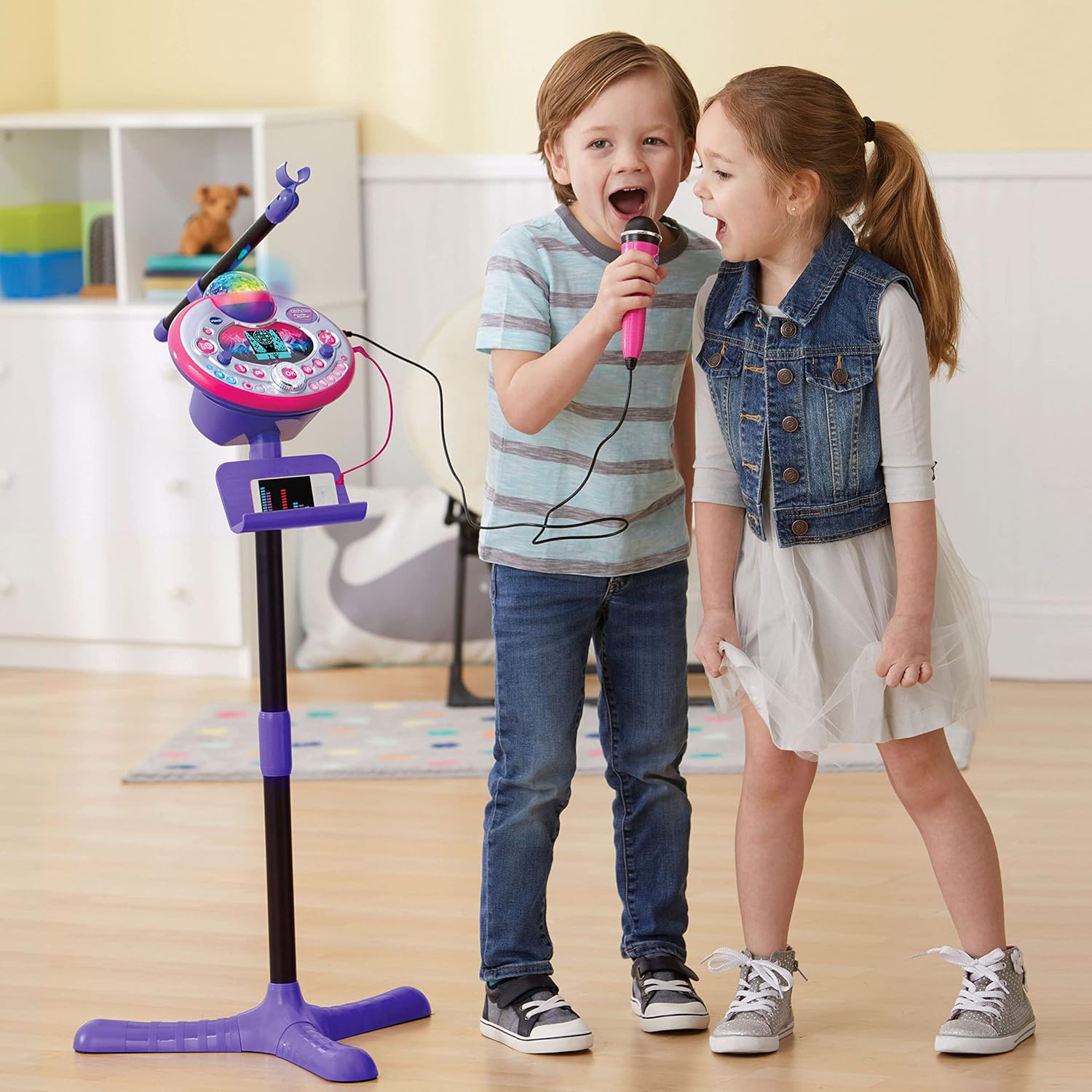
Figure 5: Disco light in action, projecting colorful patterns.
5.8 Audience Sounds
Engage the audience sound effects, such as applause, cheering, and laughter, by pressing the dedicated buttons. This feature simulates a live performance atmosphere.
6. Техникалык тейлөө
- Тазалоо: Бир аз d менен сүртүңүзamp кездеме. Катуу химиялык заттарды же абразивдүү тазалагычтарды колдонбоңуз.
- Сактагыч: Store the karaoke machine in a cool, dry place away from direct sunlight when not in use.
- Батареяга кам көрүү: Агып кетүүнүн алдын алуу үчүн бирдик узак убакыт бою колдонулбай турган болсо, батарейкаларды алып салыңыз.
7. Кыйынчылыктарды
| Көйгөй | Мүмкүн себеп | Чечим |
|---|---|---|
| Түзмөк күйбөйт. | Батареялар аз же туура эмес орнотулган. | Туура полярдуулукту камсыз кылуу менен батарейкаларды жаңысына алмаштырыңыз. |
| Микрофондон үн чыкпайт. | Microphone not securely plugged in; volume too low. | Ensure microphone is fully inserted. Adjust microphone volume. |
| External device audio is not playing. | Audio cable not connected properly; device volume too low. | Check audio cable connections. Increase volume on both the external device and the karaoke machine. |
| Disco light not working. | Light feature is turned off or unit is in a low-power state. | Ensure the light button is pressed or the unit is powered on. Check batteries. |
8. Техникалык шарттар
- Модель номери: 80-165835
- Бренд: VTech
- Түсү: Кызгылт/Кызгылт көк
- Материал: Пластик
- Кубат булагы: 4 АА батарейкалар (кошулган)
- Байланыш: Auxiliary (3.5 mm Jack)
- Шайкеш түзмөктөр: Smartphone, MP3 Player
- Өзгөчөлүктөр: Voice Changer, Disco Light, Built-in Recorder, Audience Sounds, Music Magic Mode, Built-in Songs & Games
- Продукциянын өлчөмдөрү: Approximately 127.94 x 37.01 x 42.42 cm (assembled)
- Элемент Салмагы: Болжол менен 1.34 кг
9. Кепилдик жана колдоо
Кепилдик жөнүндө маалымат жана кардарларды колдоо үчүн VTech кызматкерине кайрылыңыз webсайтка же кардарларды тейлөө бөлүмүнө кайрылыңыз. Сатып алуу квитанциясын кепилдик дооматтары үчүн сатып алуунун далили катары сактаңыз.
VTech Webсайт: www.vtechkids.com


