
1. Киришүү
This user manual provides detailed instructions for the installation, configuration, and operation of your Jennov 5.0MP PTZ Outdoor WiFi Security Camera. Please read this manual thoroughly before using the product to ensure proper functionality and safety. Keep this manual for future reference.
Продукт өзгөчөлүктөрү бүттүview:
- 5.0 Megapixel Resolution: Так жана деталдуу видео азыктарды көрсөтөтtage.
- 5X оптикалык чоңойтуу: Allows for detailed magnification of distant objects without loss of clarity.
- Pan/Tilt/Zoom (PTZ) Functionality: Offers a 355° horizontal rotation and 100° vertical tilt for comprehensive area coverage.
- Эки тараптуу аудио: Орнотулган микрофон жана динамик реалдуу убакыт режиминде байланышууга мүмкүндүк берет.
- Жакшыртылган түнкү көрүнүш: Equipped with infrared LEDs for clear monitoring up to 65ft in low-light conditions.
- Кыймылды аныктоо жана эскертүүлөр: Configurable motion detection zones and sensitivity with push notifications and email alerts.
- IP66 аба ырайынын рейтинги: Узак металл casing designed to withstand various outdoor weather conditions.
- 64 ГБ SD карта камтылган: Provides local storage for continuous 24/7 recording.
- Алыстан кирүү: Monitor and control the camera from your smartphone, tablet, or PC.
2. Пакеттин мазмуну
Төмөндө тизмеленген нерселердин баары пакетиңизде бар экенин текшериңиз. Эгерде кандайдыр бир нерселер жок болсо же бузулса, кардарларды колдоо менен байланышыңыз.
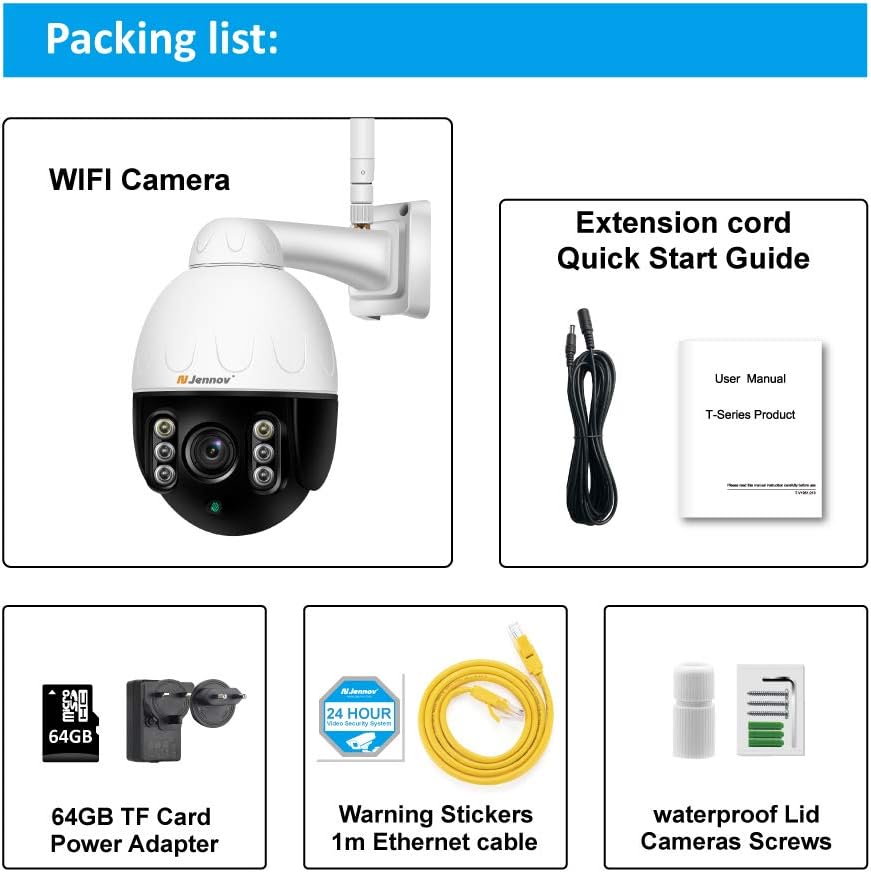
Image: Visual representation of the Jennov PTZ Camera and its included accessories.
- Jennov 5.0MP PTZ WiFi Camera (1 unit)
- 12V1A Power Adapter (1 unit)
- 3.3ft Ethernet Cable (1 unit)
- Mounting Screws (set)
- Waterproof Cap for Ethernet connection (1 unit)
- Warning Label (1 unit)
- 64 ГБ Micro SD карта (алдын ала орнотулган)
- Ыкчам баштоо колдонмосу / Колдонуучунун колдонмосу
3. Орнотуу нускамалары
3.1 Физикалык орнотуу
- Жайгашкан жерди тандаңыз: Select a suitable outdoor location for mounting the camera. Ensure it has a clear line of sight to the area you wish to monitor and is within range of your 2.4GHz Wi-Fi network. The camera is designed for wall or ceiling mounting.
- Камераны орнотуу: Use the provided mounting screws to securely attach the camera bracket to the chosen surface. Ensure the camera is positioned correctly for optimal viewбурч.
- Туташуу кубаты: Connect the 12V1A power adapter to the camera's power input and plug it into a power outlet.
- Ethernet туташуусу (милдеттүү эмес): For a more stable connection, you can use the provided Ethernet cable to connect the camera directly to your router. Use the waterproof cap to protect the Ethernet port if installed outdoors.
3.2 Колдонмолорду орнотуу жана баштапкы орнотуу
- Колдонмону жүктөп алыңыз: Издөө the recommended camera application (e.g., 'HiCam' or similar as per quick start guide) on your smartphone's app store (iOS or Android) and install it.
- Каттоо эсебин каттоо: Open the app and follow the on-screen instructions to register a new user account.
- Камера кошуу: Power on the camera. In the app, select 'Add Device' or '+' icon. Follow the prompts to connect the camera to your home 2.4GHz Wi-Fi network. Ensure your phone is also connected to the 2.4GHz network during setup.
- Орнотууларды конфигурациялоо: Once connected, you can rename the camera, set a password, and adjust initial video settings.
4. Иштөө нускамалары
4.1 Live View жана PTZ Control
Access the live video feed through the mobile app or PC client.

Image: A smartphone screen displaying the camera's live feed with pan and tilt controls, indicating 355° horizontal and 100° vertical rotation.
- Панорама/Тилт: Use the directional controls within the app to rotate the camera horizontally (355°) and vertically (100°) to adjust the viewбурч.
- Оптикалык масштаб: Utilize the zoom controls (often a pinch-to-zoom gesture or dedicated buttons) to activate the 5X optical zoom for closer inspection of details.
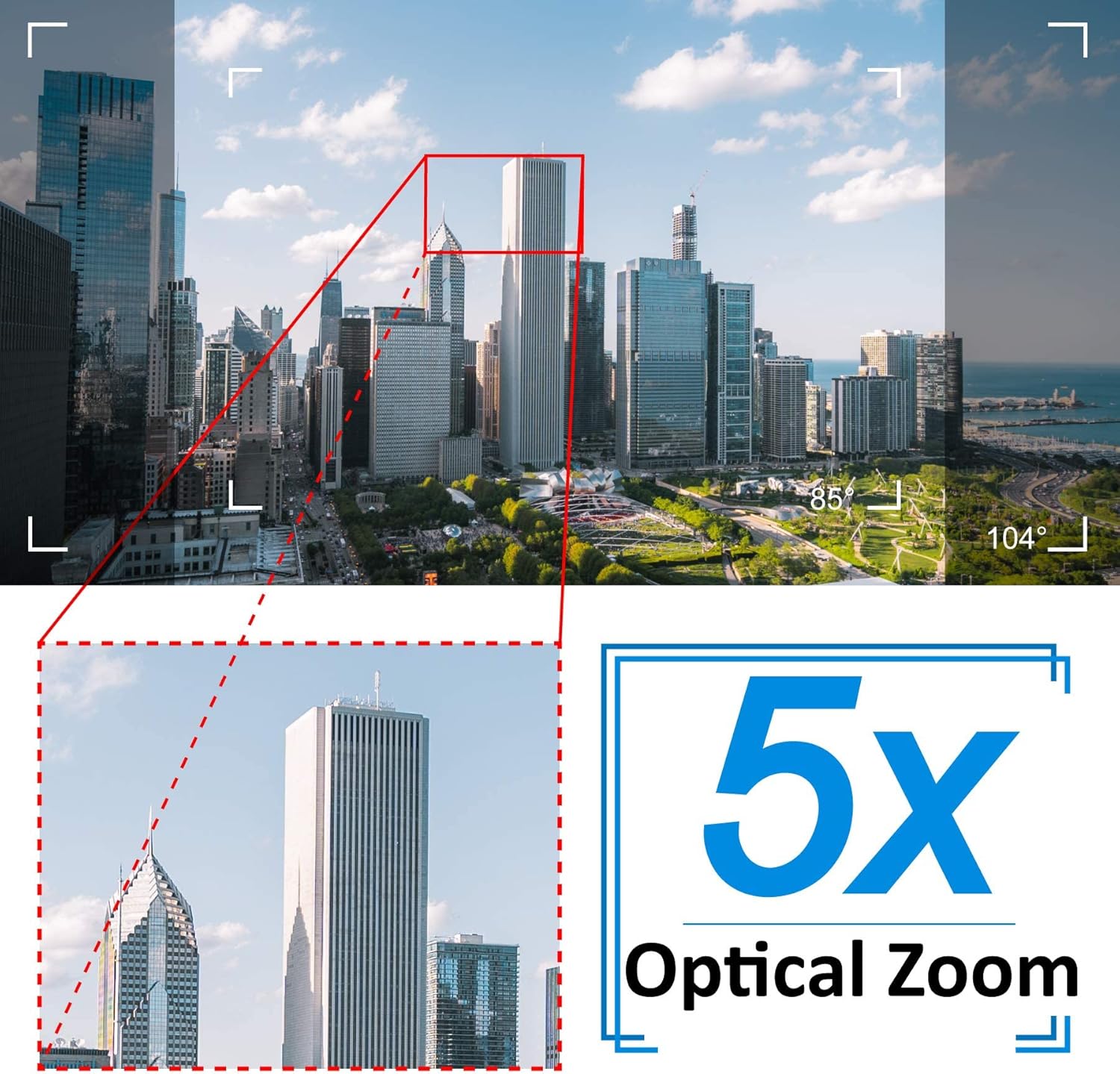
Image: A cityscape view demonstrating the 5X optical zoom feature, highlighting the ability to magnify distant objects clearly.
4.2 Эки тараптуу аудио
The camera supports two-way audio communication.

Image: A person interacting with the camera's two-way audio feature via a smartphone, showing speech bubbles for communication.
- Угуу: Tap the speaker icon in the app to hear audio from the camera's location.
- Сүйлөө: Press and hold the microphone icon to speak through the camera's speaker. Release to stop speaking.
4.3 Түнкү көрүнүш
Камера автоматтык түрдө жарык аз болгон шарттарда түнкү көрүү режимине өтөт.

Image: A comparison showing a daytime view of a house and its clear night vision equivalent captured by the 5MP 1920P camera.
- The integrated IR-Cut filter and infrared LEDs provide clear black-and-white video up to 65ft (20 meters) in complete darkness.
4.4 Кыймылды аныктоо жана эскертүүлөр
Шектүү аракет жөнүндө эскертмелерди алуу үчүн кыймылды аныктоо жөндөөлөрүн конфигурациялаңыз.

Image: A visual representation of the camera's human detection, email alert, and app notification features, with highlighted detection zones.
- Set Detection Zone: In the app settings, define specific areas within the camera's view кыймылды аныктоо үчүн.
- Сезгичтикти тууралоо: Modify the motion detection sensitivity to minimize false alarms.
- Configure Alerts: Enable push notifications to your smartphone and/or email alerts with snapshots when motion is detected.
4.5 Жазуу жана сактоо
The camera comes with a pre-installed 64GB SD card for local storage.
- Тынымсыз жаздыруу: The camera supports 24/7 continuous recording to the SD card.
- Цикл жаздыруу: When the SD card is full, new recordings will automatically overwrite the oldest footage.
- Ойнотуу: Жазылган footage through the app's playback function.
5. Техникалык тейлөө
Regular maintenance ensures optimal performance and longevity of your security camera.

Image: The Jennov PTZ camera shown outdoors in various weather conditions (rain, snow, sun, wind), emphasizing its IP66 weatherproof rating.
- Тазалоо: Мезгил-мезгили менен камеранын линзасын жумшак, гamp Сүрөттүн сапатына таасир этиши мүмкүн болгон чаңды, кирди же суу тактарын кетирүү үчүн кездеме колдонуңуз. Катуу химиялык заттарды колдонбоңуз.
- Байланыштарды текшерүү: Regularly inspect power and Ethernet cable connections for any signs of wear or damage. Ensure waterproof caps are securely in place.
- Программалык камсыздоонун жаңыртуулары: Check the app regularly for available firmware updates. Keeping the camera's firmware updated can improve performance and security.
- Курчап турган чөйрөнү коргоо: While the camera is IP66 weatherproof, extreme conditions (e.g., direct lightning strikes, prolonged submersion) should be avoided.
6. Кыйынчылыктарды
If you encounter issues with your camera, refer to the following common problems and solutions.
| Көйгөй | Мүмкүн себеп | Чечим |
|---|---|---|
| Камера Wi-Fi'га туташа албай жатат. | Incorrect Wi-Fi password; Camera too far from router; Only supports 2.4GHz Wi-Fi. | Verify password. Move camera closer to router. Ensure your router is broadcasting a 2.4GHz network and your phone is connected to it during setup. |
| Түз эфирде сүрөт же кара экран жок view. | Power issue; Network disconnection; Camera malfunction. | Check power connection. Verify Wi-Fi/Ethernet connection. Restart camera and router. |
| Түнкү көрүү түшүнүксүз. | Dirty lens; Obstruction; Insufficient IR illumination. | Clean the camera lens. Ensure no objects are blocking the IR LEDs. |
| Motion detection alerts are too frequent or not triggered. | Sensitivity too high/low; Detection zone not configured correctly. | Adjust motion detection sensitivity in the app. Redefine the detection zone to focus on critical areas. |
| Эки тараптуу аудио иштебей жатат. | Microphone/speaker muted; App permissions; Network latency. | Check mute settings in the app. Ensure the app has microphone permissions on your phone. Verify stable network connection. |
7. Техникалык шарттар
Detailed technical specifications for the Jennov 5.0MP PTZ Outdoor WiFi Security Camera.
| Өзгөчөлүк | Спецификация |
|---|---|
| Модель номери | JE-P22HT55-5X-FAS-64-UK |
| Натыйжалуу Video Resolution | 5 MP (1920p) |
| Оптикалык масштаб | 5X (2.7-13.5mm autofocus lens) |
| Пан / жантайтуу бурчу | Туурасынан: 355°, Вертикалдуу: 100° |
| Зымсыз технология | Wi-Fi (2.4 ГГц гана) |
| Түнкү көрүү диапазону | Up to 65ft (20 meters) with Infrared LED |
| Аба ырайына каршы рейтинг | IP66 |
| Сактагыч | 64 ГБ Micro SD карта (алдын ала орнотулган) |
| Электр камсыздоо | 12V1A DC (24 Watts) |
| Материал | Металл Сasing |
| Өлчөмдөрү (L x W x Y) | 21.5 x 19.5 x 11.5 см |
| Салмагы | 1.2 килограмм |
| Шайкеш түзмөктөр | Android/iOS Smartphones, Tablets, PCs |
| Орнотуу түрү | Дубалга орнотуу, шыпка орнотуу |
8. Кепилдик жана колдоо
For warranty information and technical support, please refer to the official Jennov website or contact their customer service directly. Details regarding warranty periods and support channels are typically provided with your purchase documentation or on the manufacturer's product page.
Сураныч, кепилдик дооматтар үчүн сатып алуу далилиңизди сактап коюңуз.


