1. Киришүү
The Fortin EVO-ONE is an advanced all-in-one data interface designed for seamless integration with remote starter and security systems in various vehicles. This module simplifies complex installations by providing a comprehensive solution for vehicle control, security, and data communication. Its self-learning algorithm allows it to auto-detect the vehicle it is connected to and adjust its settings accordingly, ensuring broad compatibility and ease of use for professional installers.
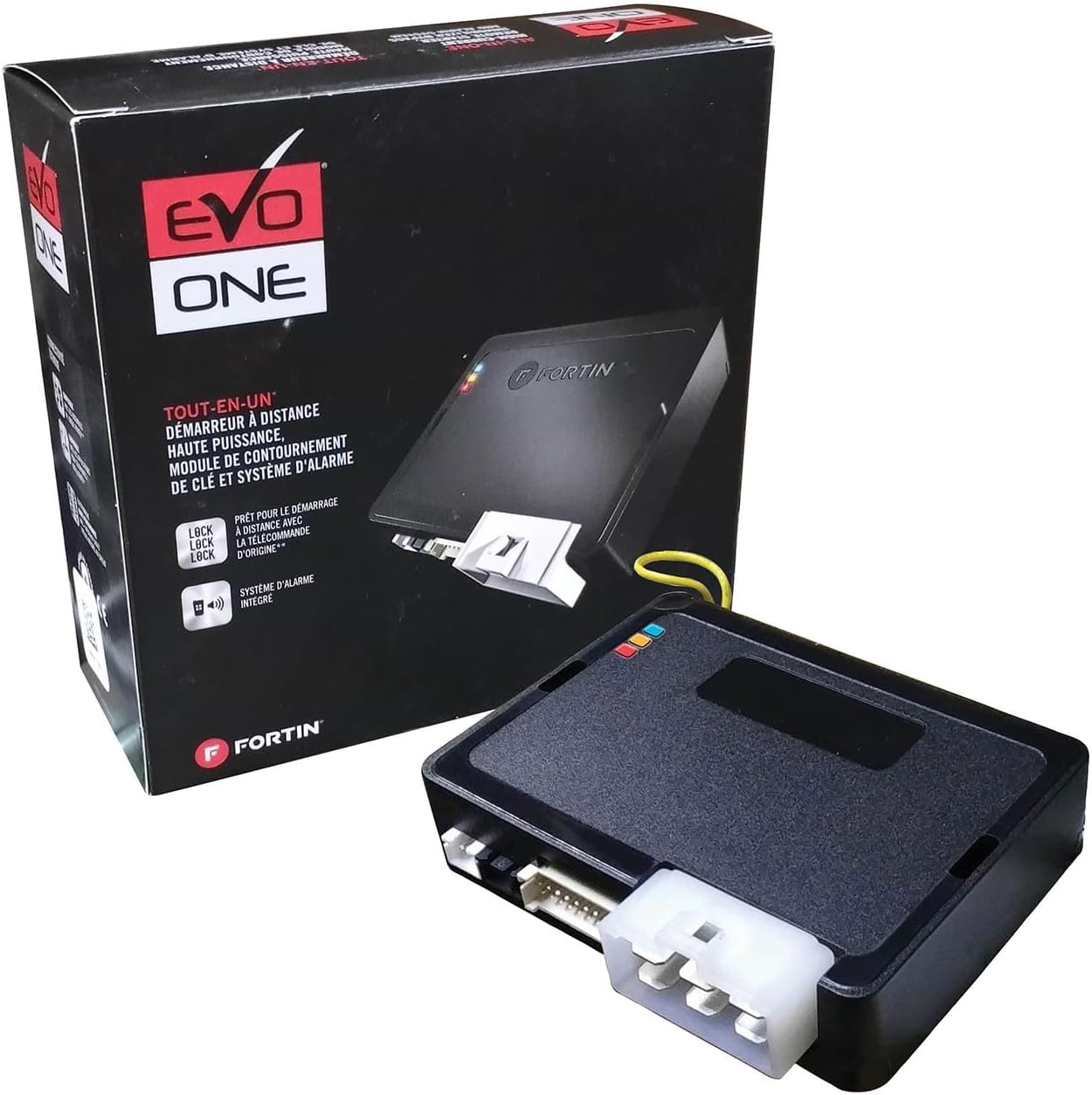
Image 1.1: The Fortin EVO-ONE module shown with its retail packaging, illustrating the compact design of the device.
2. Продукциянын өзгөчөлүктөрү
The EVO-ONE module is engineered with a robust set of features to provide reliable and versatile performance:
- 3 Onboard LEDs: Integrated LEDs provide visual feedback for simplified programming and diagnostics, aiding in quick status checks and troubleshooting.
- Preloaded Firmware: Comes with preloaded firmware to ensure maximum compatibility with a wide range of vehicles, reducing initial setup time.
- Harness Part Bag: Includes essential harness components for installation, facilitating a complete setup.
- Two 2-Way Datalink Ports: Equipped with RS-232 communication ports for data-to-data communication with compatible external devices, such as smartphones and GPS telematics units, expanding connectivity options.
- EVO-ALL I/O Coverage: Offers full-fledged data and analog vehicle functions' coverage, ensuring comprehensive control over various vehicle systems.

Image 2.1: An illustrative diagram highlighting the key features of the Fortin EVO-ONE, including remote start, alarm, immobilizer bypass, and data interface capabilities.
3. Компоненттер жана андан көпview
The Fortin EVO-ONE package typically includes the main EVO-ONE module and a harness part bag. Additional accessories, such as specific T-harnesses or RF kits, may be required and are sold separately depending on the vehicle and desired functionality.

Image 3.1: The Fortin EVO-ONE module, emphasizing its core functions as an all-in-one vehicle control module for remote start, alarm & security, immobilizer bypass, and data interface.
4. Орнотуу жана орнотуу
Installation of the Fortin EVO-ONE requires technical expertise and familiarity with vehicle electrical systems. It is highly recommended that installation be performed by a certified professional installer to ensure proper functionality and to avoid damage to the vehicle or the module.
4.1. Орнотууга чейинки кароолор
- Унаа шайкештиги: Verify that the EVO-ONE is compatible with your specific vehicle make, model, and year. Consult Fortin's official website for the most up-to-date compatibility lists and wiring diagrams.
- Орнотулган программаны жаңыртуу: The module may require a firmware update and specific programming for your vehicle. This typically requires the Fortin Flashlink Updater tool (sold separately).
- Керектүү куралдар: Ensure all necessary tools, including wiring tools, multimeters, and vehicle-specific T-harnesses (if applicable), are available.
4.2. Connection Points
The EVO-ONE features various ports for connection to the vehicle's electrical system and external devices. Refer to the detailed wiring diagrams provided by Fortin for your specific vehicle model.
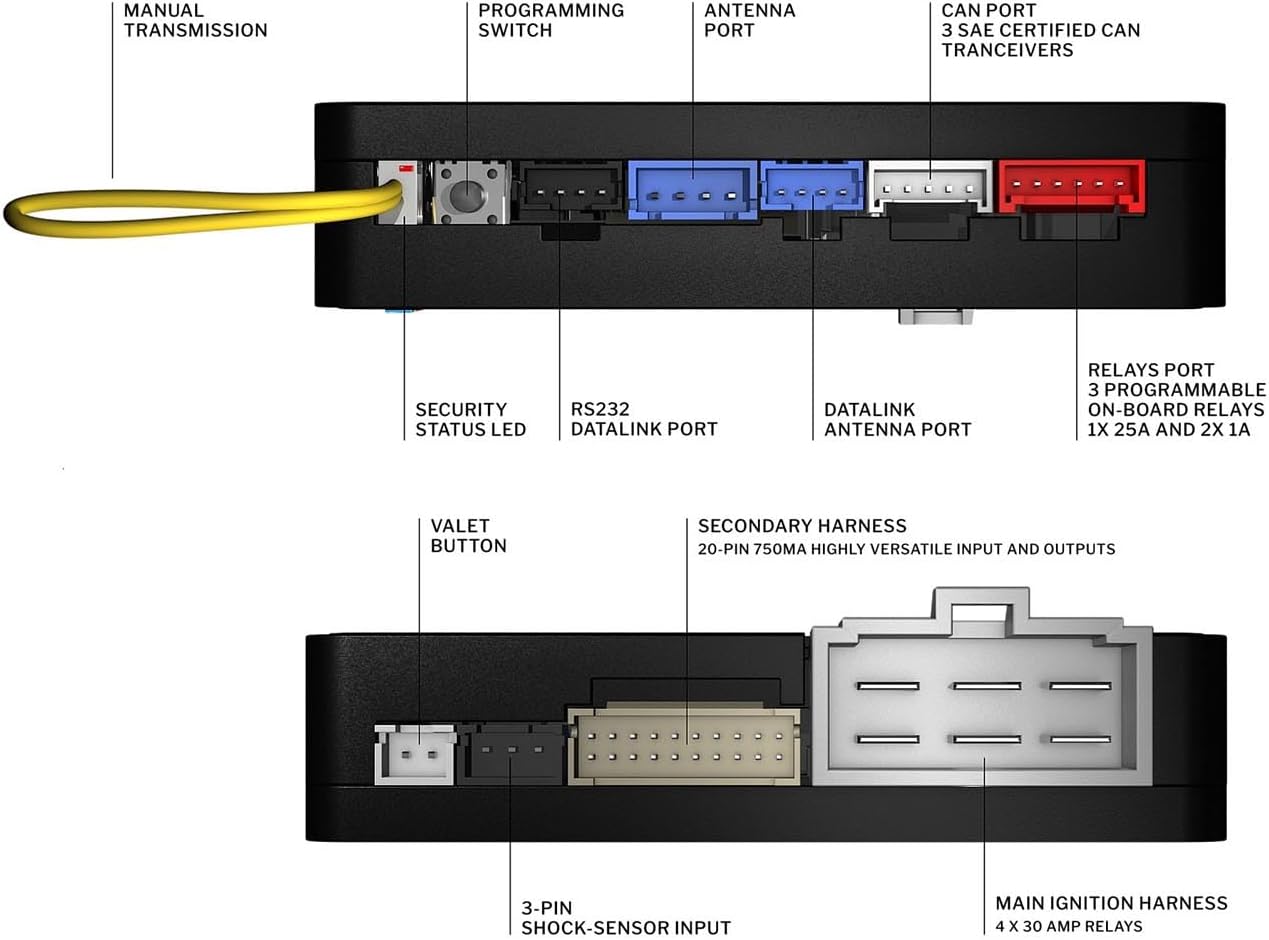
Image 4.1: A detailed diagram illustrating the various ports and connection points on the Fortin EVO-ONE module, including the programming switch, antenna port, datalink ports, and main ignition harness.
- Main Ignition Harness: Connects to the vehicle's ignition system.
- Secondary Harness: A 20-pin 750mA highly versatile input and output port for various vehicle functions.
- Datalink Ports (RS232): For communication with compatible external devices.
- Антенна порту: For connecting an RF antenna (if using an RF kit).
- Valet Button: Used for programming and system control.
- 3-Pin Shock-Sensor Input: For connecting an external shock sensor.
5. Операция
Once properly installed and programmed, the Fortin EVO-ONE enables remote start, security, and other integrated functions. Operation typically involves using the vehicle's OEM remote or an aftermarket RF kit.
5.1. Remote Start
To activate the remote start function, typically press the lock button on your OEM remote three times (Lock-Lock-Lock) or follow the specific sequence defined during programming for your aftermarket remote.
5.2. Security System
The integrated security system provides protection against unauthorized entry and vehicle tampering. The system arms and disarms in conjunction with the vehicle's central locking system.
5.3. Door Lock/Unlock Control
The EVO-ONE provides seamless control over the vehicle's door locks, allowing for remote locking and unlocking via the OEM remote or aftermarket remote.
6. Programming and Diagnostics
The EVO-ONE features onboard LEDs and a programming switch for configuration and status monitoring.
6.1. Жарык диоддору
The three onboard LEDs provide critical information about the module's status and communication:
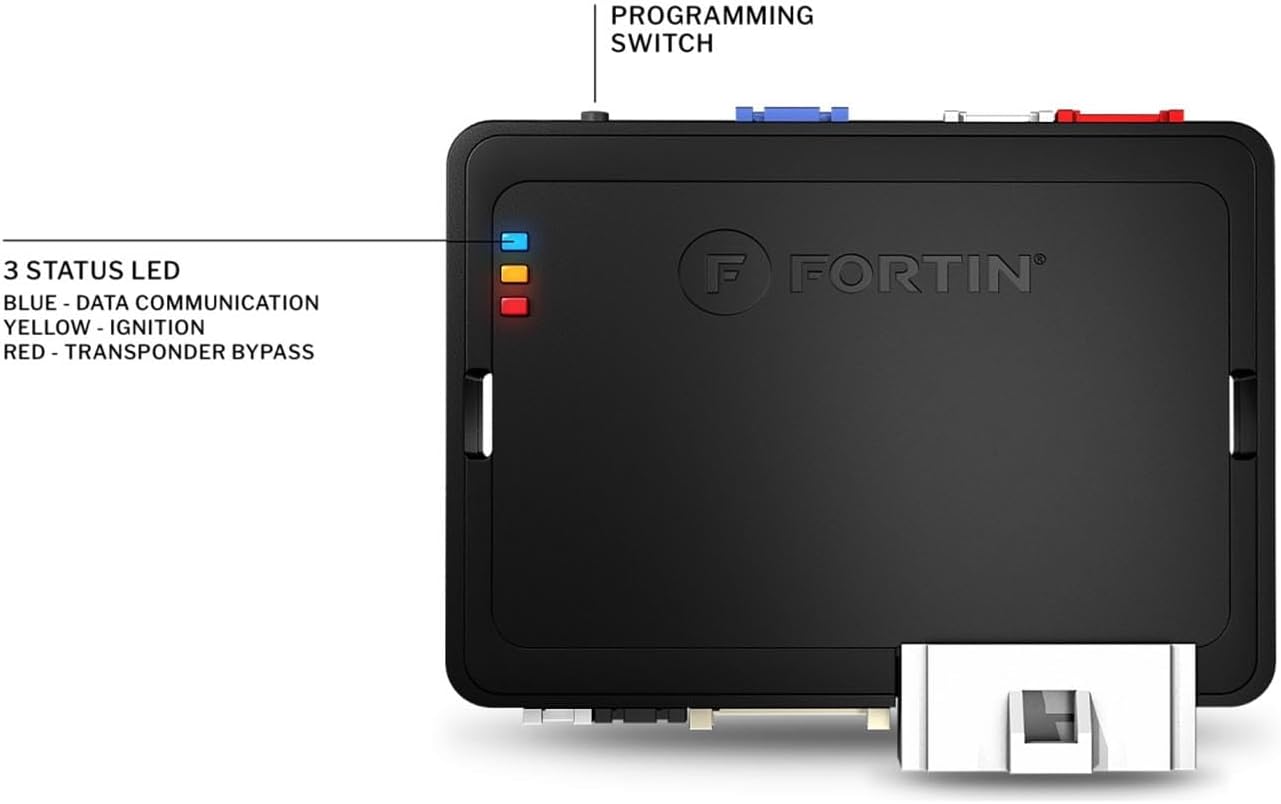
6.1-сүрөт: жогорудан ылдыйга view of the Fortin EVO-ONE module, clearly labeling the three status LEDs and their corresponding functions.
- Көк LED: Indicates data communication activity.
- Сары LED: Indicates ignition status.
- Кызыл LED: Indicates transponder bypass status.
6.2. Programming Switch
The programming switch is used in conjunction with the Flashlink Updater tool for advanced configuration and firmware updates. Refer to the Flashlink Updater manual for detailed programming instructions.
7. Техникалык шарттар
| Атрибут | Нарк |
|---|---|
| Продукциянын өлчөмдөрү | 6.2 x 6.1 x 2.8 дюйм |
| Элемент Салмагы | 15.5 унция |
| Модель номери | EVO-ONE |
| Өндүрүүчү | Fortin |
| Шайкеш түзмөктөр | Alarm, Remote, Controller |
| Алыстан башкаруу камтылганбы? | Yes (functionality with OEM or aftermarket remotes) |
| Башка дисплей өзгөчөлүктөрү | Зымсыз |
8. Кыйынчылыктарды
If you encounter issues with your Fortin EVO-ONE, consider the following general troubleshooting steps:
- Байланыштарды текшерүү: Ensure all wiring connections are secure and correctly installed according to the vehicle-specific wiring diagram.
- Күчтү текшерүү: Confirm that the module is receiving adequate power.
- Observe LEDs: Use the onboard LEDs to diagnose communication or ignition issues. Refer to the programming guide for LED flash codes.
- Firmware/Programming: Ensure the module has the correct and most up-to-date firmware for your vehicle. Reprogramming with the Flashlink Updater may resolve some issues.
- Consult Fortin Resources: Access Fortin's official technical support webмүчүлүштүктөрдү жоюу боюнча кеңири көрсөтмөлөрдү жана Көп берилүүчү суроолорду алуу үчүн сайтты караңыз.
- Кесиптик жардам: If problems persist, contact a certified professional installer or Fortin technical support.
9. Техникалык тейлөө
The Fortin EVO-ONE is designed for long-term reliability with minimal maintenance. To ensure optimal performance:
- Кургак кармоо: Ensure the module is installed in a dry environment, away from moisture and extreme temperatures.
- Коопсуз орнотуу: Verify that the module is securely mounted to prevent vibrations or physical damage.
- Программалык камсыздоо жаңыртуулары: Periodically check Fortin's website for any recommended firmware updates that may improve performance or add new features.
10. Колдоо жана кепилдик
For technical support, detailed installation guides, vehicle-specific wiring diagrams, and firmware updates, please visit the official Fortin website. Information regarding product warranty can also be found on the manufacturer's website or by contacting Fortin customer service directly.
Fortin Official Webсайт: https://fortin.ca/


