Introduction
The HP Pavilion x360 is a versatile 14-inch convertible touchscreen laptop designed for various tasks, from creative work to everyday computing. It features an 8th Gen Intel Core i5-8265U processor, 8 GB RAM, and a 512 GB Solid-State Drive, running Windows 10 Home. Its 360-degree hinge allows for multiple modes of use, adapting to your needs for work, entertainment, or creative expression. The micro-edge bezel design maximizes screen space for an immersive viewтажрыйбасы.
Жайгашуу
- Кутудан чыгаруу: Carefully remove the laptop, power adapter, and any included accessories from the packaging.
- Туташуу кубаты: Кубат адаптерин ноутбуктун кубат портуна, андан кийин розеткага сайыңыз.
- Баштапкы жүктөө: Open the laptop lid and press the power button. The laptop will guide you through the initial Windows 10 Home setup process, including language selection, network connection, and user account creation.
- Программалык камсыздоо жаңыртуулары: After initial setup, connect to the internet and allow Windows to download and install any pending updates to ensure optimal performance and security.
Иштөө режимдери
The HP Pavilion x360 features a 360-degree hinge, allowing it to transform into four distinct modes:
- Ноутбук режими: Traditional laptop configuration for typing and productivity tasks.
- Планшет режими: Fold the screen back completely to use it as a tablet for touch-based interaction, drawing, or browsing. The keyboard automatically disables in this mode.
- Чатыр режими: Position the laptop in an inverted 'V' shape, ideal for watching videos or presentations in confined spaces.
- Туруу режими: Fold the keyboard underneath the screen, allowing the display to stand upright, perfect for media consumption or video calls.

Image: HP Pavilion x360 in tablet mode, demonstrating digital inking capabilities.
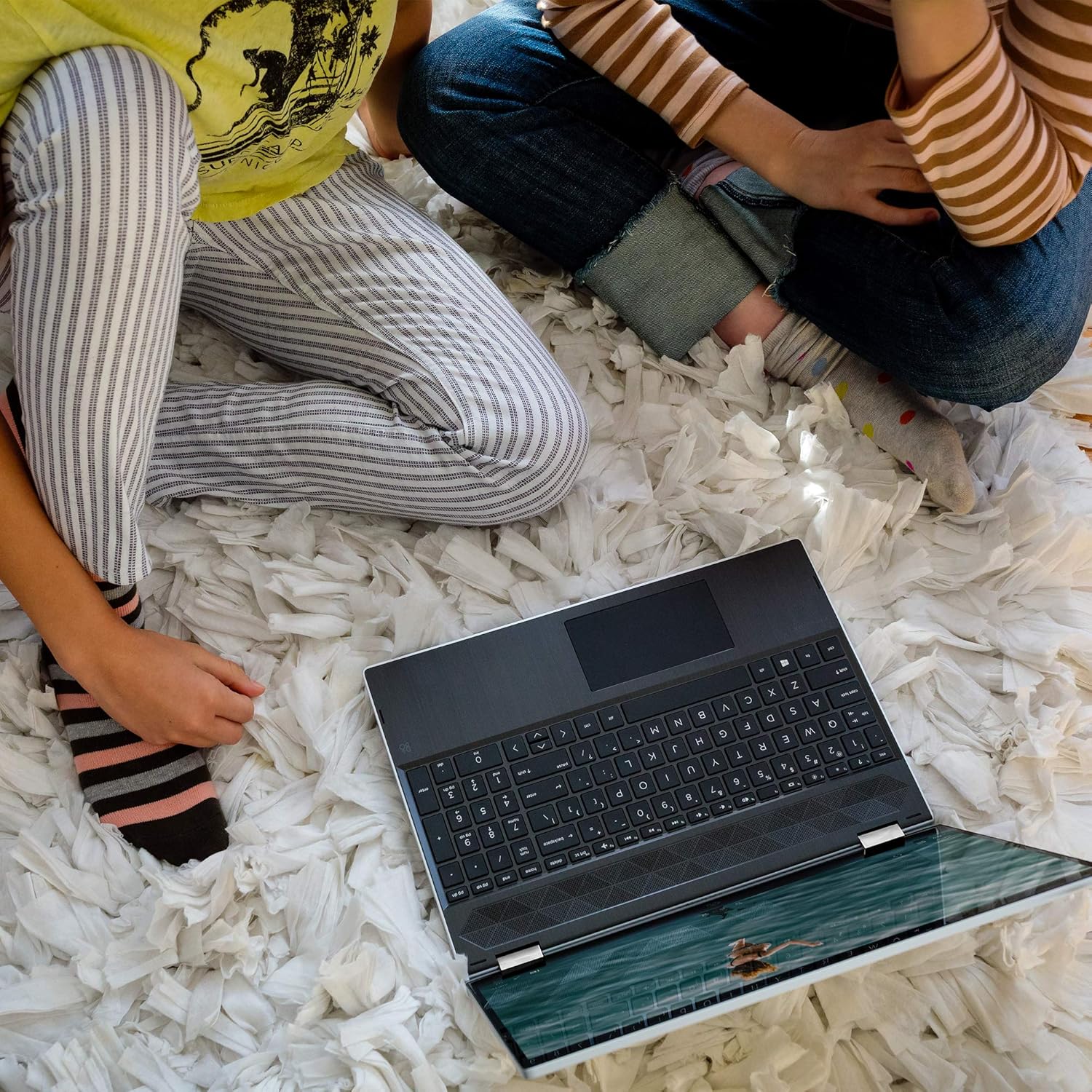
Image: HP Pavilion x360 in tent mode, suitable for shared viewing.
Негизги өзгөчөлүктөрү
- Сенсордук дисплей: The 14-inch HD touchscreen allows for intuitive interaction with Windows 10 Home, supporting touch gestures and digital inking.
- 360 градус шарнир: Seamlessly switch between laptop, tablet, tent, and stand modes.
- Аткаруу: Powered by an 8th Gen Intel Core i5-8265U processor and 8 GB RAM for efficient multitasking.
- Сактагыч: A 512 GB Solid-State Drive provides fast boot times and ample сактагыч.
- Аудио: Dual speakers tuned by B&O deliver enhanced audio quality.
- HP Wide Vision HD камерасы: Offers an 88-degree wide-angle field of view for video conferencing.
- Арткы жарык клавиатура: Жарык аз шарттарда көрүнүүнү камсыз кылат.
- Манжа изин окугуч: Коопсуз жана ыңгайлуу кирүү үчүн.
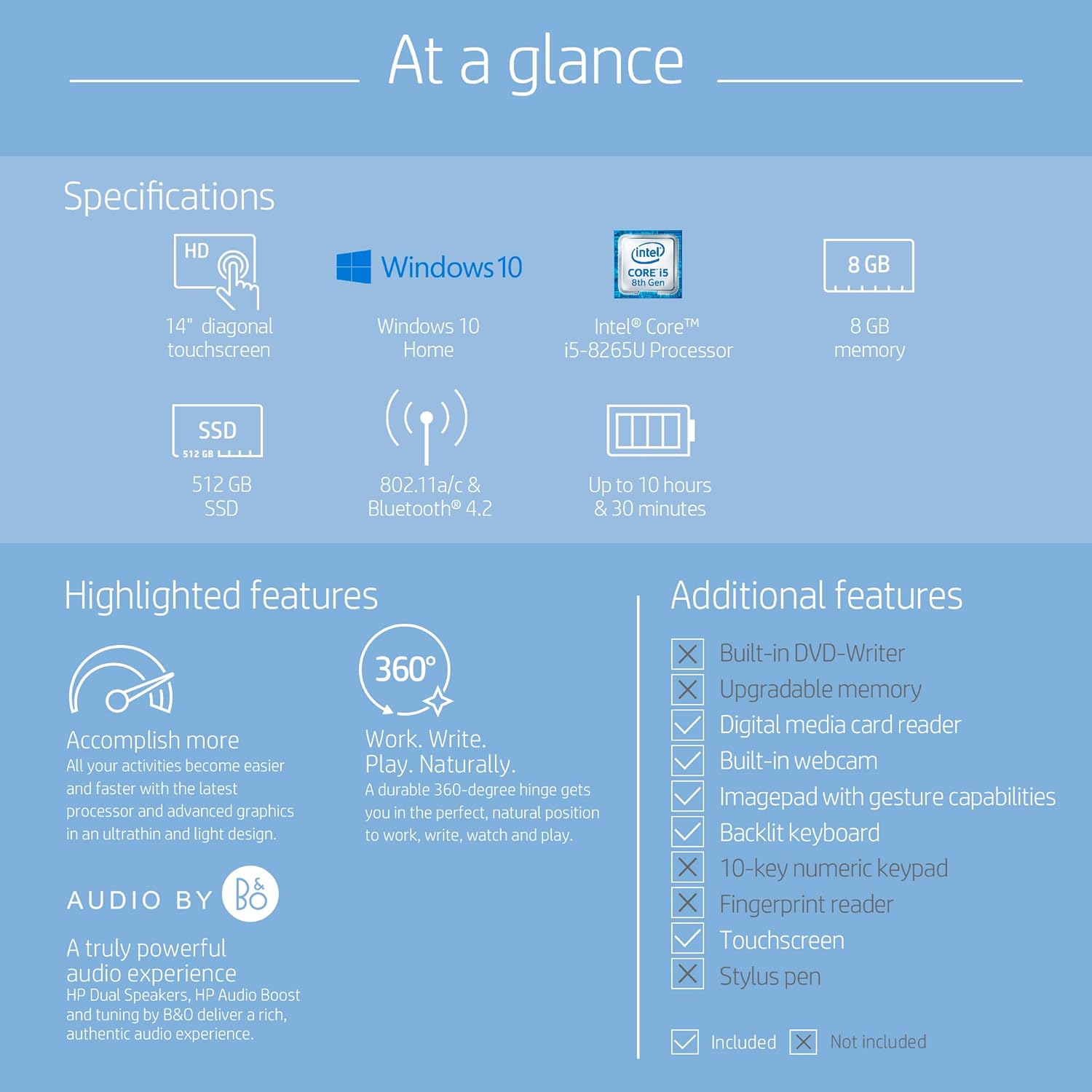
Сүрөт: бүттүview of HP Pavilion x360 specifications and highlighted features.
Байланыш
The HP Pavilion x360 offers a range of ports for connecting peripherals and external displays:
- USB Type-C 3.1 Gen 1
- USB 3.1 Gen 1
- HDMI 1.4
- Наушник/микрофондун айкалыштырылган уячасы
- Media reader
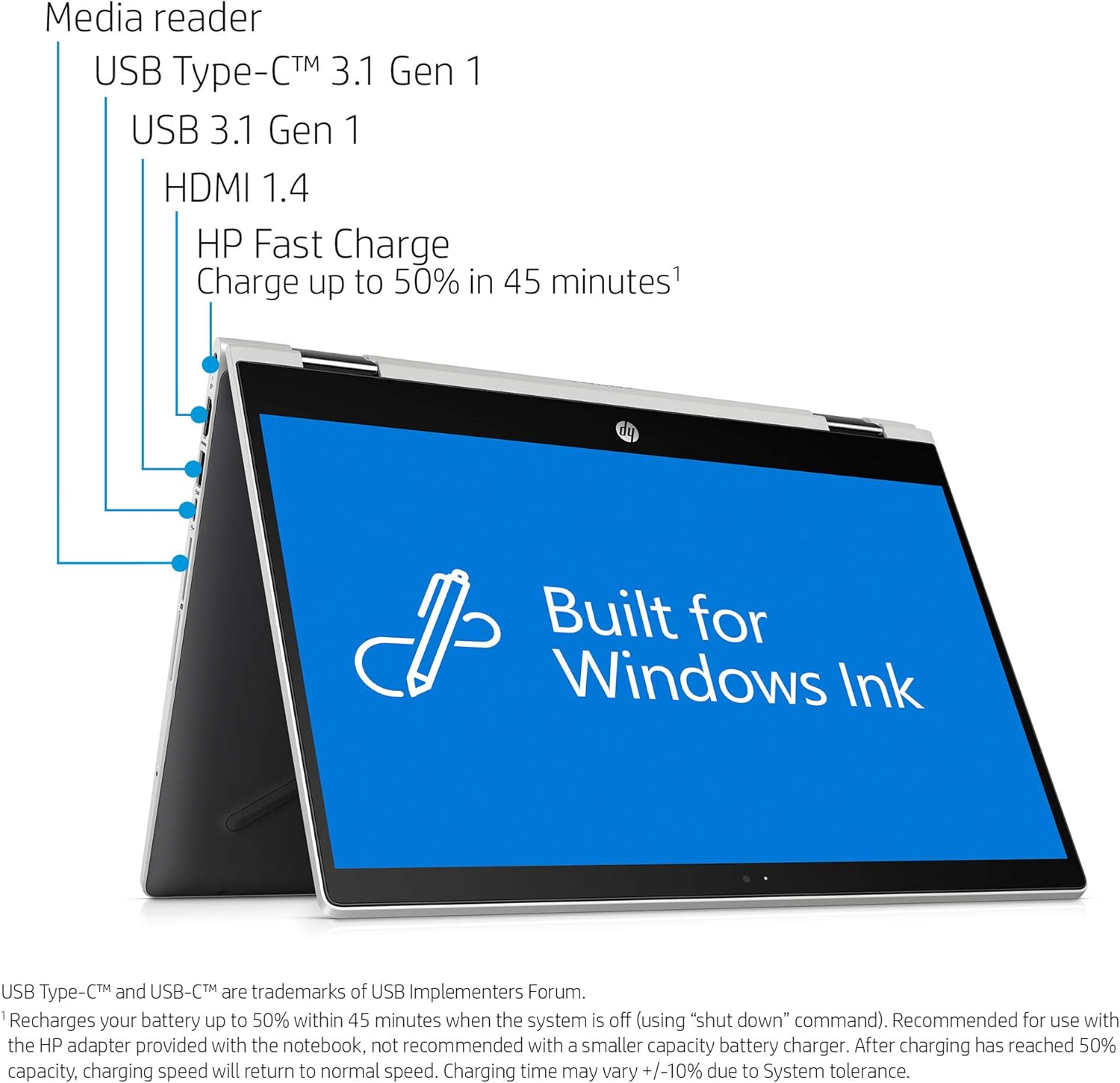
Сүрөт: каптал view of the HP Pavilion x360, illustrating available ports.
Техникалык тейлөө
- Тазалоо: Экранды жана сыртты тазалоо үчүн жумшак, түксүз чүпүрөктү колдонуңуз. Кежир тактар үчүн, гampчүпүрөккө суу же экранды тазалоо эритмеси. Катуу химиялык заттардан алыс болуңуз.
- Батареяга кам көрүү: To prolong battery life, avoid extreme temperatures and fully discharging the battery frequently. The laptop supports HP Fast Charge, allowing it to charge up to 50% in approximately 45 minutes.
- Программалык камсыздоо жаңыртуулары: Regularly update your operating system and drivers to maintain performance and security.
- Сактагычты башкаруу: Мезгил-мезгили менен ачык-айкын керексиз files and applications to free up storage space and improve system responsiveness.
Проблемаларды чечүү
- Кубат жок: Кубат адаптери ноутбукка да, иштеген электр розеткасына да бекем туташып турганын текшериңиз. Зарыл болсо, башка розеткага аракет кылып көрүңүз.
- Дисплей маселелери: If the screen is blank or flickering, try restarting the laptop. Ensure display drivers are up to date.
- Жай аткаруу: Close unnecessary applications, check for malware, and ensure sufficient free storage space. Consider running a system diagnostic.
- Туташуу көйгөйлөрү: For Wi-Fi issues, restart your router and the laptop. For Bluetooth devices, ensure they are properly paired and charged.
Техникалык шарттар
| Өзгөчөлүк | Деталь |
|---|---|
| Туруктуу экранды көрсөтүү өлчөмү | 14 дюйм |
| Screen Resolution | 1366 x 768 пиксель |
| Процессор | 3.9 GHz core_i5_family (8th Gen Intel Core i5-8265U) |
| RAM | 8 ГБ SDRAM |
| Катуу диск | 512 ГБ SSD |
| Операция системасы | Windows 10 Home |
| Элемент Салмагы | 3.52 фунт |
| Продукциянын өлчөмдөрү | 12.7 x 8.8 x 0.8 дюйм |
| Батареянын орточо иштөө мөөнөтү | 10.5 саат |
| Зымсыз түрү | 802.11bgn |
| Түс | Табигый күмүш |
Кутуда эмне бар
- HP Pavilion X360 14-Inch Convertible Laptop
- Батарея (кошулган)
- Электр кабели
Расмий продукт Videos
HP Pavilion x360 14" Laptop Overview
Видео: Аткаминерview of the HP Pavilion x360 14-inch laptop, showcasing анын дизайны жана өзгөчөлүктөрү.
HP Pavilion x360 14-inch Convertible Laptop Features
Video: A merchant video detailing the features of the HP Pavilion x360 14-inch convertible laptop.
Unboxing the HP Pavilion X360 14 Laptop
Video: An official unboxing video for the HP Pavilion X360 14 laptop, showing its contents and initial appearance.
Кепилдик жана колдоо
For detailed warranty information, please refer to the documentation included with your product or visit the official HP support website. HP provides various support resources, including online troubleshooting guides, driver downloads, and customer service contacts.