Introduction
Welcome to the user manual for your Picun Elite P80S Wireless Headset. This guide provides detailed instructions for setup, operation, maintenance, and troubleshooting to ensure you get the most out of your device. Please read this manual thoroughly before using the headset.
Пакеттин мазмуну
- Picun Elite P80S Headset
- Detachable AUX Microphone
- USB заряддоо кабели
- AUX Cable for Wired Transmission

Image: Picun Elite P80S Wireless Headset with detachable microphone, showcasing its design and included microphone.
Продукт бүттүview
Гарнитуранын компоненттери жана башкаруу элементтери
The Picun Elite P80S headset features an ergonomic design with easy-to-access media buttons for various functions. These include controls for music playback, call management, vibration mode, LED light display, and volume adjustments.

Image: The Picun Elite P80S Wireless Headset shown in its folded configuration, highlighting its portable design.

Image: The Picun Elite P80S Wireless Headset displayed on a stand, providing a clear view of its over-ear design, earcups, and adjustable headband.
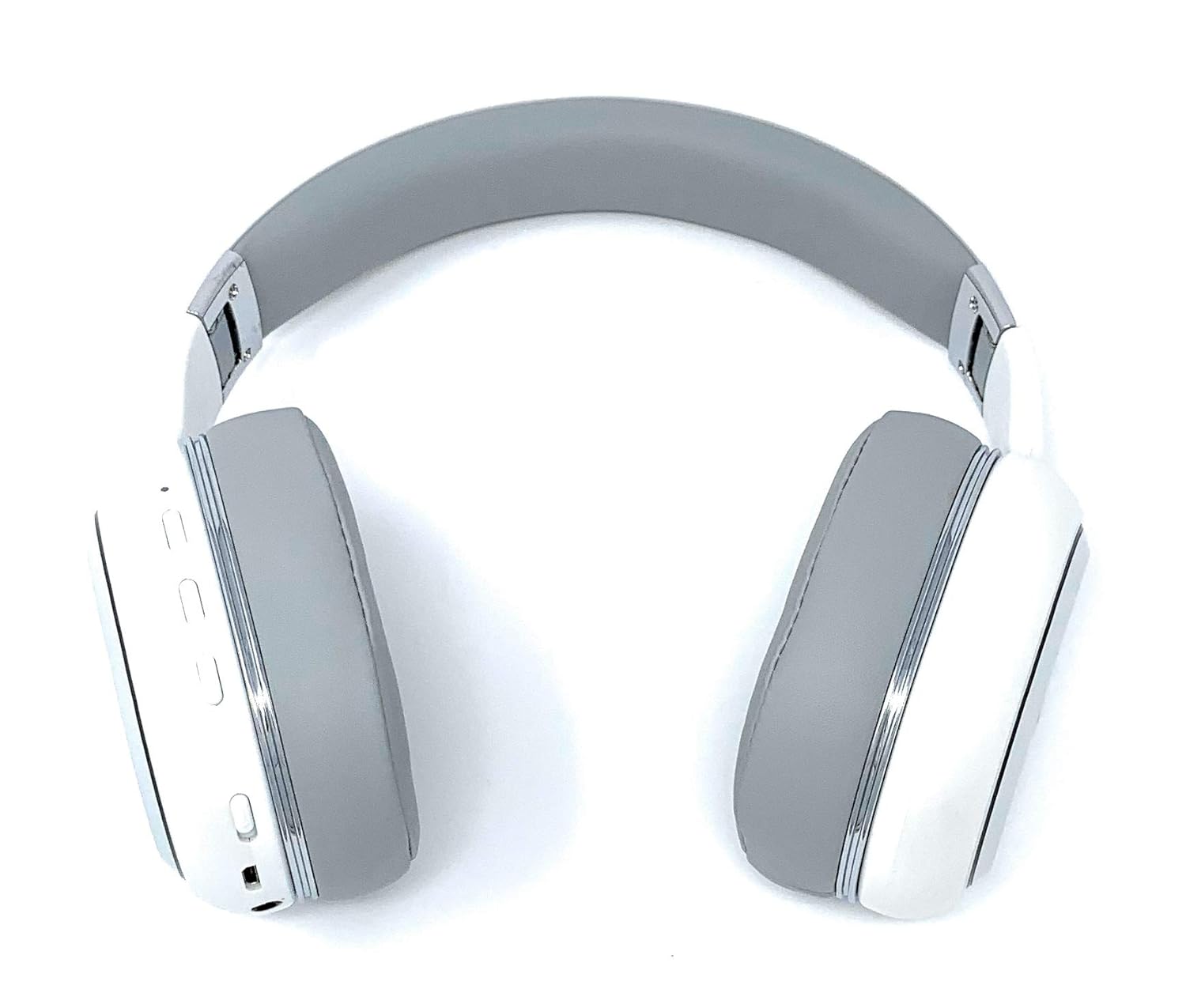
Image: A rear perspective of the Picun Elite P80S Wireless Headset, illustrating the placement of control buttons on the earcup.

Image: A detailed close-up of the right earcup hinge and the 'R' indicator on the Picun Elite P80S Wireless Headset, showing construction details.
Жайгашуу
Гарнитураны заряддоо
Before initial use, fully charge the headset. Use the provided USB charging cable with any compatible USB adapter or device.
- USB заряддоо кабелин гарнитуранын кубаттоо портуна туташтырыңыз.
- USB кабелинин экинчи учун кубат булагына туташтырыңыз.
- A full charge provides approximately 40 hours of game time or 60 hours of music/media playback in wireless mode.
Bluetooth Жупташтыруу
To connect your headset wirelessly:
- Гарнитура өчүрүлгөнүн текшериңиз.
- Жупташуу режимин көрсөтүүчү LED индикатору өчүп калганга чейин кубат баскычын басып, кармап туруңуз.
- Түзмөгүңүздө (смартфон, планшет, компьютер) Bluetooth иштетип, жеткиликтүү түзмөктөрдү издеңиз.
- Select "Picun P80S" from the list of found devices.
- Once connected, the LED indicator will show a steady light or flash slowly.
Зымдуу туташуу
For a wired connection, use the provided AUX cable:
- Connect one end of the AUX cable to the headset's AUX port.
- Connect the other end to your audio device's 3.5mm audio jack.
- The headset can be used indefinitely in wired mode, regardless of battery charge.
Микрофонду тиркөө
The headset includes a detachable microphone for clear communication:
- Locate the microphone port on the headset.
- Gently insert the detachable microphone into the port until it clicks into place.
- The microphone is designed to reduce ambient noise for high-definition vocals.
Иштөө нускамалары
Күйгүзүү/өчүрүү
- Күйгүзүү: LED индикатору күйгүчө кубат баскычын бир нече секунд басып, кармап туруңуз.
- Өчүрүү: LED индикатору өчкөнчө кубат баскычын бир нече секунд басып, кармап туруңуз.
Музыканы ойнотуу
- Ойнотуу/тындыруу: Play/Pause баскычын бир жолу басыңыз.
- Кийинки трек: Press and hold the 'Volume Up' button.
- Мурунку трек: Press and hold the 'Volume Down' button.
Чалууларды башкаруу
- Чалууга жооп берүү/аяктоо: Көп функциялуу баскычты бир жолу басыңыз.
- Чакырууну четке кагуу: Көп функциялуу баскычты 2 секунд басып туруңуз.
Dual Shock/Vibration Mode
This mode enhances audio with deep bass and vibrations, ideal for music, movies, and gaming.
- Жандыруу/өчүрүү: Use the dedicated 'Vibration/Dual Shock Mode On-Off toggle switch' on the headset.
LED жарык дисплей
The headset features an LED light display.
- Күйгүзүү/өчүрүү: Use the dedicated 'LED Light Display On-Off button' on the headset.
Үндү көзөмөлдөө
- Көлөмүн жогорулатуу: Press the 'Volume Up' button.
- Көлөмдү азайтуу: Press the 'Volume Down' button.
Техникалык тейлөө
Тазалоо
- Гарнитураны жумшак, кургак чүпүрөк менен сүртүңүз.
- Абразивдүү тазалагычтарды же эриткичтерди колдонбоңуз.
- Кубаттоо портун жана аудио уячаларын чаңдан жана таштандылардан таза кармаңыз.
Сактагыч
- Гарнитураны күн нурунан жана экстремалдык температурадан алыс салкын, кургак жерде сактаңыз.
- When not in use for extended periods, ensure the headset is fully charged before storing.
Проблемаларды чечүү
Күч жок
- Гарнитура толук заряддалганын текшериңиз.
- Verify the charging cable and power source are functioning correctly.
Үн жок
- Гарнитурадагы жана туташкан түзмөгүңүздүн үнүнүн деңгээлин текшериңиз.
- If using Bluetooth, ensure the headset is properly paired and connected.
- If using a wired connection, ensure the AUX cable is securely plugged into both the headset and the audio source.
- Test with a different audio source or device.
Bluetooth жупташуу маселелери
- Ensure the headset is in pairing mode (LED flashing).
- Түзмөгүңүздөгү Bluetooth'ду өчүрүп, күйгүзүңүз.
- Түзмөгүңүздөгү мурунку Bluetooth байланыштарын тазалап, кайра жупташтырып көрүңүз.
- Ensure the headset is within the effective range of your Bluetooth device.
Техникалык шарттар
| Өзгөчөлүк | Description |
|---|---|
| Модель аты | Elite P80S |
| Байланыш технологиясы | Bluetooth |
| Зымсыз байланыш технологиясы | Bluetooth |
| Камтылган компоненттер | Headset, Detachable AUX Microphone, USB Charging Cable, AUX Cable for Wired Transmission |
| Жаш аралыгы (сүрөттөө) | бойго жеткен |
| Материал | Жасалма тери |
| Башкаруу түрү | Volume Control, Remote |
| Кабель өзгөчөлүгү | Алынуучу |
| Элемент Салмагы | 820 г (0.82 килограмм) |
| Элементтердин саны | 1 |
| Өзгөчө өзгөчөлүк | Noise Cancellation |
| Өндүрүүчү | Пикун |
| Аппараттык платформа | Оюн консолу |
| Микрофон форматы | Built-In, Detachable AUX Microphone |
| Батареялар талап кылынат | Жок (Ички кайра заряддалуучу батарея) |
| Форма фактору | Кулак үстүндө |
| Түс | Ак |
| Noise Control | Активдүү ызы-чууну жокко чыгаруу |
| Наушник уясы | 3.5 мм Джек |
Кепилдик маалымат
The Picun Elite P80S Wireless Headset is covered by a manufacturer's warranty. For specific details regarding warranty terms, duration, and claims process, please refer to the warranty policy provided at the time of purchase or contact Picun customer support.
Кардарларды колдоо
If you encounter any issues not covered in this manual or require further assistance, please contact Picun customer support through their official website or the contact information provided with your product packaging. Please have your product model (P80S) and purchase details ready when contacting support.


