Introduction
This manual provides comprehensive instructions for the Rocstor Premium Cisco Console Router Cable, Model Y10A211-BL1. This cable is designed to facilitate direct serial communication between a computer and a Cisco network device (such as a router or switch) for configuration and management purposes. It features an RJ45 connector on one end and a DB9 female serial connector on the other, enabling a reliable connection for console access.
Продукт бүттүview
The Rocstor Premium Cisco Console Router Cable is a specialized cable used for connecting to the console port of Cisco networking equipment. It allows administrators to access the command-line interface (CLI) for initial setup, configuration, and troubleshooting.
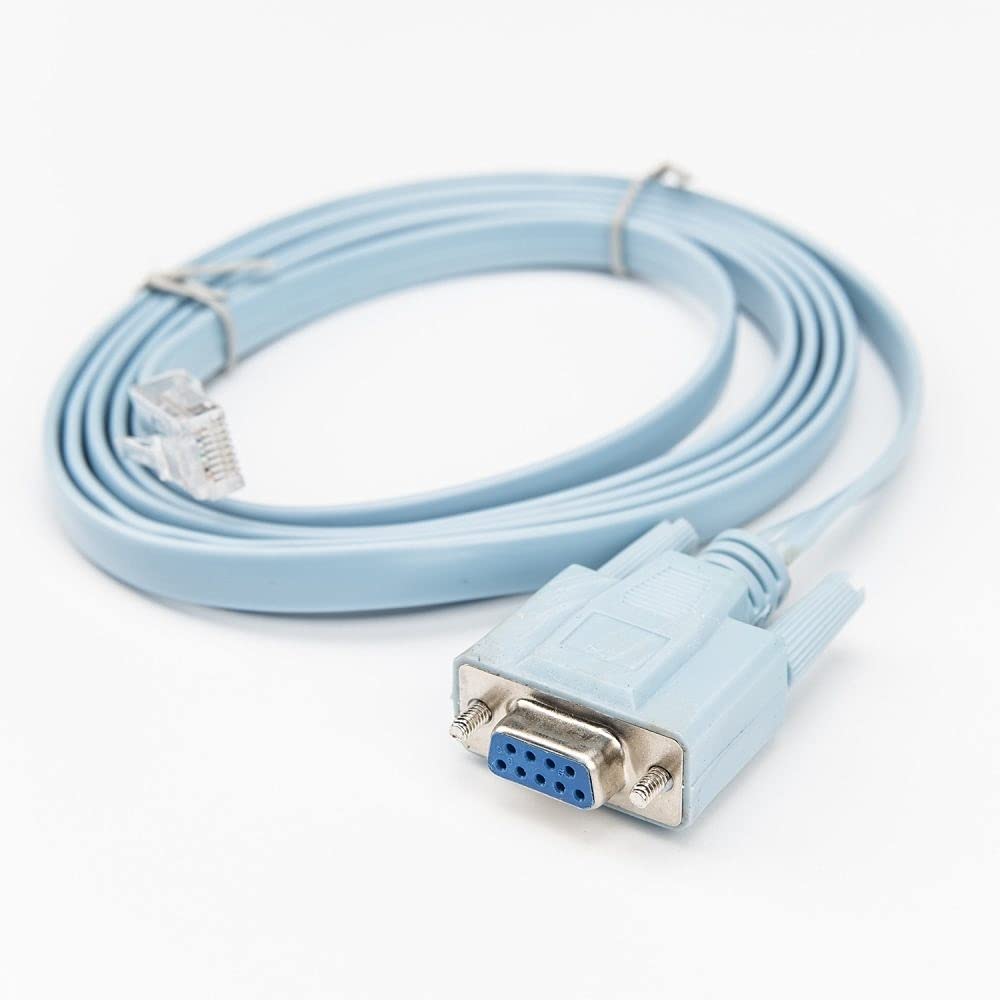
Image: A light blue, flat network cable coiled, featuring a clear RJ45 male connector on one end and a light blue DB9 female serial connector on the other. The DB9 connector has two thumbscrews for secure attachment.
Негизги өзгөчөлүктөрү:
- Кабель түрү: DB-9/RJ-45
- Кабелдин узундугу: 6 фут (болжол менен 1.8 метр)
- Connector on First End: RJ-45 Male Network
- Connector on Second End: 9-pin DB-9 Female Serial
- Колдоого алынган түзмөк: Router (and other compatible Cisco networking devices)
Орнотуу нускамалары
Follow these steps to connect your computer to a Cisco device using the console cable:
- Портторду аныктоо: Locate the console port on your Cisco router or switch. This port is typically labeled 'Console' and is an RJ45 jack. Identify the serial port (DB9 male) on your computer. If your computer does not have a physical DB9 serial port, a USB-to-Serial (DB9) adapter will be required.
- Connect RJ45: Insert the RJ45 end of the Rocstor console cable into the console port of your Cisco device. Ensure it clicks securely into place.
- Connect DB9: Connect the DB9 female end of the console cable to the DB9 male serial port on your computer or USB-to-Serial adapter. Tighten the thumbscrews on the DB9 connector to secure the connection.
- Install Drivers (if applicable): If using a USB-to-Serial adapter, ensure that the necessary drivers are installed on your computer. Refer to the adapter's manual for driver installation instructions.
- Байланышты текшерүү: Once connected, the physical setup is complete. You can now proceed to configure your terminal emulation software.
Иштөө нускамалары
To communicate with your Cisco device, you will need terminal emulation software on your computer. Popular options include PuTTY, Tera Term, or SecureCRT.
- Open Terminal Software: Launch your preferred terminal emulation program.
- Configure Serial Connection:
- Select 'Serial' or 'COM' as the connection type.
- Identify the correct COM port number assigned to your serial port or USB-to-Serial adapter (check Device Manager on Windows or `ls /dev/tty*` on Linux/macOS).
- Set the serial port settings to the standard Cisco console configuration:
- Speed (Baud Rate): 9600
- Маалымат биттери: 8
- Паритет: Жок
- Токтоочу биттер: 1
- Агымды башкаруу: None (or XON/XOFF)
- Байланыш түзүү: Click 'Open' or 'Connect' in your terminal software. You should now see a command prompt from your Cisco device. If not, press Enter a few times.
- Begin Configuration: You can now enter commands to configure and manage your Cisco router or switch.
Техникалык тейлөө
Proper care of your Rocstor console cable will ensure its longevity and reliable performance:
- Сактагыч: Кабельди күн нурунан жана экстремалдык температурадан алыс салкын, кургак жерде сактаңыз.
- Колдонуу: Avoid sharp bends or kinks in the cable, as this can damage the internal wiring. Do not pull the cable by the wire; always grasp the connector when plugging or unplugging.
- Тазалоо: If necessary, gently wipe the cable and connectors with a soft, dry cloth. Avoid using harsh chemicals or abrasive materials.
- Текшерүү: Periodically inspect the connectors for any signs of damage, corrosion, or bent pins.
Проблемаларды чечүү
If you encounter issues while using the console cable, consider the following troubleshooting steps:
| Көйгөй | Мүмкүн себеп | Чечим |
|---|---|---|
| No output in terminal software | Incorrect COM port selected Incorrect serial settings Кабель толук туташтырылган эмес Cisco device powered off | Verify COM port in Device Manager. Ensure baud rate is 9600, 8 data bits, no parity, 1 stop bit, no flow control. Check both RJ45 and DB9 connections. Ensure Cisco device is powered on. |
| Garbled or unreadable text | Incorrect baud rate or other serial settings | Double-check all serial settings (9600, 8, N, 1, None). Try other common baud rates if necessary (e.g., 115200). |
| Cannot find COM port | USB-to-Serial adapter drivers not installed or faulty | Install or reinstall the correct drivers for your USB-to-Serial adapter. Check Device Manager for driver status. |
| Байланыш маал-маалы менен үзүлөт | Кабель туташуу бош Бузулган кабель | Ensure all connections are secure, especially the DB9 thumbscrews. Test with another console cable if available. |
Техникалык шарттар
| Өзгөчөлүк | Деталь |
|---|---|
| Бренд | Rocstor |
| Модель номери | Y10A211-BL1 |
| Кабель түрү | DB-9/RJ-45 Serial Console Cable |
| Кабелдин узундугу | 6 фут (1.8 метр) |
| Туташтыргыч 1 | RJ-45 Male Network |
| Туташтыргыч 2 | DB-9 Female Serial |
| Connector Gender | Эркектен Аялга |
| Шайкеш түзмөктөр | Cisco Routers, Switches, and other networking devices with an RJ45 console port |
| Маалыматтарды өткөрүү ылдамдыгы | 0.48 Gigabits Per Second (for general data, not console speed) |
| Форма | Round (cable jacket) |
| Ички/тышкы колдонуу | Ички, сырткы |
| Элемент Салмагы | 3.4 фунт (болжол менен 1.54 кг) |
| Продукциянын өлчөмдөрү | 9.45 x 7 x 7.01 дюйм (упаковка өлчөмдөрү) |
| UPC | 810606031410 |
| Дата биринчи жеткиликтүү | 1-май, 2019-жыл |
Кепилдик жана колдоо
For information regarding product warranty, technical support, or service inquiries, please refer to the official Rocstor website or contact Rocstor customer support directly. Keep your purchase receipt for warranty claims.
Rocstor Official Webсайт: www.rocstor.com


