Introduction
The WD My Passport portable external hard drive provides reliable and convenient storage for your digital life. Designed for portability and ease of use, it allows you to store, organize, and share your photos, videos, music, and documents securely. This manual will guide you through the setup, operation, and maintenance of your My Passport drive.
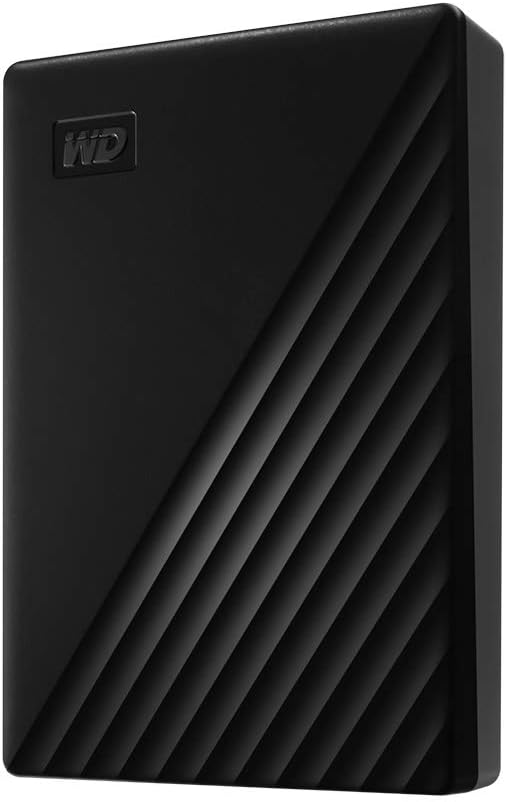
Image: The WD My Passport portable external hard drive in black, showcasing анын кооз дизайны.
Кутуда эмне бар
Пакетте бардык буюмдар бар экенин текшериңиз:
- My Passport portable hard drive
- SuperSpeed USB-A кабели (5Gbps)
- Software for device management and backup with password protection (download and installation required)
- Quick Start Guide
Жайгашуу
Дискти туташтыруу
- Locate an available USB port on your computer (USB 3.0 or USB 3.1/3.2 Gen 1 recommended for optimal performance).
- Connect the small end of the SuperSpeed USB-A cable to the USB port on your My Passport drive.
- Connect the larger end of the SuperSpeed USB-A cable to a USB port on your computer.
- The drive will be automatically detected by your operating system.

Image: The My Passport drive connected to a laptop, demonstrating its USB 3.2 Gen 1/USB 3.0 (5Gbps) compatibility.
Initial Software Installation (Optional but Recommended)
Your My Passport drive comes with software for device management, backup, and password protection. While the drive is plug-and-play for basic storage, installing the software enhances its capabilities.
- Open the My Passport drive from "My Computer" (Windows) or "Finder" (macOS).
- Locate and run the installer application (e.g., "WD Discovery.exe" for Windows or "WD Discovery.dmg" for macOS).
- Follow the on-screen instructions to complete the software installation. This software includes tools for backup and security.

Image: Illustration of the included backup software, which can be set to run automatically.
Дискти иштетүү
Өткөрүлүүдө Files
Once connected, your My Passport drive functions like any other external storage device. You can drag and drop files, copy and paste, or use your operating system's file management tools to transfer data.
- Көчүрүү Files: тандаңыз files or folders you wish to transfer from your computer, right-click (or Ctrl-click on Mac) and select "Copy". Then, navigate to the My Passport drive, right-click in an empty area, and select "Paste".
- Dragging and Dropping: Open both the source folder on your computer and the My Passport drive folder. Drag the desired files or folders from the source to the My Passport drive.
Using Backup Software
The included software allows you to set up automatic backups of your important data. Refer to the software's help documentation for detailed instructions on configuring backup schedules and selecting specific files же папкалар.
Password Protection and Hardware Encryption
For enhanced security, the My Passport drive supports 256-bit AES hardware encryption and password protection. This feature is managed through the installed WD software.
- Open the WD software application.
- Navigate to the security or password protection section.
- Follow the prompts to set a password for your drive. Remember this password, as it is crucial for accessing your encrypted data.

Image: Visual representation of password protection and 256-bit AES hardware encryption for the drive.
Social Media and Cloud Storage Integration
The WD software may offer features to connect to social media and cloud storage services, allowing you to easily import and back up content from these platforms to your My Passport drive. Consult the software's documentation for specific instructions on these integrations.

Image: A person interacting, with the My Passport drive visible, illustrating its "Social friendly" connectivity to social media and cloud storage.
Техникалык тейлөө
Коопсуз алып салуу
Always safely eject the My Passport drive before disconnecting it from your computer to prevent data corruption.
- Windows: Click the "Safely Remove Hardware and Eject Media" icon in the system tray, then select your My Passport drive.
- MacOS: Drag the My Passport drive icon from the desktop or Finder sidebar to the Trash icon, or right-click (or Ctrl-click) the drive icon and select "Eject".
Физикалык кам көрүү
- Keep the drive in a clean, dry environment.
- Айдоочуну өтө жогорку температурага же түз күн нуруна дуушар кылбаңыз.
- Do not drop or subject the drive to strong impacts, as this can damage the internal components.
- Сыртын жумшак, кургак чүпүрөк менен тазалаңыз. Суюк тазалоочу каражаттарды колдонбоңуз.

Image: The My Passport drive highlighting its slim design and compact dimensions (4.22" x 2.95"), fitting easily in the palm of a hand.
Проблемаларды чечүү
Диск аныкталган жок
- USB кабели дискке да, компьютерге да туташтырылганын текшериңиз.
- Компьютериңиздеги башка USB портун колдонуп көрүңүз.
- Башка USB кабелин колдонуп көрүңүз (эгерде бар болсо).
- Компьютериңизди өчүрүп күйгүзүңүз.
- Диск таанылганын, бирок диск тамгасы дайындалбаганын же орнотулганын билүү үчүн компьютериңиздин Дискти башкаруу (Windows) же Диск Утилитасын (macOS) текшериңиз.
Жай өткөрүү ылдамдыгы
- Компьютериңиздеги USB 3.0 (же андан жогорку) портуна туташып турганыңызды текшериңиз. USB 2.0 порттору ылдамдыкты бир топ жайлатат.
- Чоң мезгилде бир нече талап кылынган колдонмолорду иштетүүдөн качыңыз file которуулар.
- Компьютериңиздин драйверлери жаңыртылганын текшериңиз.
Forgotten Password
If you forget your password for an encrypted drive, you may lose access to your data. WD software typically provides a password hint or recovery option during setup. If no recovery option was configured, data recovery may not be possible without the correct password.
Техникалык шарттар
| Өзгөчөлүк | Деталь |
|---|---|
| Модель номери | WDBPKJ0040BBK-WESN |
| Санариптик сактоо сыйымдуулугу | 4 ТБ |
| Катуу диск түрү | Механикалык катуу диск |
| Катуу диск форма фактору | 2.5 дюйм |
| Интерфейс | USB 3.1 / USB 3.0 (compatible with USB 2.0) |
| Түс | Кара |
| Өлчөмдөрү (LxWxH) | 4.22 x 2.95 x 0.75 дюйм |
| Элемент Салмагы | 7.4 унция |
| Аппараттык платформа | PC (also compatible with Mac after reformatting) |
| Шифрлөө | 256-биттик AES жабдык шифрлөөсү |
| Келип чыккан өлкө | Тайланд |
| Өндүрүүчү | Western Digital Technologies, Inc. |
Кепилдик жана колдоо
Чектелген Кепилдик
The WD My Passport drive comes with a 3-year limited warranty. Please retain your proof of purchase for warranty claims. For full terms and conditions, refer to the warranty information provided in the Quick Start Guide or visit the official WD support webсайт.

Image: An icon indicating a 3-year limited warranty for peace of mind.
Кардарларды колдоо
For technical assistance, product registration, or to download the latest software and drivers, please visit the official Western Digital support webсайт:
You can also find FAQs and community forums on the support site.