1. Киришүү
This manual provides detailed instructions for the ipega PG-9162 Mini Wireless Game Controller. This controller is designed for use with the Nintendo Switch console, offering both wireless and wired connectivity options. It features a compact design, six-axis gyroscope, dual motor vibration, and a TURBO function to enhance your gaming experience.

Сүрөт 1.1: Алдыңкы view of the ipega PG-9162 Mini Wireless Game Controller.
2. Продукциянын өзгөчөлүктөрү
- Шайкештик: Designed for the Nintendo Switch host, supporting both wireless and wired connections to the Switch dock.
- Эргономикалык дизайн: Small and exquisite handle for comfortable grip during extended gaming sessions.
- Six-axis Gyroscope: Built-in six-axis gyro chip for precise motion control and fine-tuning assistance in games.
- Эки моторлуу титирөө: Integrated dual motors provide immersive feedback based on in-game actions.
- TURBO функциясы: Supports continuous TURBO function for rapid button presses.
- Батареянын узак иштөө мөөнөтү: Built-in 380mAh battery capacity provides over 8 hours of continuous play.

Сүрөт 2.1: Бүттүview of key features including vibration, gyroscope, and TURBO function.
3. Пакеттин мазмуну
- ipega PG-9162 Mini Wireless Game Controller
- USB заряддоо кабели (Type-C)
- User Manual

Image 3.1: Retail packaging of the ipega PG-9162 controller.
4. Продукт бүтүп калдыview
The ipega PG-9162 controller features standard gamepad buttons and joysticks, designed for intuitive control. Familiarize yourself with the layout:

Сүрөт 4.1: Жогорку view of the controller highlighting its button layout.
- Сол аналогдук таякча: Кыймылды жана камераны башкаруу үчүн.
- D-Pad: Багыттуу киргизүү.
- Үй баскычы: Returns to the Switch home menu.
- Скриншот баскычы: Скриншотторду тартат.
- Оң аналогдук таякча: For camera control or specific in-game actions.
- Аракет баскычтары (A, B, X, Y): Оюндагы аракеттер үчүн.
- Ийин баскычтары (сол, оң) жана триггерлер (ZL, ZR): Оюндагы ар кандай функциялар үчүн.
- Кошуу (+) жана кемитүү (-) баскычтары: For menu navigation and options.
- LED көрсөткүчтөрү: Туташуу абалын жана батарея деңгээлин көрсөтүү.
5. Орнотуу жана туташуу
5.1 Nintendo Switch'ке зымсыз туташуу
- Nintendo Switch консолуңуз күйгүзүлүп, системанын эң акыркы программалык камсыздоосуна жаңыртылганын текшериңиз.
- БАШКЫ БЕТ менюсунан "Контроллерлер" > "Тартууну/Тартипти өзгөртүү" дегенди тандаңыз.
- On the ipega PG-9162 controller, press and hold the Башкы бет баскычы жана Y баскычы simultaneously for a few seconds until the LED indicators start flashing rapidly. This indicates pairing mode.
- The Switch console will detect the controller. Once detected, the LED indicators on the controller will become solid, indicating a successful connection.
- You can now use the controller wirelessly with your Nintendo Switch.
5.2 Wired Connection to Nintendo Switch Dock
- Place your Nintendo Switch console into its dock.
- Connect one end of the USB charging cable to the ipega PG-9162 controller and the other end to an available USB port on the Nintendo Switch dock.
- The controller will automatically connect to the Switch console via the wired connection.
- Ensure that "Pro Controller Wired Communication" is enabled in the Switch System Settings (System Settings > Controllers and Sensors > Pro Controller Wired Communication).
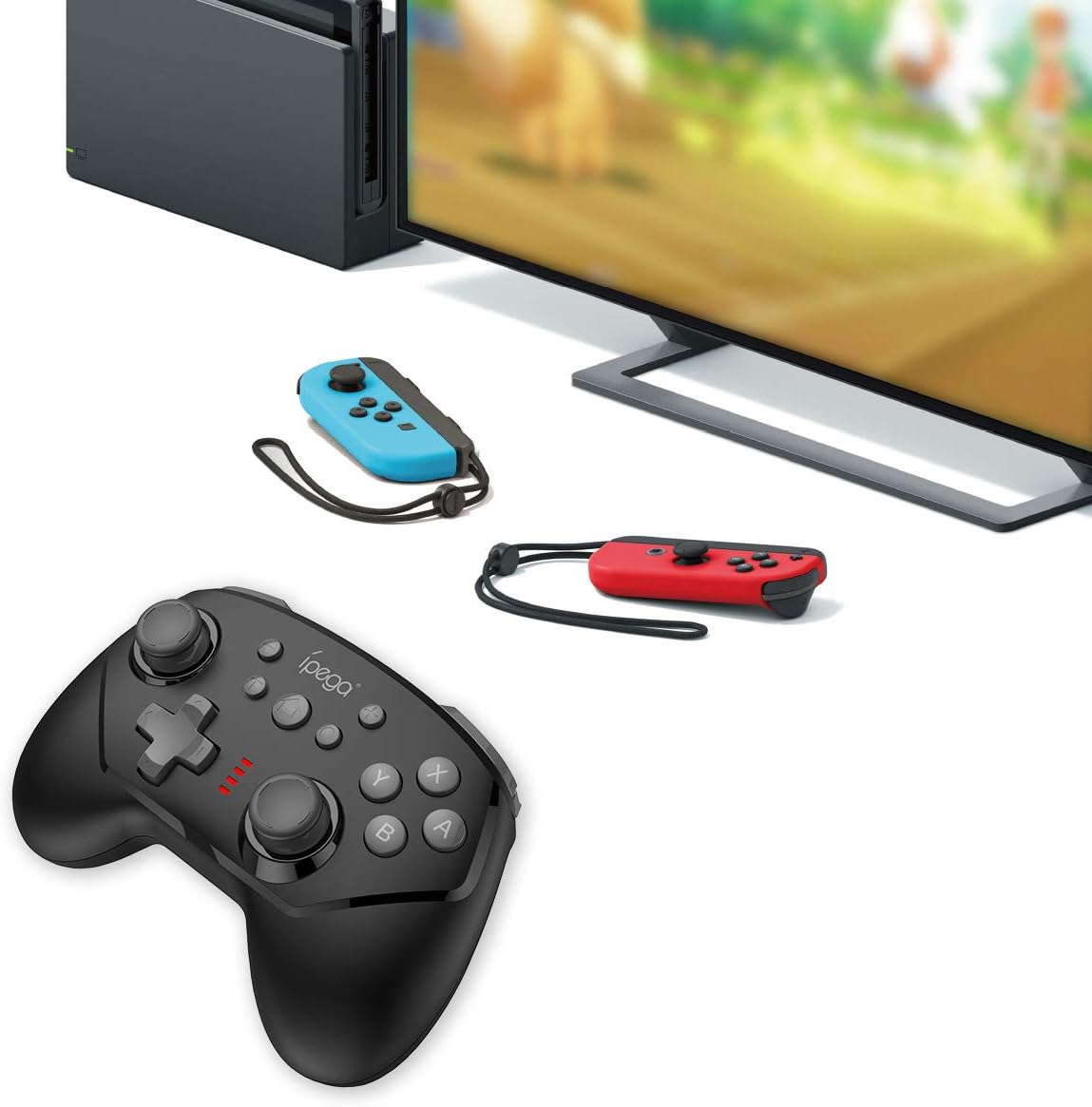
Image 5.1: The controller connected to a Nintendo Switch dock, demonstrating wired play.
6. Иштөө нускамалары
6.1 TURBO функциясы
The TURBO function allows for rapid, continuous pressing of a button without repeatedly pressing it manually.
- To Set TURBO: Press and hold the desired action button (e.g., A, B, X, Y, L, R, ZL, ZR), then press the TURBO баскычы once. The button will now continuously register presses as long as you hold it down.
- To Clear TURBO: Repeat the process: press and hold the button with TURBO enabled, then press the TURBO баскычы again. The TURBO function for that specific button will be deactivated.
6.2 Six-axis Gyroscope
The built-in six-axis gyroscope provides motion control capabilities, allowing for precise aiming and in-game interactions by tilting and moving the controller.
- Ensure the game you are playing supports gyroscope controls.
- Calibrate the gyroscope if you experience drift or inaccurate motion sensing. Refer to your Nintendo Switch system settings for calibration options.

Image 6.1: Illustration of the six-axis gyroscope in action, enhancing aiming precision.
6.3 Вибрация функциясы
The dual motor vibration provides tactile feedback, immersing you further into the game by reacting to in-game events like collisions, explosions, or character actions.
- Vibration intensity is typically controlled by the game itself.
- If vibration is not working, check the in-game settings or Nintendo Switch system settings to ensure it is enabled.

Image 6.2: Visual representation of the built-in dual motor vibration feature.
7. Контроллерди заряддоо
The ipega PG-9162 controller has a built-in rechargeable battery. When the battery is low, the LED indicators will flash slowly.
- Connect the provided USB charging cable to the Type-C port on the controller.
- Connect the other end of the USB cable to a USB power source (e.g., Nintendo Switch dock, computer USB port, or a USB wall adapter).
- The LED indicators will show charging status. Once fully charged, the indicators will typically turn off or show a solid light.
- A full charge provides over 8 hours of gameplay.
8. Техникалык тейлөө
- Контроллерди кургак жана нымдуулуктан алыс кармаңыз.
- Контроллерди өтө жогорку температурага дуушар кылбаңыз.
- Контроллерди жумшак, кургак чүпүрөк менен тазалаңыз. Катуу химиялык заттарды же абразивдүү тазалагычтарды колдонбоңуз.
- Контроллерди колдонбогон учурда зыян келтирбөө үчүн коопсуз жерде сактаңыз.
9. Кыйынчылыктарды
9.1 Контроллер туташпай жатат
- Контроллер жетиштүү заряддалганын текшериңиз.
- Nintendo Switch консолу эң акыркы тутумдук программалык камсыздоого жаңыртылганын текшериңиз.
- Жупташтыруу процессин кайталаңыз (5.1-бөлүм).
- If using wired connection, ensure "Pro Controller Wired Communication" is enabled in Switch settings.
- Try restarting both the controller and the Nintendo Switch console.
9.2 Киргизүү артта калуу же ажыратуулар
- Жакын жерде күчтүү электромагниттик тоскоолдуктар жок экенин текшериңиз.
- Move closer to the Nintendo Switch console.
- Disconnect other wireless devices that might be causing interference.
9.3 Баскычтар жооп бербейт
- Контроллер туура туташтырылганын текшериңиз.
- Test the buttons in the Switch's controller test menu (System Settings > Controllers and Sensors > Test Input Devices).
- Баскычтардын айланасын тазалаңыз, аларга эч кандай таштанды тоскоол болбошу үчүн.
10. Техникалык шарттар
| Бренд | ipega |
| Модель номери | PG-9162 |
| Байланыш | Зымсыз (Bluetooth), Зымдуу (USB) |
| Батарея сыйымдуулугу | 380mAh |
| Батареянын иштөө мөөнөтү | >8 hours (approx.) |
| Өзгөчөлүктөр | Six-axis Gyroscope, Dual Motor Vibration, TURBO Function |
| Шайкештик | Nintendo Switch |
| Өлчөмдөр | 17.53 x 13.72 x 6.6 см (болжол менен) |
| Салмагы | 295 г (болжол менен) |
11. Кепилдик жана колдоо
This product comes with a standard manufacturer's warranty. For specific warranty terms, please refer to the documentation included with your purchase or contact the retailer. For technical support or further assistance, please visit the official ipega webсайтка же кардарларды тейлөө бөлүмүнө кайрылыңыз.
Өндүрүүчү: ipega
Биринчи жеткиликтүү болгон күнү: 2 август 2019 жыл


