1. Киришүү
This manual provides detailed instructions for the safe and efficient operation and maintenance of your Cecotec Conga 3690 Absolute Robot Vacuum Cleaner. Please read this manual thoroughly before using the product and keep it for future reference.
Продукт бүттүview
The Cecotec Conga 3690 Absolute is a versatile 4-in-1 robot vacuum cleaner designed for comprehensive floor cleaning. It can simultaneously vacuum, sweep, mop, and scrub your floors. Featuring iTech Laser 360 technology for precise navigation and mapping, it offers smart cleaning solutions for various surfaces. Control is made easy with its Wi-Fi connectivity via a 5 GHz app for smartphones, and it can also be operated with a remote control or integrated with voice assistants like Alexa and Google Home.

Figure 1.1: The Conga 3690 Absolute robot vacuum cleaner, its remote control, and the companion smartphone app.
2. Коопсуздук нускамалары
Өрт, электр тогуна урунуу жана жеке жаракат алуу коркунучун азайтуу үчүн электр шаймандарын колдонууда ар дайым негизги коопсуздук чараларын сактаңыз.
Жалпы коопсуздук
- Шайманды колдонуудан мурун бардык нускамаларды кылдат окуп чыгыңыз.
- Бул шайманды 8 жаштан жогорку балдар жана физикалык, сезүү же акыл-эс жөндөмү начар же тажрыйбасы жана билими жок адамдар колдонсо болот, эгерде алар көзөмөлгө алынган же шайманды коопсуз колдонуу боюнча нускама алган болсо жана келтирилген коркунучтарды түшүнсө. .
- Балдарга шайман менен ойноого уруксат бербеңиз. Тазалоо жана колдонуучу тейлөөнү балдар көзөмөлсүз жасабашы керек.
- Do not immerse the robot, charging base, or power adapter in water or other liquids.
- Өндүрүүчү тарабынан берилген түпнуска кубат адаптерин жана кубаттоочу негизди гана колдонуңуз.
- Роботту нымдуу чөйрөдө же нымдуу беттерде колдонбоңуз.
- Чачты, кенен кийимдерди, манжаларды жана дененин бардык бөлүктөрүн тешиктерден жана кыймылдуу бөлүктөрдөн алыс кармаңыз.
- Роботту чоң буюмдарды, курч буюмдарды же күйүп жаткан/түтөп жаткан материалдарды алуу үчүн колдонбоңуз.
Батареянын коопсуздугу
- The robot contains a Lithium-ion battery. Do not expose the battery to high temperatures or direct sunlight.
- Do not attempt to disassemble, repair, or modify the battery pack.
- Эгерде батарейка агып кетсе, териге жана көзгө тийгизбеңиз. Эгерде тийип кетсе, көп суу менен чайкап, медициналык жардамга кайрылыңыз.
- Батареяны жергиликтүү эрежелерге ылайык жок кылыңыз.
3. Пакеттин мазмуну
Please verify that all items are present and in good condition. If any items are missing or damaged, contact customer support.
- Cecotec Conga 3690 Absolute Robot Vacuum Cleaner
- Заряддоо базасы
- Кубаттуу адаптер
- Solid Waste Container
- Mixed Container (Water Tank + Dust Bin)
- 2 x каптал щеткалары
- 1 x Негизги щетка
- 2 х Моп кездемелер
- 1 x тазалоо куралы
- Алыстан башкаруу
- User Manual
4. Орнотуу
Роботту кубаттоо
1. Place the charging base against a wall in an open area. Ensure there are no obstacles within 1 meter to the sides and 2 meters in front of the base.
2. Connect the power adapter to the charging base and plug it into a power outlet.
3. Place the robot on the charging base. The indicator light will show charging status. Fully charge the robot before first use.
Каптал щеткаларын орнотуу
Attach the side brushes to their respective slots on the bottom of the robot until they click into place. Ensure they are securely fastened.
Installing the Main Brush
Open the main brush cover on the bottom of the robot and insert the main brush. Close the cover securely until it clicks.
Filling the Mixed Container (for Mopping)
1. Open the mixed container's water tank cap and fill it with clean water. Do not use detergents or corrosive liquids.
2. Attach the mop cloth to the mixed container.
3. Insert the mixed container into the robot until it clicks securely.
Колдонмону орнотуу жана Wi-Fi туташуусу
1. Download the "Cecotec Conga" app from your smartphone's app store (iOS/Android).
2. Register an account and follow the in-app instructions to connect your robot to your home Wi-Fi network (5 GHz compatible).

Figure 4.1: Controlling the robot vacuum cleaner via the smartphone app.
5. Иштөө нускамалары
Күйгүзүү/өчүрүү
Press and hold the power button on the robot or use the app/remote control to turn the robot on or off.
Тазалоо режимдери
The Conga 3690 Absolute offers multiple cleaning modes:
- Авто режим: The robot automatically cleans the entire accessible area, adapting to the environment.
- Edge режими: The robot cleans along walls and furniture edges, ensuring thorough cleaning of corners.
- Spot режими: The robot cleans a specific concentrated area, ideal for spills or highly dirty spots.
- Скраб режими: For deeper mopping, the robot performs a back-and-forth motion, mimicking manual scrubbing.
Smart Mapping and Navigation
The robot uses iTech Laser 360 technology to create a precise map of your home. This map allows for efficient navigation and enables advanced features like customizable cleaning plans and restricted zones via the app.

Figure 5.1: The robot's iTech Laser 360 technology for precise mapping.

Figure 5.2: The app's ability to store multiple floor maps.

Figure 5.3: Real-time cleaning path displayed on the app.
Колдонмону колдонуу
The Cecotec Conga app provides full control over your robot:
- Start/Pause/Stop cleaning.
- Select cleaning modes.
- View and edit cleaning maps.
- Set virtual walls and restricted areas.
- Тазалоо убактысын пландаштырыңыз.
- Adjust suction power and water flow.
- Monitor battery level and cleaning history.
Үн менен башкаруу (Alexa/Google Home)
Once connected to the app, you can link your robot to Alexa or Google Home for voice commands. Refer to the app's instructions for integration details.
Алыстан башкаруу
Use the included remote control for basic functions like starting/stopping cleaning, sending the robot to the charging base, and manual direction control.
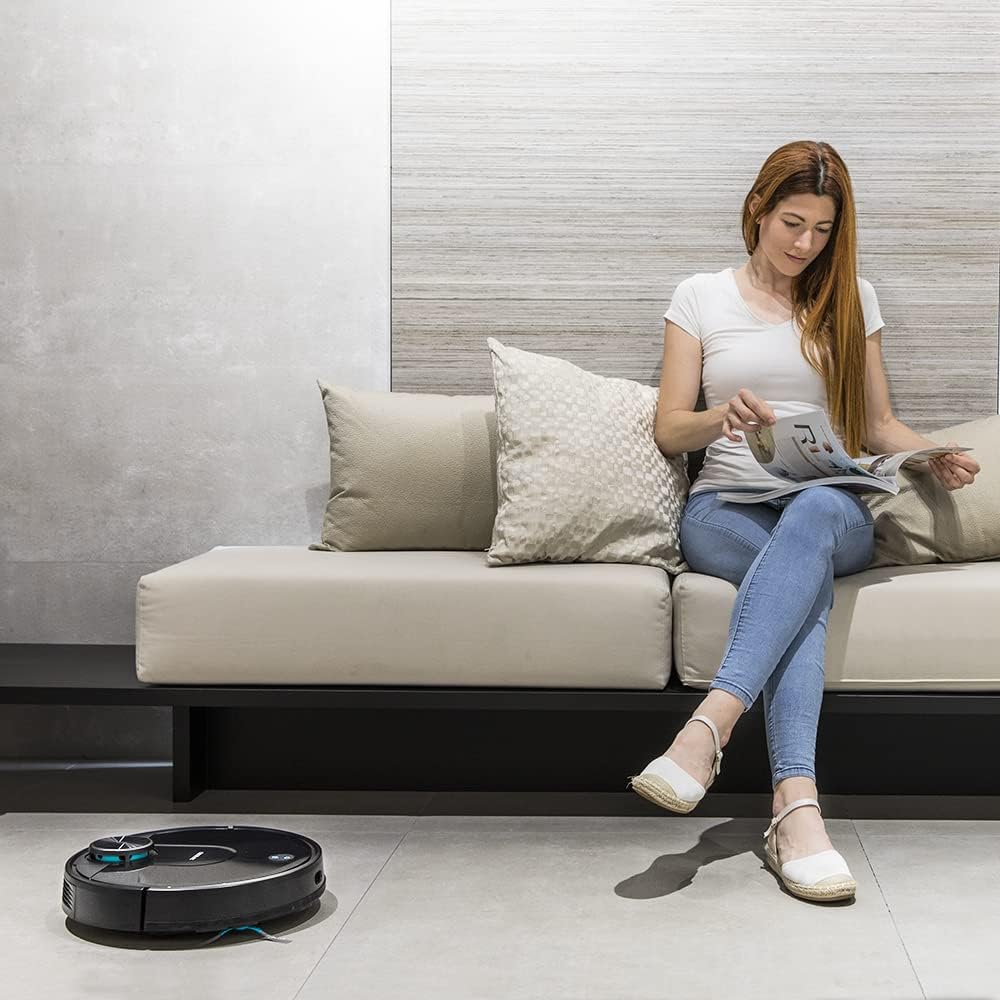
Figure 5.4: Enjoying a clean home with minimal effort.
6. Техникалык тейлөө
Үзгүлтүксүз тейлөө оптималдуу иштешин камсыз кылат жана робот чаң соргучуңуздун иштөө мөөнөтүн узартат.
Чаң кутучасын бошотуу
After each use, or when full, remove the dust bin and empty its contents. Press the release button to detach the dust bin, open its lid, and discard the collected debris. Clean the filter regularly.
Фильтрлерди тазалоо
Tap the HEPA filter gently to remove dust. HEPA чыпкасын суу менен жуубаңыз. The primary filter can be rinsed with water. Ensure all filters are completely dry before re-installing them into the dust bin.
Cleaning the Mixed Container and Mop Cloth
After mopping, empty any remaining water from the mixed container. Rinse the container and mop cloth with clean water. Allow them to air dry completely before storing or re-using.
Негизги щетканы тазалоо
Use the provided cleaning tool to remove hair and debris tangled around the main brush. Cut any tightly wound hair with the integrated blade on the cleaning tool if necessary.
Каптал щеткаларын тазалоо
Check side brushes for tangled hair or debris. Clean or replace if necessary. If the bristles are bent, you can soak them in warm water for a few minutes to restore their shape.
Сенсорлорду жана заряддоо контакттарын тазалоо
Regularly wipe the robot's cliff sensors, wall sensors, and charging contacts (on both the robot and the charging base) with a dry, soft cloth to ensure proper function and charging.
7. Кыйынчылыктарды
If you encounter any issues with your robot vacuum cleaner, please refer to the table below for common problems and their solutions.
| Көйгөй | Мүмкүн себеп | Чечим |
|---|---|---|
| Робот күйбөйт | Батарея аз | Роботту толук заряддаңыз. |
| Робот заряддалбайт | Charging contacts dirty / Not properly aligned | Clean charging contacts on both robot and base. Realign robot on base. |
| Робот бат-баттан тыгылып калат | Obstacles / Uneven surfaces / Cables | Clear the area of obstacles and loose cables. Use virtual walls in the app for problematic areas. |
| Начар тазалоо көрсөткүчү | Full dust bin / Dirty filters / Worn brushes | Empty the dust bin. Clean or replace filters. Inspect and clean/replace brushes. |
| Колдонмого туташуу маселелери | Incorrect Wi-Fi password / 2.4GHz vs 5GHz issue / Router too far | Re-enter Wi-Fi password. Ensure your router supports 5GHz or switch to 2.4GHz if needed. Move router closer to the charging base. |
| Робот адаттан тыш ызы-чуу чыгарат | Debris in brushes / Fan obstruction | Clean main and side brushes. Check for any obstructions in the suction inlet or fan area. |
8. Техникалык шарттар
| Өзгөчөлүк | Деталь |
|---|---|
| Бренд | Cecotec |
| Модел | Conga 3690 Absolute |
| Модель номери | 3690 / 05433 |
| Өлчөмдөрү (L x W x Y) | 13 x 41.5 x 54 см |
| Салмагы | 6.68 кг |
| Материал | Пластик |
| Ызы-чуу деңгээли | 64 дБ |
| Навигация технологиясы | iTech Laser 360 |
| Тазалоо функциялары | Vacuum, Sweep, Mop, Scrub (4-in-1) |
| Байланыш | Wi-Fi (5 GHz compatible), Remote Control |
| Voice Assistant шайкештиги | Alexa, Google Home |
| Чыпка түрү | Картридж |
| Батарея түрү | Литий-ион |
| Сунушталган беттер | Hardwood, Tiles, Low-pile Carpets |
| Камтылган компоненттер | Robot, Charging Base, Power Adapter, Dust Bin, Mixed Container, Side Brushes, Main Brush, Mop Cloths, Cleaning Tool, Remote Control, User Manual |
9. Кепилдик жана колдоо
For warranty information and technical support, please refer to the official Cecotec webсайтына кириңиз же жергиликтүү сатуучуңузга кайрылыңыз. Кепилдик талаптары үчүн сатып алганыңызды тастыктаган документти сактап коюңуз.
Эскертүү: Кепилдиктин конкреттүү шарттары жана колдоо кызматынын байланыш маалыматтары аймакка жараша өзгөрүшү мүмкүн.


