Introduction
This manual provides comprehensive instructions for the Lezyne Connect Smart 1000XL Headlight and KTV Pro Smart Taillight Set. This intelligent lighting system is designed to enhance cyclist visibility and safety through powerful illumination and customizable control via the Lezyne LED Ally app. Please read these instructions carefully before use to ensure proper installation, operation, and maintenance of your lights.
Кутуда эмне бар
- Lezyne Connect Smart 1000XL Headlight
- Lezyne KTV Pro Smart Taillight
- Silicone Mounting Straps (for Headlight and Taillight)
- USB заряддоо кабели
Жайгашуу
1. Баштапкы заряддоо
Before first use, fully charge both the headlight and taillight. Connect the provided USB cable to the charging port on each light and to a powered USB port. The indicator light will show charging status and turn solid when fully charged.
2. Фараны орнотуу
Secure the Lezyne Connect Smart 1000XL Headlight to your bicycle's handlebar using the silicone strap. Ensure the light is firmly attached and positioned to illuminate the path ahead without obstructing your view же башкаруу.

Image: Lezyne Connect Smart 1000XL Headlight securely mounted on a bicycle handlebar.
3. Mounting the Taillight
Attach the Lezyne KTV Pro Smart Taillight to your bicycle's seatpost using its integrated silicone strap. Position the taillight to be clearly visible from the rear, ensuring it is not obscured by bags or clothing.
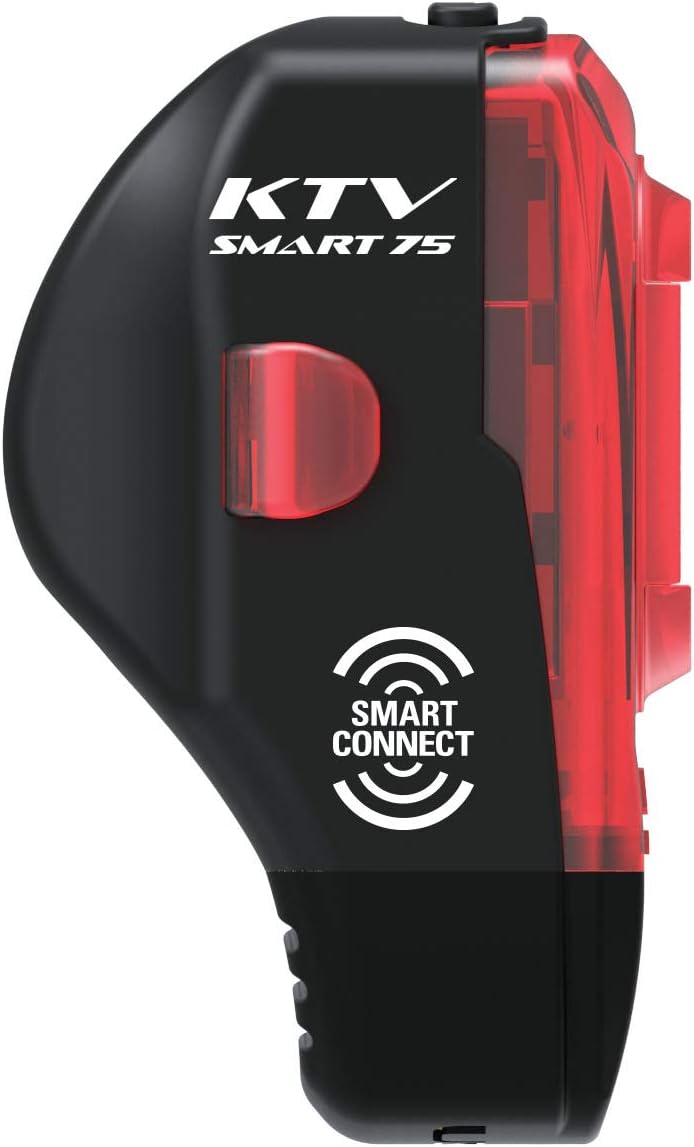
Image: Lezyne KTV Pro Smart Taillight mounted on a bicycle seatpost for rear visibility.
4. Smart Connect App Pairing
Download the Lezyne LED Ally app from your device's app store. Follow the in-app instructions to pair your 1000XL Headlight and KTV Pro Smart Taillight. This enables wireless control and customization of light modes.
Video: This video demonstrates the Lezyne Smart Connect feature, showing how to customize and control your Lezyne bike lights wirelessly using the LED Ally app.
Иштөө нускамалары
Күйгүзүү/өчүрүү
Press and hold the power button on each light for approximately 2 seconds to turn it on or off. A short press will cycle through the available light modes.
Жарык режимдери
Each light offers multiple output modes (e.g., Overdrive, Blast, Enduro, Economy, Day Flash, Flash 1, Flash 2, Pulse). Cycle through these modes by briefly pressing the power button. The Lezyne LED Ally app allows for customization of these modes and their order.
Smart Connect Functionality
Once paired with the LED Ally app, you can:
- Customize Modes: Select and arrange your preferred light modes for both front and rear lights.
- Linked Control: Operate both the headlight and taillight simultaneously from a single control point (either light or the app). For example, turning on the headlight can automatically activate the taillight in a synchronized mode.
- Батареянын абалы: Monitor battery levels for both lights directly from the app.
Техникалык тейлөө
Тазалоо
Жарыктарды жумшак, d менен сүртүңүзamp cloth to remove dirt and debris. Avoid using abrasive cleaners or solvents, as these can damage the casing же линза.
Батареяга кам көрүү
To prolong battery life, charge the lights regularly and avoid completely draining the battery. If storing for an extended period, charge the battery to approximately 50% and recharge every few months.
Сактагыч
Лампалар салкын, кургак жерде, күндүн түз тийген нурларынан жана өтө жогорку температурадан алыс сакталат.
Проблемаларды чечүү
- Жарык күйбөйт: Ensure the battery is charged. Press and hold the power button firmly for 2 seconds. If the issue persists, attempt to charge the light.
- Жарык заряддалбай жатат: Verify the USB cable is securely connected to both the light and a working USB power source. Try a different USB cable or power adapter. Inspect the charging port for any obstructions or damage.
- Колдонмого туташуу маселелери: Ensure Bluetooth is enabled on your smartphone. Close and reopen the Lezyne LED Ally app. Try unpairing and re-pairing the lights within the app's settings. Ensure the app is updated to the latest version.
- Reduced battery runtime: Battery performance can decrease in cold weather. Ensure the light is fully charged. Over time, rechargeable batteries may experience reduced capacity; this is normal wear.
Техникалык шарттар
| Бренд | LEZYNE |
| Модель аты | Connect Smart 1000XL |
| Бөлүмдүн номери | 1-LED-32P-V104 |
| Brightness (Headlight) | 1000 Lumens |
| Орнотуулардын саны | 5 (customizable via app) |
| Power Source | Батарея менен иштейт |
| Сууга туруктуулук деңгээли | Суу өткөрбөйт (IPX7) |
| Материал | Пластик |
| Элемент Салмагы | 0.15 фунт (болжол менен) |
| Продукциянын өлчөмдөрү | 8"L x 5"W x 3"H (approximate package dimensions) |
Кепилдик
This product comes with a Limited Warranty. For detailed information regarding warranty coverage, terms, and conditions, please refer to the official LEZYNE website or contact LEZYNE customer support directly.
Колдоо
Кошумча жардам, техникалык колдоо же үчүн view additional product resources, please visit the official LEZYNE webсайтка же кардарларды тейлөө бөлүмүнө кайрылыңыз. Сиз да зыярат кылсаңыз болот Amazon'догу LEZYNE дүкөнү продукт маалымат жана жаңыртуу үчүн.


