Introduction
Welcome to the user manual for your Soundcore Anker Liberty Neo True Wireless Earbuds. These earbuds are designed to provide a high-quality audio experience with features tailored for active lifestyles. This manual will guide you through the setup, operation, maintenance, and troubleshooting of your device to ensure optimal performance.

Figure 1: Soundcore Anker Liberty Neo True Wireless Earbuds in their charging case.
Кутуда эмне бар
Your Soundcore Anker Liberty Neo True Wireless Earbuds package includes the following items:
- Заряддоо кутусу
- Колдонуучунун Колдонмосу (бул документ)
- USB заряддоо кабели
- Multiple sizes of EarTips and WingTips for a secure fit

Figure 2: Included accessories with the Soundcore Anker Liberty Neo Earbuds.
Жайгашуу
1. Кулакчындарды жана кутучаны кубаттоо
Биринчи колдонуудан мурун, кулакчындарды да, кубаттоочу кутучаны да толук заряддаңыз.
- Place the earbuds into the charging case. Ensure they are correctly seated; the LED indicators on the earbuds will light up to confirm charging.
- Connect the provided USB charging cable to the charging port on the case and to a power source. The LED indicators on the charging case will show the charging status.
- Once fully charged, the LED indicators will turn solid or off, depending on the model.

3-сүрөт: Кубаттоочу кутуга салынган кулакчындар.
2. Түзмөгүңүз менен жупташтыруу
The Liberty Neo earbuds feature one-step pairing for convenience.
- Open the charging case. The earbuds will automatically enter pairing mode, and their LED indicators will flash white.
- Түзмөгүңүздө (смартфон, планшет ж.б.) Bluetooth иштетиңиз.
- Издөө "Soundcore Liberty Neo" in the list of available Bluetooth devices and select it to connect.
- Once connected, the LED indicators on the earbuds will turn solid white or off, indicating successful pairing.
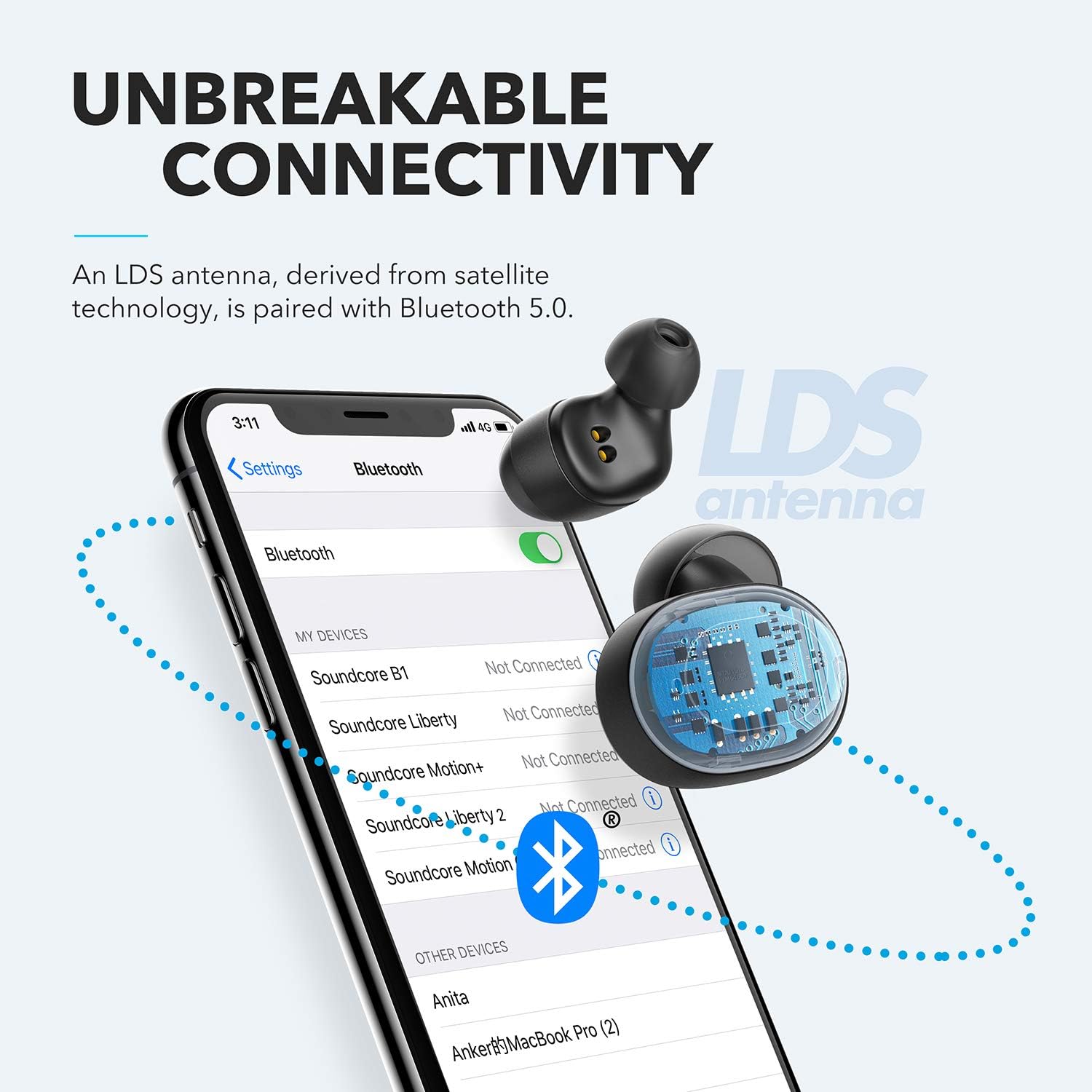
Figure 4: Bluetooth pairing process on a smartphone.
Кулакчындарды иштетүү
1. Кулакчын тагынуу
For optimal sound quality and a secure fit, choose the correct size of EarTips and WingTips. Insert the earbuds into your ears and twist them gently until they feel snug and comfortable.

Figure 5: Proper wearing of the earbuds for a secure fit.
2. Башкаруу
The Liberty Neo earbuds feature intuitive touch controls:
- Ойнотуу/тындыруу: Tap the multi-function button on either earbud once.
- Кийинки трек: Double-tap the multi-function button on the right earbud.
- Мурунку трек: Double-tap the multi-function button on the left earbud.
- Чалууга жооп берүү/аяктоо: Tap the multi-function button on either earbud once.
- Чакырууну четке кагуу: Кулакчындардын бириндеги көп функциялуу баскычты 2 секунд басып туруңуз.
- Үн Жардамчысын жандыруу: Press and hold the multi-function button on either earbud for 1 second.
3. Үн режимдери
While the Liberty Neo earbuds offer excellent passive noise isolation, they do not feature Active Noise Cancellation (ANC) or Transparency modes. They are designed to provide a rich audio experience with Soundcore's signature sound and BassUp technology.
Техникалык тейлөө
Кулакчындарыңыздын узак иштөөсүн жана оптималдуу иштешин камсыз кылуу үчүн:
- Кулакчындарды жана кубаттоочу кутучаны таза жана кургак кармаңыз. Аларды сүртүү үчүн жумшак, кургак чүпүрөктү колдонуңуз.
- Ашыкча температурадан сактаныңыз.
- Коррозиялык тазалоочу каражаттарды колдонбоңуз.
- The earbuds are IPX7 waterproof, meaning they can withstand sweat and rain. However, the charging case is not waterproof. Ensure earbuds are dry before placing them back in the case.

Figure 6: Earbuds demonstrating IPX7 waterproof rating.
Проблемаларды чечүү
If you encounter any issues with your earbuds, refer to the following common solutions:
| Көйгөй | Чечим |
|---|---|
| Кулакчындар жупташкан жок | Ensure earbuds are charged. Turn off Bluetooth on your device, then turn it back on. Try resetting the earbuds (refer to Soundcore support for specific reset instructions). |
| Аудиону бир гана кулакчын ойнотот | Place both earbuds back into the charging case, close the lid, then open it again. Ensure both earbuds are connected to your device. |
| Үн сапаты начар | Ensure earbuds are clean and free of debris. Try different sized EarTips for a better seal. Check your device's audio settings. |
| Кулакчындар түшүп жатат | Experiment with different sizes of EarTips and WingTips to find the most secure and comfortable fit for your ears. |
Техникалык шарттар
| Өзгөчөлүк | Деталь |
|---|---|
| Модель аты | Liberty Neo |
| Модель номери | A3911 |
| Байланыш технологиясы | Зымсыз (Bluetooth 5.0) |
| Сууга туруктуулук деңгээли | IPX7 (Кулакчындар гана) |
| Батареянын иштөө мөөнөтү | 8 Hours (Earbuds), 40 Hours with Charging Case |
| Аудио драйвер түрү | Dynamic Driver (Graphene-enhanced) |
| Башкаруу ыкмасы | тийүү |
| Элемент Салмагы | 1.76 унция |
| Продукциянын өлчөмдөрү | 2.95 x 1.38 x 1.18 дюйм |
Кепилдик жана колдоо
For warranty information and customer support, please refer to the official Soundcore webсайтка же түздөн-түз кардарларды тейлөөгө кайрылыңыз. Кепилдик дооматтар үчүн сатып алуу дүмүрчөгүңүздү сактаңыз.
Онлайн колдоо: Visit www.soundcore.com Көп берилүүчү суроолор, көйгөйлөрдү аныктоо боюнча көрсөтмөлөр жана байланыш маалыматы үчүн.


