Introduction
This manual provides detailed instructions for the assembly, operation, and maintenance of your Tribesigns Modern L-Shaped Computer Desk. Please read all instructions carefully before beginning assembly and retain this manual for future reference.
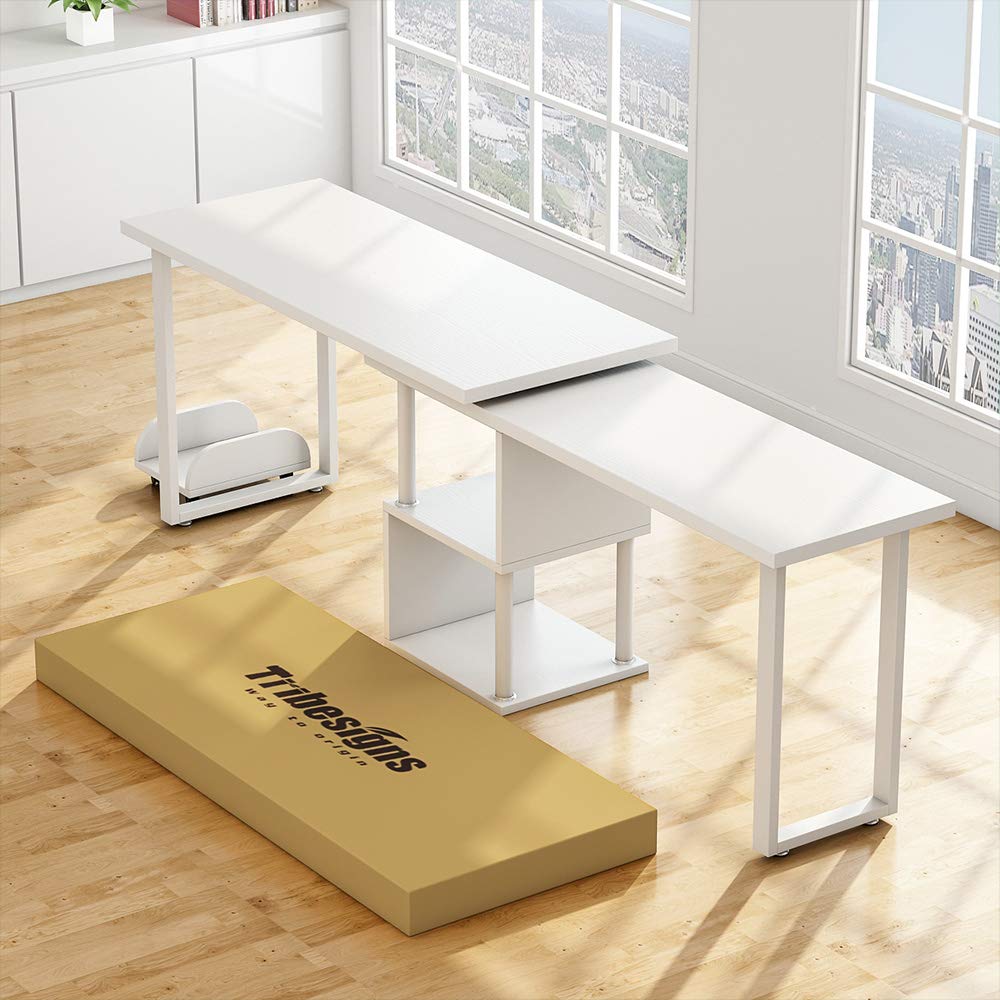
The Tribesigns Modern L-Shaped Computer Desk is designed to offer a versatile workspace with integrated storage. Its reversible and rotating design allows for flexible configuration to suit various room layouts and user needs.
Орнотуу жана чогултуу
1. Unpacking and Parts Verification
- Этияттык менен таңгакты ачып, бардык компоненттерин алып салыңыз.
- Чийилип калбашы үчүн, бардык бөлүктөрүн таза, жумшак бетке коюңуз.
- Refer to the included parts list (not provided in this manual) to ensure all components are present and undamaged. If any parts are missing or damaged, contact customer support immediately.
2. Монтаждоо боюнча нускамалар
Follow the step-by-step diagrams and instructions provided in your product's specific assembly guide (not provided in this manual). General steps typically include:
- Attach the metal frame components to the desk panels using the provided hardware.
- Assemble the storage shelves and integrate them with the main desk structure.
- Connect the rotating desk sections, ensuring the swivel mechanism is correctly aligned.
- Secure all screws and fasteners firmly, but do not overtighten to avoid damaging the materials.
- Place the CPU stand in your desired location.
1-сүрөт: Продукциянын өлчөмдөрү аштыview
This diagram illustrates the key dimensions of the L-shaped computer desk. The main desk sections measure approximately 55.27 inches by 21.73 inches and 47.32 inches by 15.78 inches. The overall height of the desk is about 28.93 inches on one side and 26.96 inches on the other. The integrated storage shelves are approximately 13.77 inches high and 15.74 inches deep. The included CPU stand measures about 13.77 inches by 10.03 inches with a height of 4.52 inches.
Иштөө нускамалары
1. Utilizing the 360° Rotating Design
The desk features a 360° free rotating desktop, allowing you to adjust its configuration. To rotate the desk:
- Ensure all items on the rotating section are stable or removed to prevent falling.
- Gently push or pull the rotating desk section to achieve your desired L-shape or straight-line configuration.
- Avoid sudden or forceful movements to prevent damage to the swivel mechanism.
2. Using Storage Shelves and CPU Stand
- The two-tier shelves provide space for office supplies, books, routers, or cable boxes. Distribute weight evenly on shelves.
- The bonus CPU stand is designed to keep your computer tower off the floor, protecting it from dust and improving airflow.
Техникалык тейлөө жана кам көрүү
1. Тазалоо
- Беттерди жумшак менен сүртүңүз, гamp кездеме.
- Катуу химиялык заттарды, абразивдүү тазалагычтарды же финишке зыян келтирүүчү жылтыраткычтарды колдонуудан алыс болуңуз.
- Immediately wipe up spills to prevent water damage or staining.
2. Жалпы кам көрүү
- Мезгил-мезгили менен бардык бурамалар жана бекиткичтер бекем болушу үчүн текшерип туруңуз. Туруктуулукту сактоо үчүн зарыл болсо кайра тартыңыз.
- Avoid placing extremely hot or cold items directly on the desk surface; use coasters or protective pads.
- Үстөлдү же текчелерди алардын салмагынан ашыкча жүктөбөңүз.
Проблемаларды чечүү
1. Desk Instability or Wobbling
- Маселе: The desk feels unstable or wobbles after assembly or movement.
- Чечим: Check all assembly screws and bolts. Ensure they are fully tightened. Uneven flooring can also cause wobbling; try adjusting the desk's position or using shims under the legs if applicable.
2. Difficulty Rotating Desk Section
- Маселе: The rotating section is stiff or difficult to move.
- Чечим: Ensure no objects are obstructing the rotation path. Check the swivel mechanism for any debris. If the issue persists, verify that the assembly of the rotating parts was done correctly according to the specific assembly guide.
Продукт спецификациялары
| Бренд | Tribesigns |
| Модел | Modern L-Shaped Computer Desk |
| Форма | L-Курамы |
| Продукциянын өлчөмдөрү (D x W x Y) | 55"D x 21.7"W x 29"H |
| Түс | Ак |
| Стиль | Заманбап |
| Негизги материал | Металл |
| Жогорку Материал түрү | Инженердик жыгач |
| Өзгөчө өзгөчөлүк | Reversible, 360° Rotating Design |
| Элемент Салмагы | 36 килограмм |
| Ассамблея талап кылынат | Ооба |
Кепилдик маалымат
Tribesigns products typically come with a limited warranty covering manufacturing defects. Please refer to the warranty card included with your product or visit the official Tribesigns webКепилдиктин белгилүү бир шарттары жана эрежелери үчүн сайтты караңыз. Кепилдик боюнча дооматтар үчүн сатып алганыңызды тастыктаган документти сактап коюңуз.
Кардарларды колдоо
For assembly assistance, missing parts, or any other inquiries, please contact Tribesigns customer support. Contact information can usually be found on the product packaging, the official Tribesigns webсайты же чекене сатуучуңуздун кардарларды тейлөө порталы аркылуу.
When contacting support, please have your product model name (Modern L-Shaped Computer Desk) and ASIN (B07WRW8876) available for quicker service.


