Introduction
This manual provides comprehensive instructions for the safe and efficient installation, operation, and maintenance of your LogiLink BP0074 Dual Monitor Desk Mount. Please read this manual thoroughly before beginning installation to ensure correct setup and to prevent damage to the product or injury. Keep this manual for future reference.
Коопсуздук маалыматы
- Монтаждоодон мурун бардык компоненттер бар экенин жана бузулбаганын текшериңиз. Эгерде кандайдыр бир бөлүктөрү жок же бузулган болсо, колдонбоңуз.
- Verify that the desk surface can support the combined weight of the mount and two monitors.
- Do not exceed the maximum load capacity of 6 kg (13.22 lbs) per arm.
- Use appropriate tools and follow all steps carefully. Improper installation may result in product failure or personal injury.
- Орнотуу учурунда балдарды жана үй жаныбарларын алыс кармаңыз.
Пакеттин мазмуну
Please check the package to ensure all items listed below are included:
- 1 x Dual Monitor Desk Mount Assembly
- 2 x VESA Monitor Plates
- 1 x Desk Clamp Ассамблея
- 1 x Hardware Kit (screws, washers, spacers, Allen keys)
- 1 x Instruction Manual
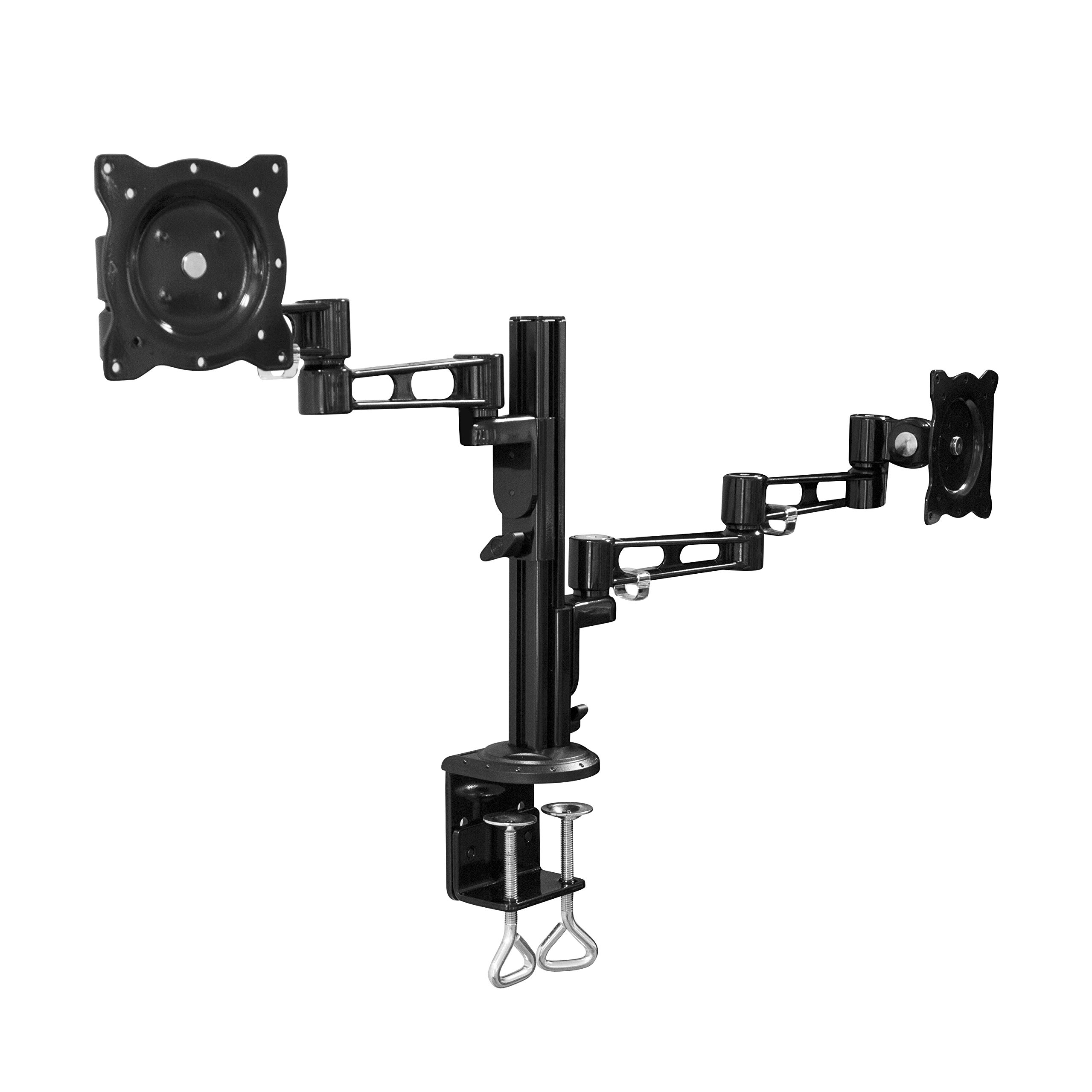
Image: All components of the LogiLink BP0074 Dual Monitor Desk Mount.
Орнотуу нускамалары
1-кадам: Үстөлдүн үстүнкү катмарын бекитүүamp столго
Үстөлдү жайгаштыруу clamp assembly on the edge of your desk. Tighten the clamp screws securely until the mount is stable. Ensure the clamp is flush with the desk surface for maximum stability.
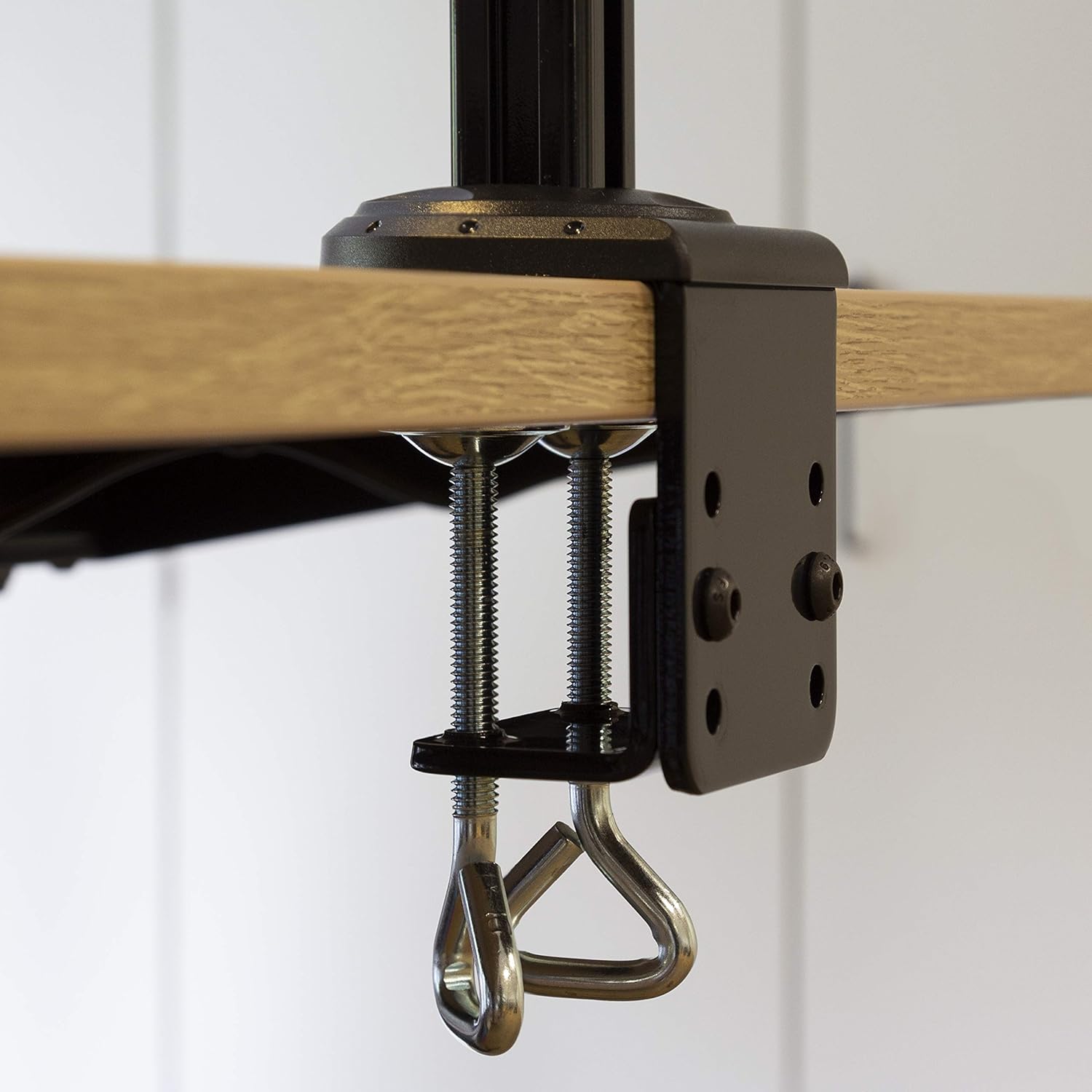
Image: Close-up of the desk clamp mechanism securely attached to a desk.
Step 2: Assemble Monitor Arms
Slide the monitor arms onto the main pole of the desk clamp assembly. Adjust their height to your desired position and secure them using the provided locking mechanisms. Ensure both arms are at a similar height for ergonomic viewing.
3-кадам: VESA плиталарын мониторлорго бекитиңиз
Align the VESA monitor plates with the mounting holes on the back of your monitors. Use the appropriate screws, washers, and spacers from the hardware kit to secure the plates to each monitor. Ensure the screws are tightened firmly but do not overtighten.

Image: VESA plate attached to the back of a monitor.
4-кадам: Мониторлорду куралдарга орнотуңуз
Carefully slide the monitors (with VESA plates attached) onto the ends of the monitor arms. Secure them in place using the quick-release or locking mechanisms on the arms. Ensure both monitors are firmly attached before releasing аларды.

Image: Two monitors mounted on the LogiLink BP0074 desk mount.
Иштөө нускамалары
Монитордун абалын тууралоо
The LogiLink BP0074 mount offers full motion capabilities:
- Россия: Adjust the monitor vertically (up/down) to reduce glare and optimize viewбурчтар.
- Айлануучу: Rotate the monitor horizontally (left/right) to share your screen or change viewбагыт.
- Айлануу: Пейзаждык жана тигинен багыттын ортосунда которулуу үчүн мониторду 360 градуска айландырыңыз.
Loosen the adjustment screws slightly with the provided Allen key before making adjustments, then tighten them once the desired position is achieved.

Image: Demonstrating the flexible positioning of monitors on the mount.
Кабель башкаруу
Utilize the integrated cable management clips on the monitor arms to route and organize your cables. This helps maintain a tidy workspace and prevents cable damage.

Image: Cable management clips on the monitor arm.

Image: Detail of cables routed through the clips for organization.
Техникалык тейлөө
Regular maintenance ensures the longevity and safe operation of your monitor mount:
- Тазалоо: монтажды жумшак менен сүртүңүз, гamp кездеме. Абразивдүү тазалагычтардан же эриткичтерден качыңыз.
- Тыюулугун текшерүү: Periodically check all screws and bolts, especially the desk clamp and VESA plate attachments, to ensure they remain tight. Retighten if necessary.
- Майлоо: No lubrication is typically required for this type of mount.
Проблемаларды чечүү
Эгер көйгөйлөргө туш болсоңуз, төмөнкү жалпы көйгөйлөрдү жана чечимдерди караңыз:
| Көйгөй | Мүмкүн себеп | Чечим |
|---|---|---|
| Monitor is unstable or sags | Screws are loose; monitor weight exceeds capacity | Tighten all connection screws. Verify monitor weight is within 6 kg per arm. |
| Монитордун абалын тууралоодогу кыйынчылык | Adjustment screws are too tight | Slightly loosen the relevant adjustment screws with the Allen key. |
| Mount slides on desk | Үстөл clamp is not tight enough | Үстөлдүн clamp is fully tightened and flush against the desk surface. |
Техникалык шарттар
| Өзгөчөлүк | Деталь |
|---|---|
| Модель номери | BP0074 |
| Колдоого алынган экрандын өлчөмү | 13 - 26 inches (per monitor) |
| Мониторлордун саны | 2 |
| Максималдуу жүктөө жөндөмдүүлүгү | Ар бир колго 6 кг (13.22 фунт) |
| VESA шайкештиги | 75x75мм, 100x100мм |
| Motion Range | Full Motion (Tilt, Swivel, Rotation) |
| Материал | Металл |
| Продукциянын өлчөмдөрү (LxWxH) | 55.3 x 79.2 x 11.6 cm (overall package/product dimensions) |
| Элемент Салмагы | 4.1 кг |
| Колдун узундугу | Each 358 mm |

Image: Technical drawing showing key dimensions and VESA patterns.
Кепилдик жана колдоо
LogiLink products are designed for reliability and performance. For warranty information or technical support, please refer to the contact details provided with your purchase documentation or visit the official LogiLink webсайт. Кепилдик дооматтары үчүн сатып алганыңыздын далилин сактап коюңуз.


