Introduction
This manual provides instructions for the Speedlink PIAVO Wireless Ergonomic Vertical Mouse (Model SL-630019-BK-01). This ergonomic mouse is designed to promote a natural, relaxed wrist posture, reducing strain on the hand, arm, shoulder, and neck during extended computer use. It features 5 buttons, adjustable DPI settings, and wireless 2.4 GHz connectivity.

1-сүрөт: Speedlink PIAVO Wireless Ergonomic Vertical Mouse, front view. This image shows the overall ergonomic design of the mouse.
Пакеттин мазмуну
Пакетте бардык буюмдар бар экенин текшериңиз:
- Speedlink PIAVO Wireless Ergonomic Vertical Mouse
- USB-A кабылдагыч
- Батарея (алдын ала орнотулган же өзүнчө камтылган)
- Көрсөтмө (бул документ)

2-сүрөт: Packaging of the Speedlink PIAVO Wireless Ergonomic Vertical Mouse. The box indicates "Wireless Vertical Mouse" and "10m Range".
Жайгашуу
- Батарея салыңыз: If the battery is not pre-installed, open the battery compartment on the underside of the mouse and insert the included battery, ensuring correct polarity.
- USB кабылдагычты туташтыруу: Locate an available USB-A port on your computer or laptop. Insert the USB-A receiver into the port.
- Чычканды күйгүзүү: Чычкандын астыңкы бетиндеги күйгүзүү/өчүрүү баскычын табыңыз. Которгучту "Күйгүзүү" абалына жылдырыңыз.
- Драйверди орнотуу: The mouse is designed for plug-and-play operation. Your operating system (e.g., Windows) should automatically detect and install the necessary drivers. This process typically takes a few seconds.
- Сыноо: Once installed, move the mouse to test cursor movement. If the cursor does not respond, ensure the mouse is powered on and the USB receiver is securely connected.

3-сүрөт: Underside of the mouse, illustrating the battery compartment and the On/Off switch. Ensure the switch is in the 'On' position for operation.
Иштөө нускамалары
The Speedlink PIAVO mouse features 5 buttons and adjustable DPI settings for optimal control.
- Сол чыкылдатуу баскычы: Стандарттык негизги чыкылдатуу функциясы.
- Оң баскычты чыкылдатуу: Стандарттык кошумча чыкылдатуу функциясы.
- Жылдыруу дөңгөлөгү: Документтерди жылдыруу үчүн жана web барактар. Ошондой эле, ортоңку чыкылдатуу функциясы үчүн басууга болот.
- DPI которуу баскычы: Located near the scroll wheel. Press this button to cycle through the available DPI settings (800, 1200, 1600 DPI). This adjusts the cursor speed and sensitivity.
- Алдыга/Артка баскычтары: Located on the side of the mouse, typically used for navigation in web браузерлер же file изилдөөчүлөр.
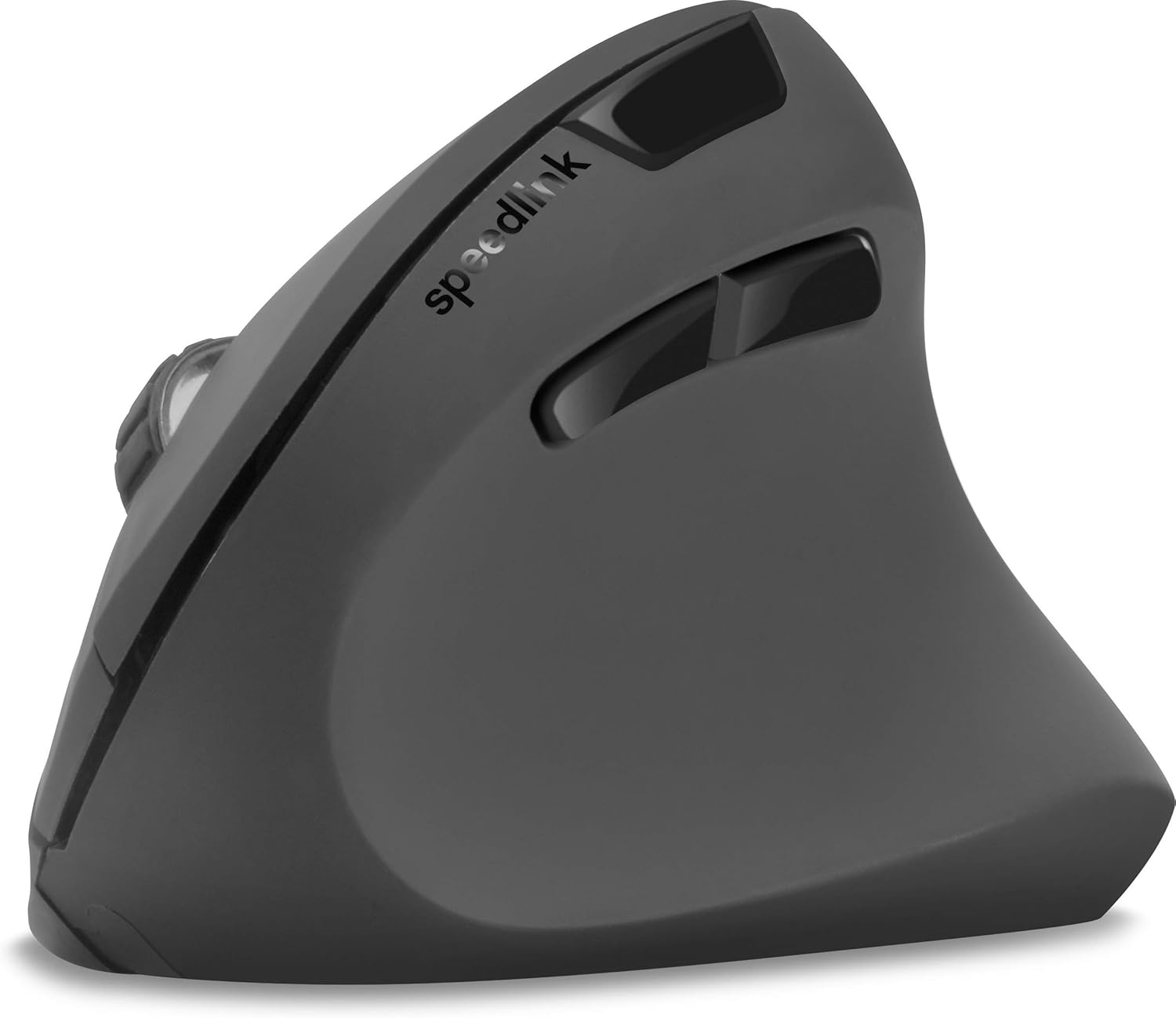
4-сүрөт: Жогорудан төмөн view of the mouse, highlighting the left/right click buttons, scroll wheel, and DPI switch button.

5-сүрөт: Side view of the mouse, illustrating the ergonomic grip and the forward/backward navigation buttons.
Энергияны үнөмдөө режими
The mouse features an energy-saving mode to conserve battery life. If the mouse is inactive for a period, it will enter a sleep state. To wake it up, simply move the mouse or press any button.
Техникалык тейлөө
To ensure the longevity and optimal performance of your Speedlink PIAVO mouse, follow these maintenance guidelines:
- Тазалоо: Чычкандын сыртын тазалоо үчүн жумшак, кургак чүпүрөктү колдонуңуз. Өжөр кир үчүн бир азamp cloth can be used, but ensure no moisture enters the mouse. Avoid using harsh chemicals or abrasive cleaners.
- Сенсор тазалоо: Occasionally, dust or debris may accumulate around the optical sensor on the underside of the mouse. Use a soft brush or compressed air to gently clean the sensor area.
- Батареяны алмаштыруу: When the mouse performance degrades or it stops responding, it may be time to replace the battery. Open the battery compartment, remove the old battery, and insert a new one of the same type, observing polarity.
- Сактагыч: When not in use for extended periods, it is recommended to switch off the mouse using the On/Off switch to conserve battery life. Store the mouse and USB receiver in a dry, dust-free environment.
Проблемаларды чечүү
| Көйгөй | Мүмкүн себеп | Чечим |
|---|---|---|
| Чычкан жооп бербей жатат / Курсор кыймылдабайт. |
|
|
| Курсордун туура эмес кыймылы. |
|
|
| DPI setting resets after sleep/reboot. | This is a known characteristic for some mice; the DPI setting may revert to default. | Press the DPI switch button to select your preferred sensitivity after waking the mouse or restarting the computer. |
Техникалык шарттар
| Модель номери | SL-630019-BK-01 |
| Байланыш | Wireless 2.4 GHz via USB-A Receiver |
| Кыймылды аныктоо | Оптикалык |
| баскычтардын саны | 5 |
| DPI орнотуулары | 800, 1200, 1600 DPI (Жөнгө салынуучу) |
| Колдун багыты | Оң колу |
| Зымсыз диапазон | 10 метрге чейин |
| Power Source | Battery-powered (Battery included) |
| Шайкеш операциялык системалар | Windows |
| Салмагы | 106 грамм |
| Түс | Кара |
Кепилдик жана колдоо
Берилген продукт маалыматтарында кепилдиктин белгилүү бир шарттары жана кардарларды колдоо кызматынын байланыш маалыматтары жөнүндө маалымат жок. Сураныч, продукттун таңгагына же өндүрүүчүнүн расмий өкүлүнө кайрылыңыз. webакыркы кепилдик маалымат жана колдоо параметрлери үчүн сайт.
Кошумча жардам алуу үчүн, сиз иш сапары менен болот Speedlink official webсайт.


