1. Киришүү
Welcome to the user manual for your ALLIMITY replacement remote control. This remote is designed to function as a direct replacement for several Panasonic Sound Bar System models, providing seamless control without the need for complex programming.
2. Орнотуу
2.1 Батареяларды салуу
- Пульттун артындагы батарея отсегин табыңыз.
- Батарея бөлүкчөсүнүн капкагын ачуу үчүн ылдый жылдырыңыз.
- Бөлүмдүн ичинде көрсөтүлгөндөй, туура полярдуулукту (+/-) текшерип, эки AAA батарейкасын (кошулмага кирбейт) салыңыз.
- Close the battery compartment by sliding the cover back into place until it clicks securely.
No programming or pairing is required. The remote is ready for use once batteries are installed.
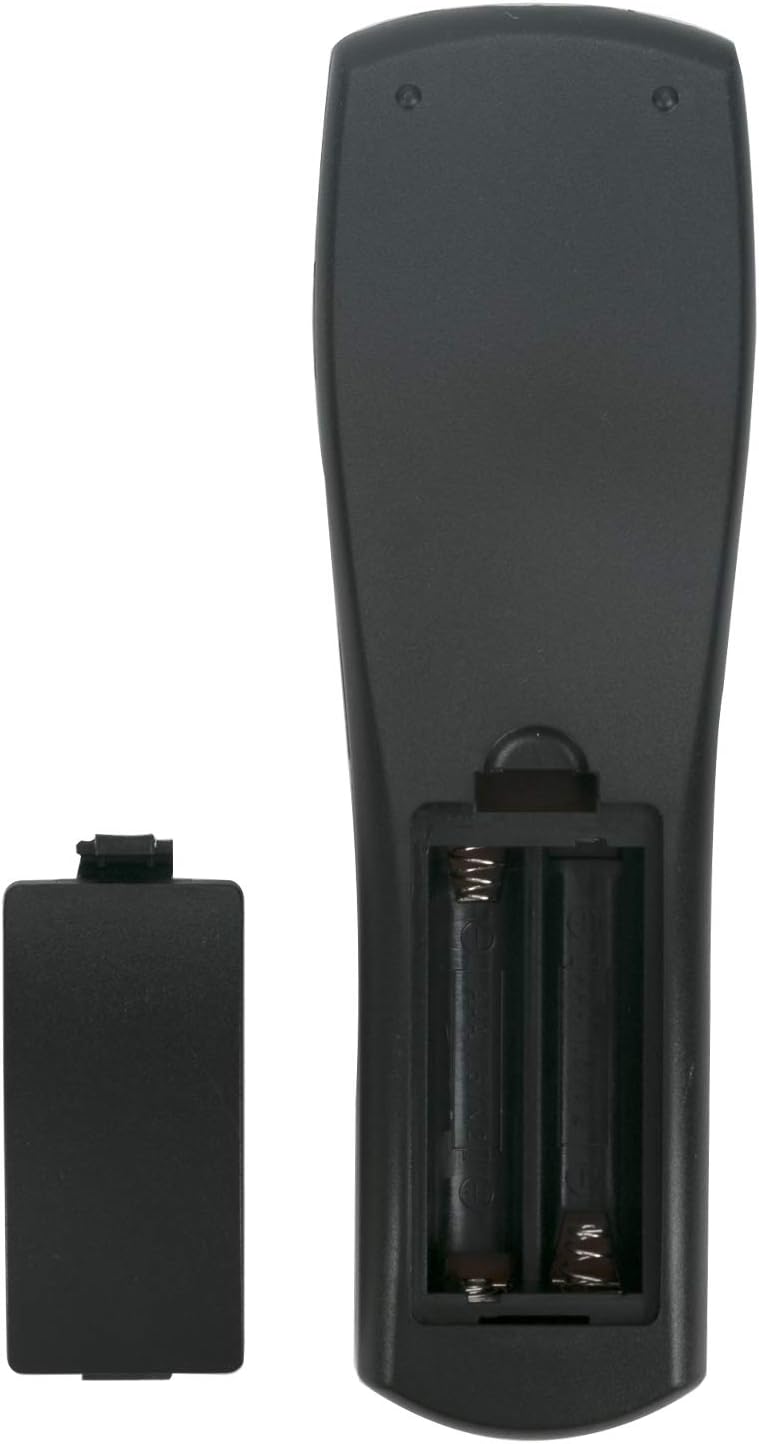
Бул сүрөт арткы бетин көрсөтөт view of the ALLIMITY remote control with the battery cover detached, revealing the two AAA battery slots. Ensure batteries are inserted with the correct polarity.
3. Иштөө нускамалары
This remote control provides full functionality for your compatible Panasonic Sound Bar System. Point the remote directly at the sound bar's infrared receiver for optimal performance.
3.1 Негизги функциялар
- Кубат баскычы: Turns the sound bar system on or off.
- Input/Selector: Cycles through available audio input sources (e.g., TV, BD/DVD, AUX).
- Үндү катуулатуу/азайтуу (VOL +/-): Adjusts the main volume level of the sound bar.
- Үнсүз: Silences or restores the audio output.
- Сабвуфер +/-: Adjusts the bass level from the subwoofer.
- Dialog Level +/-: Enhances or reduces the clarity of spoken dialog.
- Үн режими: Cycles through various preset sound modes (e.g., Music, Cinema, Standard).
- Шилтеме режими: Used for linking with other compatible Panasonic devices or features.
- Жайгашуу: Accesses the sound bar's on-screen setup menu.
- Навигация баскычтары (Өйдө, Төмөн, Солго, Оңго, ОК): Used for navigating menus and confirming selections.

This image displays the front of the ALLIMITY remote control, highlighting the layout of all buttons including Power, Input, Volume, Mute, Subwoofer, Dialog Level, Sound Mode, Link Mode, Setup, and navigation controls.
4. Техникалык тейлөө
- Keep the remote control clean by wiping it with a soft, dry cloth. Avoid using liquid cleaners.
- Avoid exposing the remote to extreme temperatures, direct sunlight, or moisture, as these can damage internal components.
- Эгерде алыстан башкаруу пульту көпкө чейин колдонулбаса, агып кетүү жана бузулуу коркунучун алдын алуу үчүн батарейкаларды алып салыңыз.
- Do not drop the remote control or subject it to strong impacts.
5. Кыйынчылыктарды
5.1 Алыстан башкаруучу жооп бербейт
- Батареяларды текшерүү: Ensure batteries are inserted correctly with the proper polarity and are not depleted. Replace with new AAA batteries if necessary.
- Line of Sight: Make sure there is a clear, unobstructed line of sight between the remote control's infrared emitter and the sound bar's infrared receiver. Remove any objects blocking the path.
- Дистанция: Operate the remote within the effective range, typically up to 10 meters (33 feet) from the sound bar.
- Интерференция: Other electronic devices, strong fluorescent lighting, or direct sunlight might interfere with the remote's infrared signal. Try operating the remote in a different environment or away from potential sources of interference.
- Шайкештик: Verify that your specific Panasonic Sound Bar System model is listed as compatible with this ALLIMITY remote control. Refer to the 'Specifications' section for a list of compatible models.
6. Техникалык шарттар
- Бренд: ALLIMITY
- Модел: N2QAYC000064 (Replaces N2QAYC000083, N2QAYC000102, N2QAYC000109, N2QAYC000121)
- Байланыш технологиясы: Инфракызыл
- Батарея түрү: 2 x AAA (Alkaline recommended)
- Батареялар камтылган: Жок
- Максималдуу диапазон: 10 метр
- Продукциянын өлчөмдөрү: 4 x 0.9 x 19 см
- Элемент Салмагы: 40 г
- Шайкеш түзмөктөр: SC-HTB20GK-K, SC-HTB20GN-K, SC-HTB20GS-K, SC-HTB20GSXK, SC-HTB20P-K, SC-HTB550GKK, SC-HTB550GSK, SC-HTB550GSX, SC-HTB550GTK, SC-HTB370, SC-HTB170, SC-HTB65, SC-HTB70, SC-HTB770, SU-HTB370, SU-HTB65, SU-HTB70, SU-HTB770, SC-HTB570, SC-HTB8, SC-HTB8EG-K, SC-HTB485, SC-HTB885EBS, SC-HTB385EBK, SCHTB485EG, SC-HTB885EGS, SC-HTB485EB, SC-HTB885, SC-HTB485GN, SC-HTB385EGK, SB-HWA580EG, SC-ALL30T, SC-ALL30TEB, SC-ALL30TEG, SC-ALL7, SC-ALL70T, SC-ALL70TEG, SC-HTB480EB, SC-HTB580, SC-HTB580EE, SC-HTB580-EGK, SC-HTB580PP, SC-HTB680, SC-HTB680EGS, SC-HTB685, SC-HTB685EGK, SC-HTB690, SC-HTB690EG, SC-HTB690GNK, SC-HTB880, SC-HTB880EGK, SC-HTE180, SC-HTE180EBK, SC-HTE180EBS, SC-HTE180EGK, SC-HTE180EGS, SC-HTE200, SC-HTE200EGK, SC-HTE80, SC-HTE80EB, SC-HTE80EE, SC-HTE80EG, SC-HTE80GN.
7. Кепилдик жана колдоо
This ALLIMITY remote control comes with a 90-day warranty from the date of purchase, covering manufacturing defects.
For any assistance, questions, or issues regarding your remote control, please contact the seller directly through your purchase platform. Provide your order details for prompt support.
