1. Киришүү
Thank you for choosing the SINGING WOOD BT25 Active Bluetooth Bookshelf Speakers. These speakers are designed to deliver high-quality audio for various applications, including PC, TV, and turntable setups. Featuring Bluetooth 5.0 connectivity, multiple wired inputs (optical and RCA), and a dedicated subwoofer output, the BT25 offers versatile audio solutions. The elegant MDF wood cabinet houses a 0.75-inch silk-dome tweeter and a 4-inch full-range woofer, providing a balanced and immersive listening experience.

Image 1.1: The SINGING WOOD BT25 Active Bluetooth Bookshelf Speakers, shown with the included remote control.
2. Пакеттин мазмуну
Төмөндө тизмеленген нерселердин баары пакетиңизге камтылганын текшериңиз. Эгерде кандайдыр бир нерселер жок болсо же бузулса, кардарларды колдоо менен байланышыңыз.
- SINGING WOOD BT25 Active Bookshelf Speakers (1 Pair)
- IR Remote Control
- Speaker Cable (for connecting active to passive speaker)
- RCA аудио кабелинен 3.5 мм
- RCAдан RCAга аудио кабели
- Оптикалык кабель
- Power Adapter (AC 100-240V, 1.2A)

Image 2.1: Visual representation of the SINGING WOOD BT25 package contents.
3. Продукт бүтүп калдыview
Familiarize yourself with the components and controls of your BT25 speakers.
3.1 алдыңкы панели
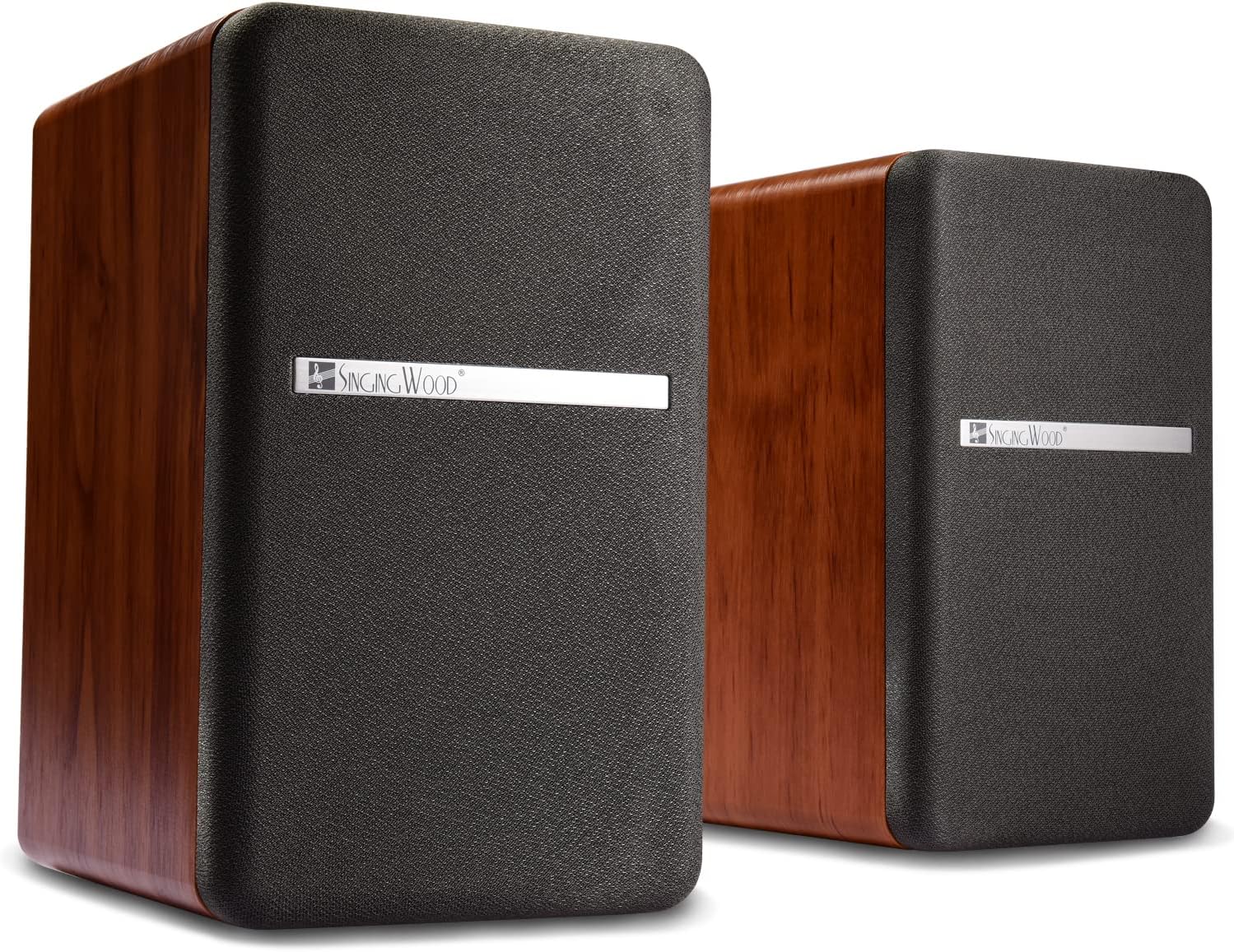
Сүрөт 3.1: Алдыңкы view of the BT25 speakers with protective grilles.
- Твиттер: 0.75-inch silk-dome tweeter for clear high frequencies.
- Вуфер: 4-inch full-range driver for mid-range and bass frequencies.
- Статус көрсөткүчү: LED light indicating power and input mode.
Сүрөт 3.2: Детальдуу view of the speaker drivers.
3.2 Side Panel (Active Speaker)

Image 3.3: Side panel controls on the active speaker.
- Treble Control Knob: Жогорку жыштыктагы чыгарууну тууралайт.
- Bass Control Knob: Төмөнкү жыштыктагы чыгарууну тууралайт.
- Volume / Input Control Knob: Rotates to adjust volume; presses to cycle through input sources.
- Power and Function Indicator: LED жарык.
3.3 Rear Panel (Active Speaker)
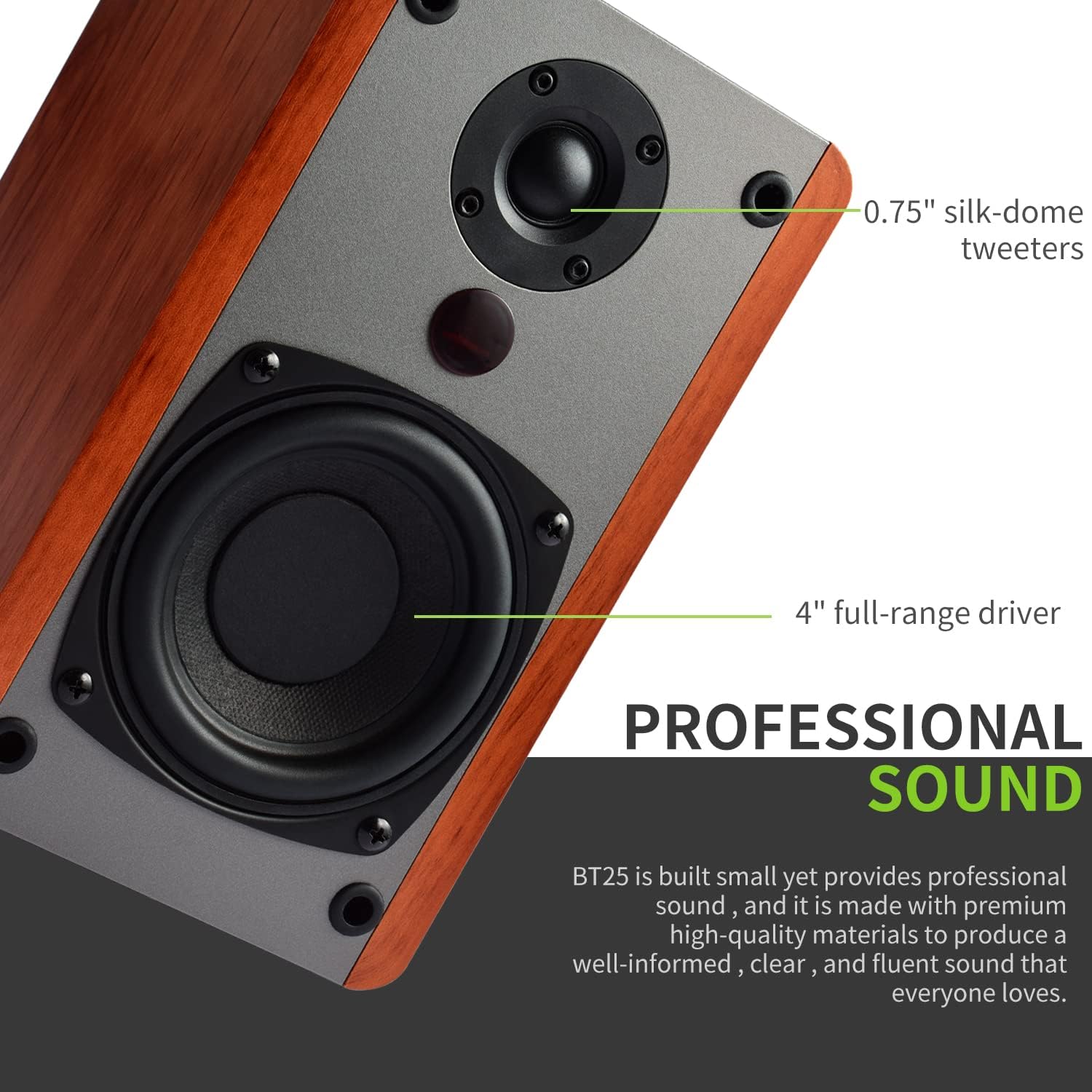
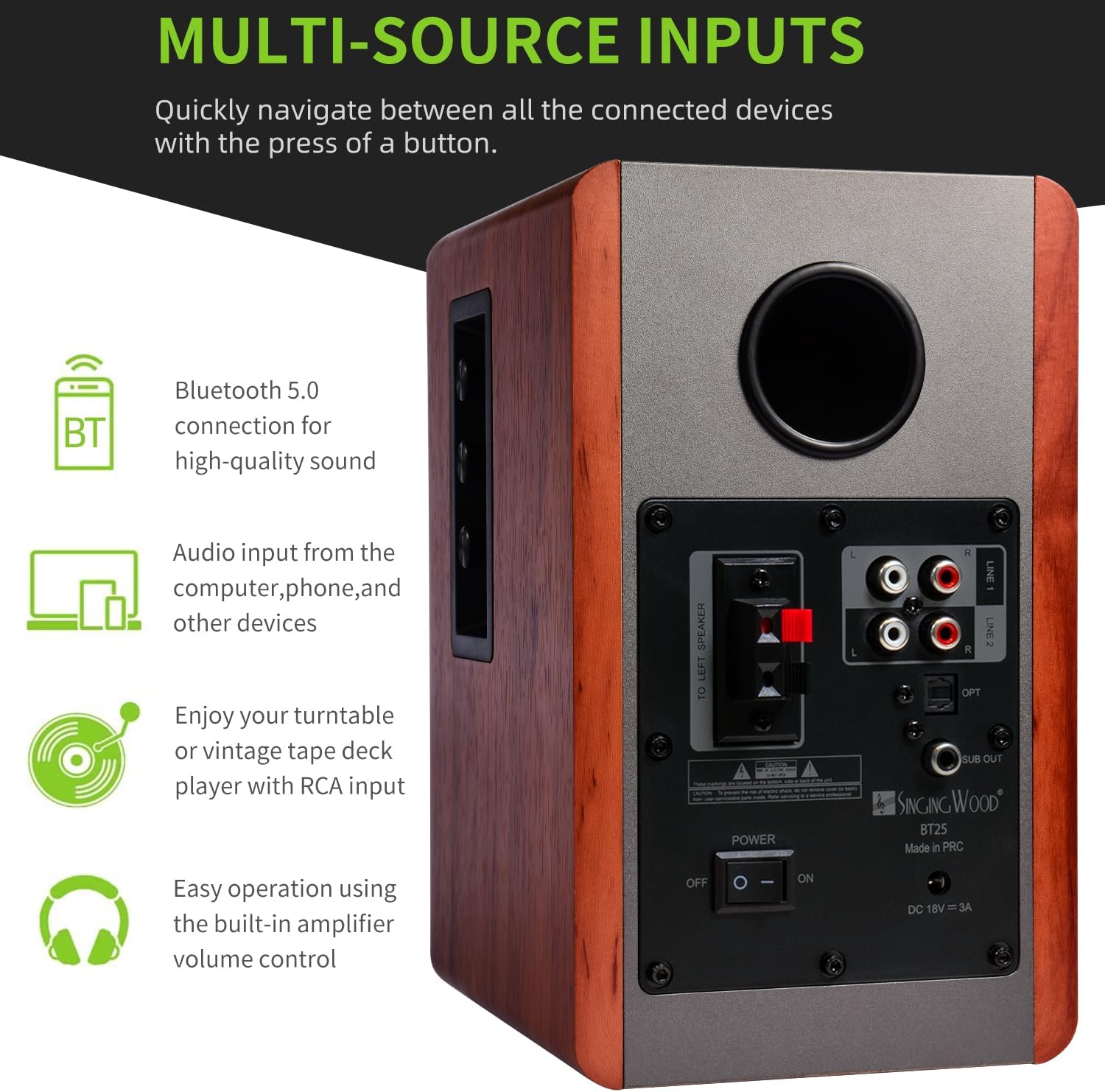
Image 3.4: Rear panel connections on the active speaker.
- Динамиктин чыгышы: Пассивдүү динамикке туташат.
- RCA Inputs (LINE 1, LINE 2): Аналогдук аудио булактарын туташтыруу үчүн.
- Optical Input (OPT): Санарип аудио булактарын туташтыруу үчүн.
- Subwoofer Output (SUB OUT): For connecting an external powered subwoofer.
- Кубат которгучу: Динамиктерди күйгүзөт же өчүрөт.
- Туруктуу кубат киргизүү: Кубат адаптерине туташат.
3.4 Алыстан башкаруу
The included remote control allows convenient operation of the speakers from a distance. It features buttons for power, volume, input selection, and Bluetooth controls.
4. Орнотуу
Follow these steps to set up your SINGING WOOD BT25 speakers.
4.1 Спикерди жайгаштыруу
Place the speakers on a stable surface, such as a bookshelf or speaker stands. For optimal stereo imaging, position the speakers equidistant from your listening position and angle them slightly inward. Ensure adequate space around the speakers for proper ventilation.
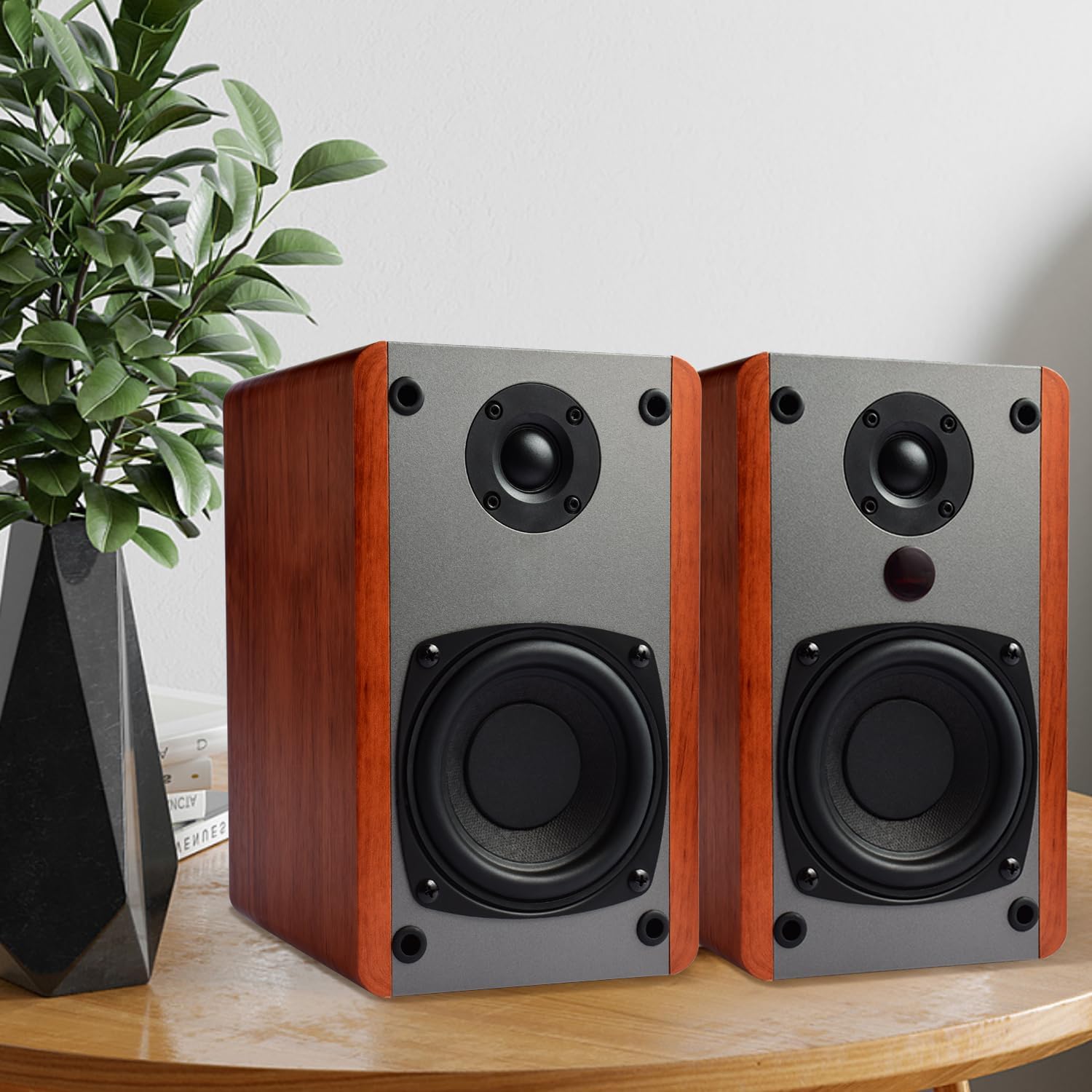
Сүрөт 4.1: Мисample of speaker placement in a room setting.
4.2 Динамиктерди туташтыруу
- Identify the active speaker (with controls and inputs) and the passive speaker.
- Use the provided speaker cable to connect the speaker output terminals on the active speaker to the input terminals on the passive speaker. Ensure correct polarity (red to red, black to black).
4.3 Кубат туташтыруу
- Ensure the power switch on the rear panel of the active speaker is in the OFF position.
- Connect the power adapter to the DC power input on the active speaker.
- Кубат адаптерин розеткага сайыңыз.
4.4 Аудио булактарын туташтыруу
The BT25 speakers support multiple audio input options:

Сүрөт 4.2: Бүттүview of multi-source input capabilities.
4.4.1 Bluetooth байланышы
- Turn on the speakers using the power switch or remote. The status indicator will flash, indicating Bluetooth pairing mode.
- On your audio device (smartphone, tablet, PC), enable Bluetooth and search for available devices.
- Select "SINGING WOOD BT25" from the list. Once connected, the status indicator will glow solid blue.
4.4.2 Optical Input (OPT)
- Use the provided optical cable to connect the optical output of your TV, game console, or other digital audio source to the OPT input on the active speaker.
- Select the Optical input using the remote or the volume/input knob.
4.4.3 RCA Inputs (LINE 1, LINE 2)
- Use the provided RCA cables (3.5mm to RCA or RCA to RCA) to connect your analog audio source (e.g., PC, CD player, turntable) to either LINE 1 or LINE 2 input on the active speaker.
- Important for Turntables: If connecting a turntable, ensure it has a built-in pre-amplifier and is set to "LINE OUT" mode, not "PHONO OUT." Connecting a PHONO output directly may result in low volume or distorted sound.
- Select the corresponding RCA input (LINE 1 or LINE 2) using the remote or the volume/input knob.
4.4.4 Subwoofer Output (SUB OUT)
- To enhance bass, connect an external powered subwoofer (not included) to the SUB OUT port on the active speaker using an RCA cable.
- Adjust the subwoofer's volume and crossover frequency according to its manufacturer's instructions and your preference.
5. Иштөө нускамалары
Learn how to control your BT25 speakers for an optimal listening experience.
5.1 Күйгүзүү/өчүрүү
- Use the power switch on the rear panel of the active speaker to turn the unit ON or OFF.
- Alternatively, press the power button on the remote control.
5.2 Киргизүүнү тандоо
- Press the volume/input control knob on the side panel of the active speaker to cycle through available inputs (Bluetooth, LINE 1, LINE 2, OPT).
- Use the dedicated input buttons (BT, LINE1, LINE2, OPT) on the remote control for direct selection.
5.3 Үндү башкаруу
- Rotate the volume/input control knob on the side panel to adjust the volume level.
- Use the Volume Up (+) and Volume Down (-) buttons on the remote control.
5.4 Тондорду башкаруу
- Use the Treble and Bass control knobs on the side panel of the active speaker to fine-tune the audio output to your preference.
- The center position on each knob represents a neutral setting.
5.5 Bluetooth операциясы
- Жупташтыруу: If the speakers are not connected, they will automatically enter pairing mode (flashing blue LED). Select "SINGING WOOD BT25" on your device.
- Ажыратууда: To disconnect a currently paired device, press and hold the BT button on the remote control, or disconnect from your device's Bluetooth settings.
- Кайра туташуу: The speakers will attempt to reconnect to the last paired device automatically when Bluetooth input is selected.
6. Техникалык тейлөө
Proper care will ensure the longevity and performance of your speakers.
- Тазалоо: Wipe the speaker cabinets with a soft, dry cloth. Avoid using abrasive cleaners, waxes, or solvents.
- Чаң: Regularly dust the speaker grilles and drivers using a soft brush or vacuum cleaner with a brush attachment.
- Курчап турган чөйрө: Keep the speakers away from direct sunlight, heat sources, and excessive moisture. Ensure proper ventilation.
- Колдонуу: Динамиктердин үстүнө оор нерселерди коюудан же аларды катуу соккуга дуушар кылуудан алыс болуңуз.
7. Кыйынчылыктарды
If you encounter issues with your speakers, refer to the following common problems and solutions.
| Көйгөй | Мүмкүн себеп | Чечим |
|---|---|---|
| Күч жок | Электр кабели туташкан эмес; Кубат өчүргүч өчүрүлгөн; Розетканын иштебей калышы | Электр кабелинин бекем туташтырылганын текшериңиз. Кубат которгучун КҮЙГҮЗҮҢҮЗ. Розетканы башка түзмөк менен текшериңиз. |
| Үн жок | Incorrect input selected; Volume too low; Audio cable loose/faulty; Source device issue | Select correct input. Increase volume. Check all cable connections. Test with another audio source. |
| Бурмаланган үн | Volume too high; Source audio distorted; Turntable PHONO output used | Reduce volume. Check source audio quality. Ensure turntable is set to LINE OUT. |
| Bluetooth туташпай жатат | Speakers not in pairing mode; Device too far; Interference; Previously paired device connected | Ensure speakers are in pairing mode (flashing blue LED). Move device closer. Disconnect from other devices. Try re-pairing. |
| Пульт иштебей жатат | Battery depleted; Obstruction; Remote out of range | Replace remote battery (CR2025). Remove obstructions. Point remote directly at the active speaker. |
8. Техникалык шарттар
Detailed technical specifications for the SINGING WOOD BT25 speakers.
| Өзгөчөлүк | Спецификация |
|---|---|
| Модель аты | BT25 |
| Бренд | ЫРДАГАН ЖАГЫН |
| Динамик түрү | Bookshelf, Active |
| Байланыш технологиясы | Bluetooth 5.0, RCA, Optical |
| Динамик чыгаруу күчү | 80 Watts (Max), 50 Watts (Output) |
| Вуфердин диаметри | 4 дюйм |
| Tweeter диаметри | 0.75 Inches (Silk-dome) |
| Frequency Response | 66 Гц (минималдуу) |
| Ызы-чуунун катышы | 84 дБ |
| Импеданс | 4 Ом |
| Киргизүү көлөмүtage | 100 вольт |
| Материал | Жыгач (MDF) |
| Түс | Cherry Wood |
| Продукциянын өлчөмдөрү (D x W x Y) | 17.8 см x 12.7 см x 22.9 см (7 x 5.24 x 8.9 дюйм) |
| Продукт Салмагы | Болжол менен 10 фунт |
| Башкаруу ыкмасы | Алыстан башкаруу |
| Өзгөчөлүктөр | Bluetooth, Subwoofer Output, Treble/Bass Control |
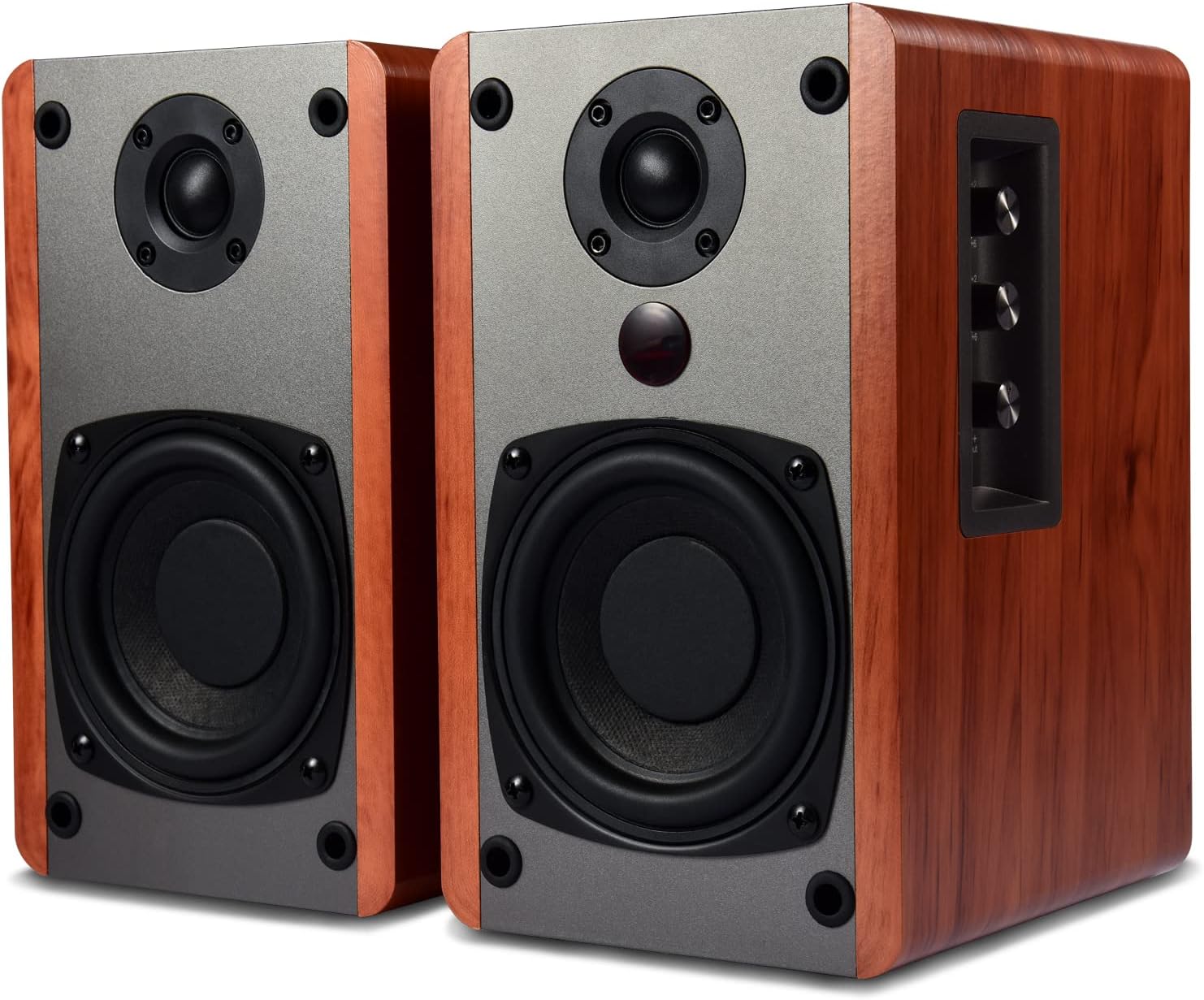
Image 8.1: Dimensions of the BT25 speaker.
9. Кепилдик жана колдоо
SINGING WOOD provides comprehensive support for your product.
- Кепилдик: The BT25 speakers come with a two-year warranty covering parts and labor.
- Техникалык колдоо: Lifetime technical support is available for all SINGING WOOD products.
- For warranty claims or technical assistance, please refer to the contact information provided with your purchase or visit the official SINGING WOOD webсайт.


