Introduction
The Ansmann Powerline 4 Ultra is a versatile battery charger and capacity tester designed for 1-4 AAA, AA, C, D NiMH batteries, and Li-Ion batteries ranging from size 10340 to 26650. It features four independent charging programs, a USB port for charging external devices, and a clear LCD display for monitoring battery status. This manual provides detailed instructions for safe and efficient use of your device.

Image: Ansmann Powerline 4 Ultra Battery Charger, showing the display and four battery slots.
Коопсуздук нускамалары
- Заряддоочу түзүлүштү колдонуудан мурун бардык көрсөтмөлөрдү окуп чыгыңыз.
- Do not charge non-rechargeable batteries. This can lead to leakage, rupture, or explosion.
- Берилген кубат адаптерин гана колдонуңуз.
- Заряддагычты жамгырга же нымга тийгизбеңиз.
- Заряддоочу түзүлүштү ажыратпаңыз же өзгөртпөңүз.
- Заряддагычты балдардан жана үй жаныбарларынан алыс кармаңыз.
- Заряддоо учурунда туура желдетүүнү камсыз кылыңыз.
- If the charger is damaged, discontinue use immediately.
Пакеттин мазмуну
- Ansmann Powerline 4 Ultra Battery Charger
- AC кубат адаптери
- Колдонуучунун Колдонмосу (бул документ)
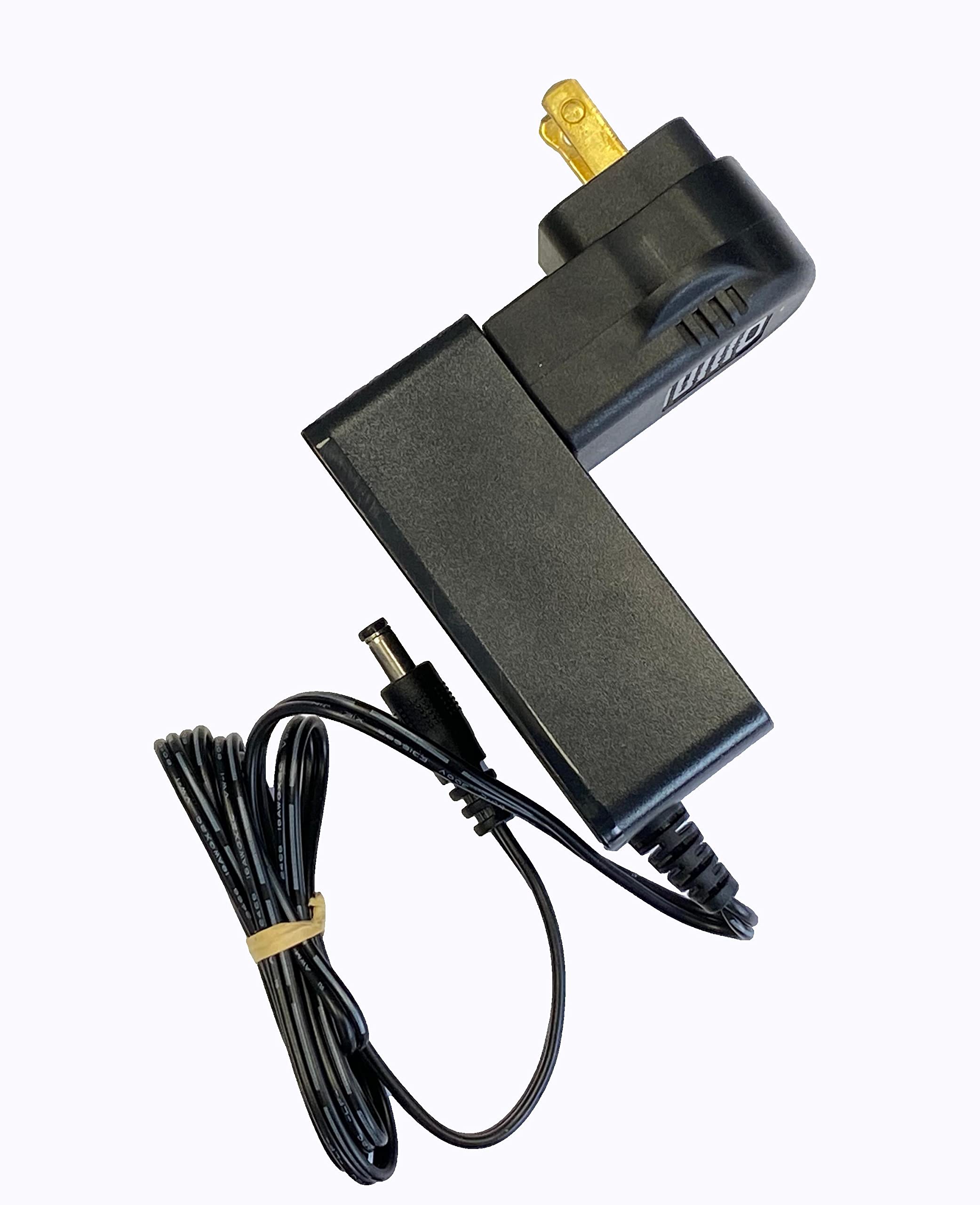
Image: The AC power adapter for the Ansmann Powerline 4 Ultra charger.
Жайгашуу
- Unpack the Ansmann Powerline 4 Ultra charger and its accessories.
- Connect the AC power adapter to the charger's power input port.
- Plug the AC power adapter into a standard wall outlet. The charger's LCD display will illuminate, indicating it is ready for use.
Иштөө нускамалары
Батареяларды салуу
The charger features four universal charge bays. Insert rechargeable batteries into the bays, ensuring correct polarity (+ and -). The charger can accommodate battery cells with a diameter up to 33mm and a length of 70mm, supporting NiMH batteries from AAA to D sizes, and Li-Ion batteries from 10400 to 32650. Up to four batteries can be charged simultaneously, though the number may be reduced for larger diameter batteries.

Сүрөт: Жогорку view of the charger with various battery types inserted into the charging bays.
Заряддоо функциясы
Upon insertion, the charger automatically initiates the charge mode, charging each battery individually. Batteries of different types, capacities, and charge conditions can be mixed. Once fully charged, the charger transitions to pulse maintenance charging to ensure the battery remains at 100%. Individual battery cells can be removed or inserted without affecting the charging process in other bays.
Adjustable Programming
The device allows for individual adjustment of the charge program and current for each bay. Use the "Режим" button to select the charge mode and the "Current" button to select the charge current. The default charging current is 500mA. For faster charging, three rechargeable batteries can be charged at 1500mA, or two rechargeable batteries at 2000mA.
Кубаттуулукту текшерүүчү
The Powerline 4 Ultra can individually test the capacity of an inserted battery. The digital readout on the LCD display will show the remaining capacity, providing insight into the battery's health and performance.
LCD дисплей маалыматы
The large LCD display provides clear information for each charge bay, including:
- Заряддалуучу батарея томtage (V)
- Charge/discharge current (mA)
- Кубаттуулугу (мАч)
- Charge duration (h)
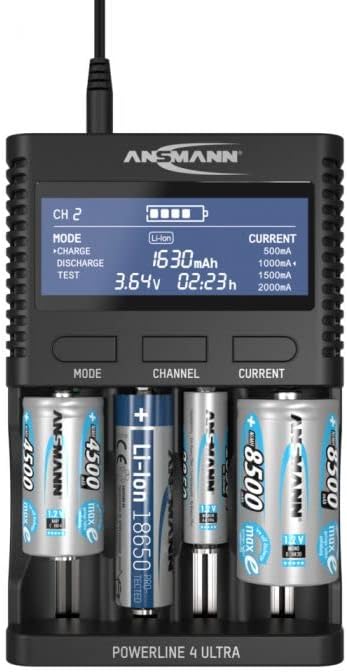
Сүрөт: алдыңкы view of the charger with batteries, highlighting the detailed information on the LCD display.
USB туташуу
The charger includes a USB port (5V/2A) for charging conventional USB devices such as power banks, cameras, smartphones, and tablets. This feature is convenient for travel, reducing the need for multiple chargers.
Техникалык тейлөө
- Тазалоо: Disconnect the charger from the power outlet before cleaning. Use a soft, dry cloth to wipe the exterior. Do not use liquid cleaners or solvents.
- Сактагыч: Кубаттоочу түзүлүштү колдонулбаган учурда салкын, кургак жерде, күндүн түз тийген нурларынан жана өтө жогорку температурадан алыс сактаңыз.
- Батареянын байланыштары: Periodically check the battery contacts for any debris or corrosion. Clean gently with a cotton swab if necessary.
Проблемаларды чечүү
| Көйгөй | Мүмкүн себеп | Чечим |
|---|---|---|
| Кубаттагычтын дисплейи өчүк. | Электр байланышы жок. | Ensure the power adapter is securely connected to the charger and the wall outlet. |
| Батарея заряддалбай жатат. | Incorrect battery insertion or non-rechargeable battery. | Check battery polarity. Ensure the battery is rechargeable. Clean battery contacts if necessary. |
| USB device not charging. | USB cable issue or device incompatibility. | Try a different USB cable. Ensure the USB device is compatible with 5V/2A charging. |
| Дисплей ката билдирүүсүн көрсөтөт. | Battery fault or incompatible battery. | Remove and reinsert the battery. If the error persists, the battery may be faulty or not supported. |
Техникалык шарттар
- Модель номери: 1001-0080
- Продукциянын өлчөмдөрү: 6.69 x 4.31 x 1.48 дюйм (17.0 x 10.9 x 3.7 см)
- Элемент Салмагы: 1.28 фунт (580 грамм)
- Шайкеш батареянын түрлөрү: NiMH (AAA, AA, C, D), Li-Ion (10400 to 32650)
- Output Voltage: 3.7 Volts (DC) for Li-Ion (Charging voltage varies by battery type)
- USB чыгышы: 5V/2A
- Өндүрүүчү: Ansmann
Кепилдик маалымат
Ansmann products are typically covered by a manufacturer's warranty against defects in materials and workmanship. Please refer to the warranty card included with your product or visit the official Ansmann website for specific warranty terms and conditions applicable to your region. Keep your purchase receipt as proof of purchase for warranty claims.
Колдоо
Кошумча жардам, техникалык колдоо же үчүн view other Ansmann products, please visit the official Ansmann store or contact their customer service department.
Visit the Ansmann Store on Amazon


