Introduction
The SONOFF S31 WiFi Smart Plug is a compact and intelligent outlet designed to provide remote control, energy monitoring, and smart automation for your home appliances. This manual provides comprehensive instructions for setting up, operating, maintaining, and troubleshooting your S31 Smart Plug.

Image: The SONOFF S31 Smart Plug shown alongside a smartphone displaying its energy monitoring interface.
Негизги өзгөчөлүктөрү
- Энергия мониторинги: Реалдуу убакыттагы кубаттуулукту, ток күчүн жана көлөмүн көзөмөлдөңүзtage of connected appliances. Access 100-day daily/monthly energy usage data and total electricity cost via the eWeLink App.
- Үн менен башкаруу: Seamlessly integrate with Amazon Alexa and Google Home Assistant for convenient voice commands to turn devices on/off.
- Акылдуу алыстан башкаруу: Control any connected home appliance remotely via the eWeLink App on your smartphone or tablet, without distance or time limitations.
- График түзүү жана таймерлер: Set countdown, single, or repeat timers to automatically turn the WiFi controlled outlet on or off, promoting energy saving.
- Топту башкаруу жана бөлүшүү: Group multiple devices for simultaneous control with a single tap. Share device control with family members for collaborative smart home management.
- Компакт дизайн: Designed to be compact, allowing two S31 plugs to fit in a standard US power outlet.
- ETL тастыкталган коопсуздук: Features overload protection, 15A max current, and a 750°C V-0 fire-resistant PC shell for enhanced safety.

Сүрөт: An overview of the SONOFF S31's smart features, highlighting remote control, voice control, timer & schedule, energy monitoring, compact size, group & share control, and LAN control.
Коопсуздук маалыматы
The SONOFF S31 Smart Plug is designed with multiple safety features to ensure reliable and secure operation. Please adhere to the following guidelines:
- ETL тастыкталган: The device has passed ETL certification, ensuring compliance with North American safety standards.
- Ашыкча жүктөн коргоо: Built-in protection ensures your device operates safely within its rated range, preventing damage from excessive current.
- 15A Max Current: 15 максималдуу ток күчүнөн ашпаңыз Amps to prevent overheating and potential hazards.
- Отко чыдамдуу материал: Constructed with a 750°C V-0 fire-resistant PC shell for enhanced safety.
- Ensure the plug is fully inserted into a compatible outlet.
- Аппаратты ажыратпаңыз же өзгөртпөңүз.
- Суу жана жогорку нымдуу чөйрөлөрдөн алыс болуңуз.

Image: Visual representation of the SONOFF S31's safety features, highlighting ETL certification, overload protection, 15A Max Current, and 750°C V-0 Fire-resistant Shell.
Орнотуу жана орнотуу
SONOFF S31 акылдуу сайгычыңызды орнотуу үчүн төмөнкү кадамдарды аткарыңыз:
- eWeLink колдонмосун жүктөп алыңыз: Издөө "eWeLink" in your smartphone's app store (iOS or Android) and download it.
- Катталуу/Кирүү: Open the eWeLink App and register a new account or log in if you already have one.
- Түзмөккө сайыңыз: Insert the SONOFF S31 Smart Plug into a standard wall outlet.
- Жупташтыруу режимине кирүү:
- Long press the pairing button on the S31 for 5 seconds until the LED indicator blinks quickly (blinking twice and on).
- Long press the pairing button for 5 seconds again until the LED indicator blinks constantly (for compatible mode).
- Колдонмого түзмөк кошуу: In the eWeLink App, tap the "+" icon to add a new device. Select the appropriate pairing method (e.g., Quick Pairing or Compatible Mode).
- Wi-Fi'га туташуу: Ensure your phone is connected to a 2.4GHz Wi-Fi network. The S31 only supports 2.4GHz Wi-Fi. Enter your Wi-Fi password in the app.
- Толук жупташтыруу: The app will search for and connect to your S31. Once connected, you can rename the device and assign it to a room.
Video: An official SONOFF video demonstrating the setup and various features of the S31 Smart Plug, including app control and voice commands.
Иштөө нускамалары
Once your SONOFF S31 is set up, you can control it in several ways:
1. Колдонмону башкаруу (eWeLink)
- eWeLink колдонмосун ачыңыз.
- Tap on the S31 device icon to toggle it On/Off.
- Access detailed controls for scheduling, timers, and energy monitoring within the device interface.
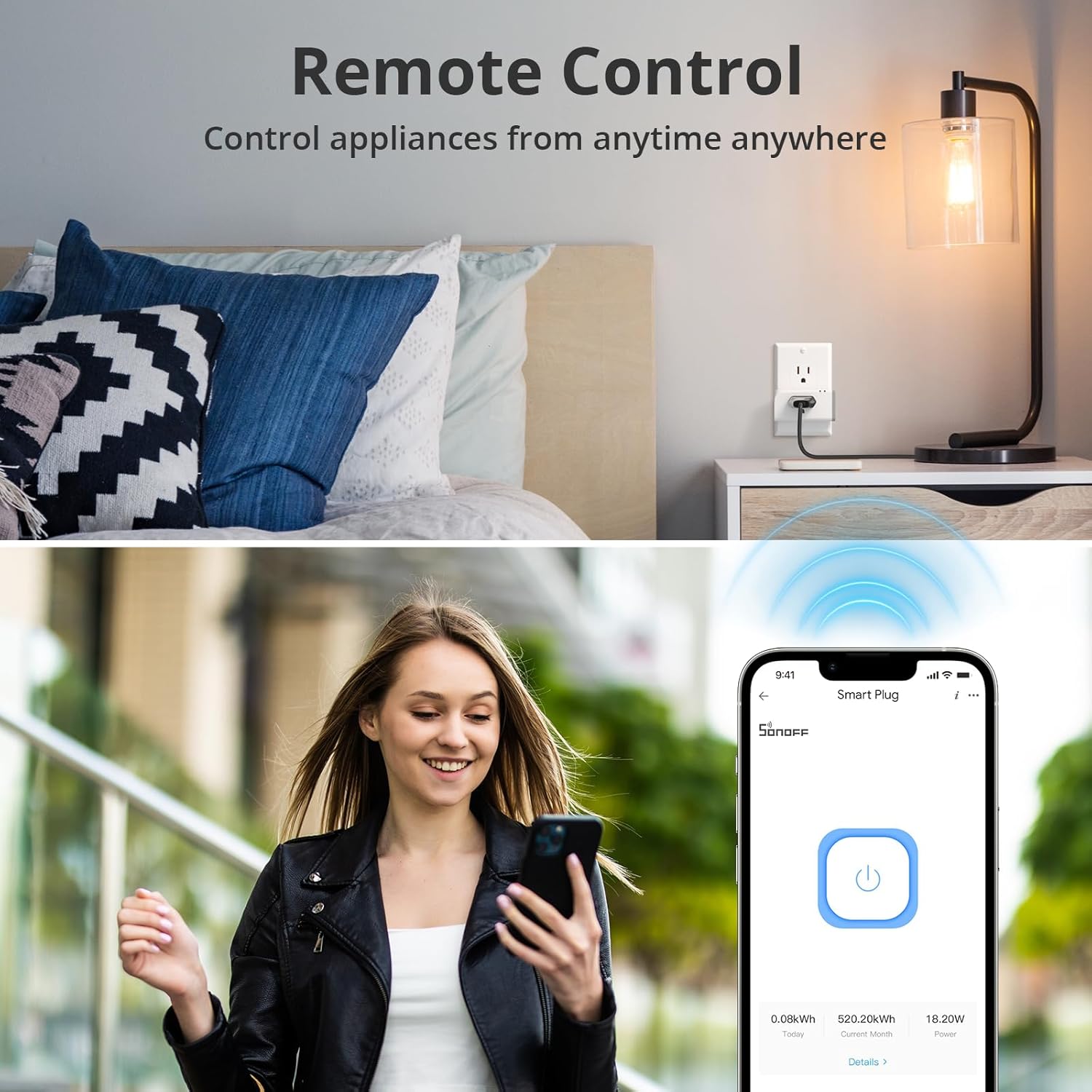
Image: A user demonstrating remote control of the smart plug via the eWeLink app on their smartphone.
2. Үн менен башкаруу (Alexa жана Google Home)
Integrate your S31 with voice assistants for hands-free control:
- Каттоо эсептерин байланыштыруу: In the Alexa or Google Home app, enable the "eWeLink Smart Home" skill/service and link your eWeLink account.
- Түзмөктөрдү табуу: Ask your voice assistant to "Discover devices" or manually add the S31.
- Үн буйруктары: Мындай буйруктарды колдонуңуз:
- "Alexa, turn on [device name]"
- "Hey Google, turn off [device name]"

Image: A user interacting with an Amazon Echo device to control a fan connected to the SONOFF S31 Smart Plug using voice commands.
3. Кол менен башкаруу
The S31 features a physical button for direct control:
- Press the power button on the side of the S31 to manually toggle the connected appliance On/Off.
Энергия мониторинги
The SONOFF S31 provides detailed energy consumption data to help you manage your power usage and save on electricity costs.
- Реалдуу убакыттагы маалыматтар: View live power (Watts), current (Ampс), жана томtage (Volts) readings for the connected device in the eWeLink App.
- Тарыхый дата: Access daily and monthly energy consumption reports for up to 100 days. This allows you to identify energy-hungry appliances and optimize usage patterns.
- Cost Calculation: Input your electricity tariff in the app to estimate the total electricity cost of connected devices.

Image: A smartphone displaying the energy consumption dashboard within the eWeLink app, showing daily usage graphs and real-time power metrics.
Video: An official SONOFF video highlighting the power monitoring capabilities of the S31 Smart Plug.
Техникалык тейлөө
To ensure the longevity and optimal performance of your SONOFF S31 Smart Plug, follow these maintenance tips:
- Тазалоо: Gently wipe the exterior of the plug with a dry, soft cloth. Do not use liquid cleaners or abrasive materials.
- Сактагыч: If storing the device for an extended period, unplug it from the wall outlet and keep it in a cool, dry place.
- Программалык камсыздоонун жаңыртуулары: Regularly check the eWeLink App for firmware updates to ensure your device has the latest features and security enhancements.
- Ашыкча жүктөөдөн качыңыз: Do not connect appliances that exceed the maximum 15A / 1800W rating.
Проблемаларды чечүү
If you encounter issues with your SONOFF S31 Smart Plug, try the following solutions:
| Көйгөй | Мүмкүн себеп | Чечим |
|---|---|---|
| Device fails to pair. | Incorrect pairing mode, 5GHz Wi-Fi, weak signal. | Ensure device is in compatible pairing mode. Connect phone to 2.4GHz Wi-Fi. Move device closer to router. |
| Түзмөк колдонмодо оффлайн режиминде. | Wi-Fi disconnected, power outagд, роутер көйгөйлөрү. | Check Wi-Fi connection. Restart router and S31. Re-pair if necessary. |
| Үн башкаруу иштебейт. | Account not linked, device not discovered, incorrect commands. | Verify eWeLink skill is enabled and accounts are linked. Re-discover devices. Use correct device names. |
| Energy monitoring inaccurate. | Temporary glitch, app synchronization issue. | Restart the eWeLink App. Unplug and replug the S31. Ensure stable Wi-Fi connection. |
Техникалык шарттар
- Модел: S31
- Киргизүү: 120V AC, 60Гц
- Максималдуу жүк: 15А / 1800 Вт
- Wi-Fi: IEEE 802.11 b / g / n 2.4GHz
- Материал: PC V0 (Fire-resistant)
- Өлчөмдөрү (L x W x Y): 3 x 2 x 1.02 дюйм (болжол менен)
- Салмагы: 3.2 унция (болжол менен)
- Сертификаттар: ETL Certified
- Башкаруу ыкмасы: Remote (App), Voice (Alexa, Google Assistant), Manual
Кепилдик жана колдоо
Кепилдик маалыматы жана техникалык колдоо үчүн расмий SONOFFке кайрылыңыз webсайтка же кардарларды тейлөөгө кайрылыңыз. Кепилдик дооматтар үчүн сатып алуу дүмүрчөгүңүздү сактаңыз.
Additional resources, including user guides and installation manuals, may be available on the product's Amazon page under the "Documents" section.
- Колдонуучунун колдонмосу (PDF): View/ Жүктөө
- Орнотуу боюнча колдонмо (PDF): View/ Жүктөө


