1. Киришүү
Thank you for choosing the Antec NX800 Mid Tower Gaming Case. This manual provides detailed instructions for the proper installation, operation, and maintenance of your new PC case. The NX800 is designed to offer excellent compatibility, cooling performance, and aesthetic appeal for your gaming and high-performance computing needs.
Key features include USB 3.0 connectivity, extensive storage drive bays, and support for large expansion cards and liquid cooling solutions. It comes equipped with two 200mm ARGB fans in the front and one 120mm ARGB fan in the rear, along with a built-in LED controller for customizable lighting.
2. Продукциянын өзгөчөлүктөрү
- Motherboard колдоо: Accommodates motherboards up to E-ATX size.
- Included ARGB Fans: Features 2 x 200 mm ARGB fans in the front and 1 x 120 mm ARGB fan in the rear for optimal airflow and customizable lighting.
- Радиатор колдоо: Ready for liquid cooling radiators up to 360 mm in the front, 280 mm on top, and 140 mm in the rear.
- ARGB Sync: Supports synchronization of up to 6 ARGB fans simultaneously for unified lighting effects.
- Flexible Storage Potential: Offers versatile storage options with support for up to 3 x 3.5" HDDs and 4 x 2.5" SSDs.
- Температуралуу айнек каптал панели: A clear tempered glass side panel showcases your internal components and ARGB lighting.

Figure 2.1: Antec NX800 Mid Tower Gaming Case with illuminated ARGB fans.

Figure 2.2: Illustration of the included 2x 200mm ARGB fans for the front and 1x 120mm ARGB fan for the rear.
3. Component Overview
Familiarize yourself with the various parts and connectors of the Antec NX800 case before beginning installation.
3.1 Алдыңкы киргизүү/чыгаруу порттору
- Кубат баскычы: Системаны күйгүзүү/өчүрүү үчүн.
- Калыбына келтирүү баскычы: Системаны кайра иштетүү үчүн.
- LED башкаруу баскычы: To cycle through ARGB lighting modes or sync with motherboard.
- MIC/AUDIO Jacks: For microphone input and audio output.
- USB 2.0 порттору (x2): USB 2.0 түзмөктөрүн туташтыруу үчүн.
- USB 3.0 порту (x1): Жогорку ылдамдыктагы USB 3.0 түзмөктөрүн туташтыруу үчүн.

3.1-сүрөт: Детальдуу view of the front I/O ports on the Antec NX800 case.
3.2 Ички жайгашуу
The NX800 provides a spacious interior for easy component installation and efficient cable management.

Figure 3.2: Internal layout highlighting component compatibility, including E-ATX motherboard, CPU cooler (max 180mm), GPU (max 350mm), 3.5" HDDs/2.5" SSDs, and PSU (max 200mm).
4. Орнотуу боюнча колдонмо
Follow these steps for a smooth and successful build process.
4.1 Ишти даярдоо
- Carefully remove the tempered glass side panel by unscrewing the thumb screws and gently pulling it away.
- Кабелди башкаруу аймагына жетүү үчүн арткы каптал панелди алып салыңыз.
4.2 Motherboard орнотуу
- Install the I/O shield (if not pre-installed on your motherboard).
- Align your motherboard with the standoffs inside the case. Ensure the standoffs match your motherboard's form factor (ATX, Micro-ATX, E-ATX).
- Берилген бурамалар менен энелик тактаны бекитиңиз.
4.3 Сактоочу дискти орнотуу
- 3.5" HDD: Locate the HDD cage at the bottom of the case. Slide the HDD into the drive tray and secure it with screws.
- 2.5" SSD: Mount SSDs to the dedicated SSD trays located behind the motherboard tray or on the PSU shroud. Secure with screws.
4.4 Электр менен камсыздоону орнотуу
- Place your ATX power supply unit (PSU) into the PSU shroud at the bottom rear of the case.
- Арткы бурамаларды колдонуп, кубат буласын корпуска бекитиңиз.
4.5 Желдеткичти жана Радиаторду орнотуу
The NX800 supports various fan and radiator configurations:
- Алдыңкы: 3 x 120mm / 3 x 140mm fans or 1 x 360mm / 1 x 280mm radiator. (2 x 200mm ARGB fans pre-installed)
- Жогорку: 2 x 120mm / 2 x 140mm fans or 1 x 280mm radiator.
- Арткы: 1 x 120mm / 1 x 140mm fan or 1 x 140mm radiator. (1 x 120mm ARGB fan pre-installed)

Figure 4.1: Diagram illustrating fan and radiator mounting options in the Antec NX800 case.
4.6 Кабелди башкаруу
колдонуу ample space behind the motherboard tray and the cable routing cutouts to manage your cables. This improves airflow and aesthetics.
5. ARGB жарыкты башкаруу
The Antec NX800 features a built-in ARGB LED controller that supports up to 6 ARGB fans. You can control the lighting effects via the dedicated LED control button on the front I/O panel or synchronize it with your motherboard's ARGB software.
- Using the LED Button: Press the LED button to cycle through various pre-set lighting modes.
- Motherboard синхрондоштуруу: Press and hold the LED button for 3 seconds to switch control to your motherboard's ARGB software. Ensure the controller's motherboard sync cable is connected to your motherboard's 3-pin 5V ARGB header.

Figure 5.1: Diagram showing the built-in LED controller with 6-pin ARGB fan connectors and motherboard sync connector.
6. Техникалык тейлөө
Үзгүлтүксүз тейлөө сиздин PC компоненттеринин оптималдуу иштешин жана узак иштөөсүн камсыз кылат.
- Чаң чыпкалары: The NX800 includes removable dust filters on the top and front. Periodically remove and clean these filters with compressed air or water (ensure they are completely dry before re-installing).
- Жалпы тазалоо: Use a soft, dry cloth to wipe down the exterior of the case. For the tempered glass panel, use a glass cleaner and a microfiber cloth.
- Internal Dust: Every few months, open the case and use compressed air to remove dust from internal components and fans.
7. Кыйынчылыктарды
If you encounter issues with your Antec NX800 case, refer to the following common problems and solutions:
| Көйгөй | Мүмкүн себеп | Чечим |
|---|---|---|
| Fans not spinning / LEDs not lighting up | Loose power connection to fans or controller; Controller not connected to PSU; Motherboard sync issue. | Check all fan and controller power connections. Ensure the controller is powered. If using motherboard sync, verify the 3-pin 5V ARGB cable is correctly connected and try cycling the LED button. |
| Алдыңкы I/O порттору иштебей жатат | Front panel cables not connected to motherboard. | Ensure all front panel cables (USB, Audio, Power SW, Reset SW, HDD LED, Power LED) are securely connected to the correct headers on your motherboard. Refer to your motherboard manual for header locations. |
| Poor airflow / High temperatures | Dust buildup on filters or fans; Incorrect fan orientation; Poor cable management. | Clean dust filters and fans. Ensure fans are oriented correctly for optimal intake/exhaust. Improve cable management to reduce airflow obstruction. |
8. Техникалык шарттар
Detailed specifications for the Antec NX800 Mid Tower Gaming Case:
| Өзгөчөлүк | Спецификация |
|---|---|
| Модель аты | NX800 |
| Иштин түрү | Ара Tower |
| Motherboard шайкештиги | E-ATX, ATX, Micro-ATX, ITX |
| Өлчөмдөрү (LxWxH) | 21.75 x 11.75 x 22 дюйм (болжол менен 552 x 298 x 559 мм) |
| Салмагы | 17.38 фунт (болжол менен 7.9 кг) |
| Материал | Эритмеленген болот, пластик, чыңдалган айнек |
| Кеңейтүү уячалары | 7 Горизонталдуу |
| 3.5" Айдоочу булуңдар | 3 (convertible with 2.5" SSDs) |
| 2.5" Айдоочу булуңдар | 4 |
| Алдыңкы I / O порттору | Power, Reset, LED Control, MIC/AUDIO, 2x USB 2.0, 1x USB 3.0 |
| Алдын ала орнотулган күйөрмандар | Front: 2 x 200mm ARGB; Rear: 1 x 120mm ARGB |
| CPU муздаткычтын максималдуу бийиктиги | 180 мм |
| Максималдуу GPU узундугу | 350 мм |
| Максималдуу PSU узундугу | 200 мм |
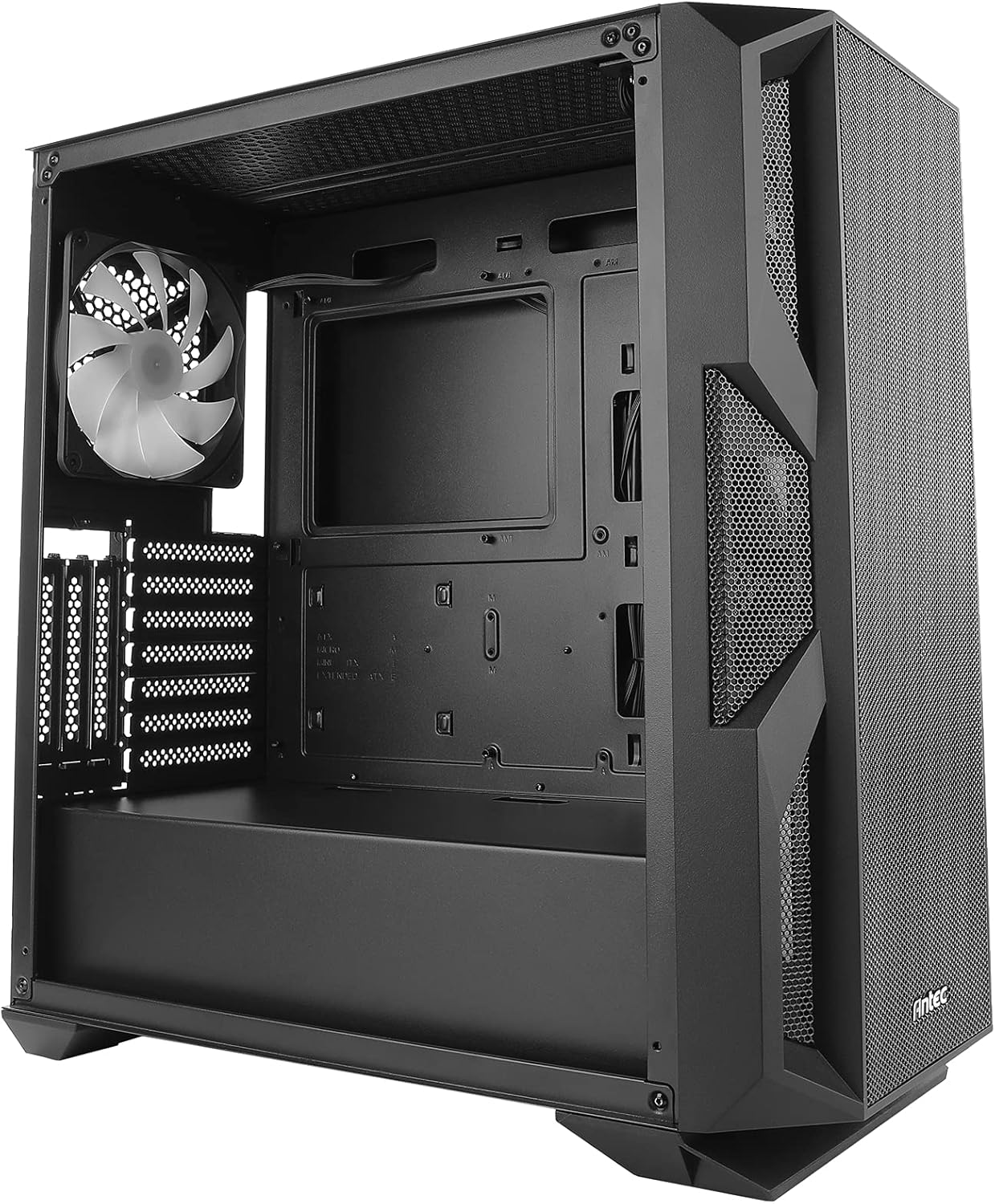
Figure 8.1: Antec NX800 case dimensions: 500mm (height), 230mm (width), 470mm (depth).
9. Кепилдик жана колдоо
Antec products are designed and manufactured to the highest standards. For warranty information and technical support, please visit the official Antec webсайтка же кардарларды тейлөө бөлүмүнө кайрылыңыз. Кепилдик дооматтар үчүн сатып алганыңыздын далилин сактаңыз.
Antec расмий Webсайт: www.antec.com


