Продукт бүттүview
The Phomemo M110 Label Maker is a versatile and powerful thermal printer designed for various labeling needs. It offers ink-less, smooth, and fast printing, making it ideal for small businesses, schools, home organization, and more. This mini label printer supports label widths ranging from 20mm to 50mm, with a maximum printable width of 48mm. It connects wirelessly via Bluetooth to your mobile device and can also connect to computers via USB-C.
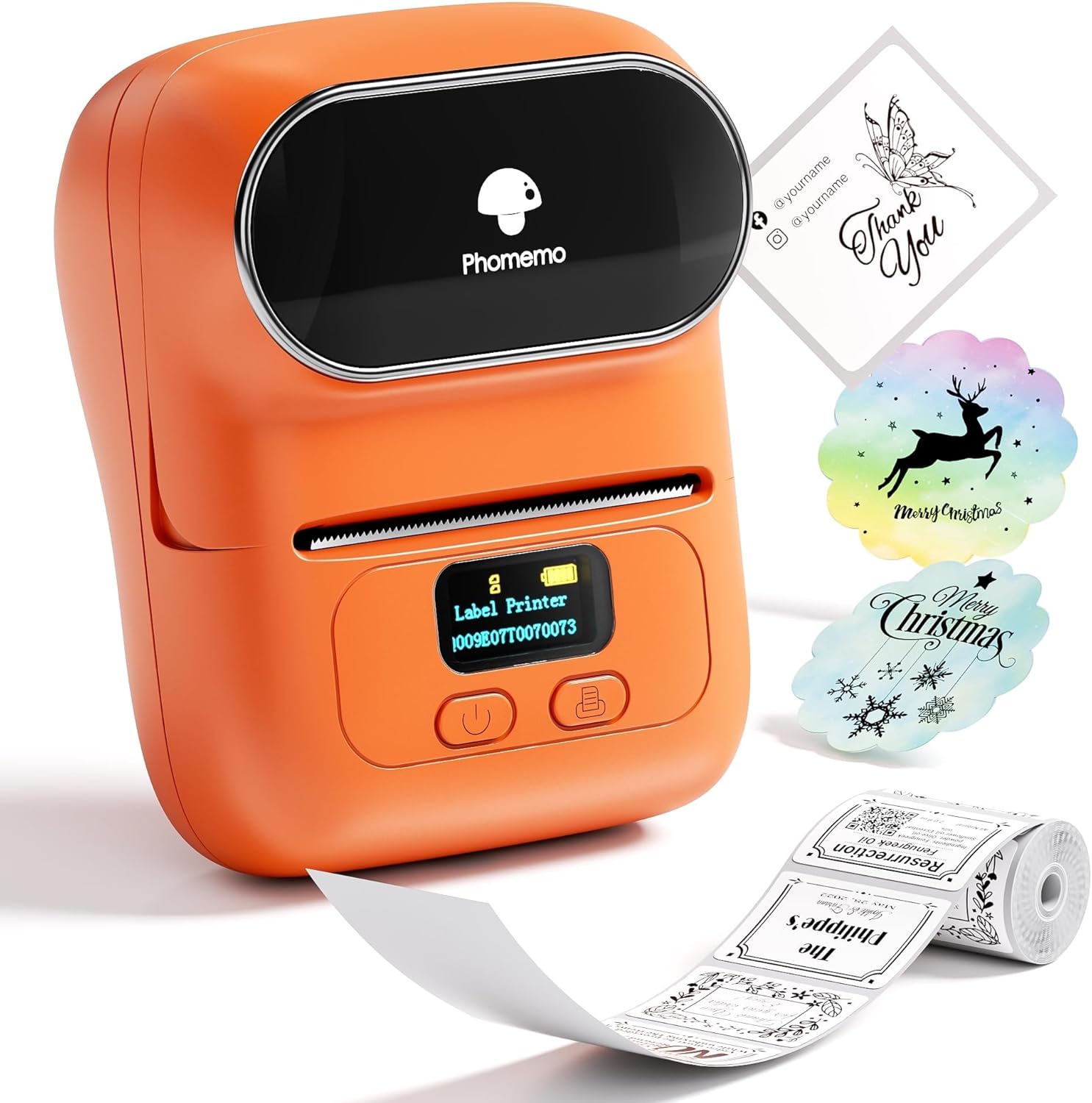
Image: The Phomemo M110 Label Maker in orange, shown with various printed labels such as "Thank You" cards, decorative Christmas labels, and a roll of patterned labels.
Кутуда эмне бар
- Phomemo M110 Label Maker (Orange)
- 1 Roll of Labels (100 Label Sheets)
- USB Type-C кабели
- User Manual

Image: A visual representation of the Phomemo M110 Label Maker, a USB cable, a roll of labels, and the instruction manual, illustrating the contents of the product package.
Орнотуу жана баштапкы колдонуу
1. Powering On and App Installation
- Аппаратты заряддоо: Before first use, ensure the printer is fully charged using the provided USB Type-C cable.
- Күйгүзүү: Long press the power button for 3 seconds until the display lights up. The printer is ready for printing when the display shows "Label Printer" and battery status.
- Колдонмону орнотуу: Издөө "Print Master" on your mobile device's App Store (iOS) or Google Play (Android) and install it.

Image: Step-by-step guide on installing the "Print Master" app, signing in, turning on Bluetooth, and connecting to the Phomemo M110 printer.
2. Энбелгилер жүктөлүүдө
- Үстүнкү капкакты ачуу: Hold both sides of the printer's top cover and lift it up to open.
- Attach Paper Roll: Attach the label roll to the paper roll holder, ensuring the print side of the labels is facing down.
- Insert Roll: Place the paper roll holder with the labels back into the paper compartment.
- Мукабаны жабуу: Close the top cover firmly until it clicks into place. Ensure the label feeds out slightly from the paper exit.
Video: A demonstration of how to install labels into the Phomemo M110 Label Maker, showing the process of opening the cover, placing the label roll on the holder, and closing the cover.
3. Bluetooth туташуусу
- Колдонмону ачуу: Open the "Print Master" app on your mobile device.
- Автоматтык туташуу: Click "Auto Connect" within the app. The app will automatically search for and connect to the printer.
- Байланышты ырастоо: Once connected, the app will display a "Connected" status. The printer will automatically position the label.

Image: A user connecting the Phomemo M110 Label Maker to a smartphone via Bluetooth, demonstrating wireless printing capabilities for both iOS and Android devices.
4. USB Cable Connection (for Computers)
For computer connectivity, download the "Labelife" software. Connect the printer to your computer using the USB-C cable. You can then edit and print labels directly from your computer.

Image: The Phomemo M110 Label Maker connected to a laptop via a USB cable, illustrating compatibility with Windows, Mac OS, and Chrome OS for label printing.
Operating the Label Maker
1. Using the "Print Master" App
The "Print Master" app provides a user-friendly interface for creating and customizing labels. It offers various templates, fonts, and icons to suit your needs. You can also create your own designs from scratch.
- Template Selection: Browse through a wide range of pre-designed templates for different purposes (e.g., address labels, price tags, зер буюмдары tags, clothing tags).
- Ыңгайлаштыруу: Edit text, add barcodes (including QR codes), insert images, and choose from over 80 fonts and 1000 icons.
- Басып чыгаруу: Once your design is complete, click the "Print" button. The printer will quickly produce your label.
Video: A comprehensive user guide for the Phomemo M110 Label Maker, demonstrating app features, label creation, and printing various types of labels.

Image: An illustration of the "Print Master" app interface, highlighting the variety of template fonts and icons available for label customization.
2. Applications and Use Cases
The Phomemo M110 is suitable for a wide array of applications due to its versatility and compact design.
- Чакан бизнес: Create price tags, barcode labels, product ingredient lists, and packaging labels.
- Үйдө колдонуу: Organize pantry items, storage boxes, and personal belongings.
- Office/School: Белги files, folders, notebooks, and school supplies.
- Белектер: Personalize gifts with custom labels and messages.

Сүрөт: Мисamples of labels created with the Phomemo M110, including food labels, price tags, DIY labels, and category tags, showcasing its diverse applications.
Video: A demonstration of the Phomemo M110 Mini Label Maker in action, highlighting its ease of use and versatility for various labeling tasks.
Техникалык тейлөө
Басып чыгаруучу башты тазалоо
Regular cleaning of the print head ensures optimal print quality and extends the life of your printer. It is recommended to clean the print head when the printer is off.
- Turn Off Printer: Ensure the printer is powered off before cleaning.
- Мукабаны ачуу: Hold both sides of the printer's top cover and lift it up to open. Remove the paper roll holder.
- Prepare Swab: Dip a cotton swab in 75% ethyl alcohol.
- Таза басып чыгаруучу баш: Gently wipe the surface of the print head until any stains are removed.
- Кургатууга уруксат: Wait approximately 10 minutes for the alcohol to fully evaporate before closing the cover.
- Кайра чогултуу: Place the paper roll holder back into the printer and close the top cover.
Video: A detailed guide on how to clean the print head of the Phomemo M110 Label Maker, including necessary materials and step-by-step instructions.
Проблемаларды чечүү
If you encounter any issues with your Phomemo M110 Label Maker, please consider the following common solutions:
- Кубат жок: Аппараттын толук заряддалганын текшериңиз. Аны USB-C кабели аркылуу кубат булагына туташтырыңыз.
- Printing Issues (Faint/Missing Lines): Clean the print head as described in the Maintenance section. Ensure the label roll is correctly installed with the print side facing down.
- Bluetooth туташуу көйгөйлөрү: Make sure Bluetooth is enabled on your mobile device and the printer is within range. Restart both the printer and your mobile device. Ensure the "Print Master" app has necessary permissions.
- Label Feeding Issues: Verify that the label roll is properly seated and not jammed. The printer automatically identifies labels, but ensure the label type selected in the app matches the physical label.
- Колдонмонун иштеши: Ensure your "Print Master" app is updated to the latest version. If issues persist, try reinstalling the app.
For more detailed troubleshooting or specific error messages, refer to the comprehensive user manual available through the "Print Master" app or the official Phomemo webсайт.
Техникалык шарттар
| Өзгөчөлүк | Деталь |
|---|---|
| Бренд | Phomemo |
| Модель аты | M110 |
| Продукциянын өлчөмдөрү | 4.48"D x 2.44"W x 3.43"H |
| Элемент Салмагы | 7.9 унция (222.8 грамм) |
| Байланыш технологиясы | USB түрү-C, Bluetooth |
| Басма технологиясы | Термикалык |
| Принтер медиасынын максималдуу өлчөмү | 50мм |
| Максималдуу кара жана ак басып чыгаруу чечими | 203 dpi |
| Макс басып чыгаруу ылдамдыгы (монохромдуу) | 30 промилле |
| Шайкеш түзмөктөр | Windows 7 and above, Chrome OS, iOS, Mac OS 10 and above, Android |
| Башкаруу ыкмасы | Колдонмо |
| Батареялар | 1 C батарейкалар талап кылынат (кошулган) |
| Энергияны керектөө | 0.01 Ватт |
Кепилдик жана колдоо
Phomemo offers protection plans for your device. For detailed warranty information and to purchase extended protection, please refer to the product's purchase page or contact Phomemo customer support.
- Коргоо пландары: Available for 3-Year and 4-Year durations, as well as a monthly "Complete Protect" plan.
- Кайтаруулар: The product typically has a 30-day return policy for refund or replacement.
- Расмий колдонуучу колдонмо: A PDF version of the Instructions for Use (IFU) is available for download: Phomemo M110 User Manual (PDF).
- Бренд дүкөнү: Visit the official Phomemo store on Amazon for more products and support: Phomemo Store.


