1. Киришүү
The Altice Amplify is an intelligent, high-fidelity smart speaker designed to enhance your home entertainment experience. Powered by Devialet technologies, it delivers exceptional sound quality with rich detail. Integrated with Alexa Voice Control, it allows for hands-free operation, music playback, smart home control, and seamless connection to various streaming services.

Негизги өзгөчөлүктөр төмөнкүлөрдү камтыйт:
- Devialet sound processing technologies for extraordinary audio quality through 5 speakers.
- Far-field AI voice assistant powered by Alexa for convenient hands-free control.
- Multiple connectivity options: Wi-Fi, Bluetooth, and Optical audio input for TV playback.
- Native streaming music support for popular services like Spotify, Pandora, Amazon Music, Apple Music, Audible, TuneIn, Tidal, and iHeartRadio.
- Control of smart home accessories leveraging Alexa skills.
Расмий видеошоуasing the features and design of the Altice Amplify Smart Speaker.
2. Продукт бүтүп калдыview
2.1. Кутуда эмне бар
- Altice Amplify Smart Speaker
- Оптикалык кабель
- Электр менен жабдуу бирдиги
2.2. Спикер компоненттери


3. Орнотуу
3.1. Жайгаштыруу
Place your Altice Amplify speaker indoors on a stable, flat surface such as a tabletop or floor. Ensure it is positioned to provide optimal sound distribution in your desired listening area.
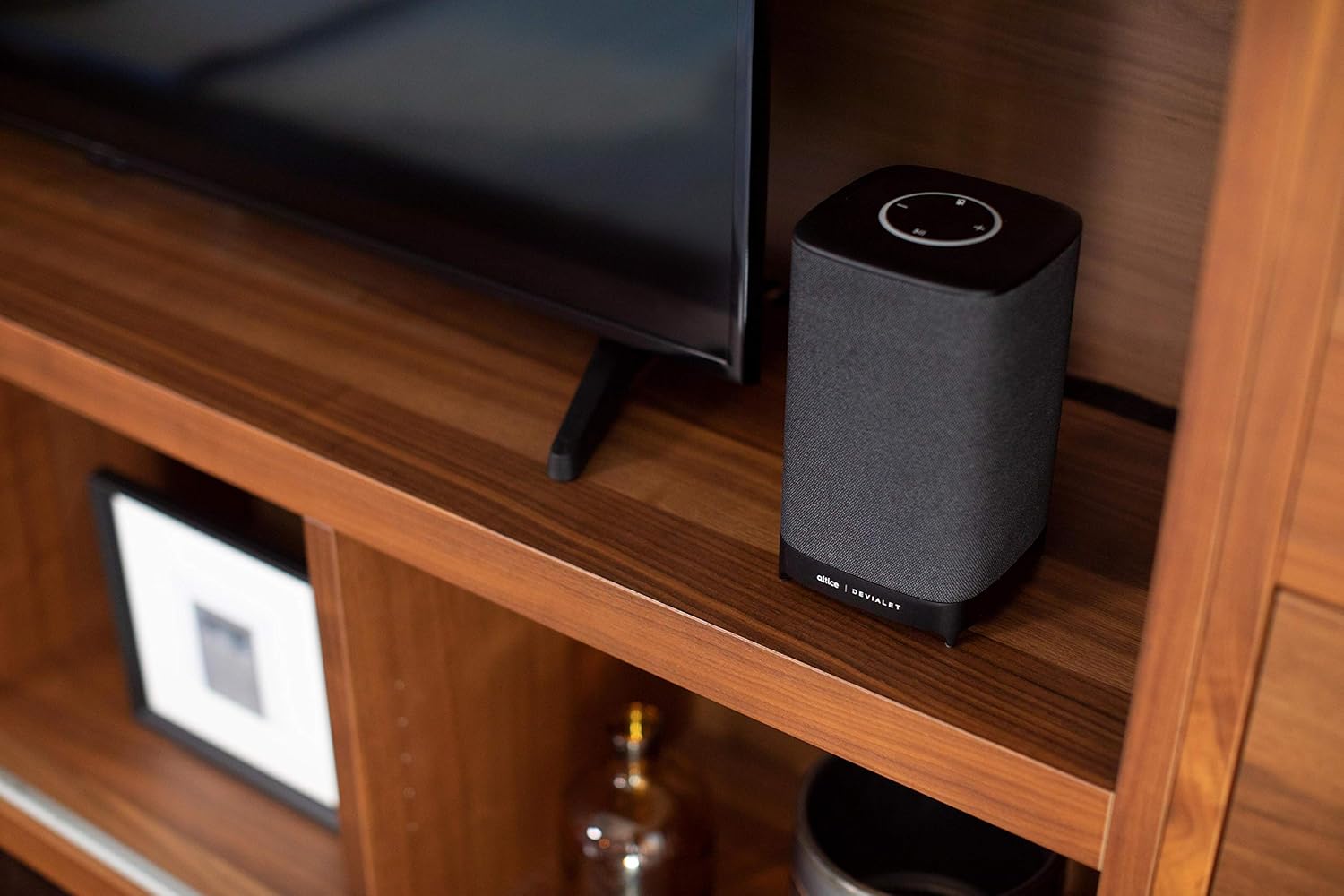
3.2. Power Connection
Connect the provided power supply unit to the speaker's power input port and then plug it into a wall outlet. The speaker will power on automatically.
3.3. Сыналгыга туташуу
For TV audio, use the included optical cable to connect the speaker's optical input to your TV's optical audio output. To switch to the optical input, press and hold the play/pause button on the speaker's top panel until the input changes.
3.4. Network and App Setup
To utilize smart features and streaming services, connect the speaker to your Wi-Fi network. Download the Altice Amplify companion app on your smartphone or tablet. Follow the in-app instructions for initial setup, including Wi-Fi configuration and linking your Alexa account. The app facilitates the setup process and allows for management of speaker settings.
4. Динамикти иштетүү
4.1. Alexa менен үн менен башкаруу
With Alexa built-in, you can control your speaker and smart home devices using voice commands. Simply say "Alexa" followed by your request. For example, "Alexa, play music," "Alexa, what's the weather?" or "Alexa, turn off the lights."
4.2. Аудио агымы
The Altice Amplify supports premier audio streaming from various services. Once connected to Wi-Fi, you can stream directly from Spotify, Amazon Music, Apple Music, Pandora, Audible, TuneIn, Tidal, and iHeartRadio. You can also stream audio via Bluetooth from any compatible device.
4.3. Adjusting Volume and Sources
Volume can be adjusted using the touch controls on the top of the speaker (plus and minus symbols) or via voice commands through Alexa. To switch between audio sources (Optical, Bluetooth, Wi-Fi), press and hold the play/pause button on the top panel. Note that the volume control may not be highly incremental, so adjust carefully.
5. Техникалык тейлөө
To maintain the performance and appearance of your Altice Amplify speaker, follow these guidelines:
- Тазалоо: Use a soft, dry cloth to wipe the exterior surfaces. Avoid using liquid cleaners, aerosols, or abrasive materials.
- Жайгашкан жери: Keep the speaker away from direct sunlight, heat sources, and areas with high humidity or dust.
- Вентиляция: Ensure proper airflow around the speaker to prevent overheating. Do not block any ventilation openings.
- Күч: Disconnect the power supply during electrical storms or when unused for long periods.
6. Кыйынчылыктарды
If you encounter issues with your Altice Amplify speaker, refer to the following common problems and solutions:
- Кубат жок: Ensure the power supply unit is securely connected to both the speaker and a working electrical outlet.
- Аудио чыгышы жок:
- Verify the correct audio source is selected (Optical, Bluetooth, Wi-Fi) by pressing and holding the play/pause button to cycle through inputs.
- Динамиктин жана туташкан түзмөктүн үнүнүн деңгээлин текшериңиз.
- If using optical, ensure the optical cable is securely connected and your TV's audio output is set to PCM/Stereo (not Bitstream or Dolby Digital).
- Wi-Fi туташуу маселелери:
- Динамик Wi-Fi роутериңиздин диапазонунда экенин текшериңиз.
- Wi-Fi роутериңизди жана динамикти өчүрүп-күйгүзүңүз.
- If the speaker loses contact with the Wi-Fi network and cannot reconnect, try resetting the speaker (refer to the app or online resources for specific reset instructions).
- Some users have reported difficulties with the Android app for setup; ensure your app is updated to the latest version.
- Bluetooth жупташтыруу көйгөйлөрү:
- Динамик Bluetooth жупташтыруу режиминде экенин текшериңиз.
- Make sure Bluetooth is enabled on your device and it is discoverable.
- Түзмөгүңүздөгү мурунку жупташтырууларды жок кылып, кайра жупташтырып көрүңүз.
- Alexa жооп бербейт:
- Check if the microphone is muted on the speaker (indicated by a specific light pattern or button).
- Ensure the speaker has a stable internet connection.
- Verify your Alexa account is properly linked in the companion app.
For persistent issues, consult the Altice support webсайтка же кардарларды тейлөөгө кайрылыңыз.
7. Техникалык шарттар
| Өзгөчөлүк | Спецификация |
|---|---|
| Модель аты | Altice Ampжандуу |
| Динамик түрү | Акылдуу спикер, 3D/атмосфералык, үн панели, сабвуфер |
| Өзгөчө өзгөчөлүк | Devialet Sound Processing Technology |
| Продукт үчүн сунушталган колдонуу | Music, home entertainment, parties, or background music |
| Шайкеш түзмөктөр | Смартфон, планшет, ноутбук |
| Controller Type | Вера, Amazon Alexa |
| Көлөмдүү үн каналынын конфигурациясы | 2.1 |
| Түс | Кара |
| Камтылган компоненттер | Optical cable, Power supply unit |
| Элемент Салмагы | 5.73 фунт |
| Суу өткөрбөйт | ЖАЛГАН |
| Кепилдик түрү | Чектелген Кепилдик |
| Элементтердин саны | 1 |
| Башкаруу ыкмасы | Үн |
| Зымсыз байланыш технологиясы | Bluetooth, WiFi |
| Power Source | Электр зымдары |
| Ызы-чуунун катышы | 5 дБ |
| Кардар пакетинин түрү | Стандарттык таңгак |
| Аудио драйвер түрү | Динамикалык драйвер |
| Bluetooth диапазону | 10 метр |
| Сабвуфердин туташуу технологиясы | Зымсыз |
| Connectivity Protocol | Bluetooth, WiFi |
| MP3 ойноткучту камтыйт? | Жок |
| UPC | 810038290003 |
| Ички/тышкы колдонуу | Indoor |
| Дүйнөлүк соода идентификациялык номери | 00810038290003 |
| Өндүрүүчү | Altice, Devialet |
| Пакеттин өлчөмдөрү | 12.2 x 8.6 x 7 дюйм |
| Элементтин моделинин номери | SBDV01 |
| Дата биринчи жеткиликтүү | 4-ноябрь, 2019-жыл |
| Динамиктин максималдуу чыгаруу күчү | 5 Ватт |
| Аудио чыгаруу режими | Стерео |
| Монтаж түрү | Полго коюу, стол үстүнө орнотуу |
8. Кепилдик жана колдоо
The Altice Amplify Smart Speaker comes with a Limited Warranty. For detailed information regarding warranty coverage, terms, and conditions, please refer to the documentation included with your product or visit the official Altice support webсайт.
For technical support, troubleshooting assistance beyond this manual, or to inquire about service, please contact Altice customer support through their official channels. Keep your product model number (SBDV01) and proof of purchase ready when contacting support.


