1. Киришүү
This manual provides essential information for the safe and efficient operation of your iBall Thunder 2.1 Channel Bluetooth Multimedia Speaker. Please read this manual thoroughly before using the product and retain it for future reference.

Figure 1: iBall Thunder 2.1 Channel Bluetooth Multimedia Speaker system.
2. Пакеттин мазмуну
Төмөндө тизмеленген нерселердин баары пакетиңизге камтылганын текшериңиз:
- Subwoofer Speaker - 1 unit
- Satellite Speaker - 2 units
- Audio Cable - 1 unit
- Пульт - 1 даана
- User Manual - 1 unit
3. Орнотуу
Follow these steps to set up your iBall Thunder 2.1 speaker system:
- Жайгашкан жери: Position the subwoofer on a stable, flat surface. Place the two satellite speakers on either side of the subwoofer for optimal stereo sound.
- Спутник динамиктерин туташтыруу: Connect the satellite speakers to the "OUTPUT" ports on the rear of the subwoofer using the provided cables. Ensure a secure connection.
- Аудио булагын туташтыруу:
- For wired connection, use the audio cable to connect your device (e.g., smartphone, tablet, computer) to the "INPUT" ports on the rear of the subwoofer.
- For wireless Bluetooth connection, refer to the "Operating Instructions" section.
- Кубат туташуу: Plug the power cable into a standard AC power outlet.
- Күйгүзүү: Flip the power switch on the rear of the subwoofer to the "ON" position.
2-сүрөт: Сабвуфердин арткы панелинин туташуулары.
4. Иштөө нускамалары
4.1 Күйгүзүү/өчүрүү
To power on or off the speaker system, use the power switch located on the rear panel of the subwoofer.
4.2 Режимди тандоо
The speaker system supports multiple playback options. Use the "Mode" button on the remote control or the control panel on the subwoofer to switch between Bluetooth (BT), USB, SD/MMC, AUX, and FM radio modes.
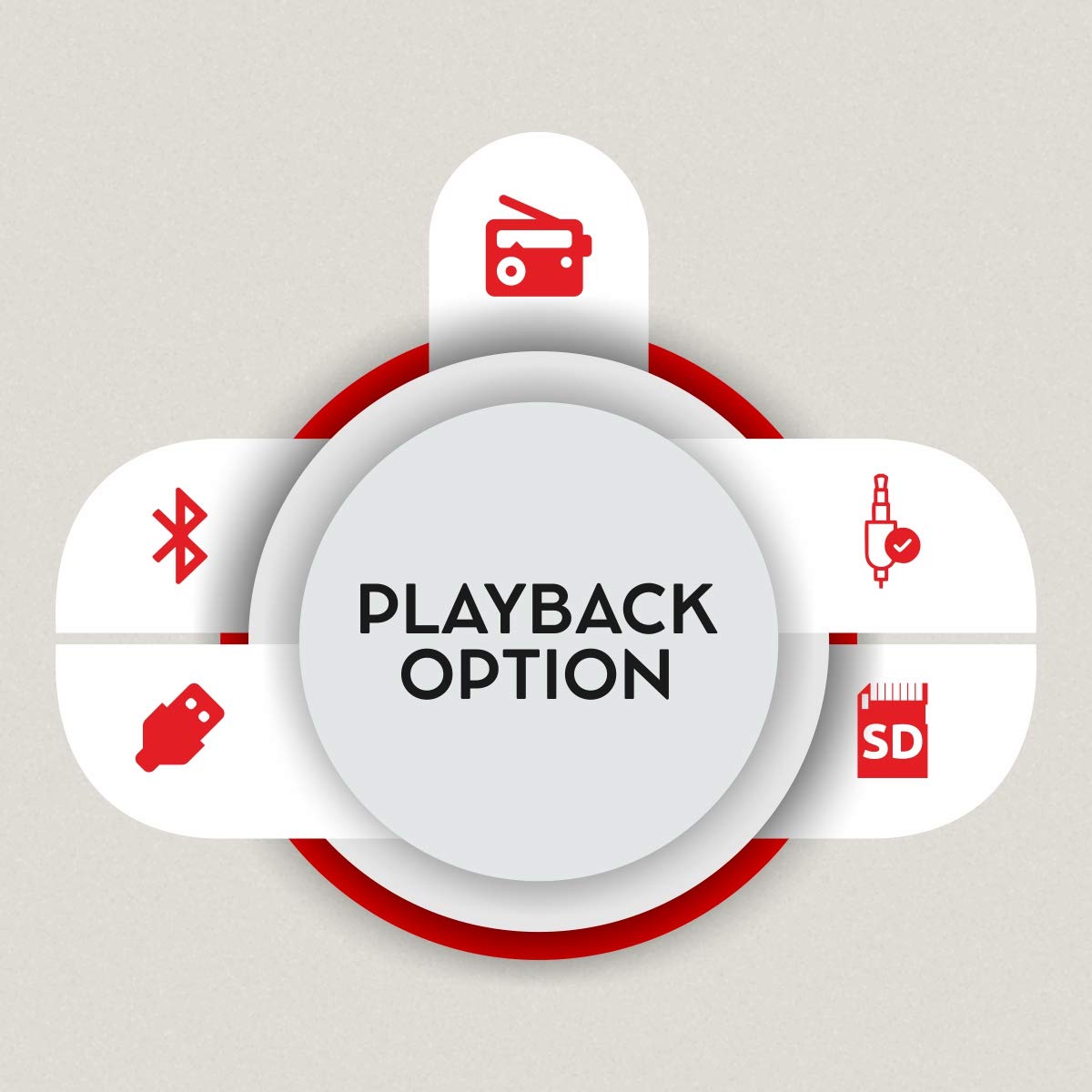
Figure 3: Available playback options.
4.3 Bluetooth жупташтыруу
- Switch the speaker system to Bluetooth mode. The display will show "BT" and the indicator light will flash, indicating it's ready for pairing.
- Түзмөгүңүздө (смартфон, планшет) Bluetooth иштетип, жеткиликтүү түзмөктөрдү издеңиз.
- Select "iBall Thunder" from the list of devices.
- Once paired, the indicator light will stop flashing, and you will hear a confirmation tone.
4.4 USB/SD/MMC Playback
Insert a USB drive or SD/MMC card containing audio files into the respective slot on the subwoofer. The system will automatically switch to USB/SD/MMC mode and begin playback. Use the remote or control panel to navigate tracks.
4.5 FM радиосу
In FM mode, the system will automatically scan and save available radio stations. Use the remote control to change stations.
5. Байланыш
The iBall Thunder 2.1 speaker system offers versatile connectivity options:
- Bluetooth: Wireless connection for smartphones, tablets, and other Bluetooth-enabled devices.
- USB: Play audio directly from USB flash drives.
- SD/MMC картасы: Play audio directly from SD or MMC memory cards.
- AUX (Кошумча киргизүү): Wired connection for devices via a 3.5mm audio jack.
- FM радиосу: Built-in FM tuner for radio broadcasts.
6. Башкаруу
The speaker system can be controlled via the integrated control panel on the subwoofer or the included remote control.
6.1 Subwoofer Control Panel
- Үндү терүү: Негизги үндү тууралайт.
- Ойнотуу/тындыруу: Ойнотууну баштайт же тындырат.
- Мурунку кийинки: Мурунку же кийинки трекке/станцияга өткөрөт.
- Режим: Switches between input sources (BT, USB, SD/MMC, AUX, FM).
6.2 Алыстан башкаруу
The remote control provides full functionality for convenient operation:
- Күйгүзүү/өчүрүү
- Режим тандоо
- Үнүн жогорулатуу/төмөндөтүү
- Ойнотуу/Тыныгуу
- Мурунку/Кийинки трек
- Басс башкаруу
- Үч ыргак башкаруу
- Үнсүз
- Numeric Keypad for direct track/station selection

Figure 4: Remote control for iBall Thunder 2.1 Speaker.
7. Техникалык шарттар
| Өзгөчөлүк | Description |
|---|---|
| Модель аты | iBall Thunder |
| Модель номери | IBALL_THUNDER_2.1 |
| Динамик түрү | 2.1 Channel Multimedia Speaker System (Subwoofer with 2 Satellite Speakers) |
| Аудио чыгаруу режими | Стерео |
| Жалпы аудио ваттtage (RMS) | 40 Watts (Subwoofer: 20W, Satellites: 10W x 2) |
| Frequency Response | 55 Гц ~ 20 кГц |
| Сигнал-ызы-чуу катышы (S/N) | >= 70 дБ |
| Байланыш технологиясы | Bluetooth, USB, SD/MMC, Auxiliary (AUX), FM Radio |
| Зымсыз түрү | Bluetooth |
| Башкаруу ыкмасы | Remote Control, Integrated Control Panel |
| Өзгөчөлүктөр | RGB LED Illuminated Subwoofer, Bass and Treble Controls |
| Шайкеш түзмөктөр | Smartphone, Tablet, PC, MP3 Player |
| Power Source | AC (230 вольт) |
| Продукциянын өлчөмдөрү (сабвуфер) | 15D x 26.5W x 26H Сантиметр |
| Элемент Салмагы | 4.17 кг |
| Түс | Кара |
| Келип чыккан өлкө | Кытай |
8. Техникалык тейлөө
Динамик системаңыздын узак мөөнөттүү иштешин жана оптималдуу иштешин камсыз кылуу үчүн, төмөнкү техникалык тейлөө көрсөтмөлөрүн аткарыңыз:
- Тазалоо: Динамиктердин беттерин тазалоо үчүн жумшак, кургак чүпүрөктү колдонуңуз. Суюк тазалагычтарды же абразивдүү материалдарды колдонбоңуз.
- Вентиляция: Ensure adequate ventilation around the subwoofer to prevent overheating. Do not block the ventilation ports.
- Сактагыч: Узак мөөнөткө колдонулбаганда, динамиктерди күндүн тике тийген нурунан жана өтө температурадан алыс, салкын, кургак жерде сактаңыз.
- Өчүрүү: Always power off the system and unplug it from the power outlet before cleaning or performing any maintenance.
9. Кыйынчылыктарды
If you encounter issues with your iBall Thunder 2.1 speaker system, refer to the following common problems and solutions:
| Көйгөй | Мүмкүн себеп | Чечим |
|---|---|---|
| Күч жок | Электр кабели туташкан эмес; Кубат өчүргүч өчүрүлгөн | Ensure power cable is securely plugged in; Turn the power switch to "ON". |
| Үн жок | Volume too low; Incorrect input mode; Loose audio cables; Device not playing audio | Increase volume; Select correct input mode (BT, AUX, USB, SD, FM); Check all cable connections; Ensure audio is playing on the connected device. |
| Bluetooth жупташуу катасы | Динамик жупташтыруу режиминде эмес; Түзмөктүн Bluetooth өчүк; Спикерден өтө алыс | Ensure speaker is in BT mode and flashing; Enable Bluetooth on your device; Move device closer to the speaker (within 10 meters). |
| FM кабыл алуу начар | Алсыз сигнал; Антенна узартылган эмес | Adjust the position of the FM antenna; Try repositioning the speaker for better signal. |
| Пульт иштебей жатат | Batteries drained; Obstruction between remote and speaker; Remote sensor blocked | Replace remote control batteries; Remove any obstructions; Ensure the remote sensor on the speaker is clear. |
10. Кепилдик жана колдоо
Кепилдик: A 1-year warranty is provided by the manufacturer from the date of purchase. Please retain your purchase receipt for warranty claims.
Кардарларды колдоо: For any product-related complaints, feedback, or assistance, please contact iBall customer care. You can find contact details on the product packaging or the official iBall webсайт.
Manufacturer: iBall, 87, Mistry Industrial Complex, MIDC Cross Road "A" Andheri (E), Mumbai 400 093. Maharashtra India.
Toll-free No. 18002666409
Электрондук почта: feedback@iball.co.in


