1. Киришүү
The MARATHON Night Owl '86 Projection Clock is designed to provide clear time display and alarm functions with the added convenience of time projection onto a ceiling or wall. This manual provides detailed instructions for setting up and operating your clock.
Негизги өзгөчөлүктөр төмөнкүлөрдү камтыйт:
- 180-degree adjustable time projection with adjustable brightness.
- Alarm clock with two volume settings and a Weekend Mode.
- Large display with adjustable backlight.
- Displays time, date, day of week, and indoor temperature (Celsius or Fahrenheit).
- Dual power options: AC adapter or AAA batteries.

Image 1.1: The MARATHON Night Owl '86 Projection Clock in operation, showing its main display and time projection feature.
2. Орнотуу
2.1 Саатты иштетүү
The clock can be powered by either an AC adapter or 3 AAA batteries. For continuous projection and optimal display brightness, AC power is recommended.
2.1.1 Батареяны орнотуу
- Open the battery compartment cover located on the rear of the clock.
- Туура полярдуулукту (+/-) камсыз кылуу менен 3 AAA батарейкасын салыңыз.
- Батарея уясынын капкагын бекем жабыңыз.
Note: When operating on battery power alone, the projection feature will only activate for approximately 10 seconds when a button is pressed to conserve energy.
2.1.2 AC кубатына туташуу
- Connect the micro USB cable to the clock's micro USB port on the rear.
- Connect the other end of the micro USB cable to the provided wall adapter.
- Дубал адаптерин стандарттуу электр розеткасына сайыңыз.
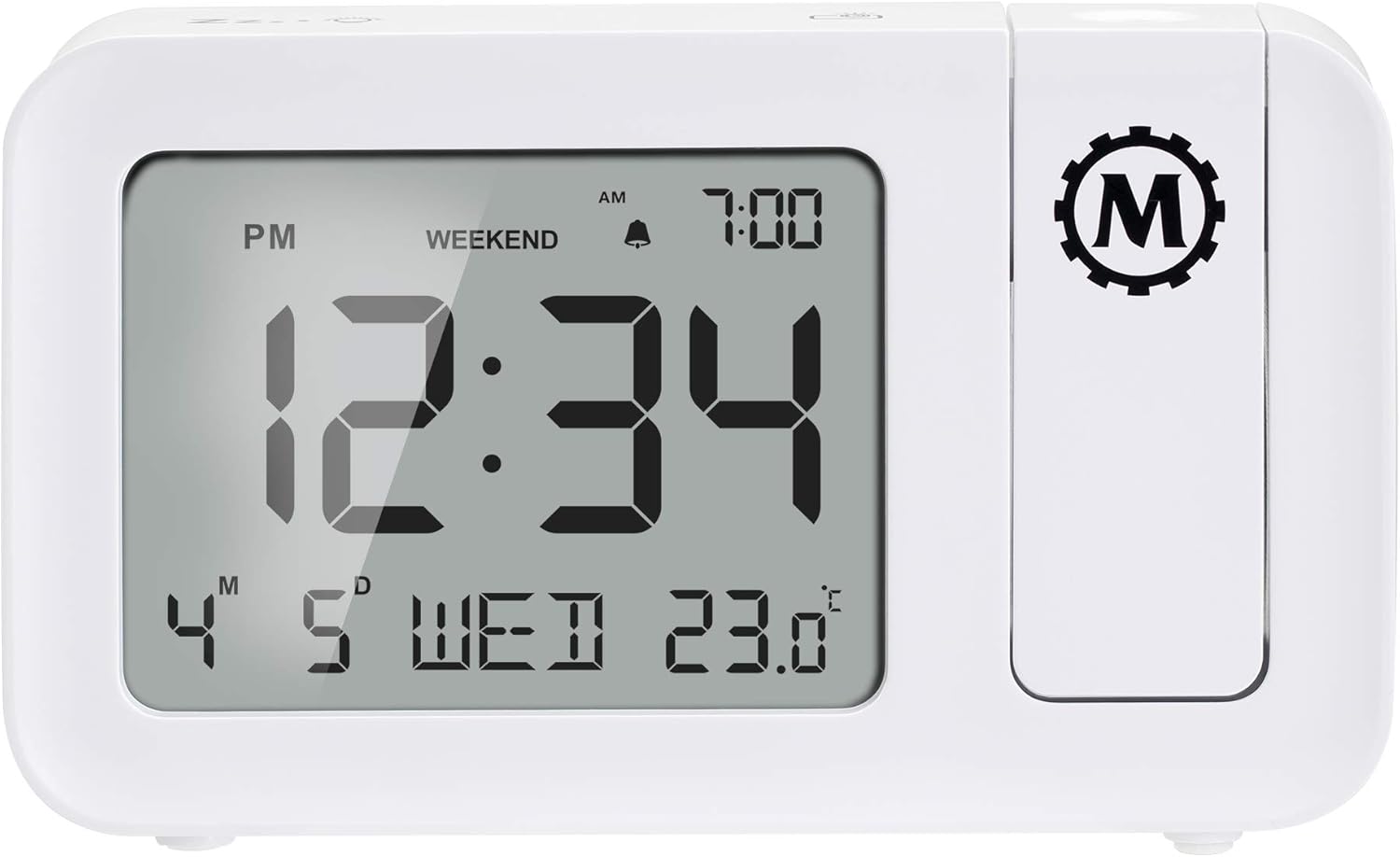
Image 2.1: Rear panel of the clock, illustrating the battery compartment and micro USB power input.
3. Иштөө нускамалары
3.1 Убакытты жана датаны орнотуу
Refer to the buttons on the clock (typically located on the top or back) for 'SET' or 'MODE' functions. Press and hold the 'SET' button to enter time setting mode. Use '+' or '-' buttons to adjust hours, minutes, year, month, and day. Press 'SET' again to confirm each setting.
3.2 Сигналды коюу
- Press the 'ALARM' button to view учурдагы ойготкуч убактысы.
- Press and hold 'ALARM' to enter alarm setting mode.
- Use '+' or '-' to adjust the alarm hour and minute.
- Press 'ALARM' to confirm.
- Toggle alarm ON/OFF using the dedicated alarm switch or button.
3.2.1 Ойготкучтун көлөмү
The clock offers two alarm volume settings: High and Low. Use the 'VOLUME' button or switch to select your preferred level.
3.2.2 Дем алыш күндөрү режими
Activate 'Weekend Mode' to disable the alarm on Saturdays and Sundays. This feature allows for uninterrupted sleep during weekends without manually turning off the alarm. Refer to the 'WEEKEND' button or setting in the alarm menu.
3.2.3 Тындыруу функциясы
When the alarm sounds, press the 'SNOOZE' button (often a large button on top) to temporarily silence the alarm for approximately 9 minutes. The alarm will sound again after this period.
3.3 Убакыт проекциясы
The integrated projector can display the time onto a ceiling or wall. The projection can be rotated 180 degrees for optimal viewбурч.
- Adjust the projector lens to focus the projected time.
- Rotate the projector arm to direct the time display to your desired surface.
- Use the 'PROJECTION BRIGHTNESS' button or switch to adjust the intensity of the projected light.
3.4 Дисплейдин арткы жарыгы
The main display features an adjustable backlight. Use the 'BACKLIGHT' button or dimmer switch to cycle through different brightness levels or turn it off.
3.5 Температура дисплейи
The clock displays the indoor temperature. Press the '°C/°F' button to switch between Celsius and Fahrenheit units.

Сүрөт 3.1: Алдыңкы view of the clock, highlighting the large digital display with time, date, and temperature.
4. Техникалык тейлөө
To ensure the longevity and proper functioning of your MARATHON Night Owl '86 Projection Clock, follow these maintenance guidelines:
- Тазалоо: Wipe the clock's surface with a soft, dry cloth. Avoid using abrasive cleaners, solvents, or chemical sprays, as these can damage the finish or internal components.
- Батареяны алмаштыруу: If using batteries, replace all three AAA batteries simultaneously when the display dims or functions become erratic. Do not mix old and new batteries.
- Жайгашкан жери: Саатты туруктуу, тегиз жерге, күндүн түз нурунан, өтө жогорку температурадан жана жогорку нымдуулуктан алыс коюңуз.
- Таасирден качуу: Protect the clock from drops or strong impacts, which can damage the internal circuitry or the projection mechanism.
5. Кыйынчылыктарды
If you encounter issues with your clock, refer to the following common problems and solutions:
| Көйгөй | Мүмкүн себеп | Чечим |
|---|---|---|
| Сааттын дисплейи бош же күңүрт. | Кубат жок же батарейкалар аз. | Ensure AC adapter is securely plugged in. If using batteries, replace with fresh AAA batteries. |
| Time projection is not visible or dim. | Not connected to AC power; projection brightness too low; projector lens out of focus. | Connect to AC power for continuous projection. Adjust projection brightness. Rotate the projector lens to focus the image. |
| Болжолдонгон убакыт тескери бурулуп кетти. | Projector orientation needs adjustment. | Rotate the projector arm 180 degrees. Some models may have a dedicated button to flip the projection image. |
| Ойготкуч угулбайт. | Alarm is off; Weekend Mode is active; volume is too low. | Ensure the alarm is set to ON. Check if Weekend Mode is enabled and disable if necessary. Increase alarm volume. |
| Туура эмес убакыт же дата. | Time/date not set correctly or power interruption. | Reset the time and date following the instructions in Section 3.1. |
6. Техникалык шарттар
| Өзгөчөлүк | Деталь |
|---|---|
| Бренд | МАРАФОН |
| Модел | Night Owl '86 |
| Түс | Ак |
| Материал | Пластик |
| Продукциянын өлчөмдөрү | 14.48 x 3.56 x 8.64 см (5.7 x 1.4 x 3.4 дюйм) |
| Элемент Салмагы | 372 г |
| Дисплей түрү | Санарип |
| Power Source | AC Adapter (100V-240V Universal) or 3 x AAA Batteries |
| Өзгөчөлүктөр | Adjustable Brightness, Alarm, Large Display, Time Projection |

Image 6.1: Physical dimensions of the MARATHON Night Owl '86 Projection Clock.
7. Кепилдик жана колдоо
7.1 Кепилдик маалыматы
For warranty details, please refer to the documentation included with your product packaging or visit the official MARATHON webсайт. Стандарттык кепилдик шарттары, адатта, сатып алынган күндөн тартып белгилүү бир мөөнөткө өндүрүштүк кемчиликтерди камтыйт.
7.2 Кардарларды колдоо
If you require assistance or have questions not covered in this manual, please contact MARATHON customer support:
- АКШ / Канада: +1-800-822-4329
- Эл аралык: +1-905-764-9420
- Webсайт: www.MarathonWatch.com


