Introduction
This manual provides essential information for the proper installation, operation, and maintenance of your Philips 278E1A 27" 4K UHD IPS Monitor. Please read this guide thoroughly before using the product to ensure optimal performance and safety. Keep this manual for future reference.
Коопсуздук маалыматы
- Кокусунан кулап түшпөө үчүн мониторду туруктуу, тегиз жерге коюңуз.
- Use only the power adapter and cables supplied by Philips.
- Электр шок же өрт болбош үчүн мониторду жамгырга же нымдуулукка дуушар кылбаңыз.
- Ашыкча ысып кетүүнүн алдын алуу үчүн вентиляция тешиктерин жабуудан качыңыз.
- Мониторду өзүңүз тейлөөгө аракет кылбаңыз. Бардык тейлөө иштерин квалификациялуу адистерге тапшырыңыз.
Жайгашуу
1. Пакеттен чыгаруу жана чогултуу
Carefully remove the monitor and all components from the packaging. The box should contain the monitor, stand, HDMI cable, power cable, and user documentation.
- Тургучтун негизин тирөөчтүн мойнуна бекитип, аны берилген бурама менен бекитиңиз.
- Align the assembled stand with the mounting holes on the back of the monitor and firmly attach it.
2. Туташтыруучу кабельдер
Монитор менен компьютериңизге керектүү кабелдерди туташтырыңыз.
- Кубат кабели: Кубат кабелинин бир учун монитордун кубат киргизүүсүнө, ал эми экинчи учун розеткага туташтырыңыз.
- Video Input: Connect either an HDMI cable (2 ports available) or a DisplayPort cable (1 port available) from your computer's video output to the corresponding input on the monitor.
- Аудио киргизүү/чыгыш: If desired, connect an audio cable from your computer's audio output to the monitor's audio input, or connect external speakers/headphones to the monitor's audio output.

1-сүрөт: Арткы view of the Philips 278E1A monitor, highlighting the HDMI, DisplayPort, and audio input/output ports for connectivity.
3. Баштапкы күйгүзүү
Press the power button located on the bottom right of the monitor to turn it on. The monitor will automatically detect the active input source.
Иштөө нускамалары
1. OSD Menu Navigation
The On-Screen Display (OSD) menu allows you to adjust various monitor settings. Use the control buttons located on the bottom bezel of the monitor to navigate the menu.
- OSD менюсун иштетүү үчүн баскычты басыңыз.
- Меню параметрлери аркылуу жылуу үчүн багыттоочу баскычтарды колдонуңуз.
- Press the 'OK' or 'Enter' button to select an option or confirm a setting.
- Мурунку менюга кайтуу же OSDден чыгуу үчүн 'Чыгуу' же 'Артка' баскычын басыңыз.
2. Сүрөт орнотуулары
Оптималдуу дисплей мүнөздөмөлөрүн тууралаңыз viewing.
- Жарыктык жана контраст: Adjust these settings to control the overall luminance and the difference between light and dark areas.
- Түс жөндөөлөрү: Fine-tune color temperature, gamma, and saturation. The monitor supports 109% sRGB color gamut for accurate color reproduction.
- SmartContrast: This feature dynamically analyzes content and automatically adjusts backlight intensity to enhance contrast for optimal digital images and videos.
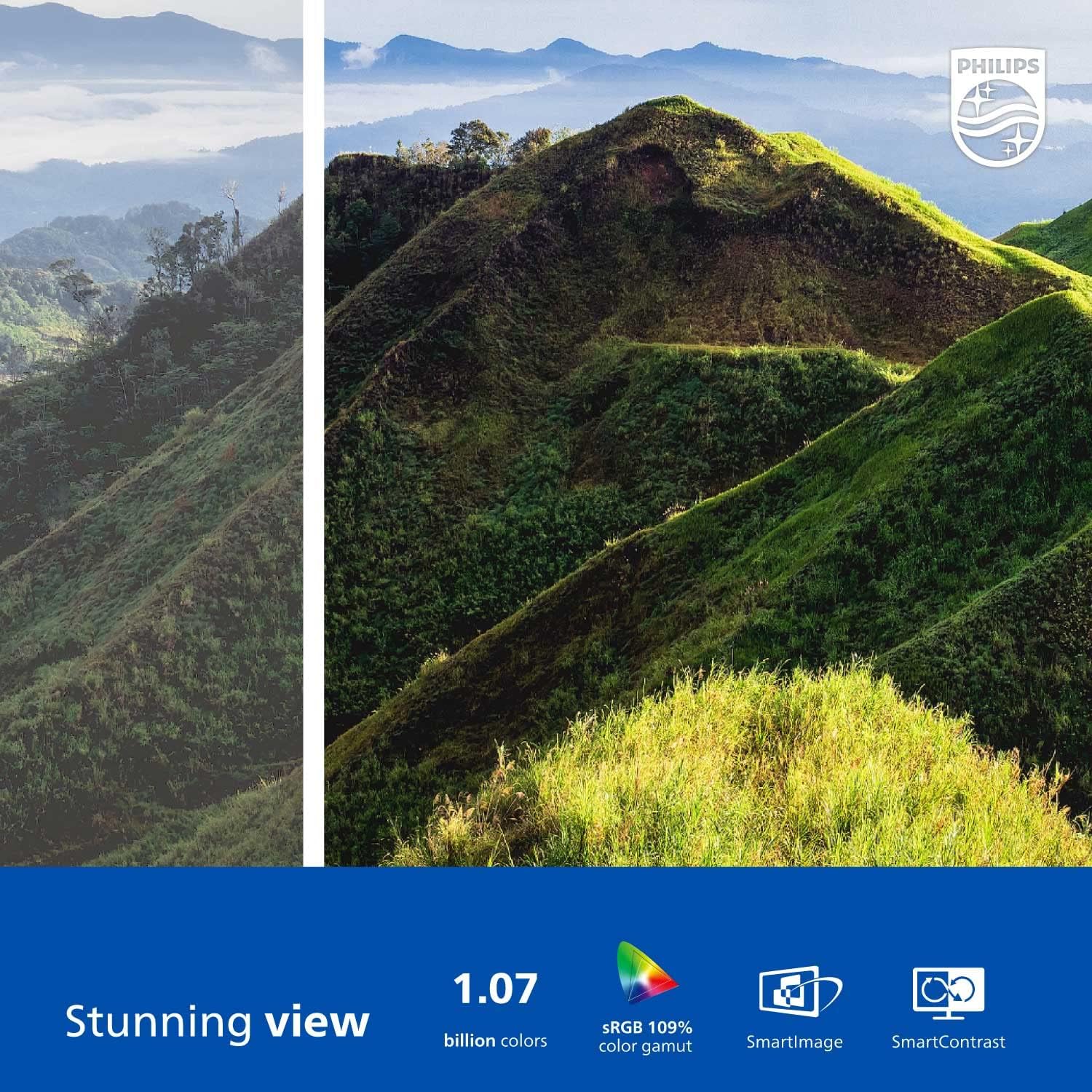
Figure 2: The Philips 278E1A monitor displaying a detailed and colorful mountain scene, illustrating its 4K UHD resolution and wide color gamut.
3. Киргизүүнү тандоо
Manually select the desired video input source if the automatic detection does not work or if you have multiple devices connected.
4. Аудио орнотуулары
Control the volume of the built-in speakers or connected audio devices.
5. Көзгө кам көрүүнүн өзгөчөлүктөрү
The Philips 278E1A includes features designed to reduce eye strain during prolonged use.
- Flicker-Free технологиясы: Regulates brightness and reduces screen flicker for more comfortable viewing.
- LowBlue режими: A software solution that reduces harmful shortwave blue light emissions from the screen.

Figure 3: A split image demonstrating the visual difference when LowBlue Mode and Flicker-free technologies are active, reducing eye strain.
6. Frameless Design and Viewбурчтар
The monitor features a 3-sided frameless design, ideal for multi-monitor setups, and an IPS panel providing wide 178/178-degree viewing angles for consistent image quality from various perspectives.

Figure 4: A multi-monitor arrangement of Philips 278E1A displays, showcasing the minimal bezels and wide viewing angles suitable for extended desktop environments.
Техникалык тейлөө
1. Экранды тазалоо
Экранды тазалоо үчүн аны жумшак, түксүз чүпүрөк менен акырын сүртүңүз. Кежир белгилер үчүн, гampen the cloth with a mild, non-abrasive screen cleaner. Never spray cleaner directly onto the screen.
2. Жалпы кам көрүү
Keep the monitor away from direct sunlight, excessive heat, and humidity. Avoid placing heavy objects on the monitor or its cables.
Проблемаларды чечүү
Мониторуңузда көйгөйлөргө туш болсоңуз, төмөнкү жалпы чечимдерди караңыз:
- Кубат жок: Кубат кабелинин мониторго да, розеткага да бекем туташтырылганын текшериңиз. Розетка иштеп турганын текшериңиз.
- Сигнал жок: Verify that the video cable (HDMI or DisplayPort) is correctly connected to both the monitor and your computer. Ensure the correct input source is selected via the OSD menu.
- Image Problems (e.g., flickering, distorted colors): Check cable connections. Adjust picture settings in the OSD menu. If using a DisplayPort connection, ensure your graphics card supports 4K resolution at 60Hz.
- Аудио жок: Check the monitor's volume settings and your computer's audio output settings. Ensure external speakers or headphones are properly connected if used.
Кошумча жардам алуу үчүн Philips кардарларды колдоо бөлүмүнө кайрылыңыз.
Техникалык шарттар
| Өзгөчөлүк | Деталь |
|---|---|
| Screen Size | 27 дюйм |
| Резолюция | 3840 x 2160 (4K UHD) |
| Панел түрү | IPS |
| Түс гаммасы | 109% sRGB |
| Байланыш | 2x HDMI, 1x DisplayPort, Audio In & Out |
| Баяндамачылар | Built-in (3W stereo) |
| Өлчөмдөрү (стенд менен) | 18.1 x 24.1 x 7.6 дюйм |
| Салмагы (стенд менен) | 13.57 фунт |
| Көзгө кам көрүү өзгөчөлүктөрү | Flicker-Free, LowBlue Mode |
Кепилдик жана колдоо
Кепилдик маалымат
Philips monitors sold in the United States come with a 4-Year Advance Replacement Warranty. This warranty minimizes downtime by providing a replacement unit in advance should your monitor require service.

Figure 5: Visual representation of the Philips 4-Year Warranty and Advance Replacement program, ensuring peace of mind for users.
Кардарларды колдоо
For technical support, warranty claims, or service inquiries, please visit the official Philips support website or contact their customer service hotline. Refer to the documentation included with your product for specific contact details in your region.
Продукт видеолору
Philips Frameless Monitor Overview
Бул видеодо толук маалымат берилетview of the Philips 27-inch frameless monitor, highlighting its features and benefits for various work setups.
Why This Monitor is Top Rated
Learn about the key aspects that make this Philips monitor a top-rated choice, including its display quality and user-friendly features.


