1. Киришүү
This manual provides instructions for the Hyperkin Admiral Premium BT Controller, a wireless Bluetooth controller designed for use with the Nintendo 64 console, as well as PC, Mac, Android devices, and Nintendo Switch. It features an ergonomic design, a high-performance analog joystick, and dual Z buttons for enhanced gameplay. Please read these instructions carefully before use.

Image 1.1: The Hyperkin Admiral Premium BT Controller and its retail packaging.
2. Пакеттин мазмуну
- Hyperkin Admiral Premium BT Controller
- Wireless Dongle for Nintendo 64
- Микро USB заряддоо кабели
- User Manual
3. Продукт бүтүп калдыview
Familiarize yourself with the components of your Hyperkin Admiral controller and wireless dongle.

Image 3.1: The Hyperkin Admiral Premium BT Controller and its accompanying wireless dongle.
Controller Components:
- Analog Joystick: For precise movement control.
- D-Pad: Багыттуу киргизүү үчүн.
- A, B, C-Buttons: Стандарттык аракет баскычтары.
- Баштоо баскычы: For pausing or initiating game functions.
- Dual Z Buttons (L2/R2 style): Ergonomically placed for comfortable use.
- LED көрсөткүчү: Туташуу абалын жана батареянын деңгээлин көрсөтөт.
- Микро USB порту: Контроллерди заряддоо үчүн.
- SYNC баскычы: For pairing with the wireless dongle or other Bluetooth devices.
Wireless Dongle Components:
- N64 Controller Port Connector: Plugs into the Nintendo 64 console.
- Эстутум картасынын слоту: Compatible with original and third-party N64 memory cards.
- MicroSD картасынын уячасы: For backing up and transferring save data.
- Микро USB порту: For firmware updates (if required).
- SYNC баскычы: For pairing with the controller.
- LED көрсөткүчү: Туташуу абалын көрсөтөт.
4. Орнотуу
4.1 Контроллерди заряддоо
Before initial use, fully charge your controller. Connect the included Micro USB cable to the controller's Micro USB port and the other end to a USB power source (e.g., computer, USB wall adapter). The LED indicator will show charging status. A full charge provides approximately 6 hours of gameplay.
4.2 Connecting to Nintendo 64 Console
- Insert the wireless dongle firmly into one of the controller ports on your Nintendo 64 console.
- Power on your Nintendo 64 console.
- басып, кармап туруңуз SYNC button on the wireless dongle until its LED indicator begins to flash.
- басып, кармап туруңуз SYNC button on the Hyperkin Admiral controller until its LED indicator also begins to flash.
- Once both LEDs stop flashing and remain solid, the controller is successfully paired with the dongle and ready for use.

Image 4.1: The Hyperkin Admiral Premium BT Controller and dongle connected to a Nintendo 64 console.
4.3 Connecting to PC/Mac/Android (Bluetooth)
- Контроллер заряддалганын текшериңиз.
- On your PC, Mac, or Android device, enable Bluetooth and open the Bluetooth settings to search for new devices.
- басып, кармап туруңуз SYNC button on the Hyperkin Admiral controller until its LED indicator flashes rapidly, indicating it is in pairing mode.
- Select "Hyperkin Admiral" from the list of available Bluetooth devices on your system.
- Once connected, the controller's LED will remain solid.
4.4 Nintendo Switchге туташуу
The Hyperkin Admiral controller can also be paired with a Nintendo Switch. The pairing process is similar to connecting to PC/Mac/Android via Bluetooth. Ensure your Switch is updated to the latest firmware. If connection issues occur, check the Hyperkin support website for potential controller firmware updates.
5. Иштөө нускамалары
5.1 Негизги оюн процесси
Use the analog joystick for movement and the D-Pad for directional input. The A, B, and C-buttons perform in-game actions as defined by the specific game. The Start button typically pauses the game or confirms selections. The dual Z buttons provide additional input options, often used for targeting or special actions.
5.2 Memory Card Functionality
The wireless dongle features a memory card slot compatible with original Nintendo 64 memory cards and most third-party memory cards. Additionally, a MicroSD card slot is available for advanced data management.
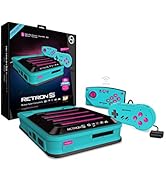
Image 5.1: The memory card and MicroSD card slots located on the wireless dongle.
Using N64 Memory Cards:
Insert your original or compatible third-party N64 memory card into the designated slot on the wireless dongle. The console will recognize it as a standard memory pak for saving game progress.
Using MicroSD Cards for Save Data:
You can insert a standard MicroSD card (not included) into the MicroSD slot on the dongle to back up or transfer your game memory card save data. Refer to the on-screen prompts or the Hyperkin support website for detailed instructions on data management.
Эскертүү: The wireless dongle does not support the Nintendo 64 Transfer Pak functionality (e.g., for Pokémon Stadium).
6. Кыйынчылыктарды
- Контроллер жупташкан жок:
Ensure the controller is charged. Verify the wireless dongle is securely inserted into the N64 console. Re-attempt the pairing process by pressing the SYNC buttons on both the controller and dongle. For Bluetooth connections, ensure your device's Bluetooth is enabled and the controller is in pairing mode. - Киргизүү кечигүү же ажыратуу:
Ensure the controller is within the operational range of the wireless dongle (up to 30 feet). Minimize obstructions between the controller and the dongle/device. Low battery can also affect performance; ensure the controller is adequately charged. - Analog stick drift:
Some users may experience minor analog stick drift. If this occurs, try recalibrating the controller through your system's settings (if available) or consult the Hyperkin support website for potential solutions or firmware updates. - Memory card not recognized:
Ensure the N64 memory card or MicroSD card is fully and correctly inserted into its respective slot on the dongle. Verify that the memory card is compatible (original N64 memory cards and standard MicroSD cards are supported).
7. Техникалык шарттар
- Модель номери: M07389
- Байланыш: Bluetooth, Wireless (via dedicated N64 dongle)
- Батарея: Built-in Lithium-ion, approximately 6 hours of gameplay per charge
- Шайкештик: Nintendo 64, PC, Mac, Android, Nintendo Switch
- Зымсыз диапазон: 30 футка чейин (болжол менен 9 метр)
- Өлчөмдөрү: 9.25 x 7.25 x 2.5 inches (Controller and Dongle)
- Салмагы: 12.8 унция
- Өндүрүүчү: Гиперкин
8. Коопсуздук маалыматы
- Do not expose the controller or dongle to extreme temperatures, direct sunlight, or moisture.
- Do not attempt to disassemble or modify the product. This may void your warranty and cause damage.
- Keep the product and its accessories out of reach of small children.
- Dispose of the built-in lithium-ion battery according to local regulations. Do not dispose of in household waste.
- Заряддоо үчүн берилген Micro USB кабелин гана колдонуңуз.
9. Кепилдик жана колдоо
For warranty information, technical support, and frequently asked questions, please visit the official Hyperkin website or contact their customer service department. Please retain your proof of purchase for warranty claims.
Жоопкерчиликтен баш тартуу: This product is not designed, manufactured, sponsored, endorsed, or licensed by Nintendo of America Inc. in the United States and/or other countries.


