1. Киришүү
Thank you for choosing the SONOFF S20 WiFi Smart Plug. This device allows you to transform traditional home appliances into smart devices, enabling remote control, scheduling, and voice control capabilities. With the eWeLink app, you can manage your devices from anywhere, ensuring convenience and energy efficiency.
The SONOFF S20 Smart Plug is compatible with Amazon Alexa, Google Home, and IFTTT, offering a seamless smart home experience. A secured 2.4GHz WiFi network is required for operation.
2. Коопсуздук маалыматы
Please read and understand all safety instructions before using the SONOFF S20 Smart Plug. Failure to follow these instructions may result in electric shock, fire, or property damage.
- For indoor use only. Do not expose to water or humid environments.
- Do not exceed the maximum load current specified in the product specifications.
- Сайгычтын дубалдагы розеткага толугу менен сайылып турганын текшериңиз.
- Аппаратты ажыратпаңыз же өзгөртпөңүз.
- Балдар жетпеген жерде сактаңыз.
- Тазалоодон мурун аппаратты розеткадан сууруп алыңыз.
3. Пакеттин мазмуну
- SONOFF S20 WiFi Smart Plug (4 Pack)
- User Manual
4. Продукт бүтүп калдыview
The SONOFF S20 Smart Plug is a compact device designed to fit standard wall outlets. It features a power button that also serves as a reset button and an LED indicator for status.

Image: A single SONOFF S20 Smart Plug plugged into a wall socket, with icons illustrating its key features: APP Control, Timing Schedules, Voice Control, and Share Control.

Image: A pack of four SONOFF S20 WiFi Smart Plugs, showcasing алардын компакттуу дизайны.
5. Орнотуу колдонмосу
Follow these steps to set up your SONOFF S20 Smart Plug:
- eWeLink колдонмосун жүктөп алыңыз: Издөө "eWeLink" in the App Store (iOS) or Google Play Store (Android) and download the application.
- Каттоо жана Кирүү: Open the eWeLink app, register a new account if you don't have one, and then log in.
- Акылдуу сайгычты күйгүзүү: Plug the SONOFF S20 Smart Plug into a wall outlet. The LED indicator on the plug will start flashing.
- Жупташтыруу режимине кирүү: Press and hold the power button on the smart plug for approximately 7 seconds until the LED indicator flashes rapidly (usually 3 short flashes and 1 long flash). If it doesn't enter pairing mode, press the button again for 7 seconds.
- Колдонмого түзмөк кошуу: In the eWeLink app, tap the "+" icon at the bottom center of the screen to add a new device.
- Select Pairing Method: Choose the "Quick Pairing Mode" (recommended) or "Compatible Pairing Mode" if quick pairing fails.
- Wi-Fi'га туташуу: 2.4 ГГц Wi-Fi тармагын тандап, сырсөздү киргизиңиз. Эскертүү: 5.0 ГГц Wi-Fi тармактары колдоого алынбайт.
- Толук жупташтыруу: The app will search for and connect to the device. Once connected, you can name your smart plug and assign it to a room.
6. Иштөө нускамалары
6.1 APP алыстан башкаруу
Once paired, you can control your SONOFF S20 Smart Plug from anywhere using the eWeLink app. Simply tap the device icon to turn it on or off. You can also monitor its real-time status.

Image: A person outdoors using a smartphone to remotely control a lamp connected to a SONOFF S20 Smart Plug inside a home, demonstrating remote control functionality.
6.2 Schedule Automatic Control
Set timers and schedules in the eWeLink app to automate your appliances. The smart plug can automatically turn on or off at specific times, simplifying your daily routines.
- Артка саноо таймери: Түзмөктү белгилүү бир убакыттан кийин өчүрө тургандай кылып коюңуз.
- График: Set specific on/off times for daily or weekly routines.
- Цикл таймери: Repeat on/off cycles.

Image: A SONOFF S20 Smart Plug in a wall socket, with illustrations of appliances like a kettle, coffee maker, water heater, and lights, demonstrating how timing schedules can automate their operation.
6.3 Hands-free Voice Control
The SONOFF S20 Smart Plug is compatible with Amazon Alexa and Google Home. Connect your eWeLink account to your voice assistant app to control devices using voice commands.
- Alexa үчүн: Say, "Alexa, turn on [device name]."
- Google Home үчүн: Say, "Hey Google, turn off [device name]."
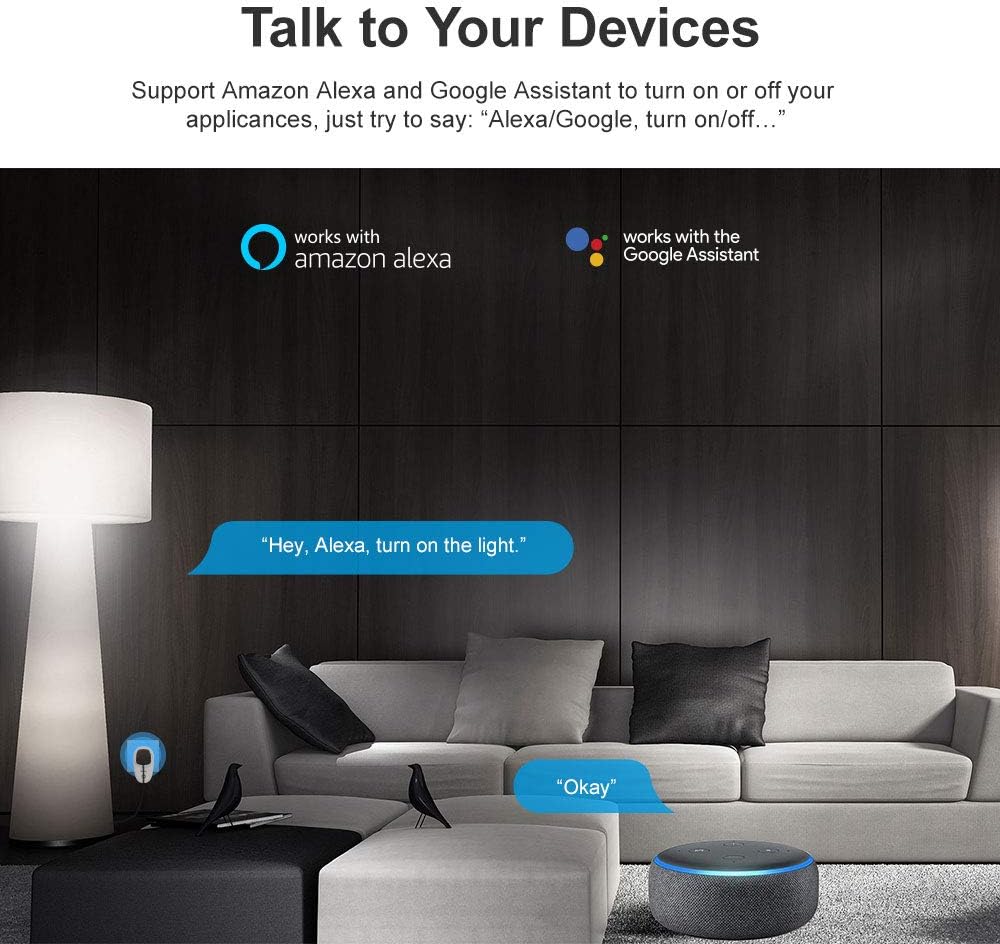
Image: A living room setting with Amazon Alexa and Google Assistant logos, illustrating how users can interact with their smart devices using voice commands like "Hey, Alexa, turn on the light."
6.4 Акылдуу көрүнүш
Create smart scenes in the eWeLink app to automate actions based on specific conditions or to group multiple devices. For example, you can set a scene where turning on one device triggers another, or a single tap turns on multiple lights.

Image: A woman in bed using the eWeLink app on her smartphone, showing a "Reading Time" smart scene with options to turn a lamp ON or OFF, demonstrating scene control.
6.5 Share Control
You can share control of your smart plugs with family members through the eWeLink app. This allows multiple users to manage the devices from their own smartphones.

Image: A family (two adults and a child) looking at their smartphones, with an overlay showing the eWeLink app's device sharing interface, illustrating the share control feature.
6.6 IFTTT интеграциясы
The SONOFF S20 Smart Plug supports IFTTT (If This Then That), allowing for advanced automation and integration with other smart devices and services. Create custom applets to expand your smart home capabilities.

Image: A graphic illustrating IFTTT (If This Then That) logic for SONOFF devices, showing examples like "if sunset then turn on the light" and "if sunrise then turn off the light."
7. Техникалык тейлөө
To ensure the longevity and proper functioning of your SONOFF S20 Smart Plug:
- Clean the device with a dry, soft cloth. Do not use liquid or aerosol cleaners.
- Аппаратты экстремалдык температурага же тике күн нуруна кабылуудан сактаңыз.
- Узак мөөнөткө колдонулбаганда салкын, кургак жерде сактаңыз.
8. Кыйынчылыктарды
Эгерде сиз SONOFF S20 акылдуу сайгычыңыз менен көйгөйлөргө туш болсоңуз, төмөнкү кеңири таралган чечимдерди караңыз:
- Түзмөк оффлайн: Ensure your Wi-Fi router is working correctly and the smart plug is within range. Check if your Wi-Fi network is 2.4GHz.
- Failed to Pair: Make sure the smart plug is in pairing mode (LED flashing rapidly). Confirm you are connecting to a 2.4GHz Wi-Fi network and entered the correct password. Try resetting the plug by holding the button for 7 seconds until it flashes rapidly, then try pairing again.
- Үн менен башкаруу иштебей жатат: Ensure your eWeLink account is correctly linked to your Amazon Alexa or Google Home app. Check the device name in both apps for consistency.
- Колдонмо жооп бербей жатат: Close and reopen the eWeLink app. If the issue persists, restart your smartphone.
- Ашыкча жүктөн коргоо: If the plug stops working, check if the connected appliance exceeds the maximum current rating (10 Amps). Unplug the appliance and try a lower-power device.
9. Техникалык шарттар
| Өзгөчөлүк | Спецификация |
|---|---|
| Өндүрүүчү | Sonoff |
| Продукциянын өлчөмдөрү | 11.2 x 6.2 x 4 см |
| Өлчөмү | S20 Plug-4 Pack |
| Plug Profile | Дубалга орнотуу |
| Стилди которуу | Алыстан |
| Батареялар керекпи? | Жок |
| Элемент Салмагы | 0.6 г |
| Тtage | 250 вольт |
| Материал | Поликарбонат (PC) |
| Зымдардын саны | 3 |
| Ampөчүрүү | 10 Amps |
10. Кепилдик жана колдоо
SONOFF provides a one-year warranty for this product. If you have any questions or require assistance, please feel free to contact SONOFF customer support via email. They aim to reply within 24 hours to ensure your satisfaction.
For the latest information, FAQs, and support resources, please visit the official SONOFF website or refer to the eWeLink app's help section.


