1. Киришүү
This manual provides detailed instructions for setting up and operating your Rapoo 8000M Multi-Mode Wireless Keyboard and Mouse Combo. This combo offers versatile connectivity options, including Bluetooth 3.0, Bluetooth 4.0, and 2.4 GHz wireless, allowing seamless switching between multiple devices.
The Rapoo 8000M is designed for productivity and convenience, featuring a compact, spill-resistant keyboard and a silent, high-performance optical mouse.
2. Пакеттин мазмуну
Пакетиңизде бардык буюмдар бар экенин текшериңиз:
- Зымсыз клавиатура
- Зымсыз чычкан
- USB Receiver (for 2.4 GHz connection)
- 2 AA Alkaline Batteries (pre-installed)
- Quick Start Guide

Image: Rapoo 8000M Multi-Mode Wireless Keyboard and Mouse Combo, showcasing both the keyboard and mouse in white.
3. Орнотуу нускамалары
3.1. Батареяны орнотуу
The Rapoo 8000M combo comes with pre-installed batteries. If replacement is needed:
- Батарея бөлүмүн клавиатура менен чычкандын астыңкы бетинен табыңыз.
- Бөлүмдүн капкагын ачыңыз.
- Insert 2 AA alkaline batteries into the keyboard and 1 AA alkaline battery into the mouse, ensuring correct polarity (+/-).
- Бөлүмдүн капкагын бекем жабыңыз.
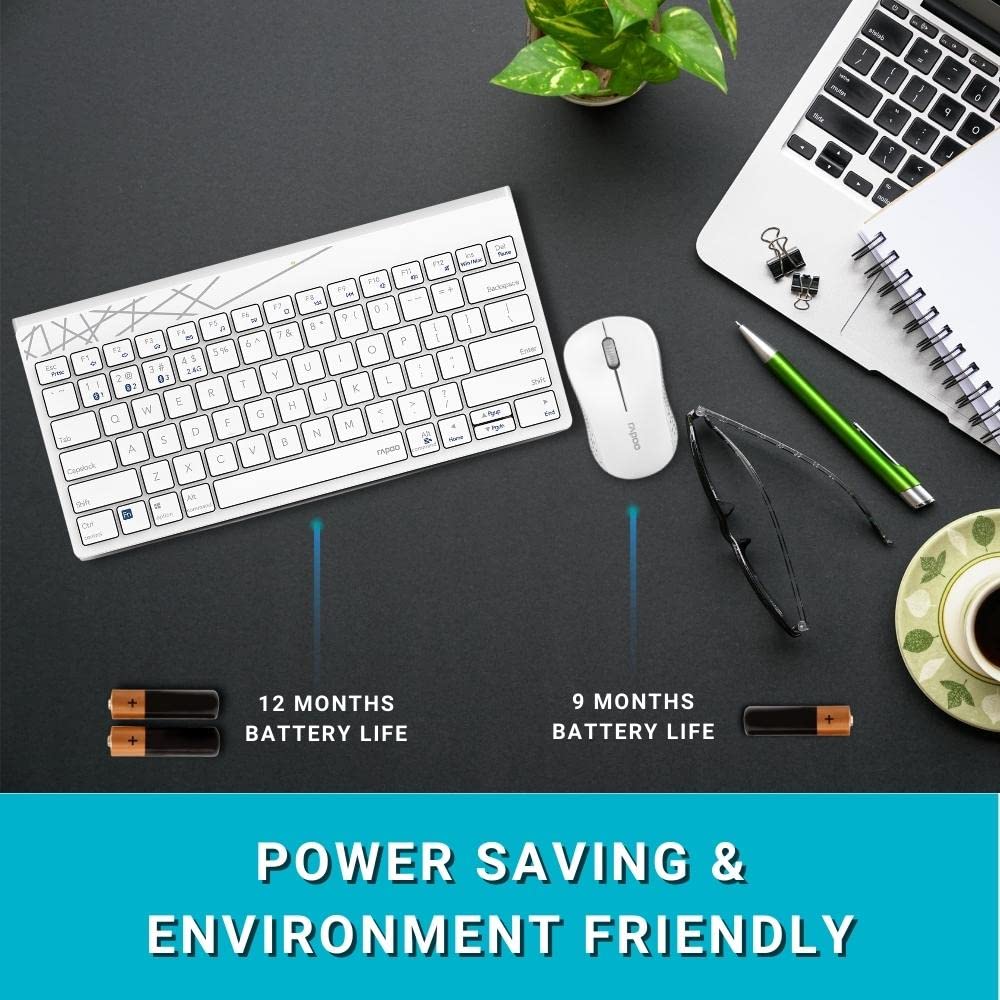
Image: Illustration of the Rapoo 8000M keyboard and mouse, highlighting their extended battery life.
3.2. 2.4 ГГц зымсыз байланыш
For 2.4 GHz wireless connectivity:
- Remove the USB receiver from its storage slot, typically found in the mouse battery compartment.
- USB ресиверди компьютериңиздеги жеткиликтүү USB портуна сайыңыз.
- The keyboard and mouse should automatically connect. If not, ensure the devices are powered on and within range.
3.3. Bluetooth туташуусу
The Rapoo 8000M supports Bluetooth 3.0 and 4.0. You can pair up to three Bluetooth devices.
- Баскычтопту жупташтыруу:
басып, кармап туруңуз fn+1, fn+2, же fn+3 key combination for 3 seconds to select a Bluetooth channel. The indicator light will flash slowly. - Түзмөгүңүздө (компьютер, планшет, смартфон) Bluetooth'ду иштетиңиз жана жаңы түзмөктөрдү издеңиз.
- Select "Rapoo 8000M Keyboard" from the list of available devices. Follow any on-screen prompts to complete pairing.
- Чычкан жупташтыруу:
Press the Bluetooth button on the underside of the mouse to switch to a Bluetooth channel (indicated by a slow flash). - On your device, search for new Bluetooth devices and select "Rapoo 8000M Mouse". Follow any on-screen prompts.

Image: The Rapoo 8000M keyboard and mouse connected to a desktop, laptop, and tablet, demonstrating multi-device connectivity.
4. Иштөө нускамалары
4.1. Түзмөктөрдүн ортосунда которулуу
Туташкан түзмөктөр арасында которулуу үчүн:
- Баскычтоп: Басыңыз fn+1, fn+2, fn+3 to switch to the corresponding Bluetooth device, or fn+4 for the 2.4 GHz connection.
- Чычкан: Press the Bluetooth button on the underside of the mouse to cycle through the paired Bluetooth devices and the 2.4 GHz connection.
4.2. Multimedia Hotkeys
The keyboard features multimedia hotkeys for quick access to various functions. These keys are typically located on the F-row and can be activated by pressing them directly or in combination with the Fn key, depending on your keyboard's default mode.
- F1-F12: Functions may include media player control (play/pause, next/previous track), volume adjustment, mute, homepage, and more. Refer to the keycap legends for specific functions.
4.3. Mouse DPI
The mouse operates at 1300 DPI, providing accurate and smooth cursor control on various surfaces.
5. Техникалык тейлөө
5.1. Тазалоо
The keyboard features a spill-resistant design, offering protection against accidental liquid spills. However, it is recommended to clean the keyboard and mouse regularly to maintain performance and hygiene.
- жумшак колдонуу, damp беттерин сүртүү үчүн чүпүрөк.
- Катуу химиялык заттарды же абразивдүү материалдарды колдонуудан алыс болуңуз.
- For spills, immediately disconnect the device, wipe dry, and allow it to air dry completely before reuse.

Image: Close-up of the Rapoo 8000M keyboard with water splashing on it, illustrating its spill-resistant design.
5.2. Батареянын иштөө мөөнөтү
With Rapoo's energy-saving technology and power switch, the keyboard and mouse can achieve a battery life of up to 9 months. To conserve battery:
- Turn off the devices using their respective power switches when not in use for extended periods.
- Иштетүү начарлаганда батарейкаларды алмаштырыңыз.

Image: The Rapoo 8000M mouse, highlighting its silent click design for a quiet working environment.
6. Кыйынчылыктарды
If you encounter issues with your Rapoo 8000M combo, refer to the following common problems and solutions:
- No Connection / Device Not Detected:
- Ensure batteries are correctly installed and charged.
- For 2.4 GHz, ensure the USB receiver is securely plugged into a working USB port.
- For Bluetooth, ensure Bluetooth is enabled on your device and the keyboard/mouse are in pairing mode or selected channel.
- Try re-pairing the devices (refer to Section 3.3).
- Try a different USB port for the receiver. - Баскычтар жооп бербей жатат / Чычкан көзөмөлдөбөй жатат:
- Check battery levels and replace if necessary.
- Ensure the device is connected to the correct channel (2.4 GHz or Bluetooth 1/2/3).
- Clean the optical sensor of the mouse if tracking is erratic.
- Ensure no physical obstructions are blocking the keys or mouse movement. - Үзгүлтүксүз туташуу:
- Move the devices closer to the receiver or Bluetooth-enabled device.
- Avoid using the devices near strong interference sources (e.g., Wi-Fi routers, other wireless devices).
- Ensure your computer's Bluetooth drivers are up to date.
7. Техникалык шарттар
| Өзгөчөлүк | Description |
|---|---|
| Бренд | Rapoo |
| Модел | 8000M |
| Байланыш технологиясы | Bluetooth 3.0, Bluetooth 4.0, 2.4 ГГц зымсыз байланыш |
| Шайкеш түзмөктөр | Personal Computer (Windows OS), Tablets, Smartphones |
| Чычкан DPI | 1300 DPI Optical |
| Өзгөчөлүктөр | Multi-Mode, Multi-Device Switching, Multimedia Hotkeys, Spill-Resistant Keyboard, Silent Mouse Design |
| Батареянын иштөө мөөнөтү | 9 айга чейин |
| Power Source | Battery Powered (2 AA for keyboard, 1 AA for mouse) |
| Продукциянын өлчөмдөрү | 36.4 x 14.8 x 3.4 cm (Keyboard); 350 g (Total Item Weight) |

Image: The Rapoo 8000M keyboard and mouse, illustrating their compact dimensions for productivity.
8. Кепилдик жана колдоо
The Rapoo 8000M Multi-Mode Wireless Keyboard and Mouse Combo is covered by a 3 жылдык кепилдик from the date of purchase. This warranty covers manufacturing defects and ensures reliable operation under normal use.
Кепилдик талаптары, техникалык колдоо же андан аркы жардам алуу үчүн, Rapoo кардарларды тейлөө кызматына алардын расмий өкүлү аркылуу кайрылыңыз webпродукт сатылып алынган сайт же сатуучу. Кепилдикти текшерүү үчүн сатып алганыңыздын далилин сактаңыз.
Көбүрөөк маалымат алуу үчүн расмий иш сапары менен Rapoo Store on Amazon.


