1. Киришүү
This manual provides detailed instructions for the installation, operation, and maintenance of your Anlapus H.265+ 1080P 8-Channel 2TB 4-in-1 Digital Video Recorder (DVR). This DVR is designed to provide reliable and high-quality surveillance recording, supporting various camera types including TVI, CVI, AHD, and 960H. With its advanced H.265+ video compression, 2TB pre-installed hard drive, and versatile recording modes, it offers an efficient solution for your security needs.
Туура орнотууну жана оптималдуу иштөөнү камсыз кылуу үчүн, продуктуну колдонуудан мурун бул колдонмону кылдат окуп чыгыңыз. Келечекте колдонуу үчүн бул колдонмону сактап коюңуз.
2. Коопсуздук маалыматы
- Электр камсыздоо: Use only the specified power adapter. Incorrect voltage аппаратты бузуп, кепилдикти жокко чыгарышы мүмкүн.
- Вентиляция: Ensure proper ventilation. Do not block any ventilation openings. Avoid placing the DVR in enclosed spaces.
- Курчап турган чөйрө: Do not expose the DVR to water, moisture, or extreme temperatures. Keep it away from direct sunlight, heat sources, and strong magnetic fields.
- Колдонуу: Handle the DVR with care. Avoid dropping or subjecting it to strong vibrations.
- Тазалоо: Тазалоодон мурун электр кубатынан ажыратыңыз. Кургак, жумшак чүпүрөктү колдонуңуз. Суюк же аэрозольдук тазалагычтарды колдонбоңуз.
- Тейлөө: Бул продуктту өзүңүз тейлөөгө аракет кылбаңыз. Бардык тейлөөнү квалификациялуу тейлөө кызматкерлерине тапшырыңыз.
3. Пакеттин мазмуну
Төмөндө тизмеленген нерселердин баары пакетиңизге камтылганын текшериңиз:
- Anlapus 8-Channel DVR Unit
- 2TB Hard Disk Drive (pre-installed)
- Кубаттуу адаптер
- USB чычкан
- User Manual

Image: Contents of the Anlapus DVR package, showing the main DVR unit, a USB mouse, power adapter, the 2TB hard disk drive, and the instruction manual.
4. Продукт бүтүп калдыview
Familiarize yourself with the components and interfaces of your Anlapus DVR.
4.1 алдыңкы панели
- Күч көрсөткүчү: Illuminates when the DVR is powered on.
- LAN көрсөткүчү: Тармактын активдүүлүгүн көрсөтөт.
- HDD көрсөткүчү: Indicates hard drive activity.
- USB порт: For connecting the USB mouse or a USB flash drive for backup.
4.2 Арткы панель
- Видео кирүү (BNC): 8 channels for connecting analog cameras (TVI/CVI/AHD/960H).
- Аудио киргизүү (RCA): For connecting audio input devices.
- Аудио чыгышы (RCA): For connecting audio output devices.
- VGA порту: For connecting a VGA monitor.
- HDMI порту: For connecting an HDMI monitor or TV.
- Network (RJ45) Port: For connecting to your local area network (LAN) for remote viewing.
- USB 2.0 порттору: Перифериялык түзүлүштөр үчүн кошумча USB порттору.
- DC 12V кубат киргизүү: Кубат адаптерин туташтыруу үчүн.

Image: Top and rear views of the Anlapus DVR, highlighting the front panel indicators and USB port, and the comprehensive rear panel connections including video inputs, audio ports, VGA, HDMI, network, and power input.

Сүрөт: жакын план view of the DVR's rear panel, clearly labeling the 8 BNC video inputs, RCA audio in/out, VGA, HDMI, network port, USB ports, and DC 12V power input.
5. Орнотуу
Follow these steps to set up your Anlapus DVR system.
- Камераларды туташтыруу: Connect your TVI/CVI/AHD/960H cameras to the BNC video input ports on the rear of the DVR. The DVR supports up to 8 cameras.
- Мониторду туташтыруу: Connect a monitor or TV to the DVR using either the HDMI or VGA port. HDMI is recommended for 1080P resolution.
- Чычканды туташтыруу: Берилген USB чычканын DVRдеги USB портторунун бирине сайыңыз.
- Тармакка туташуу (милдеттүү эмес): Алыскы үчүн viewing and email alerts, connect an Ethernet cable from the DVR's Network port to your router.
- Туташуу кубаты: Connect the power adapter to the DC 12V input on the DVR, then plug the adapter into a power outlet. The DVR will power on automatically.

Image: A simplified diagram illustrating the connection of the DVR to a router and a camera, demonstrating the basic setup for network access and video input.
Image: A detailed connection diagram showing how to connect cameras to the DVR and provide power to both the cameras and the DVR unit.
Image: A diagram illustrating how to connect the DVR to an HD TV using an HDMI cable and to a PC monitor using a VGA cable for video output.
6. Иштөө
6.1 Жазуу режимдери
The DVR supports three primary recording modes, which can be customized for each camera:
- Тынымсыз жаздыруу: Records video constantly, 24/7.
- Пландаштырылган жаздыруу: Records video during specific times set by the user.
- Кыймылды аныктоо жазуусу: Records only when motion is detected, saving hard drive space.
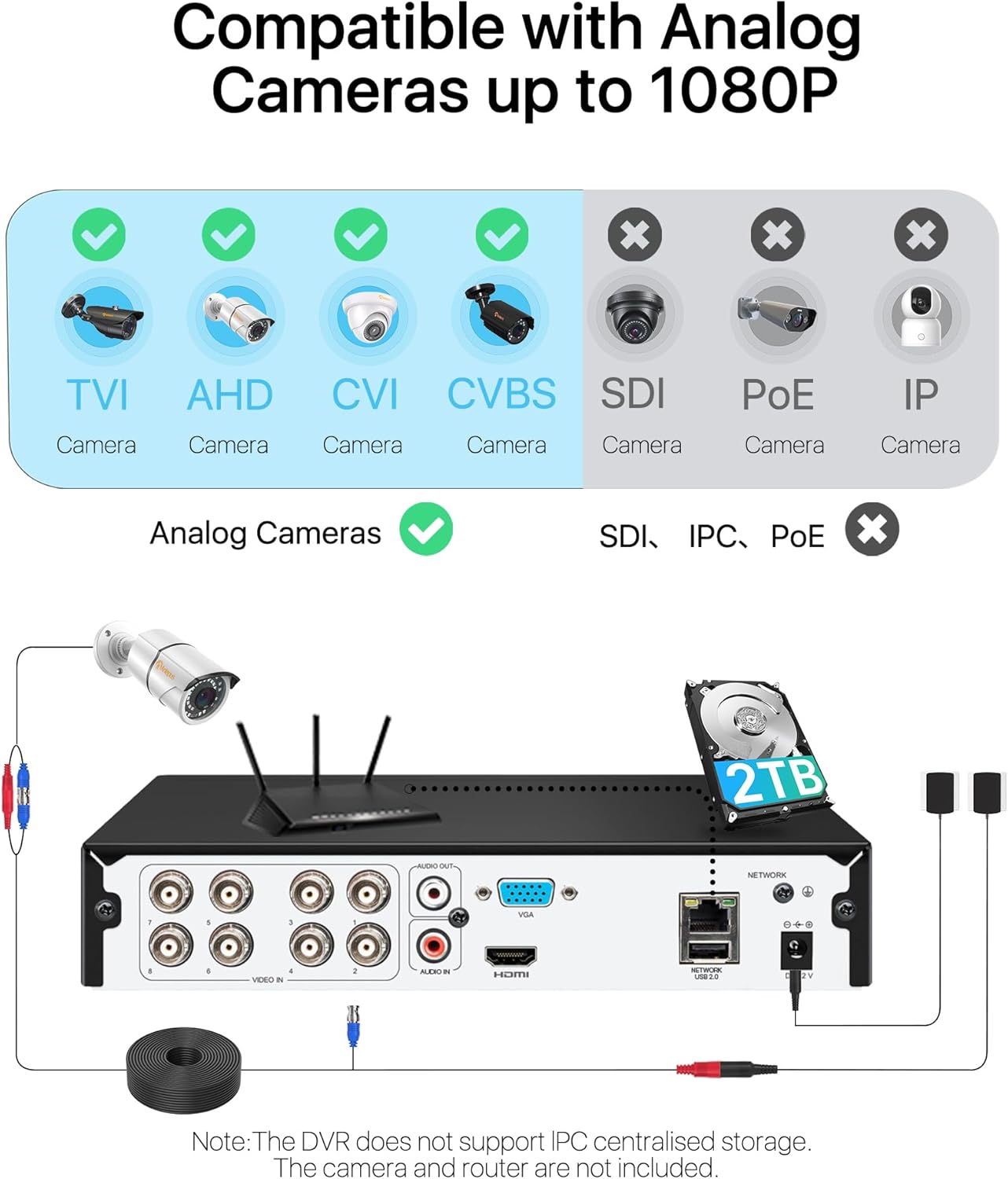
Image: A visual representation of the three recording modes supported by the DVR: Motion Detection Recording, Scheduled Recording, and Continuous Recording, with connections to HDMI and VGA outputs.
6.2 Кыймылды аныктоо жана эскертүүлөр
Configure motion detection zones and sensitivity. When motion is detected, the system can trigger various alerts:
- Электрондук почта аркылуу эскертүү: Sends an email notification with snapshots.
- App Notification: Sends a push notification to your mobile device.
- Коңгуроо: Activates an audible alarm from the DVR.
- Жаздыруу: Видео жаздырууну баштайт.
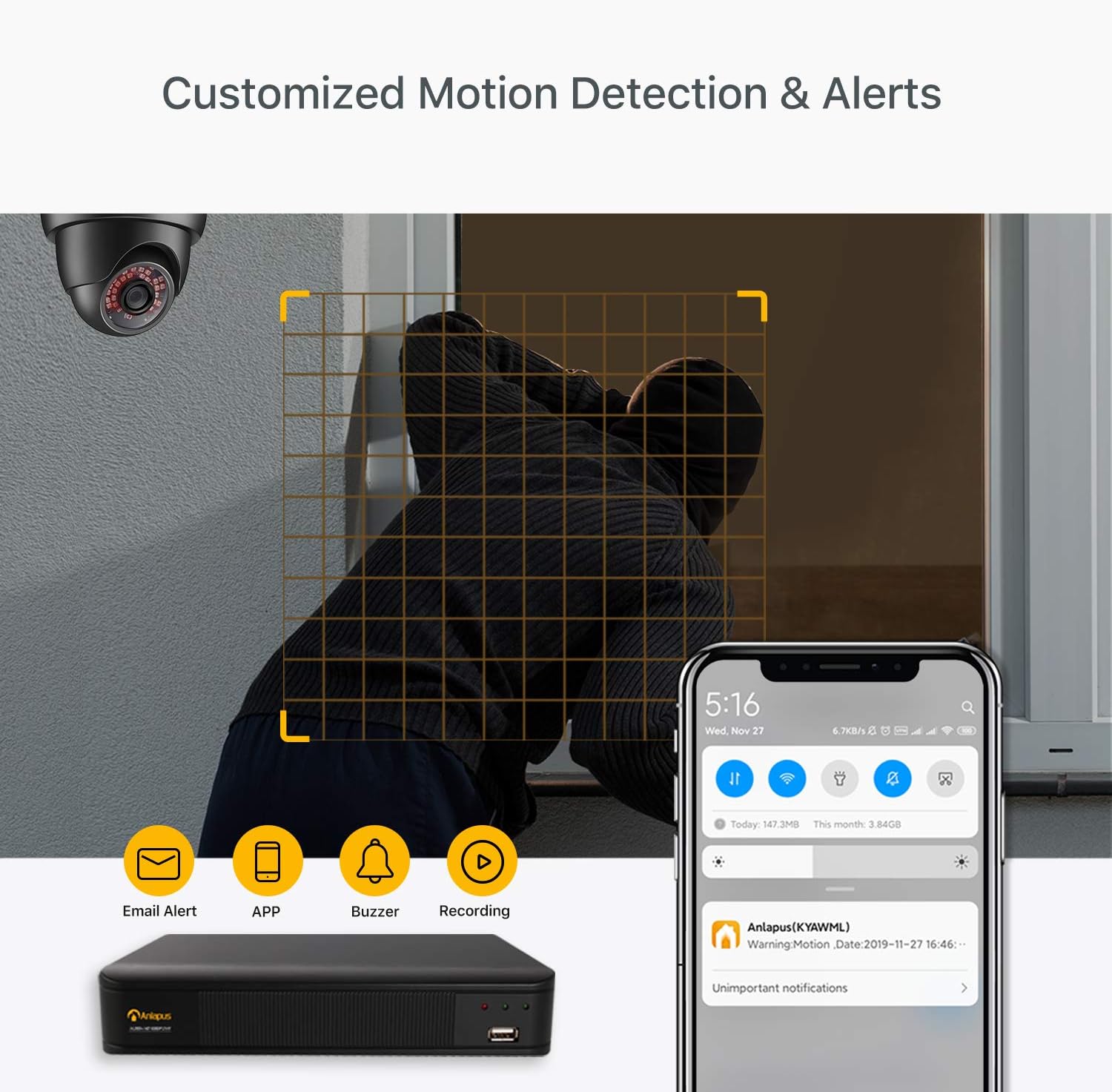
Image: A scene depicting motion detection in action, with a smartphone displaying an alert notification, and icons representing email alerts, app notifications, buzzer, and recording options.
6.3 Алыстан ViewМобилдик колдонмо аркылуу
Түз эфирдеги видео берүүлөргө жана жаздырылган тамак-ашка кирүүtage from anywhere using the free mobile application.
- Акысыз колдонмону жүктөп алыңыз: Издөө the Anlapus app on the App Store (iOS) or Google Play Store (Android) and install it on your smartphone.
- Түзмөк кошуу: Follow the in-app instructions to add your DVR by scanning the QR code or manually entering the device ID.
- View Камералар: Туташкандан кийин, мүмкүн view live streams, play back recordings, and receive push notifications.

Image: A three-step visual guide showing simple connection of the DVR, downloading the free mobile app from app stores, and viewing camera feeds on a smartphone.
6.4 Video Compression and Quality
The DVR utilizes H.265+ video compression technology, which significantly reduces file sizes while maintaining 1080P/2.0MP video quality. This allows for longer recording times and faster remote viewing compared to older compression standards like H.264.
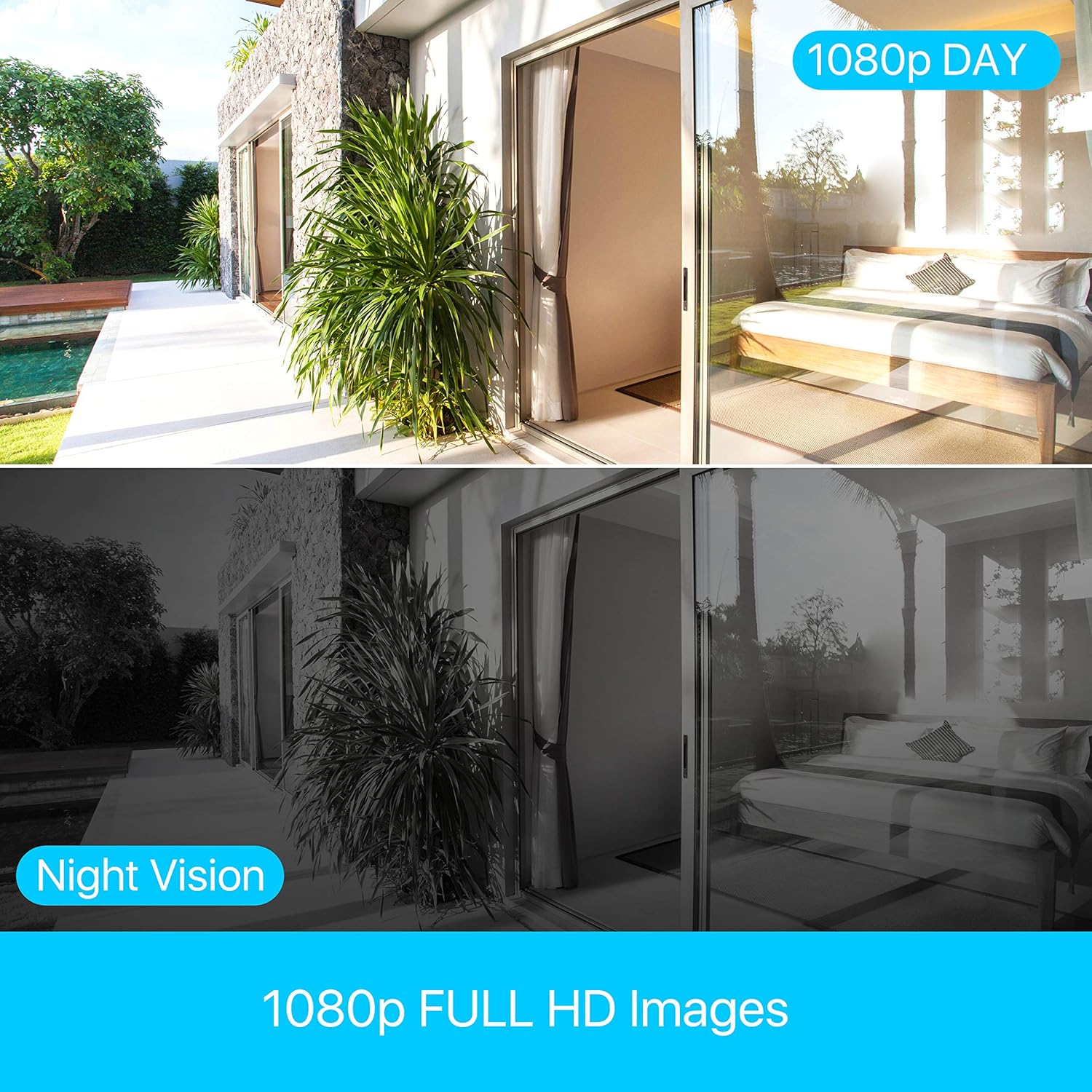
Image: A bar chart comparing H.264 and H.265+ compression, showing H.265+ allows for up to 4 times longer recording duration (e.g., 45 days vs. 11 days), along with icons for smaller file өлчөмдөрү, узак жазуу убакыттары жана ылдамыраак алыстан viewing.
The system provides clear 1080p Full HD images, with effective day and night vision capabilities to ensure continuous monitoring.
Image: A split image demonstrating the clarity of 1080p Full HD images during the day and the effectiveness of night vision, showing a consistent view of an outdoor and indoor scene.
7. Техникалык тейлөө
- үзгүлтүксүз тазалоо: Keep the DVR unit clean and free from dust. Use a soft, dry cloth for cleaning. Do not use harsh chemicals or abrasive materials.
- Вентиляция: Ensure that the ventilation holes are not obstructed to prevent overheating.
- Катуу дискти башкаруу: The 2TB hard drive is pre-installed. The DVR will automatically overwrite the oldest footage when the hard drive is full. Regularly back up important footage to an external USB drive if needed.
- Программалык камсыздоонун жаңыртуулары: Anlapus расмий текшерүү webоптималдуу иштешин жана жаңы функцияларга жетүүнү камсыз кылуу үчүн прошивка жаңыртуулары үчүн сайт.
8. Кыйынчылыктарды
This section addresses common issues you might encounter with your Anlapus DVR.
- Видео чыгаруу жок:
- Check all cable connections (HDMI/VGA, power).
- Монитордун күйгүзүлгөнүн жана туура киргизүү булагына коюлганын текшериңиз.
- Башка мониторду же кабелди колдонуп көрүңүз.
- Камера дисплейи жок:
- Verify camera power supply.
- Check BNC cable connections between camera and DVR.
- Ensure the camera type (TVI/CVI/AHD/960H) is compatible and automatically detected by the DVR.
- If a camera previously worked and now shows "device already exists" or similar error, try restarting the DVR and checking the camera's physical connection.
- Пульт жок Viewing:
- Ensure the DVR is connected to your router via Ethernet cable.
- Роутериңиздин интернет байланышын текшериңиз.
- Verify network settings on the DVR (DHCP enabled or static IP configured correctly).
- Мобилдик тиркеменин акыркы версиясына жаңыртылганын текшериңиз.
- Жаздыруу жок:
- Катуу диск туура орнотулганын жана DVR тарабынан таанылганын текшериңиз.
- Жаздыруу графигин жана кыймылды аныктоо жөндөөлөрүн текшериңиз.
- Ensure there is sufficient hard drive space.
9. Техникалык шарттар
| Өзгөчөлүк | Спецификация |
|---|---|
| Бренд | Anlapus |
| Модель номери | 6972804072740 |
| Видеону кысуу | H.265 + |
| Video Resolution | 1080P / 2.0MP |
| Каналдар | 8-канал |
| Катуу дисктин сыйымдуулугу | 2TB (pre-installed) |
| Compatible Camera Types | TVI, CVI, AHD, 960H |
| Видео киргизүү | BNC |
| Аудио киргизүү | RCA |
| Video Output | VGA, HDMI |
| USB порттору | 2 |
| Network Connectivity | RJ45 Ethernet |
| Электр камсыздоо | 12 вольт |
| Өлчөмдөрү (пакет) | 42.6 x 27.6 x 9.6 см |
| Салмагы (пакет) | 1.77 килограмм |
| Өндүрүүчү | Ansjer Electrionics Co.,Ltd |
| Келип чыккан өлкө | Кытай |
10. Кепилдик жана колдоо
Anlapus is committed to providing excellent customer service and support for its products.
- 30 күндүк акысыз кайтаруу: Enjoy a 30-day free return policy for your peace of mind.
- Өмүр бою техникалык колдоо: Benefit from lifetime technical support for any issues or questions you may have regarding your DVR system.
- Кыйынчылыксыз кепилдик: The product comes with a straightforward warranty to cover manufacturing defects.
For further assistance, please refer to the contact information provided on the Anlapus official webсайт же продуктунун таңгагы.


