1. Киришүү
This manual provides detailed instructions for the installation, operation, and maintenance of your XTRONS PQS1139BL 10.25 Inch Android Car Stereo. Please read this manual thoroughly before installation and use to ensure proper function and safety. This unit is designed to upgrade the in-car entertainment system for compatible BMW E39 models.

The image above demonstrates the perfect system integration of the XTRONS PQS1139BL unit within a BMW E39 vehicle, enhancing the interior aesthetics and functionality.
2. Негизги өзгөчөлүктөрү
- Android 11 операциялык системасы: Experience a fast and responsive interface with the latest Android 11, powered by a Hexa Core Rockchip PX6 CPU, 4GB RAM, and 64GB ROM.
- 10.25 дюймдук HD сыйымдуулуктагы сенсордук экран: A fully immersive 1280x480 high-definition display for enhanced visual experience.
- 4K видео ойнотуу: Supports playing videos in 4K format, offering high-quality visual entertainment.
- Built-in HDMI Output: Transmit high-fidelity audio and video from the head unit to an HDMI-enabled monitor for passengers. Note: AUX input, DVD, radio, or Bluetooth calls audio are not supported via HDMI output.
- Смартфон байланышы:
- Built-in Wireless CarAutoPlay for iPhone integration.
- Built-in Wired Android Auto for Android phone integration.
- Bluetooth 5.0 for hands-free calls, audio streaming, and voice control.
- Built-in DSP (Digital Sound Processor): Enhances audio quality for a superior listening experience.
- Vehicle Function Retention: Retains original car functions such as steering wheel control, headlight ACC, and reversing control.
- Dual Band Wi-Fi: Supports both 2.4GHz and 5GHz bands for faster and more stable internet connection.
- GPS навигациясы: Compatible with various Android navigation software including Google Maps, Sygic, Waze, and more.
- Built-in Radio Tuner: Features an ST TDA7708 radio chip covering AM/FM bands with RDS decoding.
- Кошумча аксессуарларды колдоо: Compatible with external DAB+ Tuner, OBD2, DVR, Cameras, TPMS, and more (sold separately).
Функция бүттүview

This image highlights the core capabilities of the PQS1139BL unit, including its Android 11 operating system, powerful Rockchip PX6 processor, and various connectivity and entertainment options.
High-Definition Display and Video Playback
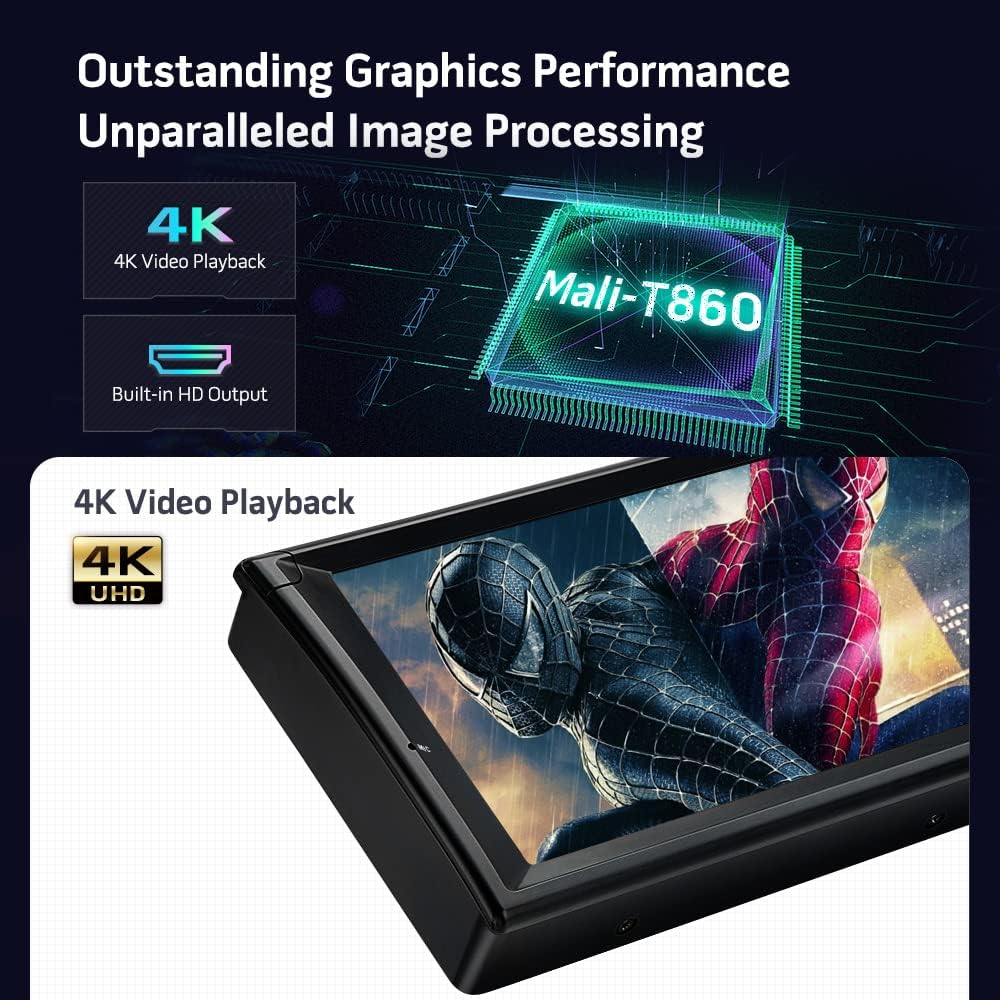
The PQS1139BL features a Mali-T860 GPU for outstanding graphics performance, supporting crisp 4K video playback and a built-in HD output for external displays.

This image illustrates the unit's 10.25-inch 1280x480 HD capacitive touch screen, its support for CarAutoPlay and Android Auto for seamless smartphone integration, built-in dual-band Wi-Fi for internet access, and a built-in radio tuner for AM/FM stations.

This image details the built-in DSP for professional sound quality, Bluetooth 5.0 for hands-free communication and audio streaming, the retention of original vehicle functions, and integrated GPS navigation.
3. Пакеттин мазмуну
Төмөндө тизмеленген нерселердин баары пакетиңизге камтылганын текшериңиз:
- 2 × ISO зымдарынын шнуру
- 2 × USB Cable
- 1 × GPS антеннасы
- 1 × RCA кабели
- 1 × Камера кабели
- 1 × CANbus кутучасы
- 1 × Radio Antenna Adapter
- 1 × Колдонуучунун колдонмосу
- 1 × Mounting Base for BMW E38
- Fitting Kits
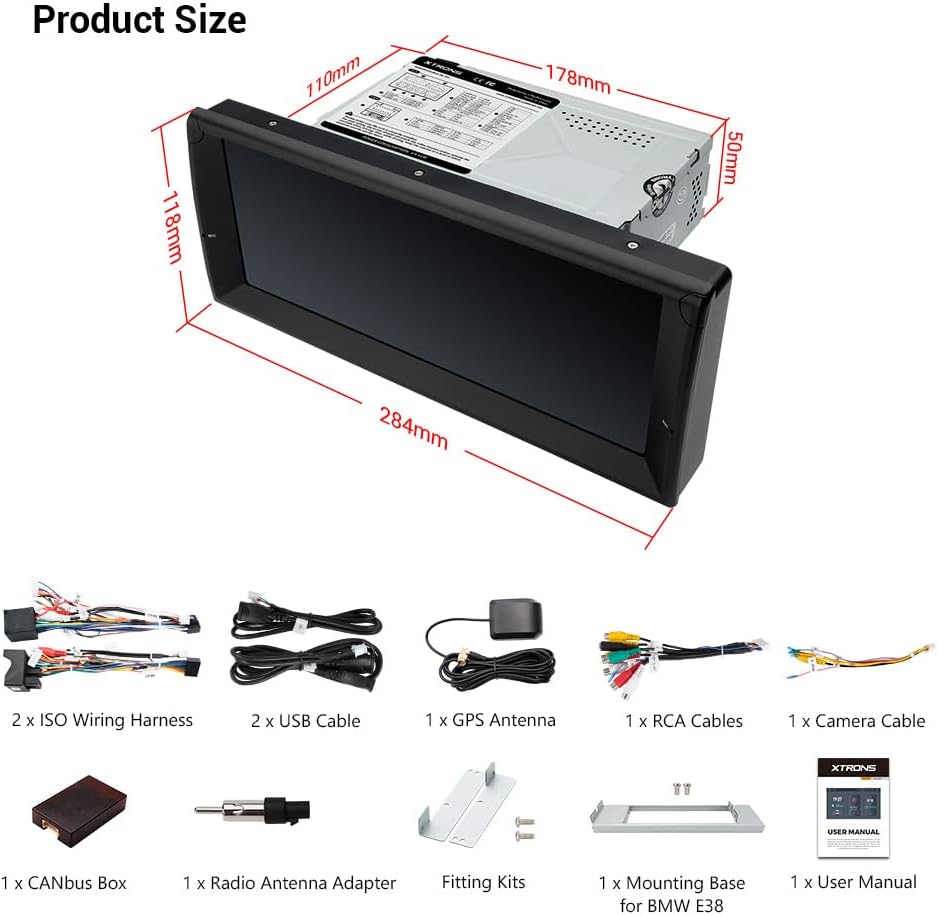
The image above displays the complete set of accessories provided with your XTRONS PQS1139BL unit, essential for installation and initial setup.
4. Орнотуу
Professional installation is recommended. Ensure the vehicle's battery is disconnected before beginning installation. Refer to your vehicle's service manual for specific dashboard disassembly instructions.
4.1 Cables You May Need (Optional)

Depending on your BMW E39's original setup, you may require additional cables or adapters:
- If your car's radio antenna port is as pictured (ISOFZ), you need an adapter cable (XTRONS ISOFZ).
- If your car's radio antenna is in the trunk (FZMF), you need two extension cables (XTRONS ISOFZ and FZMF).
- For original 4.3" or 7" screens, or if the navigation drive is in the rear, an extra 6m extension cable (EXL005 and EXL007) may be needed.
- If your factory radio has a DSP (Digital Sound Processing) button or a Harman Kardon sound system, an extension cable (EXL005 and EXL007) may be required.
- If your car has a fiber optic amplifier system, a decoder (FOBB05) is needed.
4.2 Important Notes on Compatibility
- Verify if there is a frame in the center console of your car. If present, remove it before installation.
- For BMW E38 models, ensure the HVAC box behind the factory radio is present and use the provided E38 mounting base.
- Confirm your car's central console is circular angle. This unit is not compatible with perfectly circular consoles (e.g., PQS1153BL model shown as incompatible).
4.3 Электр өткөргүч схемасы

This diagram illustrates the various connections on the rear of the head unit. Ensure all connections are secure and correctly matched to your vehicle's wiring harness. Key connections include:
- CANbus Decoding Box
- Brake (Brake in cable)
- ISO зымдары
- ACC (аксессуар кубаты)
- Back/Reverse Control Cable
- KEY1, KEY2 (Steering Wheel Control)
- Audio Output (Front, Rear, Subwoofer)
- Camera Input (CVBS IN 1, CVBS IN 2, Camera 12V)
- HDMI Output (HD Output)
- USB Ports (USB Port 1, USB Port 2, USB Port 3)
- GPS антеннасы
- Radio Antenna Port
- Bluetooth антеннасы
4.4 Продукциянын өлчөмдөрү
Refer to the provided dimensions to ensure proper fitment in your vehicle's dashboard. The unit measures approximately 284mm in width, 118mm in height, with a main unit depth of 178mm.
5. Баштапкы орнотуу
After successful installation, power on the unit and follow the on-screen prompts for initial setup. This typically includes language selection, time zone, and Wi-Fi connection.
5.1 Wi-Fi туташуусу
To access online features, connect the unit to a Wi-Fi hotspot. Navigate to Settings > Network & Internet > Wi-Fi and select your desired network.
6. Иштөө нускамалары
6.1 Smartphone Integration (CarAutoPlay & Android Auto)
The unit supports both Wireless CarAutoPlay for iPhones and Wired Android Auto for Android phones. Connect your smartphone via Bluetooth (for CarAutoPlay) or a USB cable (for Android Auto) to safely access navigation, calls, messages, and music on the large screen.
6.2 Bluetooth 5.0
Pair your mobile phone with the unit via Bluetooth 5.0 to enjoy hands-free calls, access your phone book, view call logs, search contacts, and stream audio.
6.3 GPS навигациясы
Utilize the built-in GPS for navigation. The unit supports various Android navigation applications. Ensure the GPS antenna is properly installed for optimal signal reception.
6.4 Санарип үн процессору (DSP)
Access the built-in DSP settings to customize your audio experience. Adjust equalizer settings, sound fields, and other audio parameters to suit your preferences.
6.5 Radio with RDS
Tune into your favorite AM/FM radio stations. The unit's ST TDA7708 radio chip provides clear reception and supports RDS (Radio Data System) for additional information display.
6.6 Optional DAB+ Tuner
If you have an optional XTRONS USB DAB radio receiver stick, connect it to a USB port to enjoy digital audio broadcasting (DAB+) in your car.
6.7 Optional OBD2 Functionality
With an optional OBD2 adapter, you can retrieve real-time data and trouble codes from your vehicle's computer, providing valuable diagnostic information.
7. Техникалык тейлөө
- Экранды тазалоо: Use a soft, lint-free cloth to gently wipe the screen. Avoid abrasive cleaners or solvents.
- Программалык камсыздоо жаңыртуулары: Periodically check the XTRONS webоптималдуу иштөөнү жана жаңы функцияларга жетүүнү камсыз кылуу үчүн жеткиликтүү программалык камсыздоонун жаңыртуулары үчүн сайттын же түзмөктүн жөндөөлөрү.
- Жалпы кам көрүү: Аппаратты экстремалдык температурага, түз күн нуруна узак убакытка же ашыкча нымдуулукка дуушар кылуудан алыс болуңуз.
8. Кыйынчылыктарды
Эгер көйгөйлөргө туш болсоңуз, төмөнкү жалпы чечимдерди караңыз:
| Көйгөй | Мүмкүн себеп | Чечим |
|---|---|---|
| Түзмөк күйбөйт. | Туура эмес зымдар, күйгүзүлгөн сактагыч, унаанын аккумулятору маселеси. | Check power connections, vehicle fuses, and battery charge. Consult a professional installer if necessary. |
| Үн жок. | Volume too low, incorrect audio source, speaker wiring issues. | Increase volume, select correct audio source, check speaker connections. Verify DSP settings. |
| GPS сигналы жоголду же так эмес. | GPS антеннасы туура эмес орнотулган же тосулуп калган. | GPS антеннасы эч ким тоскоол болбогон ачык жерге орнотулганын текшериңиз view асмандын. |
| Bluetooth туташуу көйгөйлөрү. | Phone not paired, Bluetooth disabled, interference. | Ensure Bluetooth is enabled on both devices. Re-pair the phone. Clear previous pairings if necessary. |
| Сенсордук экран жооп бербейт. | Убактылуу программалык ката. | Perform a soft reset (refer to the unit's specific reset procedure). If issue persists, contact support. |
9. Техникалык шарттар
| Өзгөчөлүк | Деталь |
|---|---|
| Модель номери | PQS1139BL |
| Операция системасы | Android 11 |
| Процессор | Hexa Core Rockchip PX6 |
| RAM | 4 ГБ |
| ROM | 64 ГБ |
| Screen Size | 10.25 дюйм |
| Резолюция | 1280x480 |
| Байланыш | Auxiliary, Bluetooth 5.0, HDMI, RCA, USB, Dual Band Wi-Fi |
| Өзгөчөлүктөр | Touchscreen, Built-in DSP, CarAutoPlay, Android Auto, 4K Video Playback |
| Шайкеш түзмөктөр | Speaker, Android phones, iPhones |
| Аудио чыгаруу режими | AUX, Stereo |
| Каналдардын саны | 4 |
| Элемент Салмагы | 6.39 фунт |
| Пакеттин өлчөмдөрү | 13.5 x 11.4 x 8.5 дюйм |
10. Кепилдик жана колдоо
XTRONS камсыз кылат 1 жылдык кепилдик for this unit. For technical support, warranty claims, or any inquiries, please contact XTRONS customer service via Amazon email. We are committed to ensuring your satisfaction and will respond promptly to address your concerns.
Кошумча маалымат жана ресурстар үчүн, сураныч, бул жерге кириңиз XTRONS Store on Amazon.


