1. Киришүү
Сатып алганыңыз үчүн рахматasing the Volkano Stun Series Portable Bluetooth Speaker. This manual provides essential information for the safe and optimal use of your device. Please read these instructions thoroughly before use and retain them for future reference.
2. Пакеттин мазмуну
- Volkano Stun Series Fabric Bluetooth спикери
- Микро USB заряддоо кабели
- 3.5 мм Aux Cable
- Instruction Manual
3. Продукт бүтүп калдыview
3.1 Башкаруу
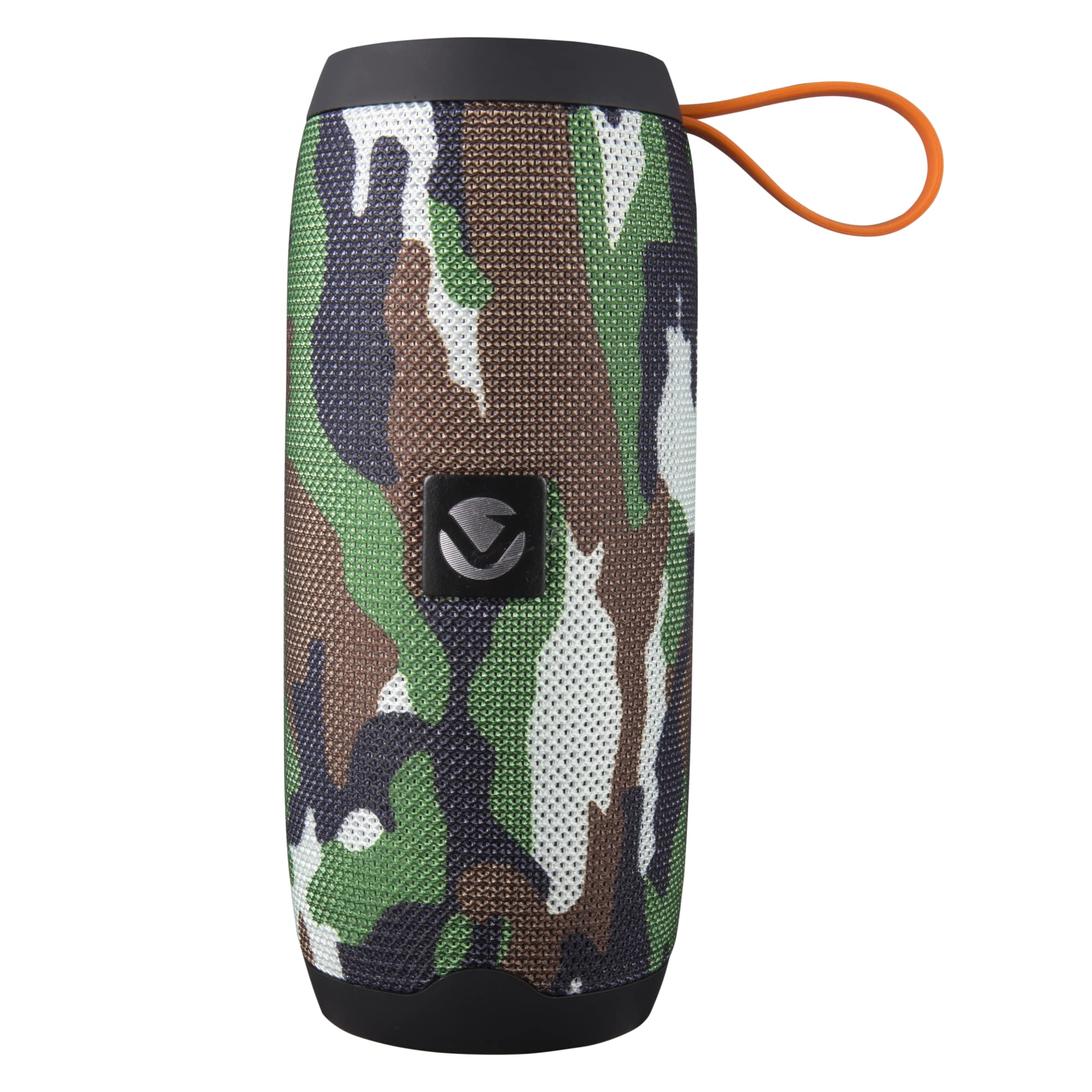
Сүрөт: Жогорку view of the Volkano Stun Series speaker, showing the orange control panel with buttons for power, mode, play/pause, volume up/next track, and volume down/previous track.
- Күйгүзүү/өчүрүү баскычы (Ⓘ): Press and hold to power on/off. Short press to play/pause in Bluetooth/SD/USB mode.
- Режим баскычы (M): Short press to switch between Bluetooth, FM Radio, SD Card, and Aux modes.
- Үндү азайтуу / Мурунку трек (-): Мурунку трек үчүн кыска басыңыз. Үндү азайтуу үчүн басып туруңуз.
- Үндү катуулатуу / Кийинки трек (+): Кийинки трек үчүн кыска басыңыз. Үнүн катуулатуу үчүн басып туруңуз.
- Чакыруу баскычы (Телефон сүрөтчөсү): Short press to answer/end calls. Press and hold to reject calls. Double press to redial last number.
3.2 порт

Сүрөт: каптал view of the Volkano Stun Series speaker, revealing the rubber flap covering the Micro USB charging port, USB input, Micro SD card slot, and 3.5mm Aux input.
- Микро USB кубаттоочу порт: Динамикти заряддоо үчүн.
- USB киргизүү: USB флэш-дискинен аудио ойнотуу үчүн.
- Микро SD карта слоту: Micro SD картадан аудио ойнотуу үчүн.
- 3.5mm Aux Input: For connecting external audio devices via an auxiliary cable.
3.3 Продукт видеосу бүттүview
Видео: 26 секунддук overview of the Volkano Stun Series Portable Bluetooth Speaker, highlighting its fabric finish, lightweight design, carry strap, dual speakers, various input options (Aux, Micro SD, FM Radio), included cables, multi-functional controls, and speakerphone capability.
4. Орнотуу
4.1 Алгачкы заряддоо
- Биринчи колдонуудан мурун динамикти толук заряддаңыз.
- Connect the Micro USB charging cable to the speaker's charging port and the other end to a USB power source (e.g., wall adapter, computer USB port).
- Заряддоо индикатору кубаттоо учурунда күйөт жана толук заряддалгандан кийин өчөт.
- Адатта, заряддоо болжол менен 4 саатка созулат.
4.2 Күйгүзүү/өчүрүү
- To power on, press and hold the Power Button (Ⓘ) for approximately 3 seconds until you hear an audible prompt.
- To power off, press and hold the Power Button (Ⓘ) for approximately 3 seconds until you hear an audible prompt.
5. Иштөө нускамалары
5.1 Bluetooth жупташтыруу
- Ensure the speaker is powered on and in Bluetooth mode. If not, short press the Mode Button (M) until you hear the Bluetooth pairing prompt. The LED indicator will flash rapidly.
- Аудио түзмөгүңүздө Bluetooth'ду иштетиңиз (смартфон, планшет, компьютер).
- Издөө available Bluetooth devices and select "Volkano Stun Series" from the list.
- Once paired, the speaker will emit an audible confirmation, and the LED indicator will stop flashing and remain solid.
- Эми сиз түзмөгүңүздөн аудиону динамик аркылуу ойной аласыз.
5.2 FM радио режими
- Power on the speaker and short press the Mode Button (M) until you enter FM Radio mode.
- To auto-scan and save available FM stations, short press the Power Button (Ⓘ). The speaker will scan and store stations automatically.
- Сакталган станциялардын ортосунда багыт алуу үчүн Үндү катуулатуу (+) жана Үндү азайтуу (-) баскычтарын колдонуңуз.
5.3 Micro SD карта / USB ойнотуу
- Insert a Micro SD card or USB flash drive (with MP3 audio fileс) динамиктеги тиешелүү портко.
- The speaker will automatically switch to SD Card or USB mode and begin playing audio. If not, short press the Mode Button (M) to select the correct mode.
- Use the Power Button (Ⓘ) to play/pause.
- Use the Volume Up (+) and Volume Down (-) buttons for next/previous track.
5.4 Көмөкчү (AUX) киргизүү
- Connect one end of the 3.5mm Aux cable to the speaker's Aux input port.
- Connect the other end of the Aux cable to the audio output jack of your external device.
- Short press the Mode Button (M) until you enter Aux mode.
- Control playback and volume directly from your external audio device.
5.5 Hands-Free чалуу
- When connected via Bluetooth to your smartphone, the speaker can be used for hands-free calls.
- Чакырууга жооп берүү: Short press the Call Button (Phone Icon).
- Чакырууну аяктоо: Short press the Call Button (Phone Icon) during a call.
- Чакырууну четке кагуу: Press and hold the Call Button (Phone Icon) for 2 seconds.
- Акыркы номерди кайра терүү: Double press the Call Button (Phone Icon).
5.6 True Wireless Stereo (TWS) Pairing (Requires two Volkano Stun Series Speakers)
- Ensure both Volkano Stun Series speakers are powered off.
- Эки динамикти бир убакта күйгүзүңүз. Алар Bluetooth жупташтыруу режимине өтөт.
- On one of the speakers (this will become the primary speaker), double-press the Power Button (Ⓘ). The speakers will attempt to connect to each other.
- Once successfully paired, you will hear an audible confirmation, and the LED indicator on the primary speaker will flash, while the secondary speaker's LED will remain solid.
- Now, enable Bluetooth on your audio device and connect to the primary speaker ("Volkano Stun Series").
- Аудио эми эки динамиктен тең стерео режиминде ойнотулат.
6. Заряддоо
- The speaker is equipped with a 1200 mAh built-in battery.
- Use the provided Micro USB cable to charge the speaker.
- Толук кубаттоо болжол менен 4 саатты талап кылат.
- A fully charged speaker provides up to 2 hours of continuous audio playback, depending on volume level and usage.
7. Кыйынчылыктарды
| Маселе | Мүмкүн чечим |
|---|---|
| Динамик күйбөйт. | Динамиктин толук заряддалганын текшериңиз. Кубат булагына туташтырып, кайра аракет кылыңыз. |
| Bluetooth түзмөгү менен жупташтыруу мүмкүн эмес. | Ensure the speaker is in Bluetooth pairing mode (flashing LED). Make sure your device's Bluetooth is enabled and within range (up to 32 feet). Try restarting both the speaker and your device. |
| Ойнотуу учурунда үн чыкпайт. | Check the volume levels on both the speaker and your connected device. Ensure the correct mode (Bluetooth, Aux, SD, USB) is selected. If using Aux, ensure the cable is fully inserted. |
| FM радиосунун кабыл алуусу начар. | Try repositioning the speaker. Ensure no strong interference sources are nearby. |
| TWS жупташтыруу ишке ашпай калды. | Ensure both speakers are the same model and fully charged. Power off both, then power on and try the TWS pairing steps again. Ensure no other Bluetooth devices are actively trying to connect. |
8. Техникалык шарттар
| Өзгөчөлүк | Деталь |
|---|---|
| Модель аты | Stun Series V1 |
| Элемент моделинин номери | VK-3453-CM |
| Bluetooth версиясы | 5.0 |
| Bluetooth диапазону | 33 фут (10 метр) чейин |
| Динамик чыгаруу күчү | 10 Ватт чокусу (6 Вт RMS) |
| Айдоочунун өлчөмү | 2 дюймдук |
| Батарея сыйымдуулугу | 1200 мАч |
| Ойнотуу убактысы | 2 саатка чейин |
| Заряддоо убактысы | Болжол менен 4 саат |
| Frequency Response | 120 Гц |
| Ызы-чуунун катышы | 95 дБ |
| Импеданс | 4 Ом |
| Байланыш | Bluetooth, Auxiliary, USB, Micro SD Card |
| Өлчөмдөр (D x W x H) | 2.8" x 2.8" x 6.5" |
| Салмагы | 7.9 унция (225 грамм) |
| Өзгөчөлүктөр | Built-in Microphone, Hands-Free Calling, FM Radio, True Wireless Stereo (TWS) |
9. Коопсуздук маалыматы
- Do not use this speaker near water or in excessively humid environments.
- Avoid exposing the speaker to extreme temperatures, direct sunlight, or open flames.
- Динамикти бөлүктөргө бөлүүгө же өзгөртүүгө аракет кылбаңыз. Бул кепилдикти жокко чыгарып, зыян келтириши мүмкүн.
- Динамикти балдардан жана үй жаныбарларынан алыс кармаңыз.
- Берилген заряддоо кабелин же тастыкталган эквивалентти гана колдонуңуз.
- Динамикти жумшак, кургак чүпүрөк менен тазалаңыз. Абразивдүү тазалагычтарды же эриткичтерди колдонбоңуз.
- Динамикти жана анын батарейкасын жергиликтүү эрежелерге ылайык жоопкерчилик менен жок кылыңыз.
10. Кепилдик жана колдоо
The Volkano Stun Series Portable Bluetooth Speaker is covered by a 1 жылдык чектелген кепилдик against manufacturing defects. Additionally, Volkano provides өмүр бою кардарларды колдоо.
For any questions, technical assistance, or warranty claims, please contact Volkano customer support via the official Volkano seller page or through the contact information provided with your purchase documentation.


